Shopify Shipping by ZIP Code: Setup, Limits and Fixes
Learn how to set up Shopify Shipping by ZIP Code, see the native limits, and find out when a checkout restriction app is needed.
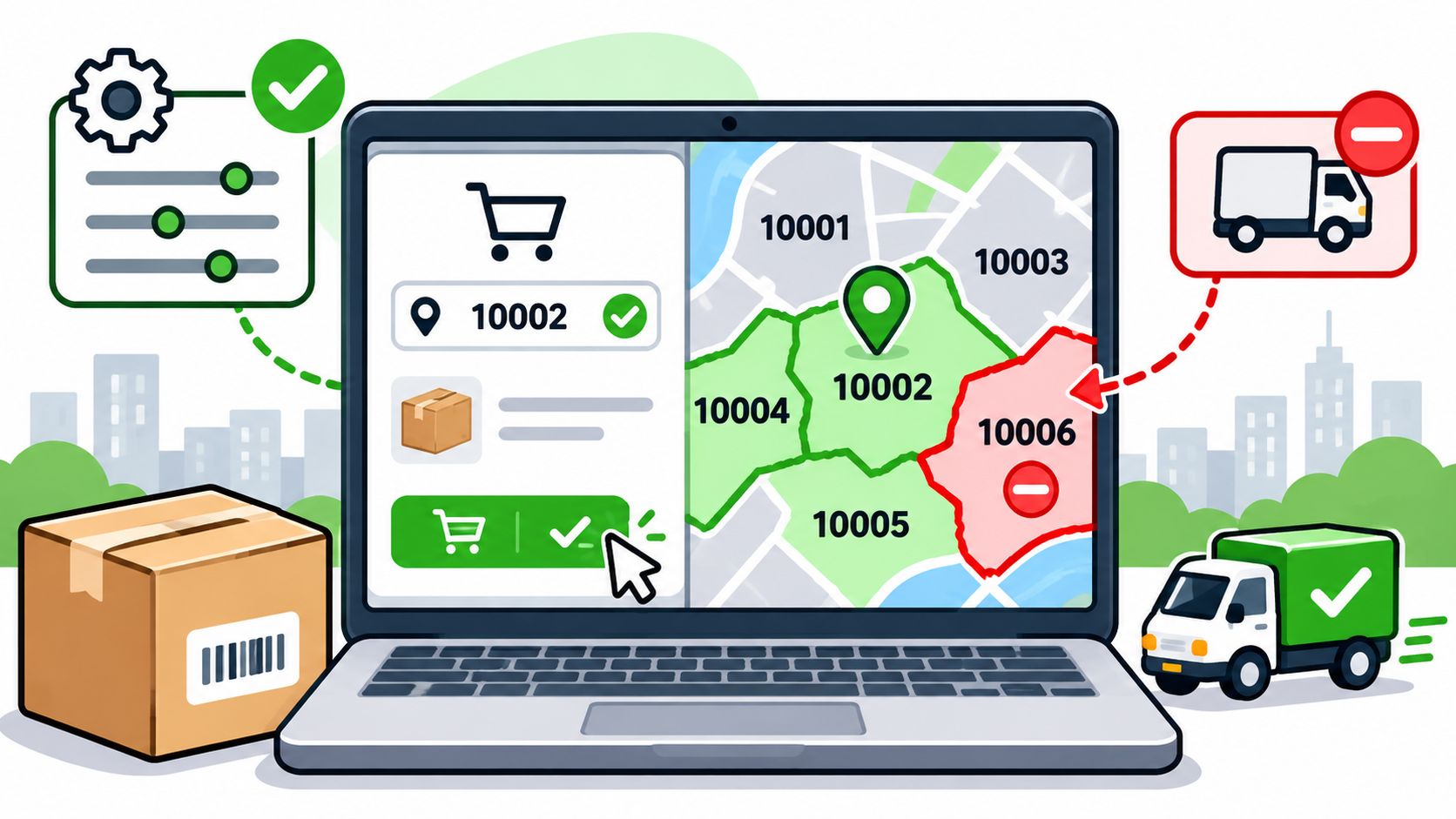
You've entered the ZIP codes your drivers serve, but checkout still isn't behaving the way you expected. An eligible customer can't see local delivery, someone outside your service area can still select shipping, or a restricted product makes it into an otherwise ordinary order.
Shopify shipping by ZIP code involves different controls for different jobs. Local delivery settings define where your drivers go. Shipping rates determine which delivery methods appear. Product restrictions determine whether a particular item can legally or operationally ship to that address. Getting the store ready means choosing the right control, then testing what happens before payment.
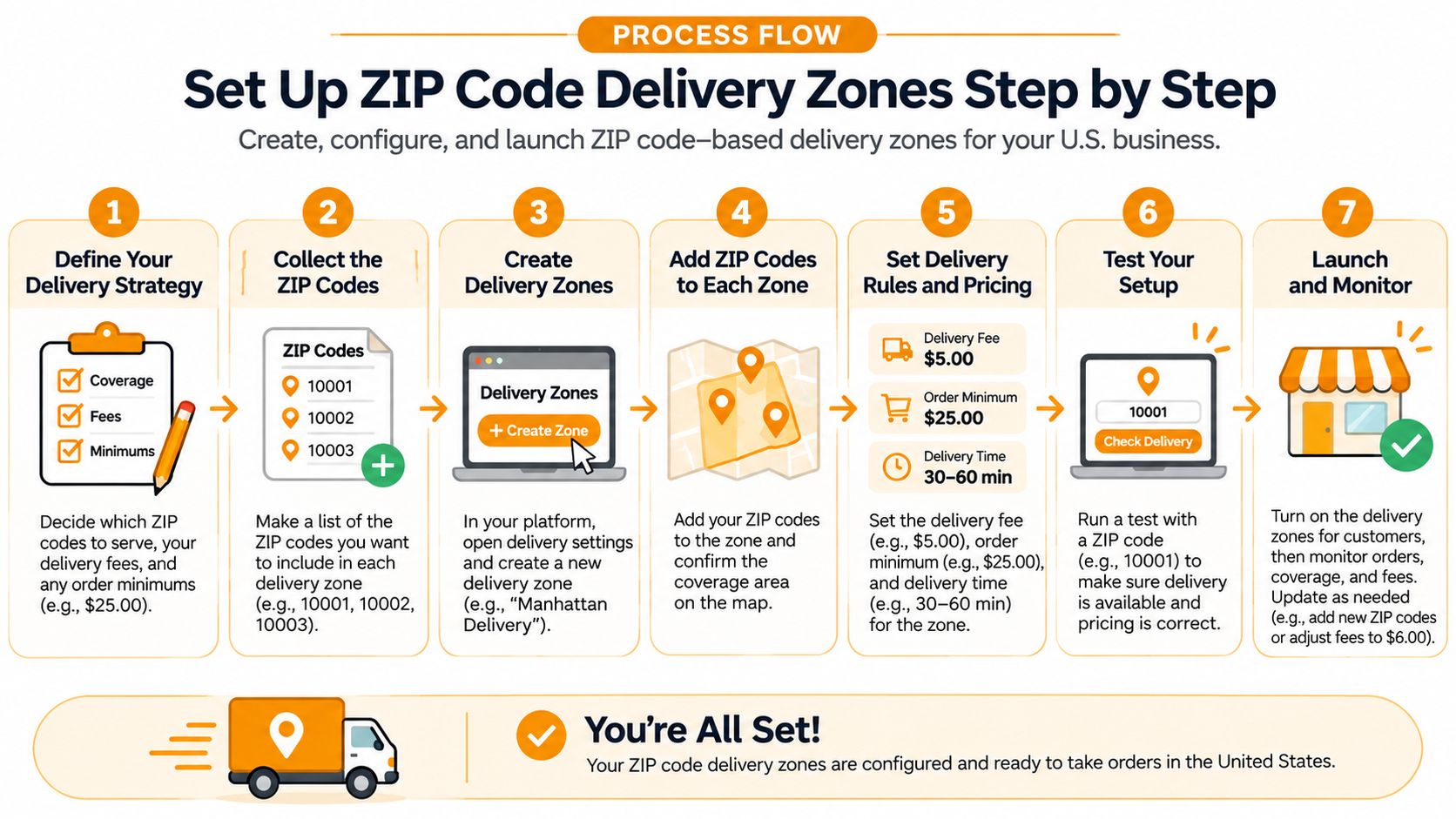
Set Up ZIP Code Delivery Zones Step by Step
Say you deliver from a warehouse to selected city ZIP codes and want to confirm coverage before launch. Start with local delivery at the fulfillment location, not a storewide exclusion list. Each origin needs its own configuration.
If you're still establishing inventory and fulfillment settings, Alpha Omega Digital's guide to building your first Shopify shop provides useful setup context before you configure delivery coverage.
Automate Shipping Compliance
Block orders to restricted states automatically. 3-day free trial.
Start Free TrialConfigure the location and its delivery area
-
Confirm the fulfillment location and stock. In Shopify admin, open Settings → Shipping and delivery and find the local delivery settings for the location you'll deliver from. Confirm that the inventory you intend to offer locally is assigned there, rather than assuming stock elsewhere makes the order eligible.
-
Enable local delivery for that location. Choose postal-code coverage and create a delivery zone for a group of codes you serve. Group addresses by an operational reason, such as a shared delivery charge or driver route, rather than creating arbitrary divisions.
-
Enter the postal-code list. Add exact codes as a comma-separated list and preserve leading zeros when copying from a spreadsheet. Check for missing entries, accidental spaces within codes, and codes belonging to an adjacent area you don't serve.
-
Set the commercial conditions. Enter the delivery charge and any minimum-order requirement. Make sure the minimum reflects what your team can profitably pick, pack, and deliver.
-
Complete the remaining zones and locations. Shopify's local delivery documentation allows up to 10 delivery zones per location, a 3,000-character postal-code field per zone, and free delivery when the delivery price is 0. Repeat the configuration separately for every location offering local delivery.
-
Test coverage at checkout. Use an address inside each zone and another immediately outside it. Confirm the local delivery option, its price, and the minimum-order behavior, then check whether another shipping method remains available outside your local area.
Use this process as a configuration checklist, not just a map of where you'd like to deliver.
Practical rule: Removing local delivery outside your catchment doesn't necessarily prevent shipping there through another available method.
Keep a dated copy of every postal-code list, with the location and zone name attached. A zone can only match the codes you entered, so treat that list as an operating document rather than a disposable setup field.
Native Shopify Tools Compared for ZIP Restrictions
A checkout restriction app addresses the gap that matters most to regulated sellers: combining a destination with the contents of the cart. Native delivery tools remain useful, but they don't all answer that same question.
Shopify's shipping-rate documentation describes a destination-aware model: shipping zones group countries or regions, rates appear after the customer enters a delivery address, and an address outside every configured zone receives a no-rate-available message. Shipping profiles add product- and location-specific configuration, allowing you to separate restricted inventory from ordinary stock.
Native Shopify controls and what each one can block
| Control | What it targets | ZIP capacity or limit | Product-level rules |
|---|---|---|---|
| Shipping zones | Countries and regions | No postal-code targeting | No, not within the zone itself |
| Local delivery zones | Postal-code groups per location | Capped zone count and postal-code field length | No |
| Address format validation | Shipping addresses, specific ZIP codes and wildcard patterns | Blocks listed codes | No, address only |
| Carrier-calculated rates | Destination postal code, weight and dimensions | Rates returned per destination | No, not as a compliance control |
| Checkout restriction app | Exact ZIP, state and city, plus products and variants | Rule-defined destination lists | Yes |
Shipping zones work well when your rule follows a country or state boundary. They're too broad when your permitted area cuts across that boundary.
Local delivery zones suit merchant-operated delivery catchments. They're not a replacement for governing every carrier option available to a customer.
Address format validation answers whether the shipping address meets your configured address rules. For address-quality work, Mayra's guide to validate shipping addresses on Shopify is useful context, but address correctness and item eligibility remain separate checks.
Carrier-calculated rates answer a pricing and service-availability question. A returned rate isn't evidence that the products in the parcel are permitted at the destination.
Free Shipping Compliance Audit
We'll review your WooCommerce store's shipping compliance for free.
For a broader configuration review, use this guide to Shopify shipping restrictions to identify which layer should enforce each policy.
Native tools can be enough for regional delivery. Once permission depends on the item, use a control that evaluates the item.
Why ZIP Shipping Is Not Product Restriction
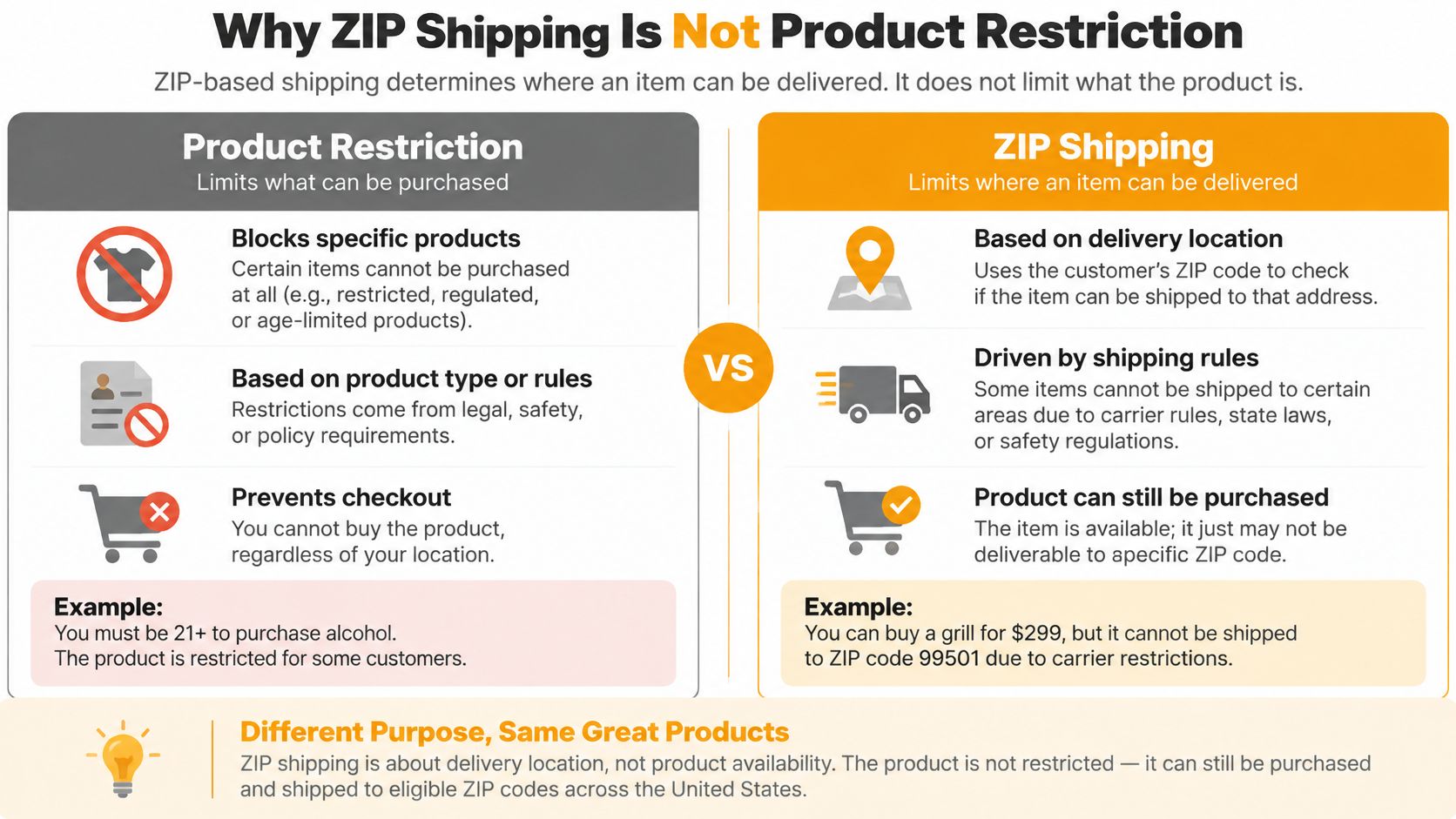
Say your store sells a vape cartridge and a candle. Your policy prohibits the cartridge at the customer's ZIP code, but permits the candle. If checkout checks only whether the address has a shipping rate, it can accept the destination without resolving the cartridge restriction.
That's the central distinction: delivery eligibility asks whether you serve the address; product compliance asks whether this item may go there. Shopify's postal-code local delivery configuration defines delivery coverage, not a product-by-destination compliance policy.
The comparison below separates those decisions.
Choose what happens to a mixed cart
Restrictions can follow a variant, not merely a product name. In a hypothetical policy, one cartridge strength might be allowed while another isn't. Other rules might follow a product type, collection, or tag, so the matching system needs to use the catalog attribute you maintain.
For mixed carts, choose an explicit behavior:
- Block the order. Prevent payment until the customer resolves the restricted item. This is straightforward, but the message must identify what needs changing.
- Remove the affected line. Preserve the eligible items where your chosen implementation supports removal. Explain the change clearly rather than altering the cart without notice.
- Ask the customer to decide. Offer a route to remove the item or correct the destination, then validate the revised cart again.
I'd block only the affected item's purchase, or offer its removal, rather than tell the customer that their entire address is unsupported. Don't promise automatic line removal unless the implementation supports it.
The checkout demonstration provides additional context for configuring restrictions.
<iframe width="100%" style="aspect-ratio: 16 / 9;" src="https://www.youtube.com/embed/QcjBBU9vpdg" frameborder="0" allow="autoplay; encrypted-media" allowfullscreen></iframe>Prepare the product policy before launch
Use your documented shipping policy and applicable legal requirements to build the rules. A tool can enforce your configuration, but it doesn't make an unverified prohibition accurate.
- Inventory the scope. List restricted products, variants, types, collections, and tags.
- Map destinations. Assign the relevant ZIP list, city, or state to each scope.
- Choose mixed-cart behavior. Decide whether customers must remove items or whether supported automation handles that change.
- Name the item in the message. Explain which line can't ship and what the customer can do.
- Test the combination. Submit an eligible item and a restricted item together to a prohibited destination.
The guide to Shopify restricted products helps frame that catalog review without confusing product policy with delivery coverage.
Checkout Paths That Can Skip Your ZIP Rules
Express checkout can bypass a cart-page ZIP checker. If your only enforcement runs in theme JavaScript after a customer clicks the ordinary checkout button, you haven't established that every payment route applies it.
Local delivery also has checkout-specific eligibility conditions. Shopify documents that it's unavailable with accelerated methods including Apple Pay, Google Pay, Amazon Pay, and PayPal, and requires address verification and inventory available from a single location. Its address format validation guidance concerns shipping addresses, not billing addresses.
A missing local delivery option therefore isn't automatically a broken ZIP list. It may reflect the checkout route or fulfillment eligibility.
Edge-case test matrix for ZIP rules
| Case | Example input | What to verify |
|---|---|---|
| Exact ZIP inside a restricted list | ZIP entered exactly as listed | Item blocked or removed before payment |
| Boundary ZIP just outside a range | A code outside the wildcard prefix | Allowed, with the correct rate shown |
| Malformed code | Incomplete or mistyped code | Flagged with a clear error before payment |
| PO box shipping address | P.O. Box in a restricted area | Follows the policy you have written down |
| Missing postal code before authorization | Accelerated checkout, partial code | Rechecked once the full address is collected |
| Express payment route | Apple Pay, Google Pay or PayPal | Same restriction applies as standard checkout |
| Billing address in restricted area | Shipping address allowed | Shipping decision follows the shipping address only |
Start with exact matches to prove the rule fires, then test neighboring codes to catch overbroad matching. Malformed entries and PO boxes need separate attention because a postal-code match alone doesn't establish that you accept the address type.
For multi-location fulfillment, test carts whose inventory is split between origins. A warehouse's ability to dispatch an item doesn't establish that the customer's destination is permitted.
Record outcomes rather than screenshots alone
Shopify's checkout shipping extension documentation distinguishes interface capabilities from backend enforcement: reading shipping information isn't the same as controlling delivery options. Use checkout-native validation for the restriction, then test the customer-facing explanation separately.
Run the matrix through draft-order checkout where applicable and live checkout, repeating after authorization when address completeness changes. Record rule-evaluation latency, false-allow rate, false-block rate, and customer recovery rate after address correction. Capture the expected outcome alongside the actual result so a successful payment isn't mistakenly recorded as a successful compliance test.
Fixes for Blocked, Missed and Stale ZIP Rules
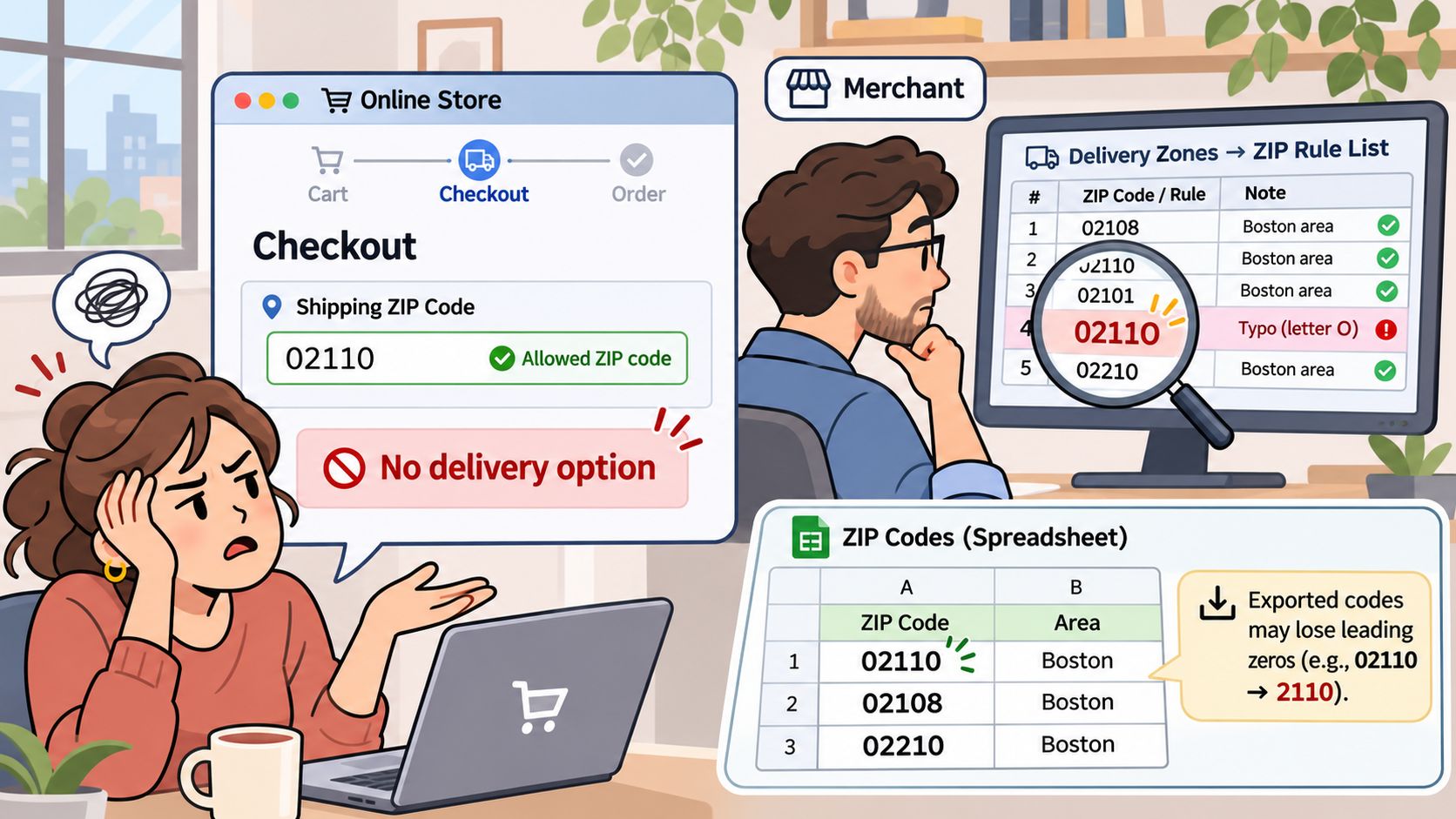
An allowed customer sees no delivery option. Start with the simplest explanation: a missing code, a typo, or a spreadsheet export that stripped a leading zero. Store postal codes as text, then compare the submitted value with the saved zone entry.
The customer-facing symptom may look like a delivery failure even when the underlying problem is formatting.
Correct matching before broadening coverage
Normalize by country. Uppercase alphanumeric codes and remove spaces or punctuation where appropriate for your matching format. Preserve the original submitted value for troubleshooting wherever your privacy and retention policy permits.
Resolve overlapping rules explicitly. For a custom rules engine, use a documented evaluation sequence: country, state or province, city, postal-code match, then product or variant scope. Within prefix matching, prefer the longest matching prefix before broader fallbacks, and define how exact matches and conflicting permissions are resolved.
Handle incomplete addresses deliberately. Shopify's Delivery Customization Function API guidance exposes postal codes through zip, recommends prefix matching where codes may be partial, and advises leaving an option unfiltered when a relevant field is null until the function receives the full address. Don't confuse that intermediate state with final permission to purchase.
Operational safeguard: After the complete address is available, fail closed for unresolved restricted-product eligibility and explain what the customer must correct.
Separate rate failures from restriction failures
If matching looks correct but no method appears, inspect shipping profiles, inventory location, and rate conditions. This guide to calculated shipping on Shopify helps isolate rate calculation problems without weakening destination restrictions.
For a custom compliance implementation, record the rule ID, address fields used, product variant, and checkout timestamp, subject to your data-handling requirements. That gives staff a traceable explanation rather than a generic blocked-order label.
Assign a rule owner and review lists when an applicable law changes, a service area gains postal codes, or a temporary restriction expires. Keep the effective date and reason with each change, then rerun affected checkout tests before publishing it.
Decide Whether You Need a Checkout Restriction App
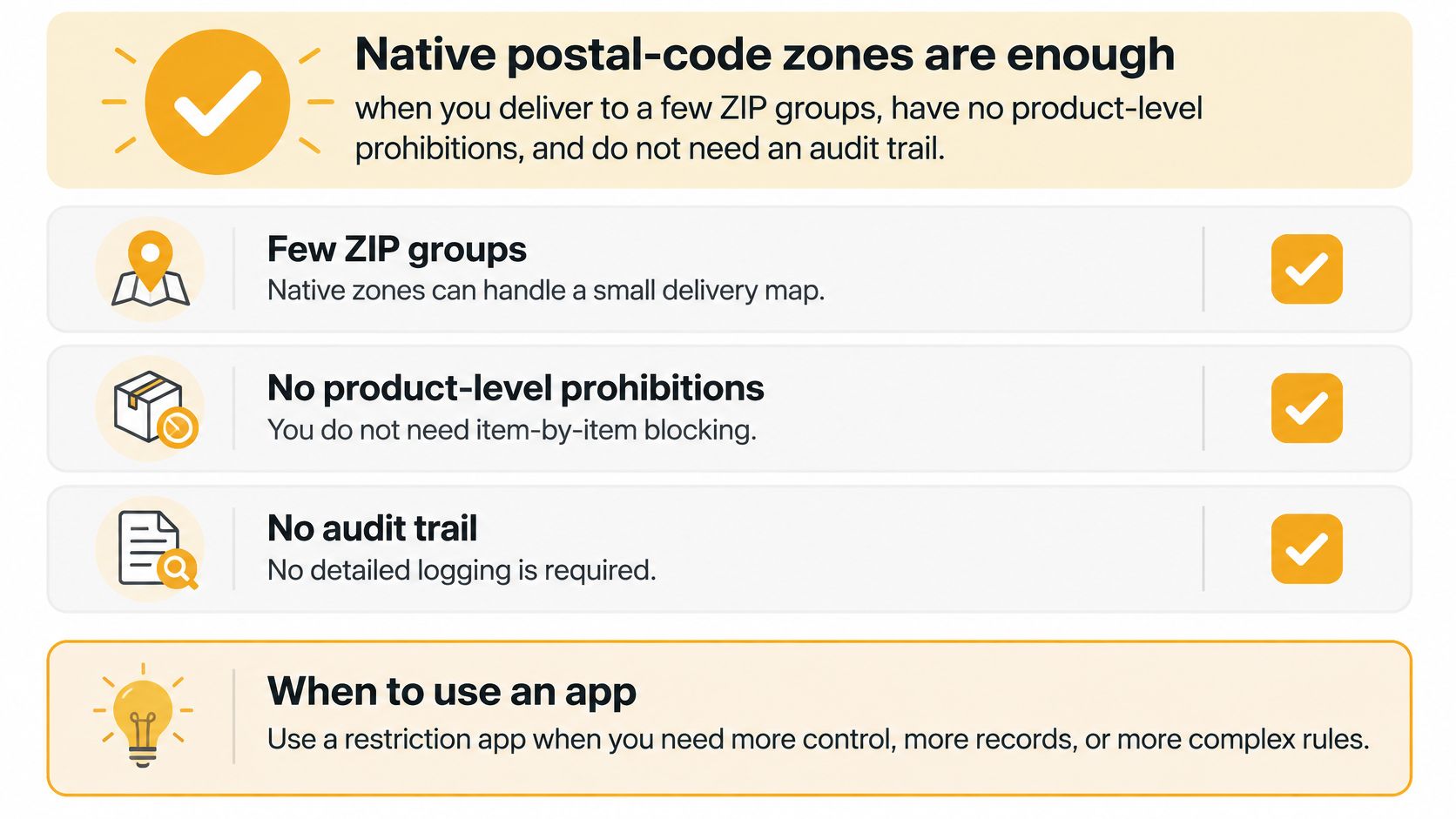
Native postal-code zones are enough when you serve a manageable delivery area, have no item-specific prohibitions, and don't need a detailed compliance audit trail. Consider a restriction app when your team must evaluate catalog attributes, manage mixed carts, schedule changes, or explain which rule prevented a purchase.
Use this decision guide before adding another tool.
Check your operational requirements
- Destination differences. Do product permissions change by ZIP code, state, or city?
- Mixed carts. Can restricted and unrestricted items appear together?
- Changing policies. Do rules need scheduled activation or expiry?
- Traceability. Must staff identify which rule blocked an item?
- Catalog scale. Are you maintaining restrictions across a large catalog or several stores?
Choose tools by the condition they enforce. A customer-group pricing requirement belongs in a different evaluation from geographic product compliance, which is why the shipping extension from Bridge Global is a useful comparison for customer-group-based shipping needs.
Ship Restrict is an option for product-aware destination enforcement: on Shopify, our app blocks restricted orders before payment through native checkout validation, without scripts or theme changes. Setup starts with installing the app, starting your trial, and blocking your first location.
For industry-specific setup help, email support@shiprestrict.com with what you sell and where you ship. Prepare your restricted-product list and destination policy before configuring the first rule.
Keep delivery pricing and product permission separate with checkout-native enforcement from Ship Restrict. List the products and locations you need to restrict, then configure a rule and test a mixed cart to a restricted ZIP code before accepting live orders.
Automate Shipping Compliance
Stop worrying about restricted states. Ship Restrict handles it automatically.

Cody Yurk
Founder and Lead Developer of ShipRestrict, helping e-commerce businesses navigate complex shipping regulations for regulated products. Ecommerce store owner turned developer.
Automate Shipping Compliance
- Block restricted states
- No more cancellations
- Set and forget
3-day free trial · Card required