Calculated Shipping Shopify: Setup Guide 2026
Learn to configure calculated shipping shopify with carriers like USPS & UPS. This guide covers setup, troubleshooting errors, and compliance for regulated
You set a flat rate because it was fast. Then carrier invoices started telling the truth.
One order cost less to ship than expected. The next one ate the margin. A third order looked fine until the warehouse packed it into a larger box than the one you had in mind when you built the rate table. If you sell regulated products, the problem gets worse. You can charge the right shipping amount and still create a shipment that shouldn't go out at all.
That's why calculated shipping in Shopify matters. It replaces guessing with carrier-based pricing at checkout. But setup is only the first layer. The harder part is making those live rates work inside a real operation where packaging varies, carrier responses fail, and some destinations are off limits even when a carrier is willing to quote them.
Why Accurate Shipping Rates Are Only Half the Battle
Most merchants start looking at Shopify calculated shipping after getting burned by bad estimates. Flat rates are simple until product mix changes, packaging changes, or you start shipping farther from your main origin than you expected. Then the rate table that looked neat in admin turns into a margin leak.
Automate Shipping Compliance
Block orders to restricted states automatically. 3-day free trial.
Start Free TrialShopify's live carrier approach is useful because it's built around shipment-specific inputs, not a blanket assumption. Shopify documents that carrier-calculated shipping rates show real-time prices from carriers such as UPS, FedEx, and USPS at checkout, and merchants add them by selecting “Carrier or app calculated” in shipping zones. In Shopify's shipping-label workflow, the system also asks for the shipping from address, the shipping to destination, and package dimensions before calculating rates, which tells you exactly how the platform thinks about shipping: it expects parcel-level inputs, not rough averages (Shopify shipping rate setup documentation).
Real-time rates solve one problem, not the whole one
Live rates improve pricing accuracy, but they don't make the business decision for you. You still have to choose whether to pass through carrier cost as-is, cushion volatility with markup, or protect checkout conversion with backup rates when live quotes fail. Public guidance usually stops at the setup screen. Operations teams have to handle the rest.
That gap shows up fast in stores with uneven packaging, fragile items, oversize parcels, or fast-changing carrier costs. It shows up even faster when the catalog includes regulated goods. In those stores, a shipping mistake isn't just a margin issue. It can become an order review problem, a fulfillment exception, or a shipment you never should have approved.
Practical rule: Accurate shipping rates help you charge correctly. They don't tell you whether the order is operationally smart or legally safe.
If you're reviewing your shipping policy, it helps to pair Shopify mechanics with broader pricing frameworks like these ECORN shipping rate strategies. The missing piece is usually dimensional thinking. If your team hasn't worked through package-volume pricing yet, this explanation of how to calculate dimensional weight is worth reading before you trust any “accurate” checkout rate.
What regulated sellers need to think about differently
For a standard apparel or accessories store, calculated shipping is mostly a pricing and UX decision. For regulated product sellers, it's also a control decision.
Use this lens when evaluating your setup:
- Rate accuracy: Does checkout reflect the shipment you'll tender to the carrier?
- Margin policy: Are you absorbing volatility, passing it through, or buffering it with a handling strategy?
- Fallback behavior: If live rates fail, does checkout stop or switch to something safe?
- Destination eligibility: Even if a carrier can price the shipment, should your business allow that destination?
That last question is the one most Shopify shipping content barely touches. It matters more than people think.
Configuring Shopify Calculated Shipping Step by Step
A store can be fully live and still quote the wrong shipping price on day one. I see this happen when teams switch on calculated rates before they clean up weights, package settings, and shipping profiles. Regulated sellers have one more layer to think about. A valid carrier quote does not confirm the order should ship to that customer or destination.
Free Shipping Compliance Audit
We'll review your WooCommerce store's shipping compliance for free.
If your store setup is still being cleaned up, a broader guide to Shopify store setup can help you catch foundational issues outside shipping too. For shipping, the order of operations matters because bad inputs create bad rates fast.

Get the prerequisites right first
Start with the records Shopify uses to build the quote request. If those records are wrong, every carrier response is off before checkout even loads.
Check these four items first:
-
Product weights are filled in
Every shippable SKU needs a weight that matches how your team packs and ships it. -
Your shipping origin is accurate
Rates change based on where the shipment starts. A wrong origin can distort price and service availability. -
Your default package is realistic
If the package is too large, too heavy, or just not the carton you use most often, the quote will drift from what your warehouse tenders. -
Carrier accounts are connected where needed
Some live-rate setups depend on your carrier connection, service configuration, and plan features.
A useful checkpoint is simple. Can your ops team look at the product data and say, "Yes, this reflects how we would pack the order in real life"? If not, fix that first.
Add the rate at the zone level
In Shopify shipping settings, calculated rates are added inside each shipping zone. You choose Carrier or app calculated rates for the zone, then select the services you want customers to see at checkout.
The mechanics are easy. The trade-off is less obvious. The more services you expose, the more choice customers get, but the more likely you are to show an option your team would rather not use for margin, handling complexity, or destination risk. Keep the service list tight.
For regulated catalogs, this is also the point where many teams make a category mistake. They assume that if Shopify can return a rate, the order is safe to accept. It is not. Rate setup controls price display. It does not enforce legal destination rules, product-specific restrictions, or pre-checkout compliance logic.
Understand what Shopify is doing
Shopify takes the cart, applies the shipping profile and zone rules, then sends the shipment details it has available to the carrier or app rating service.
Those details usually include origin, destination, item weights, and package assumptions. If any one of those inputs is weak, the output can still look polished while being operationally wrong. That is why calculated shipping needs testing by real cart scenario, not just a quick check that "a rate appeared."
I recommend documenting those scenarios before launch. This Shopify shipping rate testing guide is a good framework for running those checks in a repeatable way.
Use this video walkthrough if you want a visual pass through the setup and testing process:
<iframe width="100%" style="aspect-ratio: 16 / 9;" src="https://www.youtube.com/embed/Mp8gAb7V6H0" frameborder="0" allow="autoplay; encrypted-media" allowfullscreen></iframe>Test before you trust it
Run test carts that stress the weak spots in your setup:
-
Heavy, compact orders
These expose missing or understated product weights. -
Light, bulky orders
These show whether your package assumptions make sense. -
Orders across multiple zones
These reveal zone gaps, service mismatches, and destination-specific rate behavior. -
Mixed carts
These surface profile conflicts and packing shortcuts that look fine in admin but fail in practice.
Use a stricter pass/fail standard than "checkout returned a number." Ask three questions:
- Did the rate appear?
- Did the rate look commercially reasonable?
- Would your fulfillment team pack and ship the order in a way that matches that quote?
If the third answer is no, the setup is still incomplete.
For regulated sellers, add one more check outside rate testing. Confirm that any destination or product restriction is blocked before payment, not left for staff to catch after the order is placed. That control sits on top of calculated shipping, not inside it.
Troubleshooting Common Calculated Rate Errors
When calculated shipping breaks, the symptom is usually simple. No rates. Wrong rates. Weirdly high rates. Weirdly low rates.
The cause is usually hidden in the inputs.

Start with total weight
Shopify's carrier-calculated shipping works by sending the order's total weight to the carrier at checkout, and that total includes the product weight plus the default package weight configured in store settings. Live rates can also be based on weight, dimensions, and destination when third-party carrier accounts are connected, as explained in this Shopify Community discussion on shipping weight calculation.
That single detail explains a lot of “mystery” rate issues.
If your product weighs less than expected in admin, the quote will be too low. If your default package is too heavy, every order gets more expensive. If your destination format fails carrier validation, no rate may return at all.
Diagnose by symptom
Use a basic symptom-to-cause checklist:
-
No shipping rates for this destination
Check the shipping zone first. Then check the destination format and whether the carrier service is returning a quote for that route. -
Rates are higher than expected
Audit the default package weight and verify the product weights on the SKUs in the cart. -
Rates are lower than expected
Look for missing weights, unrealistic packaging assumptions, or items that warehouse staff regularly re-box. -
Only some carts fail
Mixed-product orders often reveal hidden configuration gaps faster than single-SKU test carts.
A bad shipping quote usually starts as a bad warehouse assumption that someone typed into admin weeks ago.
Use repeatable testing, not guesswork
Troubleshooting gets faster when your team tests the same way every time. Keep a small library of test carts that reflect real orders, not ideal ones. Include one oversize-prone order, one mixed cart, one lightweight order, and one destination that commonly triggers exceptions.
For a structured QA process, use a documented shipping restriction testing guide and adapt the method to your Shopify checkout tests. The goal is consistency. One person's “looks fine” is not a system.
A disciplined review process should include:
- Catalog validation: Confirm that every active SKU has a shipping weight.
- Package validation: Compare the default package to what the warehouse uses most often.
- Address validation: Test real address patterns from your major destinations.
- Checkout comparison: Compare checkout quotes with what your fulfillment team would likely buy.
Don't ignore rates that are merely “close”
Near-correct rates are dangerous because they survive longer. Teams tolerate them. Finance notices later. Customer service feels the pain first.
If calculated shipping is close but not dependable, treat it as unfinished. The point isn't to produce a rate. The point is to produce a rate your operation can live with.
Advanced Rate Setups and Platform Limitations
Once native calculated shipping is working, the next question is whether it's working well enough for your catalog. For many stores, the answer is “only up to a point.”
That's where merchants run into the difference between a clean demo setup and a real shipping operation with odd shapes, multiple carton choices, and products that don't fit one packaging assumption.
The biggest native limitation
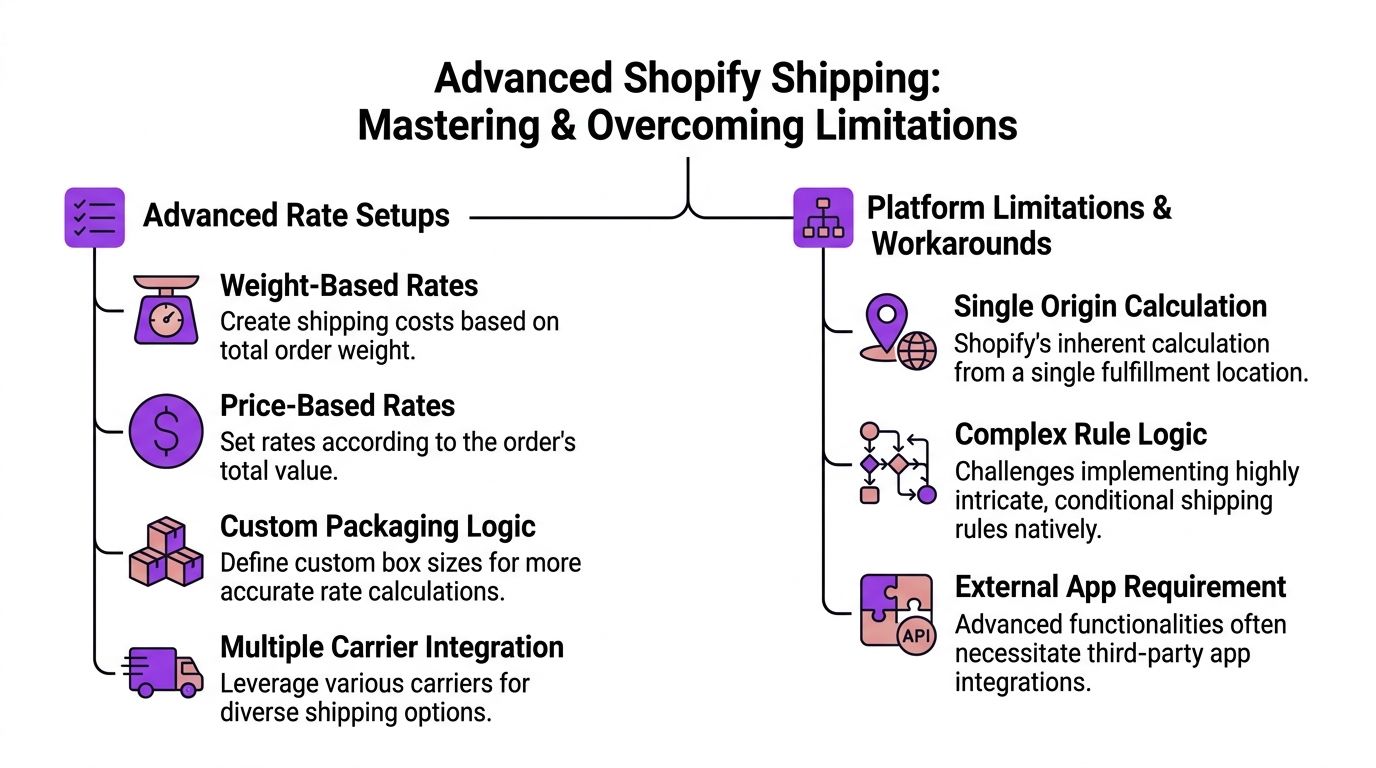
A practical technical constraint is that Shopify's built-in shipping calculation uses the default package size from shipping settings. If you need rates driven by actual product dimensions instead of a default box, you need a third-party carrier-calculated shipping app or custom carrier service. Shopify also recommends defining backup shipping rates so checkout can still complete if live carrier rates fail, as noted in this Shopify developer community discussion on product-dimension-based rates.
That limitation matters more than many merchants realize. It means native calculated shipping can be directionally right while still being structurally wrong for stores with varied packaging.
Where native setup works well
Shopify's built-in approach usually holds up when the catalog is relatively uniform.
It's a workable fit for stores with:
-
Consistent package footprints
If most orders ship in the same box family, the default package assumption is less damaging. -
Straightforward carrier logic
One origin, simple zones, predictable order composition. -
Low compliance complexity
Few product-specific exceptions and limited destination rules.
In those environments, native calculated shipping can be good enough with careful testing and backup rates.
Where merchants outgrow it
The problems show up when package reality diverges from the default package.
Common signs you've outgrown the native model:
| Operational issue | Native Shopify response | Better workaround |
|---|---|---|
| One order could ship in several box sizes | Uses the default package assumption | Use a third-party carrier-calculated app |
| Product dimensions matter more than weight | Limited natively | Use dimension-aware rating logic |
| Carrier API drops during checkout | Rate may fail | Configure backup shipping rates |
| Margin needs handling fees or shipping buffers | Limited business logic natively | Add a clear rate policy outside base setup |
A lot of teams respond by chasing perfect precision. That's not always necessary. What matters is matching the rating model to the way your warehouse packs orders.
Operational note: A simpler shipping setup that mirrors fulfillment usually beats a “smart” setup built on assumptions your pack team ignores.
If you need alternatives beyond live carrier quotes, table-rate logic can be more controllable for some catalogs. This overview of what table rate shipping means in practice is a useful comparison point when native calculated shipping starts fighting your catalog.
Build safety nets into the design
Advanced shipping setups shouldn't rely on one perfect API response. They need fallback behavior.
The practical safety net is straightforward:
- Create backup rates so checkout can continue if the carrier quote fails.
- Review markup policy so you know when to absorb shipping variance and when not to.
- Separate fragile or awkward products into shipping profiles that reflect operational reality.
- Test mixed carts because that's where “works in theory” usually breaks.
The mistake is thinking advanced shipping means more complexity in admin. Usually it means more honesty about how the operation really ships.
The Compliance Gap for Regulated Product Sellers
An order comes in from a customer with a valid address, the carrier returns a rate, and checkout looks fine. Then someone on the ops team notices the destination should never have been accepted for that product.
That is the compliance gap.
For regulated sellers, calculated shipping solves only one part of the problem. Shopify can determine what a shipment may cost based on zones, profiles, and carrier data. It does not natively determine whether the order is legally or operationally acceptable for that destination.
A valid rate can still create a prohibited order
This is the mistake I see over and over in regulated catalogs. Teams treat a shipping quote as proof that the order can ship. It is only proof that a carrier can price the package under the settings currently in place.
Those are different questions.
A store can return a perfectly valid rate for an address that conflicts with company policy, state restrictions, ZIP-level rules, or product-specific shipping limits. That matters for firearms-related goods, knives, age-restricted items, hazmat-adjacent products, and any catalog where destination rules change by jurisdiction.
Carrier availability does not equal shipment approval.
Why rate calculation is the wrong place to enforce restrictions
Shopify's native shipping setup was built to price shipments. It was not built to act as a compliance engine for regulated goods. Sellers who rely on shipping settings alone usually end up pushing the final decision downstream, after the customer has already paid or after the order lands in review.
That creates expensive cleanup work:
- Operations teams review orders manually that should have been stopped earlier.
- Customer service handles preventable cancellations and refund questions.
- Compliance risk increases because the store accepted an order before anyone checked destination eligibility.
- Warehouse flow slows down when questionable orders sit in hold queues waiting for a decision.
The cleaner approach is pre-checkout restriction logic. Destination checks should happen before a rate is treated as actionable, not after.
If the destination fails policy, the quoted shipping price does not matter.
What native shipping handles and what compliance tools handle
Here is the practical split.
| Feature | Shopify Native Shipping | Dedicated Compliance Tool (e.g., Ship Restrict) |
|---|---|---|
| Live carrier rate display | Yes | Secondary function |
| Shipping zones and profiles | Yes | Usually works alongside platform rules |
| Block prohibited destinations at a granular level | Limited in native shipping logic | Built for this use case |
| Apply ZIP-level or product-specific destination rules | Limited | Designed for detailed restriction workflows |
| Stop non-compliant orders before checkout completion | Limited | Core function |
| Explain restriction outcome to customers with specific messaging | Basic platform messaging | Usually more policy-focused |
For regulated merchants, Shopify calculated shipping works as a pricing layer. It does not cover the full eligibility decision.
Start with policy, then configure shipping
Teams often tune rates first because the settings are visible and easy to test. For regulated products, that order of operations causes problems. Policy needs to come first.
Define these rules before spending time fine-tuning carrier quotes:
-
Which SKUs trigger restriction checks
Some products need destination control. Others do not. -
Which locations are blocked or restricted
State-level rules may be enough for one catalog. Another may need county, city, or ZIP logic. -
What the customer should see when an order is blocked
Clear explanations reduce support tickets and chargeback disputes. -
When a human review is still required
Automation should catch the routine cases. Edge cases still need an owner.
Many merchants discover the problem in fulfillment because that is where the order finally gets questioned. An effective solution lies earlier in the workflow. If a regulated order reaches shipping-rate calculation before destination eligibility has been checked, the process is already out of sequence.
Building a Resilient Shipping Workflow
A customer places an order, checkout shows a valid carrier rate, payment clears, and the warehouse still cannot ship the package. That failure usually starts upstream. The workflow quoted a price before the business confirmed the shipment could go out.
A shipping setup that holds up under real order volume needs two layers working together. One layer prices the shipment correctly. The other checks whether the order is allowed to ship to that destination, under that product mix, with that carrier and service level if those details matter to your policy.
The operating model that holds up
Teams that keep shipping issues under control usually follow the same operating discipline:
-
Clean the inputs before tuning rates
Weights, box dimensions, origin locations, zones, and service mappings need to match how orders are packed and fulfilled. -
Test with real operational scenarios
Run carts with multi-item orders, split-shipment cases, PO boxes, remote ZIP codes, and restricted destinations. A checkout test that only uses a simple bestseller order will miss the failures that create tickets later. -
Plan for carrier and logic failures
Carrier APIs time out. Product data gets missed. Someone adds a new SKU without the right tags. Fallback rates, exception queues, and clear internal ownership keep those mistakes from turning into fulfillment fire drills. -
Assign pricing and eligibility to different controls
Calculated shipping answers, "What will it cost?" Restriction logic answers, "Can this order ship at all?" Regulated sellers need both checks in place before the order becomes a warehouse problem.
The goal is to build shipping as a control system that supports margin, service levels, and compliance.
What actually saves time
The biggest time-saver is not endless adjustment inside Shopify's shipping settings. It is removing preventable decisions from support, fulfillment, and compliance review.
That usually means fewer orders held after payment, fewer address escalations, fewer package mismatches, and fewer refunds tied to avoidable shipping errors. For regulated catalogs, it also means catching restricted shipments before someone has to explain why an order that looked valid at checkout cannot legally be fulfilled.
If your business sells regulated products and you need destination-based restriction logic before checkout becomes a compliance headache, Ship Restrict is built for that job. It helps merchants automate shipping restrictions by location, reduce manual address reviews, and stop restricted orders before they turn into costly fulfillment mistakes.
Automate Shipping Compliance
Stop worrying about restricted states. Ship Restrict handles it automatically.

Cody Yurk
Founder and Lead Developer of ShipRestrict, helping e-commerce businesses navigate complex shipping regulations for regulated products. Ecommerce store owner turned developer.
Automate Shipping Compliance
- Block restricted states
- No more cancellations
- Set and forget
3-day free trial · Card required