Shipping Wine UPS: Your Complete 2026 Merchant Guide
Learn how to start shipping wine UPS. Our complete 2026 guide for merchants covers licensing, packaging, state laws, and automating restrictions in WooCommerce.
Your store finally gets the order you've been waiting for. A customer in another state buys a mixed case, checkout clears, payment lands, and for a moment it feels simple. Then the actual work starts.
Can you legally ship wine to that address? Will UPS accept the package from your account? Does your box meet alcohol packaging rules? What happens if no adult is home to sign?
That gap between “we made the sale” and “the package arrived legally and intact” is where many wine merchants get burned. With shipping wine via UPS, the product itself is only part of the job. The rest is compliance, packaging discipline, account setup, and checkout controls that stop bad orders before they become expensive problems.
The Merchant's Dilemma From First Sale to First Hurdle
A new wine merchant usually runs into the same pattern. The site launches, local orders go smoothly, and then an out-of-state customer appears. That order looks like growth. It also creates a chain of questions most merchants underestimate.
Automate Alcohol Shipping Compliance
Block orders to restricted states automatically. 3-day free trial.
Start Free TrialThe first mistake is treating wine like any other fragile product. It isn't. A candle can ship in a generic box with standard delivery settings. Wine can't. Carrier rules, destination law, and delivery procedures all matter before the label is printed.
I've seen merchants focus on the easy parts first. They compare rates, buy packaging, and set up WooCommerce shipping zones. Then an order comes in from a state they haven't reviewed closely, or a warehouse employee uses a standard carton, or customer service promises delivery to a PO Box without realizing that creates a dead end. The sale that looked profitable turns into a refund, a return, or a compliance issue.
Practical rule: If your team has to “figure it out” after the order is placed, your process is already too late.
The merchants who handle shipping wine with UPS well do something different. They treat every wine order as a regulated shipment, not a normal parcel. That changes how they build checkout, how they train fulfillment staff, and how they choose packaging.
Three questions decide whether a shipment should move at all:
- Is the destination allowed? Your store has to know whether the address is a lawful destination for direct-to-consumer wine shipping.
- Is your UPS setup approved? You need the right commercial relationship with UPS before wine shipments are accepted.
- Is the parcel packed for alcohol transport? Wine needs packaging and labeling that match UPS alcohol handling rules.
Once those three pieces are in place, the work gets much easier. Without them, every new order creates risk that scales with growth instead of shrinking with process.
Navigating the Three Layers of Wine Shipping Law
A wine order can look perfectly valid in WooCommerce and still be illegal or undeliverable once fulfillment starts. The problem is usually not one missed rule. It is three separate rule sets that have to line up at the same time.
Federal law sets the outer boundary. State law decides whether the destination is lawful for direct-to-consumer wine shipments. UPS adds its own approval and handling requirements before it will accept the package from your business. If any one of those layers blocks the shipment, the order should never reach the packing table.
Federal rules set the broad frame
Start with the carrier reality. USPS does not accept alcohol shipments. UPS accepts wine only from approved shippers operating under its wine program and shipment rules, as outlined in the UPS wine shipping requirements.
Free Alcohol Compliance Audit
Selling alcohol online? We'll review your WooCommerce store's shipping compliance for free.
That changes store setup immediately. A standard parcel workflow is not enough, and a fallback plan that relies on USPS is not a fallback at all. New merchants lose time here because they treat alcohol like a packaging problem. It is a regulated-shipment problem first.
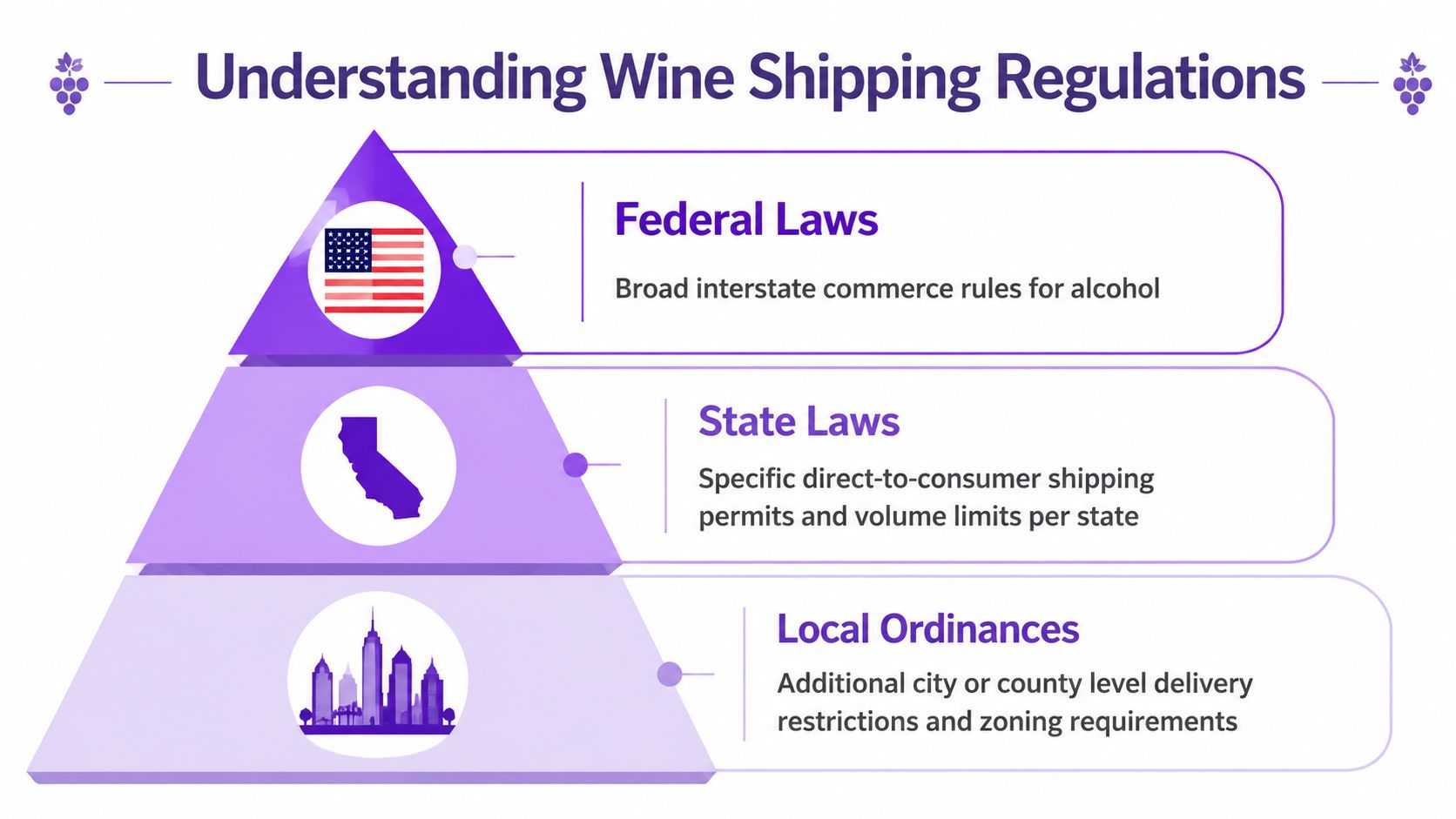
State law decides destination eligibility
The second layer creates the day-to-day operational burden. Your store does not need a general answer to “do we ship wine.” It needs a transaction-level answer to “can this licensed business ship this order to this address today.”
State rules vary on who may ship, what permits are required, where wine may be delivered, and whether volume or reporting limits apply. Some states are straightforward. Others are not. If you plan to sell into New York, review the details in these New York alcohol shipping laws before enabling that state at checkout.
Generic shipping zones alone are not enough for WooCommerce merchants. A zone can group states for rate logic, but it cannot decide whether a wine order is legally allowed. That decision needs compliance logic tied to product type, destination, and your licenses. Tools such as Ship Restrict help turn that legal matrix into enforceable checkout rules, which is how growing stores stop relying on staff memory.
State law should be viewed operationally, not academically:
| Layer | What it changes for the merchant |
|---|---|
| Federal | Which carriers you can use for wine |
| State | Which destinations and order types you can legally accept |
| Carrier contract | Whether UPS will take the package from your business |
Carrier policy is a separate control point
UPS is not only moving the box. It is screening whether your business is allowed to tender that shipment under its alcohol program.
Merchants make expensive assumptions. They secure permits, confirm a state is open, and then discover their UPS account is not approved for wine, their labels are missing required service settings, or their warehouse is using a process built for ordinary parcels. A valid license does not override carrier policy.
I advise merchants to document this layer the same way they document state permissions. Keep a written SOP for account status, approved ship-from locations, adult signature service, packaging standards, and exception handling. The discipline is similar to the process advice in BFC Logistics preferred shipper tips, but wine shipping carries legal exposure on top of service risk.
The practical takeaway is simple. Compliance has to be enforced before payment is captured, not after the order drops into the queue. Federal rules limit the carrier options. State law controls destination legality. UPS controls whether your business can hand off the parcel. For a WooCommerce store, the workable model is to encode those checks into checkout and order routing so growth adds volume, not preventable compliance mistakes.
Becoming an Approved UPS Wine Shipper
Your first paid wine order comes in. The customer is in a state you can legally serve, inventory is on the shelf, and your warehouse is ready to print the label. Then UPS rejects the shipment because your account is not approved for wine. That is a preventable failure, and it usually shows up after marketing has already spent to win the order.
Getting approved to ship wine through UPS is a credentialing process tied to your licenses, your UPS account, and your operating procedures. If any one of those pieces is loose, the carrier can delay setup or refuse the package at tender.
Start with your licensing file
Before you apply, assemble the documents that prove the shipper is properly licensed and that the records match the entity that will appear on the UPS account. Small mismatches slow this down. I see problems when the winery license is under one entity, the store operates under another, and the fulfillment location uses a third name on shipping paperwork.
Keep one current file with:
- Business identity records: Legal entity name, DBA if used, tax details, and the exact ship-from information tied to your UPS account
- Alcohol licenses: The permits that support the specific shipping model you use, including direct-to-consumer or wholesale activity where applicable
- Fulfillment ownership details: Documentation showing whether orders ship from your own facility or through a licensed fulfillment partner
Use that file as an operating record, not just an application packet. Your team will need the same documents again when you add a warehouse, change entities, or review an insurance claim for regulated inventory. If you are tightening controls around loss exposure at the same time, this guide to shipping insurance for high-risk e-commerce products helps frame what to document before claims become disputed.
Sign the UPS wine shipping agreement
UPS requires approved wine shippers to enter into a carrier agreement before shipping wine. The practical point is straightforward. Approval sits at the account level and has to align with the locations and process you use.
Read the agreement with operations in mind. A new merchant often treats this like a legal step owned by finance or compliance. It is also a warehouse and systems step. If your store accepts orders under one entity, your 3PL ships under another, and your UPS account was opened for general merchandise, clean that up before launch.
A workable rollout looks like this:
- Match the shipper to the account. The licensed entity, ship-from location, and UPS billing setup should line up.
- Submit complete documents. Missing pages and inconsistent names create avoidable back-and-forth.
- Define the alcohol workflow. Label creation, signature service, exception handling, and returns should be documented before the first live order.
For merchants improving shipping discipline more broadly, these BFC Logistics preferred shipper tips are useful because they focus on repeatable process, not just carrier paperwork.
Build the account around compliance
Approval by itself does not protect you. The account has to be configured so wine orders follow a separate path from ordinary parcels.
Set the workflow so alcohol orders trigger the right service selections automatically, including Adult Signature Required, and so staff cannot accidentally process wine as a standard shipment. If your shipping software leaves that choice to a picker or customer service rep, you are relying on memory instead of controls.
For WooCommerce merchants, this is the point where carrier approval and checkout logic need to connect. The store should only allow orders that fit your license map, and the shipping stack should only print labels that fit your UPS alcohol setup. Tools such as Ship Restrict help by blocking prohibited state combinations before payment is captured, which prevents a common problem for new stores. Selling a lawful product to the wrong destination, then trying to fix it after the order reaches fulfillment.
Train for exceptions too. Failed delivery attempts, address changes, and returns create more compliance risk than the original outbound label. Write the SOP, test it with your warehouse or 3PL, and review it any time you change ship-from locations or add new states.
Packaging Labeling and Insuring Your Shipments
A new wine merchant usually learns packaging the expensive way. The first damaged case looks like a warehouse mistake, but the underlying problem is usually the lack of a packing standard that survives busy days, seasonal staff, and mixed bottle sizes.
Legal approval lets you ship. Packaging discipline protects margin, claim recovery, and your standing with the carrier.
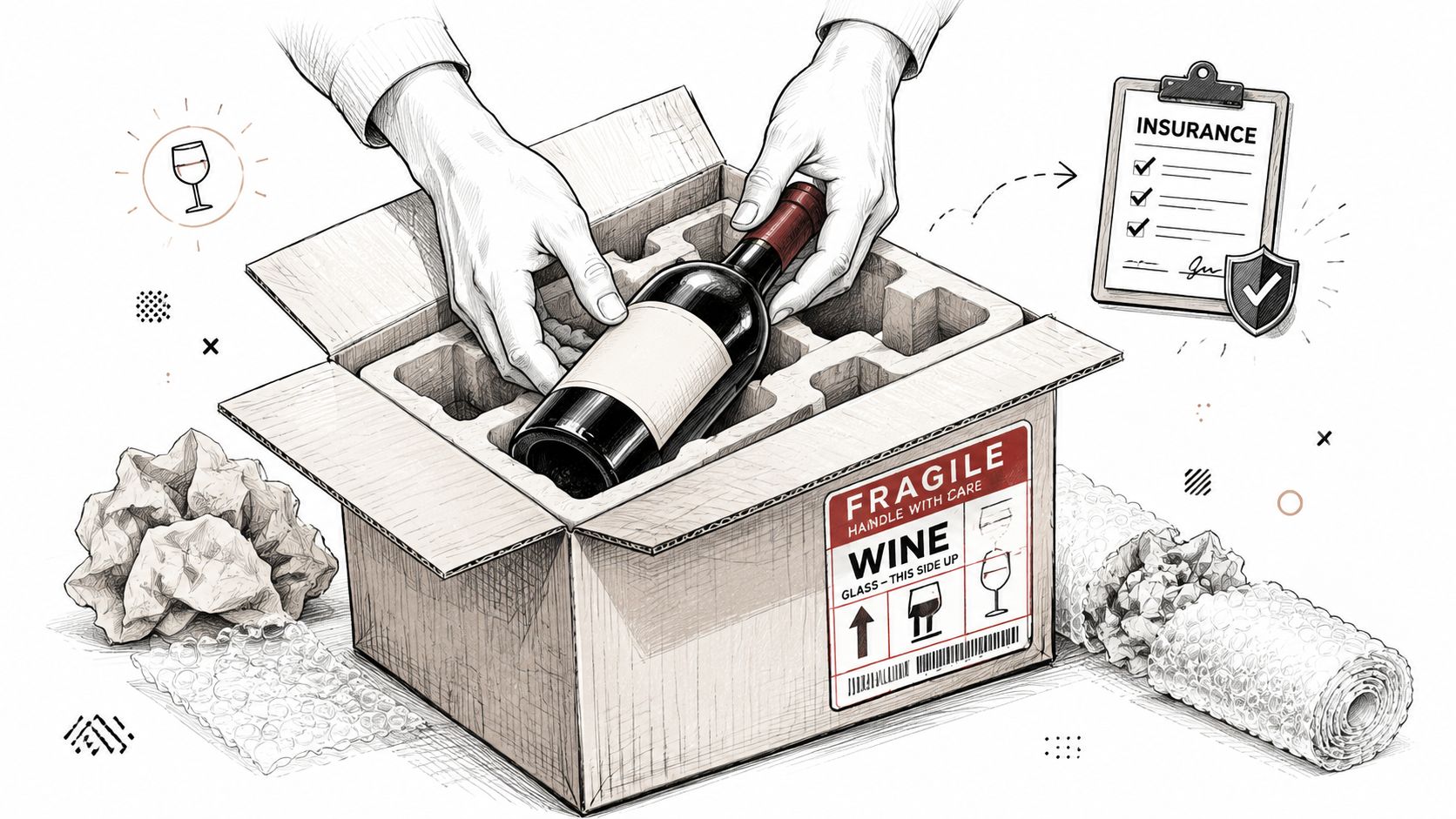
Use packaging built for wine, not general parcel stock
As noted earlier, UPS requires wine to move in approved alcohol packaging. In practice, that means a corrugated outer carton paired with inserts that hold each bottle in place and keep glass away from the box walls. Loose fill, recycled retail cartons, and improvised dividers create avoidable damage and weak claims.
Start with the carton. Buy strong shipping boxes sized for the bottle counts you sell, then match them with inserts designed for those exact formats. A 750 mL Bordeaux bottle, a Burgundy bottle, and a sparkling bottle do not all behave the same way in transit.
Set a written packing standard your warehouse can follow without guesswork:
- Outer protection: Corrugated cartons that resist crushing under normal parcel stacking.
- Inner restraint: Molded or folded inserts that separate bottles and prevent sidewall contact.
- Bottle-specific fit: Packaging mapped to the SKUs and bottle shapes in your catalog.
- Seal method: Consistent tape pattern and carton closure so boxes do not open under weight.
If you run WooCommerce, this is worth connecting back to catalog setup. Do not let fulfillment discover at the packing bench that a customer combined odd bottle formats that need a different shipper. Build packaging logic into product data and order handling early.
Labeling has to be part of the workflow
Alcohol shipments fail in small ways. A missing handling mark. An Adult Signature service omitted at label creation. A carton sealed before the final check, so staff skip the alcohol label and hope nobody notices.
The fix is operational, not theoretical. Put the label printer, alcohol markings, packing checklist, and final seal step at one station. The person who closes the carton should verify the service level, destination details, and required markings before the box leaves the bench. If that control depends on memory, it will break during peak volume.
For a practical walkthrough of what careful bottle packing looks like in motion, this video is worth reviewing with your fulfillment team:
<iframe width="100%" style="aspect-ratio: 16 / 9;" src="https://www.youtube.com/embed/N4bPw_ddV2o" frameborder="0" allow="autoplay; encrypted-media" allowfullscreen></iframe>A good wine shipment looks consistent every time. Uniform cartons, correct labels, and no improvisation.
Insurance and claims handling
Insurance matters because wine claims are rarely just about the product cost. One broken shipment can mean replacement inventory, outbound freight, customer service time, and a frustrated buyer in a regulated category where reshipment may need another compliance check.
Your process should answer four questions fast:
| Question | Why it matters |
|---|---|
| How was the bottle packed? | Shows whether staff followed the approved method |
| What value was declared? | Supports reimbursement decisions and claim records |
| Who documented the shipment? | Creates accountability and a training trail |
| What happens after damage is reported? | Speeds replacement, refund, or carrier claim action |
Take photos of the packed interior for high-value orders, keep carton and insert specs on file, and train support staff on what evidence to request from the customer. Those habits make claims cleaner and expose recurring failures, such as one bottle format that does not fit your current insert.
Merchants shipping regulated goods should also review how shipping insurance for high-risk products fits into their broader risk plan. The goal is not just reimbursement after breakage. It is building a repeatable operation where checkout rules, approved packaging, and post-shipment documentation all work together.
Automating State Shipping Restrictions in WooCommerce
Manual restriction checking works until the first time your team gets busy. Then someone approves an order they shouldn't, or customer service promises shipment before compliance reviews the destination, or the warehouse packs a case that has to be canceled after the fact.
That isn't a training problem alone. It's a systems problem.
Manual review doesn't scale
A small wine merchant can sometimes get away with checking destinations by hand. The owner knows the open states, the daily order count is manageable, and every exception gets reviewed personally. But growth breaks that model fast.
WooCommerce makes it easy to sell. It does not, by itself, understand regulated shipping geography. If your store accepts an order from a restricted destination, you've already created work for support, accounting, and fulfillment. Someone now has to explain the cancellation, reverse the payment, and manage customer frustration.
The right question isn't whether your staff can check restrictions manually. It's whether your checkout should allow a restricted order to exist in the first place.
For store owners building more serious WordPress commerce operations, this practical guide to WordPress online stores is a good reminder that platform setup and operating policy have to support each other.
Put enforcement at checkout
The cleanest model is rule-based shipping restriction automation inside WooCommerce. A tool such as Ship Restrict's guide to WooCommerce alcohol shipping restrictions reflects the underlying idea well. The store should evaluate the delivery address against your shipping rules before the customer completes the order.
That approach changes the workflow completely:
- Restricted destinations are blocked early: The customer sees the issue before payment and fulfillment.
- Support tickets drop in complexity: Your team spends less time unwinding orders that should never have cleared.
- Warehouse errors shrink: Staff aren't expected to catch legal problems at the packing table.
- Compliance becomes repeatable: The rule sits in the system instead of in one manager's memory.
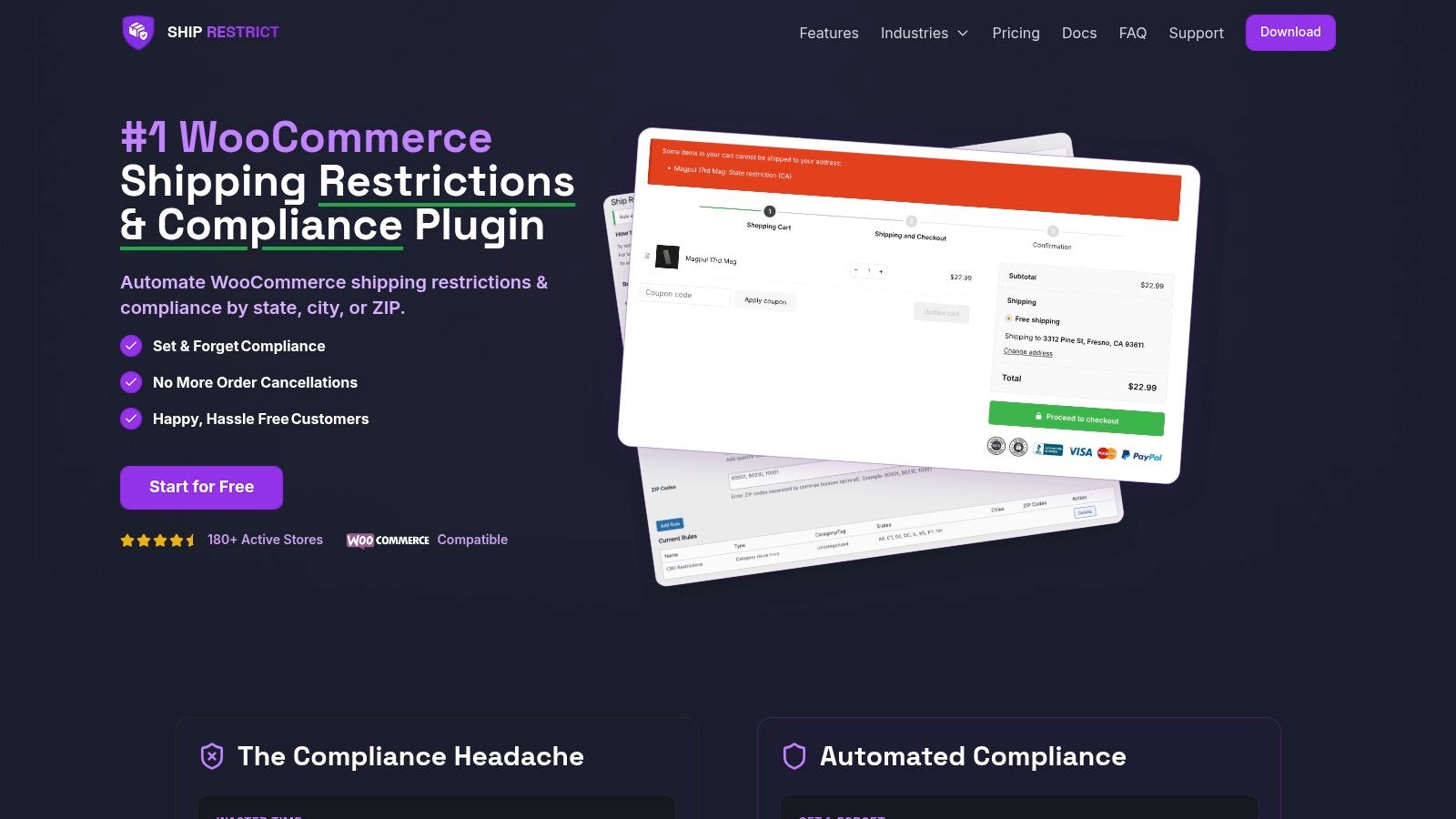
A workable WooCommerce rule setup
A regulated wine merchant typically needs rules that match products, destinations, and customer outcomes. The most useful setup isn't complicated. It just has to be deliberate.
One practical structure looks like this:
- Tag wine products clearly. Give regulated items their own product category or attribute so your rules target the right catalog items.
- Define blocked destinations. Build restrictions by state first, then add county, city, or ZIP rules if your legal review requires finer control.
- Set customer-facing messages. Tell the shopper why checkout can't proceed, in plain language.
- Review exceptions centrally. If your business handles special approvals, keep those decisions with one accountable role, not scattered across support agents.
This is the point where mentioning one actual tool is useful. Ship Restrict is a WooCommerce plugin built to enforce shipping restrictions by state, county, city, or ZIP code, preventing restricted orders before checkout. For a wine merchant, that means using address-based rules to stop disallowed shipments before payment and fulfillment begin.
The cheapest compliance mistake is the one your checkout never accepts.
Merchants often think automation is only about speed. In regulated shipping, it's more about consistency. A documented rule applied every time is safer than a good employee trying to remember edge cases during a busy afternoon.
Your Operational Checklist and Shipping FAQs
A wine shipment should move only after your store, account setup, and packing floor all agree it's ready. If any one of those pieces is loose, the order isn't ready yet.
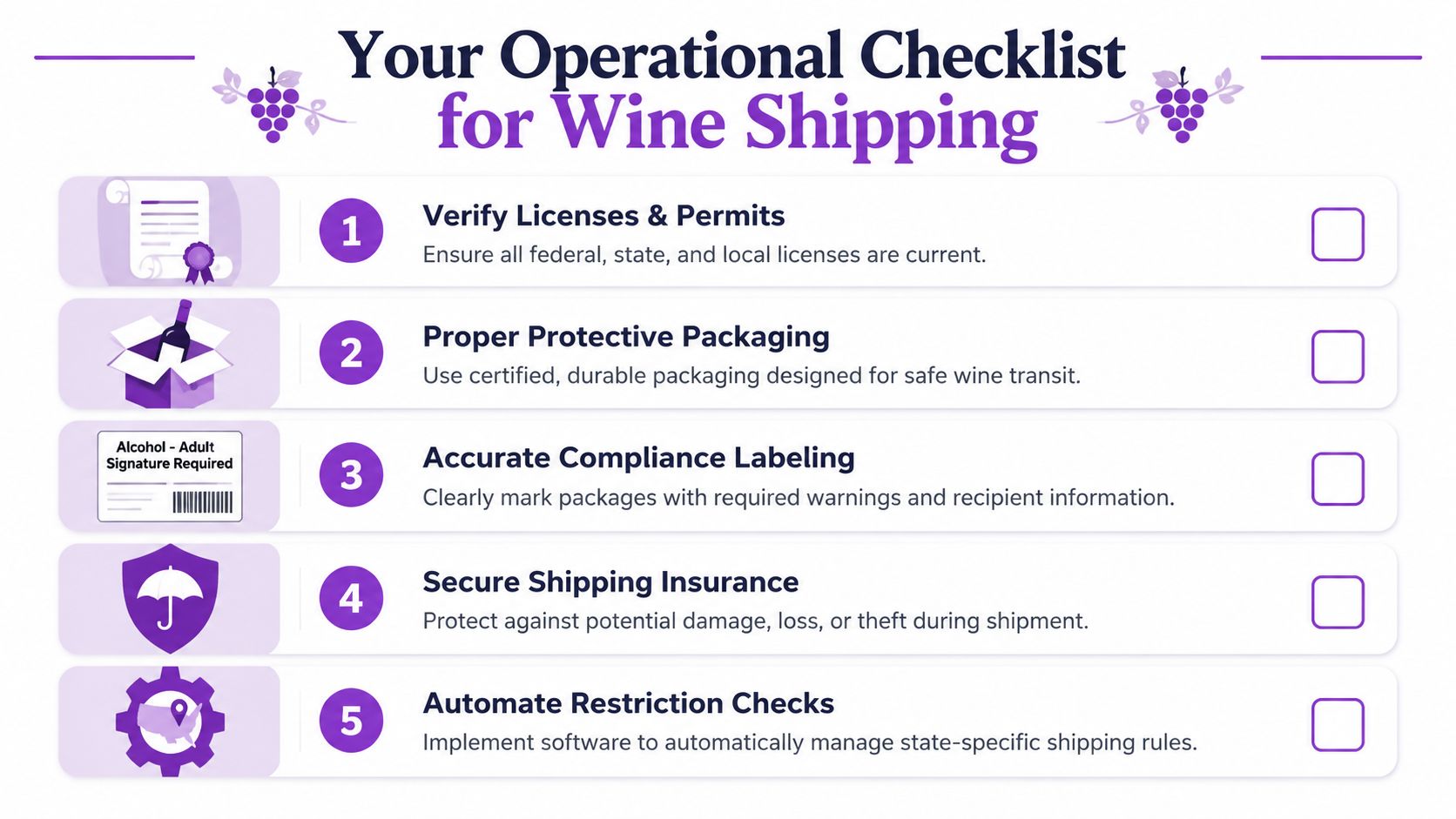
Pre-shipment checklist
Run this before the label is printed:
- License check: Confirm the business entity shipping the wine has the required permissions documented and current.
- Destination check: Verify the order is going to a lawful destination under your current shipping rules.
- UPS account check: Make sure the order is flowing through your approved wine shipping setup, not a generic parcel workflow.
- Packaging check: Use the approved bottle inserts and a corrugated outer box matched to the shipment.
- Label check: Apply the required alcohol handling labels and delivery settings consistently.
- Insurance check: Confirm the order value and your internal claims process are aligned before dispatch.
- Checkout controls check: Make sure your store rules blocked anything that should never have been sold.
Common questions merchants still ask
Can I ship wine to a PO Box
No. In practice, wine delivery depends on physical delivery procedures and adult receipt. A PO Box is the wrong destination format for that workflow.
What if the customer refuses the delivery or it gets returned
Treat it as an operational event, not a one-off customer issue. Your team should know who authorizes reshipment, when refund rules apply, and how returned alcohol inventory is handled on arrival.
Does this only matter for direct-to-consumer orders
No. Business shipments still need disciplined account setup, packaging, and carrier compliance. The exact legal path may differ by transaction type, but sloppy fulfillment creates risk in either model.
Should customer service manually approve exception orders
Usually not. Exception handling belongs with the person or team that owns compliance. Customer service can communicate the policy, but they shouldn't invent one order at a time.
Good wine shipping operations don't rely on heroics. They rely on repeatable checks that happen before the carton leaves the bench.
If you're running WooCommerce and want those checks enforced before an order becomes a fulfillment problem, Ship Restrict gives you a practical way to block restricted shipments at checkout and keep your wine shipping process aligned with how regulated commerce works.
Automate Alcohol Shipping Compliance
Stop worrying about restricted states. Ship Restrict handles it automatically.

Cody Yurk
Founder and Lead Developer of ShipRestrict, helping e-commerce businesses navigate complex shipping regulations for regulated products. Ecommerce store owner turned developer.
Automate Alcohol Compliance
- Block restricted states
- No more cancellations
- Set and forget
3-day free trial · Card required