Delivery Confirmation for WooCommerce Orders
Implement delivery confirmation for regulated WooCommerce orders. Learn carrier requirements, signature setup, and compliance best practices.
A package can look perfect in WooCommerce and still turn into a mess the moment a customer says, “It says delivered, but I don't have it.” If you sell regulated products, that's not a minor support ticket. It's a dispute over proof of delivery, a compliance headache, and often an inventory problem at the same time.
The fix is not just turning on tracking. Delivery confirmation has become the evidence layer that carriers, merchants, and recipients lean on when the scan history and the customer's story don't match. USPS says its USPS Tracking® Service retains package history and proof-of-delivery records for 120 days, and Signature Confirmation™ can include delivery details such as a signature when available. Canada Post's Track service also exposes a downloadable delivery confirmation document, and UPS Intelligent Delivery History describes itself as a proof-of-delivery tool with digital signatures and batch tracking. That mix tells you where the industry has moved, from status updates to auditable records. mobile proof of delivery guide
Why Delivery Confirmation Matters for Regulated Products
A firearms retailer ships a customer order to an address that passed checkout, the carrier scan flips to delivered, and two days later the buyer claims the box never showed up. Without a solid confirmation trail, the merchant is left arguing with the card processor, answering a customer who's already upset, and documenting a shipment that may never be recoverable. If the order contained regulated goods, the stakes are even higher because the business needs a clean chain of evidence, not just a tracking number in an email.
Delivery confirmation is the difference between “the carrier says it arrived” and “we have evidence of what happened at handoff.” USPS positions this as a formal record, not a casual notification, and that distinction matters when you're handling disputes, theft claims, or compliance reviews. The move from basic tracking to auditable proof-of-delivery became especially important as e-commerce volume expanded and merchants needed longer access windows for claims, service, and record checks.
Automate Shipping Compliance
Block orders to restricted states automatically. 3-day free trial.
Start Free Trial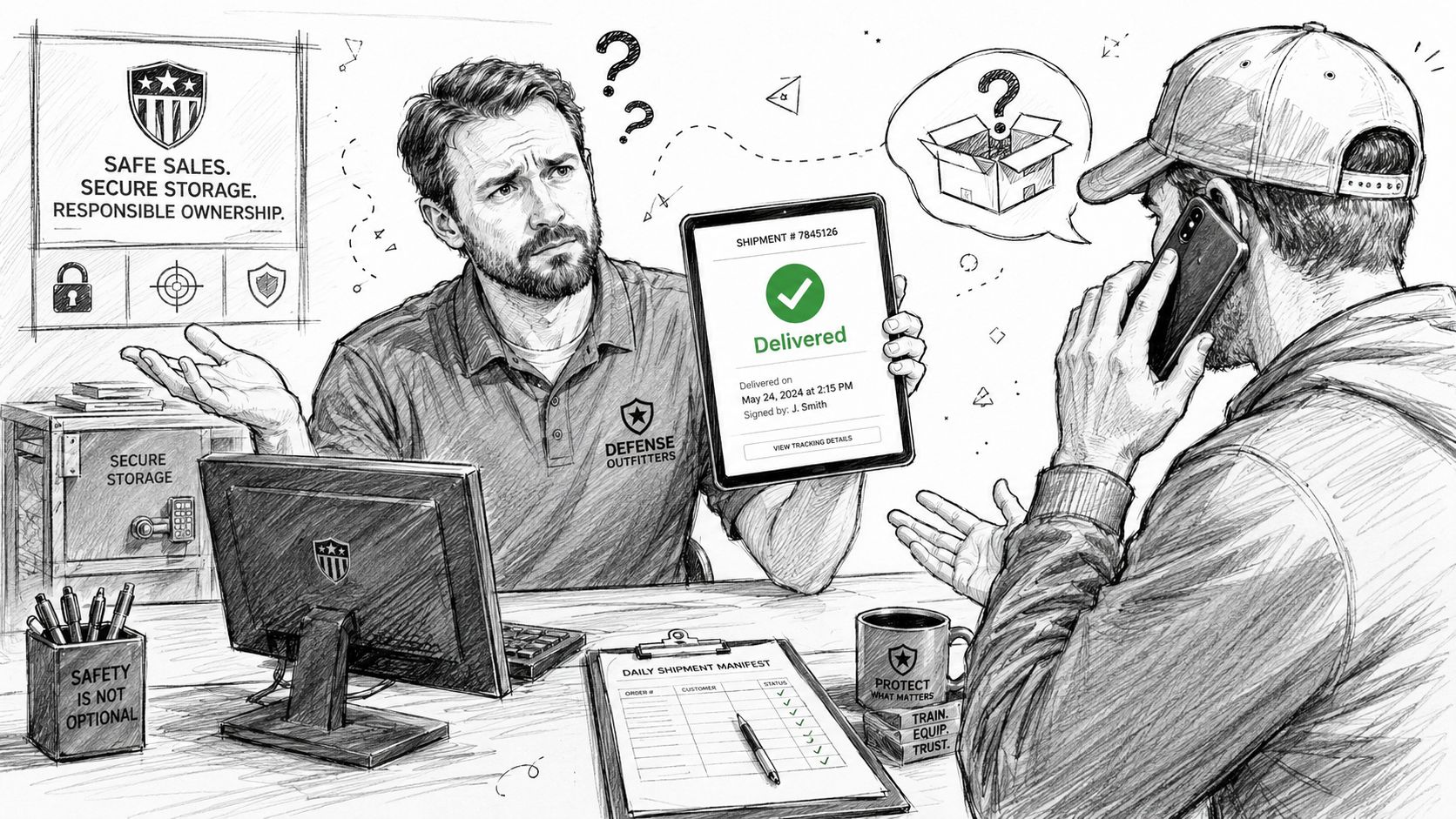
What carriers treat as usable evidence
The strongest confirmation isn't a single scan. It's a record that can include a timestamp, a signature, and other delivery data that ties the package to a person or place. In enterprise systems, that record becomes part of the reconciliation workflow, which is why Oracle's JD Edwards documentation treats delivery confirmation as the point where shipped quantities, leftover disposition, and inventory reconciliation get finalized. Oracle's delivery confirmation documentation makes the operational point clearly, this is not just customer-facing status, it's a back-office control.
For regulated products, that matters because a plain “delivered” scan is weaker than a receipt trail that includes a signature or another delivery event that the merchant can archive. If a parcel is stolen after drop-off, or if the scan was posted early, the merchant needs a way to separate a carrier event from actual customer receipt. That's where the right confirmation level becomes business protection, not a checkout add-on.
Practical rule: if the item would create a legal or customer-service problem when it disappears, use confirmation that records more than the carrier's default status.
Carrier Service Types and Signature Requirements
Signature services are not interchangeable, and treating them that way creates either compliance gaps or annoying checkout friction. USPS, UPS, and FedEx all support some form of delivery confirmation, but the useful distinctions are about who must sign, what kind of proof gets recorded, and how much the delivery experience changes. ShipEngine's shipment options make that trade-off explicit with levels such as none, delivery, signature, adult_signature, direct_signature, delivery_mailed, and verbal_confirmation, which is a good reminder that confirmation strength should match the shipment, not the store's default setting. ShipEngine delivery confirmation options
For USPS, the practical split is between ordinary signature capture and age-aware or restricted delivery options. The EasyPost USPS guidance notes SIGNATURE, ADULT_SIGNATURE, SIGNATURE_RESTRICTED, ADULT_SIGNATURE_RESTRICTED, and NO_SIGNATURE, with ADULT_SIGNATURE requiring an adult 21+ with ID at the address and ADULT_SIGNATURE_RESTRICTED requiring the specific addressee or an authorized agent who is 21 or older. That matters for regulated shipments because the wrong level can mean the package was technically handed off, but not under the condition your policy requires.
UPS and FedEx behave differently in practice, so the safest approach is to map the carrier service to the product risk. For high-friction items, you want the narrowest confirmation level that still satisfies your compliance rule. For lower-risk accessories, requiring the strictest signature mode can create avoidable misses, extra redeliveries, and customer complaints.
| Carrier | Service Level | Age Verification | Relative Cost | Best For |
|---|---|---|---|---|
| USPS | Signature | No | Lower friction | General proof of handoff |
| USPS | Adult Signature | Yes | Higher than basic signature | Age-sensitive or regulated shipments |
| USPS | Adult Signature Restricted | Yes, addressee-specific | Highest friction | Tight chain-of-custody needs |
| UPS | Proof of delivery with signature workflows | Depends on service | Varies by option | Enterprise shipments with audit needs |
| FedEx | Direct signature options | Depends on service | Varies by option | Orders where recipient signoff matters |
A lot of stores overcorrect and require signature on every box. That sounds cautious, but it can backfire when buyers aren't home, apartment desks can't accept parcels, or the carrier has to retry. The better move is to set signature requirements by product type, then let the carrier service enforce the right level of proof.
Operational note: pick the narrowest confirmation level that still covers your liability. More friction is not the same thing as more compliance.
Configuring WooCommerce Checkout for Signature Requirements
WooCommerce doesn't know the difference between a flashlight accessory and a serialized regulated item unless you teach it. The cleanest setup starts with shipping classes or product-level metadata, then routes those carts through a signature-required shipping method only when the order contents demand it. That way, you're not forcing every buyer into the same delivery experience.
The first step is to separate products by risk. Firearms, ammo, and restricted parts should live in distinct classes so your shipping logic can apply only when needed. Then tie those classes to a shipping method that supports confirmation options, and expose the fee clearly before checkout is completed. If the package needs adult signature, the customer should see that before they click place order, not after the carrier has already failed delivery once.
Free Shipping Compliance Audit
We'll review your WooCommerce store's shipping compliance for free.
Practical setup pattern
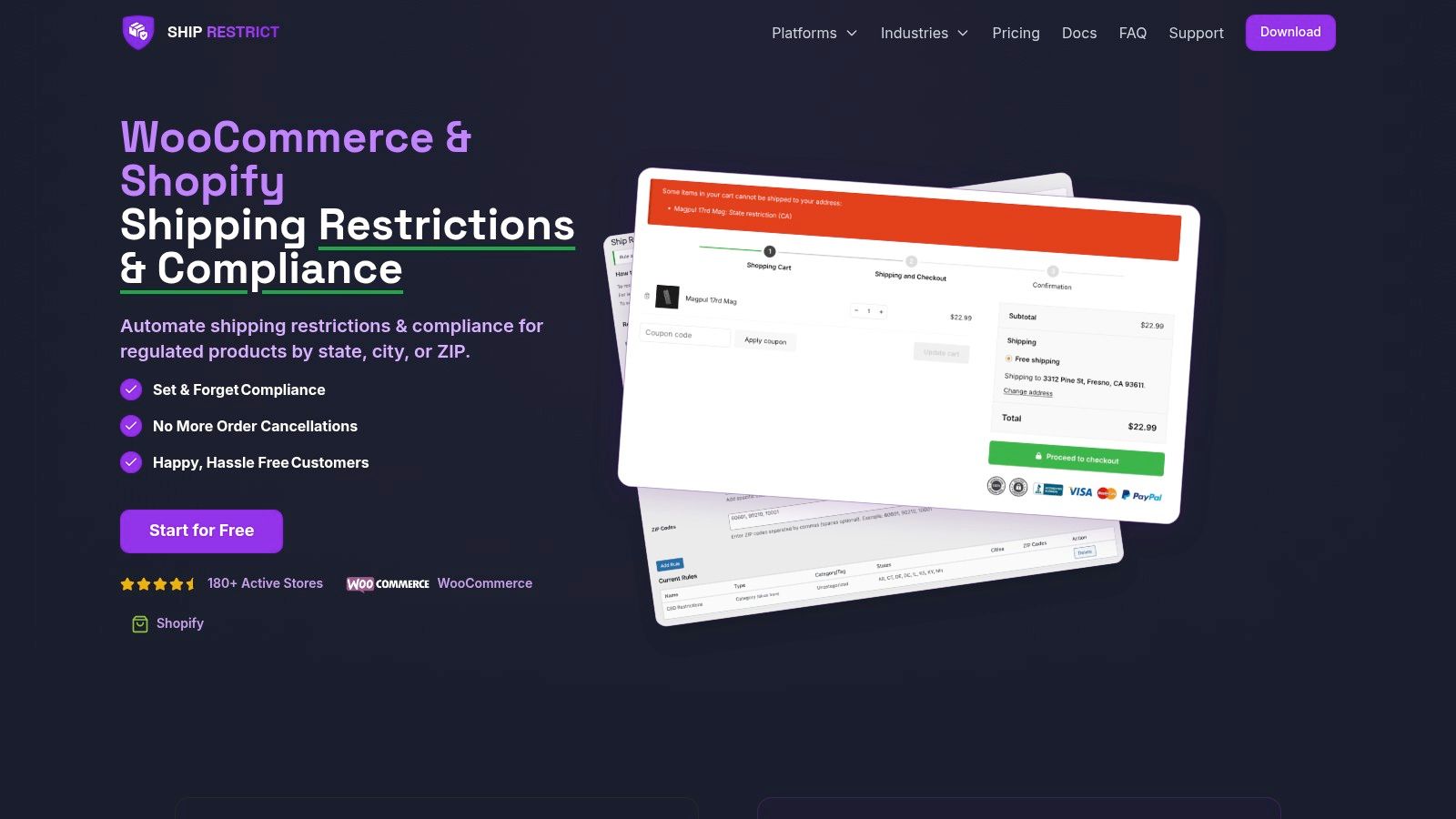
Start with a shipping rules plugin or custom logic that inspects cart contents and toggles signature service levels. If you're building this yourself, the logic is straightforward, when a restricted product is present, set the shipping option to the appropriate confirmation mode and display a notice about delivery expectations. If the address is a location that can't reliably accept signatures, prevent checkout before the order is placed.
For store owners who want an off-the-shelf restriction layer, the disable guest checkout for age restricted items pattern is worth studying because it shows how checkout rules and restricted products often need to work together, not separately. In a regulated store, guest checkout, age verification, and signature delivery often belong in the same decision tree.
A workable configuration usually includes these pieces:
- Shipping class mapping: assign regulated items to a class that triggers signature service.
- Conditional checkout messaging: tell the buyer why signature is required before payment.
- Address validation gate: block checkout when the address type can't support the chosen service.
- Order note logging: store the applied confirmation level in the admin record for future disputes.
- Failure-state messaging: explain what happens if the carrier can't complete signature delivery.
The point is not to create more steps than necessary. It's to make sure the checkout reflects the actual delivery rules. If the buyer can't reasonably receive a signed parcel at that location, the order shouldn't get into fulfillment in the first place.
Integrating Delivery Confirmation with Ship Restrict Rules
A signature requirement by itself is only half a control system. An address can pass a shipping restriction check and still fail in the real world if the destination can't accept the package type, the delivery method, or the signature process. That's why automated address validation has to sit beside delivery confirmation, not behind it.
The right model is simple. First, check whether the destination is legally eligible for the product. Then check whether the destination is operationally capable of receiving the shipment with the confirmation level you've chosen. That second layer matters for PO boxes, certain apartment setups, and other addresses where the carrier can't complete the handoff in the way your rule expects. If you only enforce one layer, you can still end up with a shipment that is technically allowed but practically uncollectible.
A unified workflow that avoids false approvals
A restriction engine and a confirmation engine should work as a pair. The restriction rule stops orders that shouldn't ship at all, while the confirmation rule sets the evidence standard for the shipments that do go out. That separation keeps the compliance logic clean, because the store isn't confusing “this address is allowed” with “this address can receive a signature parcel.”
The key is to treat failure states as first-class outcomes, not exceptions you'll handle later. If the address passes the state or ZIP rule but the carrier service requires a signature that the location can't support, your system should hold the order for review instead of creating a label and hoping for the best. That's also where customer messaging matters, because a short explanation now prevents a confused support email later.
The restrict shipping WooCommerce guide is useful here because it reflects the same operational idea, rules belong in checkout, not in the warehouse. Once the order is paid, your options shrink fast.
<iframe width="100%" style="aspect-ratio: 16 / 9;" src="https://www.youtube.com/embed/vX7do6hzdHc" frameborder="0" allow="autoplay; encrypted-media" allowfullscreen></iframe>Fallbacks when the first delivery attempt fails
A good workflow also defines what happens after the carrier misses the first attempt. Some stores reroute to pickup, some hold the order for customer contact, and some reissue only after verifying the destination still supports the required confirmation level. The important thing is consistency. A regulated shipment should not drift into an ad hoc exception process just because a driver missed the door.
Testing Your Delivery Confirmation Workflow
Testing needs to cover the full path, from cart rules to carrier handoff to order notes. A lot of stores only test the happy path, then discover later that the confirmation flag never made it into the label purchase, or the customer-facing email claimed a service level that wasn't applied. That's the kind of bug that turns a routine shipment into a compliance problem.
What to test before launch
Use a staging environment and run through actual scenarios, not just admin clicks. The testing environment guide is helpful because the safest compliance setup is one that gets exercised before live traffic ever touches it.
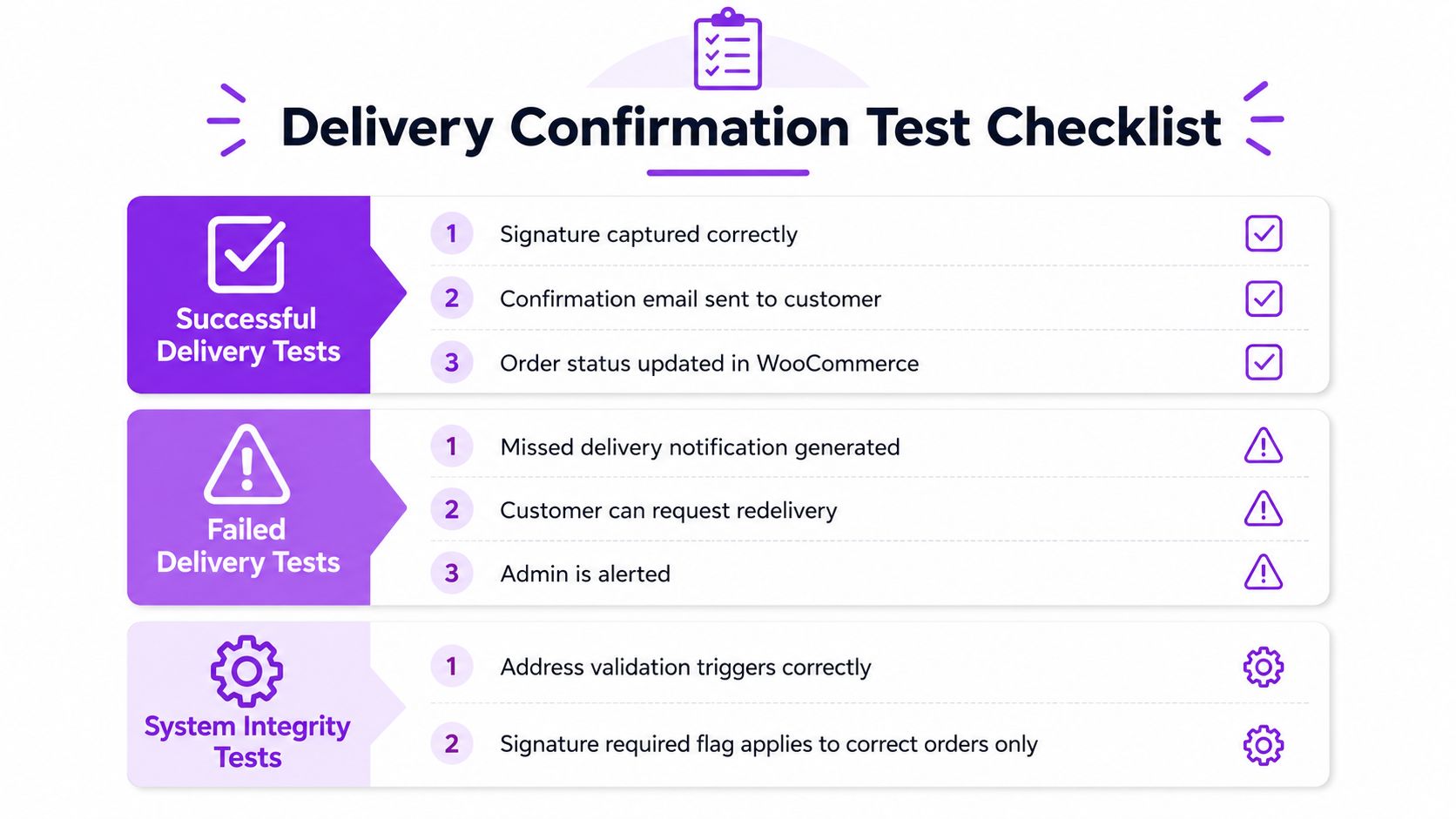
A solid checklist should include:
- Successful delivery flow: verify the signature is captured, the customer gets the right email, and WooCommerce order status updates cleanly.
- Failed delivery flow: simulate a missed attempt, then confirm your system generates the right redelivery or customer-contact path.
- Restriction enforcement: place test orders that should be blocked and make sure they never reach label creation.
- Signature targeting: confirm only the correct products trigger the signature requirement.
- Address edge cases: test the locations most likely to break rules, including international-style entries, APO/FPO-type routing, and rural addresses.
Where tests usually fail
The weak spots are usually not carrier APIs. They're configuration drift and bad assumptions. A shipping class gets renamed, a product is left unclassified, or the checkout text mentions one confirmation mode while the label engine applies another. Those mismatches are dangerous because they look fine to the storefront user and only show up when the parcel is challenged.
A store is only as compliant as its last failed test.
Also check what lands in your admin notes. If the order record doesn't clearly show the applied confirmation level, support staff can't resolve disputes quickly, and you'll end up digging through labels manually. That's a waste of time when the whole point of automation is to make the evidence easy to retrieve.
Recordkeeping and Compliance Best Practices
Proof-of-delivery only helps if you can find it later and present it clearly. USPS says its tracking history and proof-of-delivery records are retained for 120 days in USPS Tracking® Service, so the practical rule is simple, archive your own records before carrier access becomes your only reference. That is especially important when the package history becomes part of a chargeback response or a customer dispute.
The best archive includes more than the tracking number. Store the confirmation type, the delivery timestamp, the signature image if available, and any delivery details that help prove who received the parcel and when. If your carrier system exposes multi-signal evidence such as photos, GPS, or recipient acknowledgment, save those artifacts with the order record rather than relying on a live portal link that may age out or change later.
For legal teams, the same discipline shows up in electronic recordkeeping. The e-signature best practices for legal teams guide is a good reminder that metadata, retention, and auditability matter as much as the file itself. In WooCommerce, that means organizing records by order ID, preserving the applied service level, and keeping a local copy of the evidence that matched the shipment at the time it left.
When the scan says delivered but the customer says otherwise, don't treat the record as self-explanatory. Compare the carrier's evidence with the address type, the service level you selected, and the product's restriction profile. If the data conflicts, your support team needs a standard review path, not improvisation.
Ship Restrict helps WooCommerce stores enforce shipping restriction rules before an order becomes a shipping problem. If you're building regulated workflows that need address checks and confirmation logic to line up cleanly, visit Ship Restrict and see how those rules fit into your checkout.
Automate Shipping Compliance
Stop worrying about restricted states. Ship Restrict handles it automatically.

Cody Yurk
Founder and Lead Developer of ShipRestrict, helping e-commerce businesses navigate complex shipping regulations for regulated products. Ecommerce store owner turned developer.
Automate Shipping Compliance
- Block restricted states
- No more cancellations
- Set and forget
3-day free trial · Card required