WooCommerce Location Based Shipping for Regulated Goods
Master WooCommerce location based shipping for regulated products like firearms. Set up rules to block sales by state, county, city, or ZIP, ensuring full
You're probably in one of two situations right now. Either your WooCommerce store already sells regulated products and you've realized your shipping setup was built for rates, not legality. Or you're about to launch and you know one bad order into the wrong city, county, or ZIP code can create an FFL compliance problem that no refund fixes.
That's the main issue with WooCommerce location based shipping for firearms and other regulated goods. Most tutorials treat location rules like a pricing exercise. For an FFL, they're a control system. The job isn't to charge more for one region and less for another. The job is to stop prohibited shipments before checkout completes.
WooCommerce can help, but only if you understand where native shipping zones work, where they break down, and how to test the setup like a compliance process instead of a storefront convenience feature.
Planning Your Restriction Rules Before You Build
If you start inside WooCommerce before you've mapped the legal rules, you're already behind. Shipping rate logic can be adjusted later. Compliance gaps are harder to catch because they usually stay invisible until a customer from a restricted jurisdiction tries to order.
Automate Shipping Compliance
Block orders to restricted states automatically. 3-day free trial.
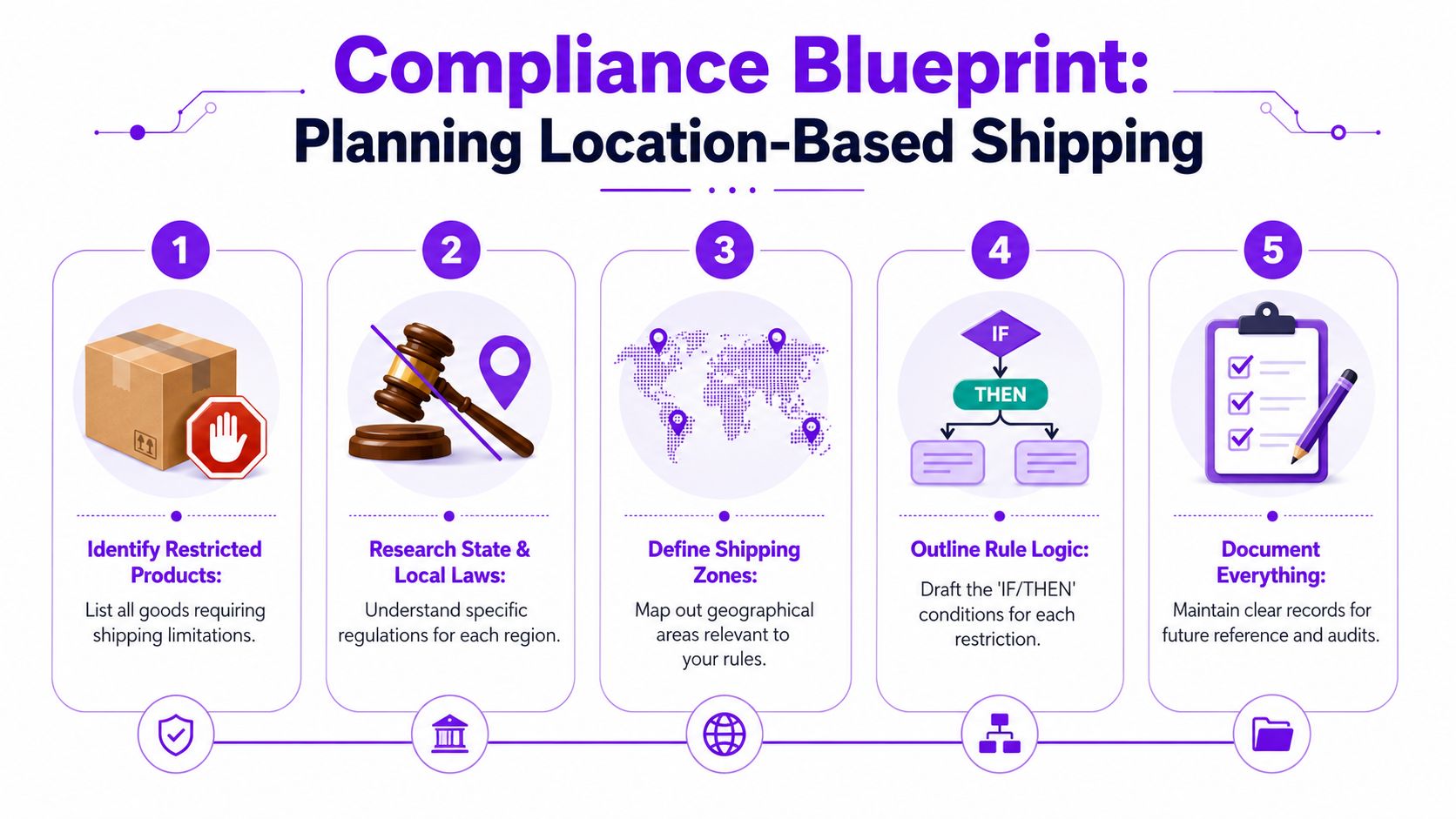
Start Free TrialFor regulated goods, location-based shipping should begin with a restriction matrix. That's the working document that lists every product category you sell, every jurisdiction that affects shipment, and exactly what the store must do when a customer address matches one of those places. For firearms retailers, that usually means separating state restrictions from county restrictions, city restrictions, and postcode-level carveouts.
Data from Octolize's discussion of WooCommerce shipping by city states that 65% of small firearms stores face compliance fines due to incomplete ZIP/city blocking, with an average penalty of $8K per violation. The same source also notes that WooCommerce doesn't natively support city or county-based restrictions as a compliance gate. That's why planning can't be casual.
Build the matrix before the rules
A useful restriction matrix doesn't need to be fancy. A spreadsheet is enough if it's organized.
Include at least these columns:
-
Product scope
List the exact products or categories affected. Don't write “regulated items” and leave it there. Separate firearms, ammunition, magazines, parts, and accessories if your rules differ. -
Jurisdiction level Mark whether the restriction applies by state, county, city, or ZIP/postcode, as WooCommerce handles those levels very differently.
-
Action required
Define whether the store should block checkout, hide a shipping method, route to manual review, or allow shipment only to an FFL workflow. -
Legal note
Add the statute, policy reference, or internal compliance note your team uses. You're not building this for marketing. You're building it for operational clarity.
Free Shipping Compliance Audit
We'll review your WooCommerce store's shipping compliance for free.
- Exception handling
Write down carveouts now. If a county is restricted except for a specific area or product type, document it before anyone starts entering rules.
Practical rule: If your team can't answer “what happens when a buyer in this exact ZIP tries to order this exact product,” the rule isn't ready to build.
What works and what fails
What works is a compliance-first workflow where legal review happens before store configuration. What fails is letting store admins improvise restrictions one zone at a time inside WooCommerce settings.
I've seen retailers get into trouble because they treated address blocking like a side task for the web developer. That approach creates partial coverage. One state gets configured. One county list is forgotten. One city-level restriction never gets translated into a usable checkout rule.
A better process looks like this:
- Inventory the products that trigger restrictions
- Map each restriction to a geographic level
- Decide the exact checkout behavior
- Approve the matrix internally
- Only then build it in WooCommerce
If you want a deeper explanation of why broad, off-the-shelf shipping tools usually break down in regulated categories, this overview on why generic shipping plugins fail in regulated industries is worth reviewing.
Treat planning like an audit document
Your spreadsheet isn't just prep work. It becomes the source of truth for updates, testing, and future legal changes. If your store ever has to prove how restrictions were implemented, a clean matrix shows intent, process, and control.
That's the difference between a store that merely has shipping settings and a store that has a compliance system.
Configuring WooCommerce Native Shipping Zones
WooCommerce's built-in shipping zones are the baseline. You need to understand them even if you already suspect they won't be enough for firearms compliance.
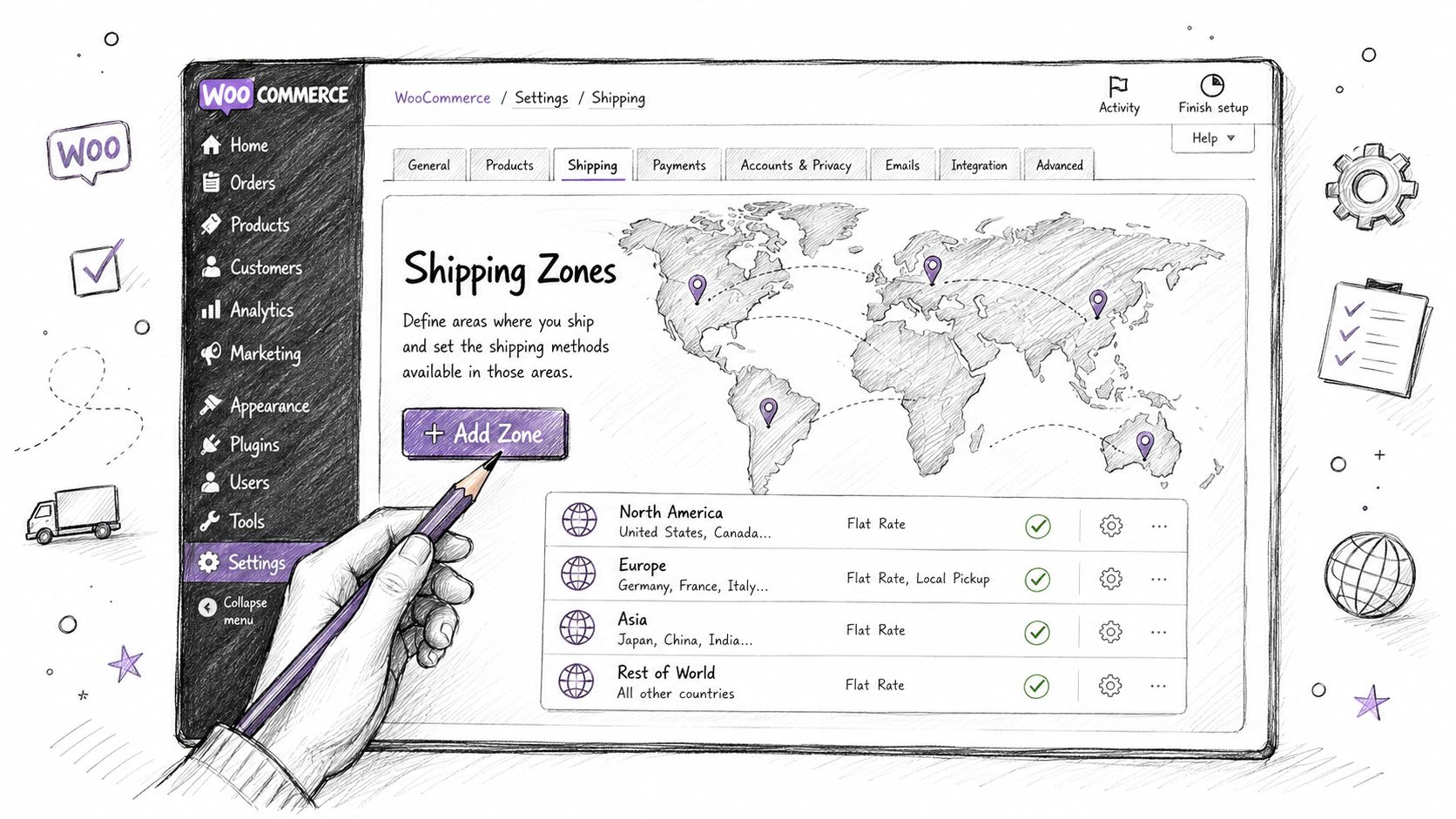
According to the official WooCommerce shipping zones documentation, over 100,000 stores use shipping zones, and WooCommerce matches customers to zones in a hierarchy of city, then state, then country. The same documentation explains that you can list individual ZIP or postcodes, but WooCommerce does not support ZIP code ranges or wildcards out of the box.
How native zones actually work
In WooCommerce, go to WooCommerce > Settings > Shipping > Shipping zones. Each zone is a geographic bucket. You assign regions to that bucket, then attach shipping methods.
For a simple setup, you might create:
| Zone name | Region type | Example use |
|---|---|---|
| Illinois FFL Shipments | State | Allowed products to Illinois under your standard process |
| Restricted ZIP Review | ZIP/postcodes | Specific postcodes that need different handling |
| Rest of World | Catch-all | Default fallback for everywhere else |
That structure is fine for ordinary ecommerce. It gets shaky when you need legal blocking instead of just method assignment.
The native setup process
If you want to create a basic state-plus-ZIP rule, the workflow is straightforward:
- Create a new shipping zone.
- Add the state or country region.
- Enter individual ZIP/postcodes in the zone's postcode field, one per line.
- Attach shipping methods to that zone.
- Reorder zones so the most specific match is evaluated first.
That last step matters more than many merchants realize. WooCommerce checks zones from the top down and uses the first valid match. If the zone order is sloppy, a customer can hit a broader zone before the narrow one you meant to apply.
Native shipping zones are good at assigning shipping methods. They are not designed as a legal decision engine.
Where native WooCommerce stops being enough
The first problem is maintenance. If your compliance team hands you a long list of restricted postcodes, entering them one by one is slow and error-prone.
The second problem is coverage. Native WooCommerce doesn't give you ZIP ranges or wildcards out of the box, so you can't manage large postcode-based restrictions efficiently.
The third problem is the one firearms dealers run into fastest. County-level logic and city-specific blocking are not practical in native WooCommerce. If the law changes at the city or county level inside an otherwise allowed state, native zones don't give you a clean compliance workflow.
That's why many merchants start with zones, then outgrow them as soon as the restriction map gets more granular. If you're evaluating your broader platform stack at the same time, this guide to compare top Australian ecommerce solutions is useful for seeing how platform decisions affect operational complexity, especially if you're balancing compliance needs against store management overhead.
For a narrower walkthrough focused on WooCommerce setup itself, this reference on shipping zones in WooCommerce is a good companion to the official docs.
Advanced Rule Creation With a Specialized Plugin
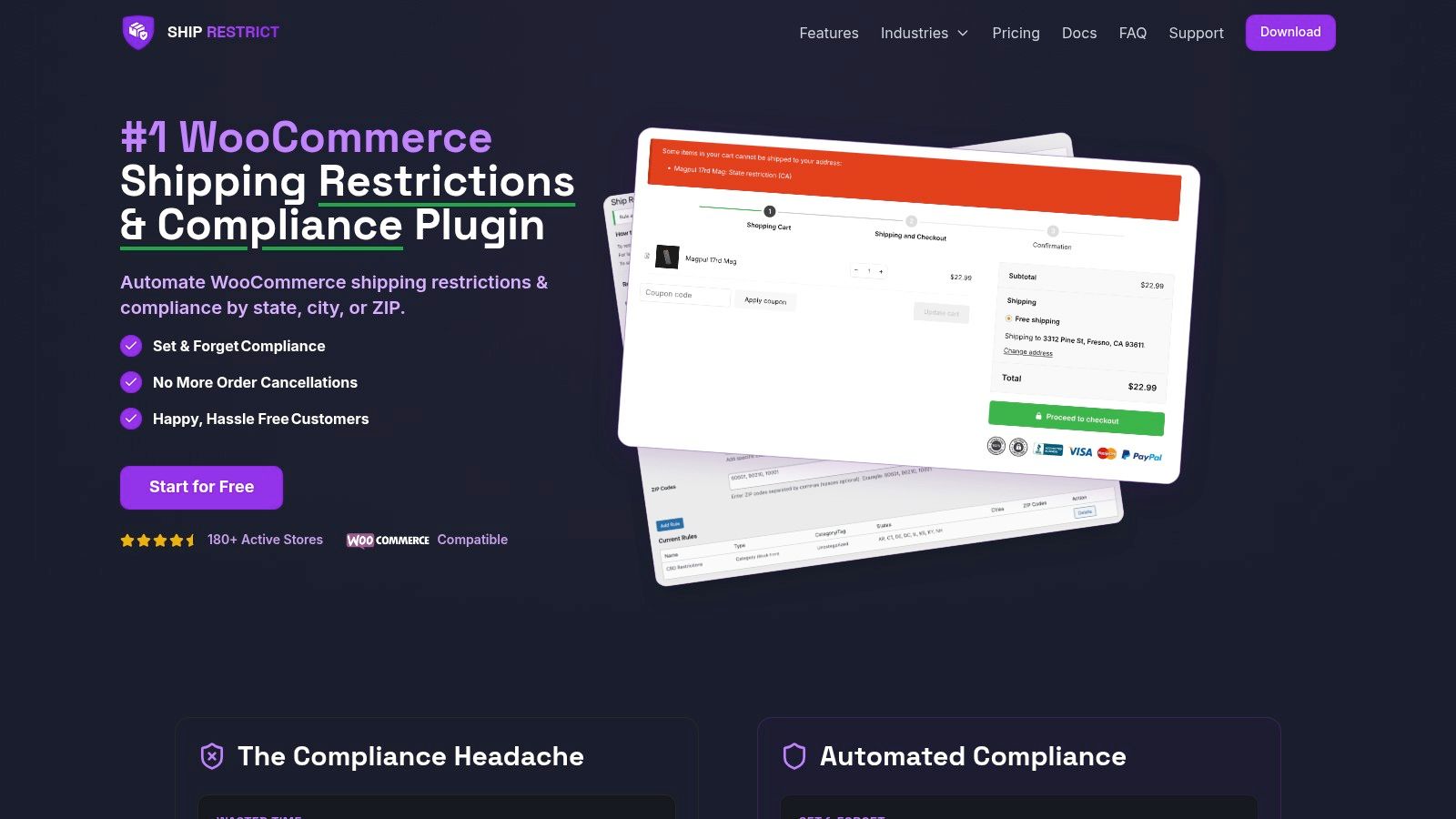
Once your restriction matrix includes counties, cities, carveouts, and postcode patterns, native shipping zones stop being efficient. A specialized restriction plugin then becomes necessary, not because WooCommerce is weak, but because regulated shipping needs a more exact rule engine than standard shipping methods provide.
What a specialized rule engine changes
Instead of thinking in terms of “which shipping method should appear,” you start thinking in terms of which orders must never proceed.
That shift matters. For regulated goods, the safer pattern is rule-based validation at checkout that evaluates the order against product conditions and destination conditions together. A compliant rule might read like this:
If cart contains firearm products, and destination state is allowed, but destination county is restricted, block checkout and display a compliance message.
That's very different from assigning Flat Rate to one zone and Free Shipping to another.
Build rules from the matrix, not from memory
A specialized plugin is most effective when you import or recreate the spreadsheet logic exactly as written. Don't make legal decisions while clicking around in WordPress admin.
A typical advanced workflow looks like this:
-
Start with product targeting
Apply the rule to a product category, tag, or specific products. If restrictions apply only to firearms and not accessories, split those conditions. -
Add destination logic
Choose state, county, city, or postcode criteria depending on the legal requirement. -
Set the enforcement action
For regulated goods, blocking checkout is often the right choice when shipment is prohibited. Hiding methods alone can leave room for confusion. -
Write the customer-facing message
Keep it precise. Tell the customer the item can't ship to the entered destination and advise them to contact the dealer if they believe the address is eligible.
This matters most when your state rule is broad but local restrictions are narrow. A store might legally ship to much of a state while prohibiting specific counties or cities. Native WooCommerce can't handle that neatly.
A practical example with exceptions
Say your matrix identifies an Illinois restriction pattern that depends on local jurisdiction. You might need a rule set with this structure:
| Rule layer | Purpose |
|---|---|
| Product condition | Firearms category only |
| State condition | Illinois |
| County condition | Block Cook County |
| Exception condition | Allow only explicitly approved postcodes if applicable |
| Outcome | Stop checkout with message |
That's the kind of layered logic regulated stores need. The key is separating broad permission from local denial. Most shipping plugins built for rates don't handle that cleanly because they weren't designed for legal enforcement.
If postcode-level restrictions are part of your workflow, this guide on restricting WooCommerce shipping by postcode shows the practical mechanics.
Use bulk imports whenever possible
Manual entry is where teams introduce silent errors. Someone drops a postcode, adds a city misspelling, or forgets an exception row. If your plugin supports bulk creation from a spreadsheet, use it.
A solid import process should follow this sequence:
- Export your approved restriction matrix into the plugin's accepted format.
- Clean naming conventions first. Keep state names, city names, and postcodes consistent.
- Import in batches that mirror legal categories, not random lists.
- Validate imported rules against the original spreadsheet.
- Run live checkout tests before publishing.
Here's a quick visual walkthrough for teams that want to see a rule-based setup in action before configuring their own store:
<iframe width="100%" style="aspect-ratio: 16 / 9;" src="https://www.youtube.com/embed/2f_X31KTOY4" frameborder="0" allow="autoplay; encrypted-media" allowfullscreen></iframe>What works in practice
The stores that stay organized do three things well.
-
They separate pricing from compliance
Shipping charges are one workflow. Destination legality is another. Combining them in the same mental model creates mistakes. -
They keep rule ownership clear
Legal or compliance staff define the matrix. Ecommerce staff implement it. One person should approve the final published rules. -
They design for change
Local restrictions move. Product catalogs change. The plugin setup should make edits repeatable, not heroic.
What doesn't work is using a patchwork of zone tricks, hidden methods, and checkout notes to mimic a compliance engine. That setup usually survives until the first edge case.
Validating Your Setup to Ensure Compliance
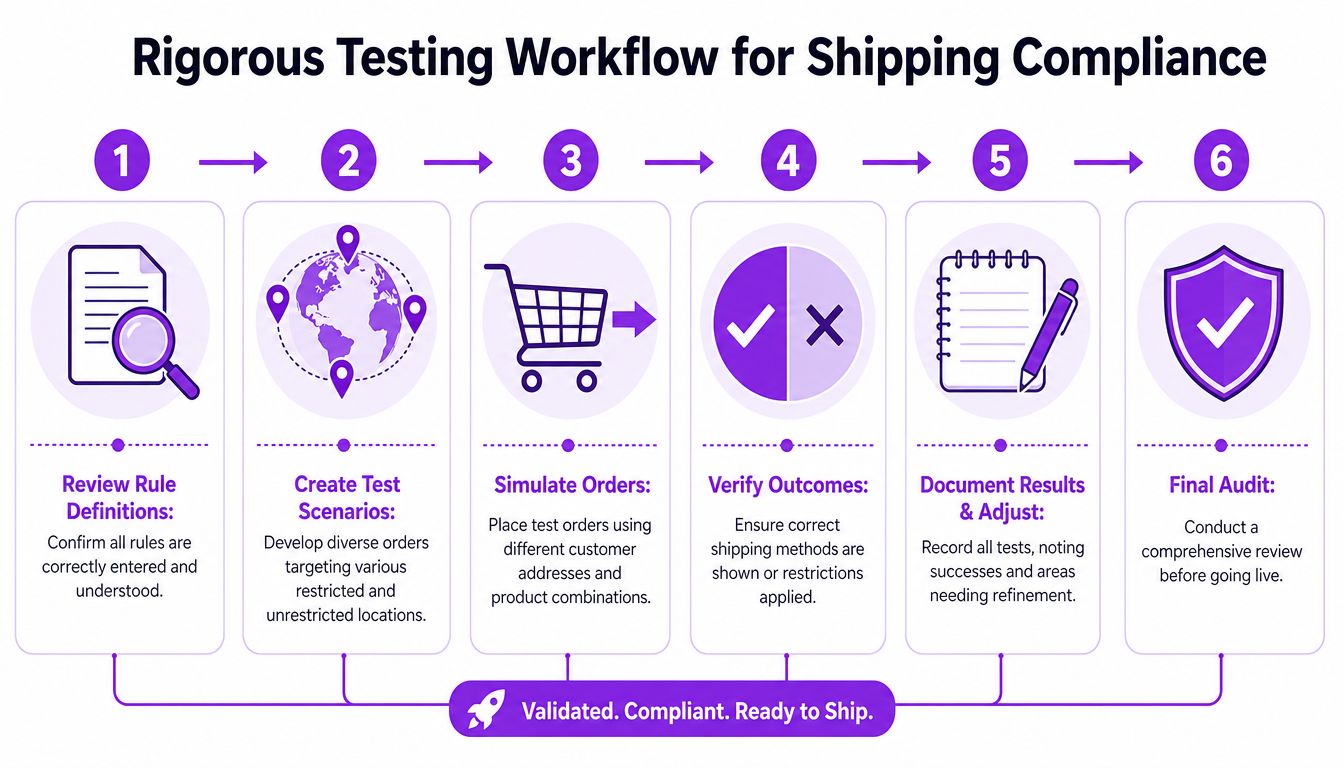
A shipping rule that looks correct in admin isn't proof. The only proof is what happens when a customer tries to place an order with a real address and a real product combination.
Testing needs to be adversarial. I recommend a Red Team and Blue Team mindset. The Blue Team builds the restrictions. The Red Team tries to break them with edge cases, wrong assumptions, and nearby addresses that look similar but should behave differently.
According to WooCommerce's shipping strategy post, incorrect zone sorting can cause a 40% drop in success rate for restrictions, and stores using ZIP-code granular zones report a 30% reduction in shipping mistake costs compared with state-level zones alone. That's why testing has to be systematic, not informal.
Build a test grid, not a few spot checks
A proper test grid should include allowed destinations, blocked destinations, and ambiguous boundary cases.
Use rows like these:
-
Inside restricted area
A destination that should always block checkout. -
Just outside restricted area
A nearby postcode or city that should remain allowed. -
Fallback zone destination
An address that would drop into your broad default logic if specific restrictions fail. -
Mixed-cart scenario
One regulated item plus one unrestricted item, to verify the regulated rule still wins. -
Class-based scenario
If you use shipping classes, test each class independently.
Red Team the likely failure points
The most common failures aren't dramatic. They're boring administrative misses.
| Failure point | What to test |
|---|---|
| Zone order | Does a broad state rule override a more specific restricted destination? |
| Product targeting | Does the rule trigger only for regulated SKUs, or does it miss one category? |
| Address format variation | Does the rule still trigger if the customer enters an alternate city spelling or postcode format? |
| Default fallback behavior | If no narrow rule matches, does checkout stay open when it shouldn't? |
Audit note: Test the addresses you expect to fail, then test the addresses that are almost the same. Borderline cases expose weak rule logic faster than obvious ones.
Run checkout simulations like a customer would
Don't stop at cart testing. Go all the way through checkout entry with sample billing and shipping addresses.
A useful workflow is:
- Add one regulated product to cart.
- Enter a blocked destination.
- Confirm the store blocks progression at the right point.
- Change only the destination to an allowed nearby location.
- Confirm checkout resumes normally.
- Repeat with every regulated product class.
If your store uses multiple plugins that affect shipping, payment, or address validation, test them together. A rule can be correct in isolation and still fail when another extension changes checkout behavior.
“If you haven't tried to force a bad order through your own store, you don't know whether your restrictions work.”
Document every result
Keep screenshots. Log the test address, product, expected outcome, actual outcome, and fix applied. That record helps your team in two ways. First, it creates a reusable QA process for future updates. Second, it gives you an internal audit trail showing that restrictions weren't guessed at.
For firearms retailers, that discipline matters. A clean test log is one of the easiest ways to prove that your store operations are controlled, reviewed, and maintained with intent.
Effective Customer Messaging and Performance
Blocking an order is a customer-service moment, not just a technical event. If the message is vague, accusatory, or sloppy, the customer assumes your store is broken or arbitrary. If the message is clear and professional, the customer understands the restriction is tied to destination rules, not personal judgment.
That's especially important for FFL businesses. Many customers don't know local shipment rules, and many others think the issue can be solved by trying a different browser or checkout method. Your message has to close that ambiguity.
Write messages that reduce escalation
The best blocked-checkout messages do three things:
-
State the issue clearly
Tell the customer the selected item can't ship to the entered destination. -
Avoid legal overstatements
Don't quote law unless you're sure your wording matches your internal compliance guidance. It's safer to refer to shipping restrictions for that destination. -
Give the next step
Invite the customer to contact your team for review if they believe the address should qualify or if an FFL transfer option exists.
A strong message sounds like this:
This item can't be shipped to the destination entered. If you believe this address is eligible for transfer or shipment under applicable restrictions, contact our compliance team before placing the order.
That wording is firm without sounding hostile. It also reduces support noise because it tells the customer what to do next.
Separate enforcement from explanation
One mistake I see often is trying to solve customer communication with a giant policy paragraph at checkout. That doesn't help. Customers skim. Long blocks of legal text don't make a failed checkout clearer.
Use a short checkout message, then link or direct customers to a fuller shipping restrictions policy page. Keep the enforcement notice concise. Put the nuance in your policy and support workflow.
Here's a simple comparison:
| Approach | Result |
|---|---|
| Generic error like “Shipping unavailable” | Confusion, abandoned carts, support tickets |
| Detailed but readable restriction message | Better understanding and fewer repeated attempts |
| Checkout blocked with no explanation | Customers assume a technical failure |
Performance matters, but checkout logic can stay lean
Store owners often worry that adding rule-based location checks will slow the site. That concern is valid, but the answer isn't to avoid compliance controls. The answer is to keep those checks focused where they belong.
A well-built restriction workflow should evaluate at the point where destination and product data are both available, usually during cart or checkout validation. That means your store doesn't need to run heavy restriction logic on every catalog page view.
What works:
- Scoped checks that only run when regulated products are in the cart
- Clean rule sets without duplicate or conflicting logic
- Periodic cleanup of old restrictions that no longer apply
- Staging tests before publishing large rule changes
What hurts performance and maintainability is the opposite. Too many overlapping plugins. Duplicate rules. Admins creating exceptions in multiple places. If your shipping logic is split between native zones, conditional payment tools, theme functions, and custom snippets, the burden usually shows up as checkout inconsistency before it shows up as obvious slowness.
The bigger point is this. Customers will tolerate a clear restriction notice. They won't tolerate a store that behaves unpredictably. Good messaging and disciplined rule design protect both compliance and trust.
Maintaining Compliance in a Changing Landscape
Shipping compliance isn't a launch task. It's an operating function.
State rules change. Local restrictions change. Product catalogs change. Staff changes create another risk, because the person who originally understood the logic may not be the person updating the store six months later. If your WooCommerce location based shipping setup depends on memory, it won't stay reliable.
Build a maintenance rhythm
The stores that hold up over time usually have a simple routine:
- Review restriction rules on a fixed schedule
- Compare live plugin rules to the approved matrix
- Retest high-risk jurisdictions after every update
- Archive old rules instead of deleting them without notes
Scheduled rule changes are especially useful when you know a policy change is approaching. That lets your team prepare before the rule takes effect instead of scrambling after a risky order slips through.
Compliance systems create room to grow
Retailers often treat compliance tooling like overhead. That's the wrong frame. A reliable restriction system lets you expand product lines, hand off operations, and serve more customers without manually checking every destination.
The same logic applies beyond shipping. If you're formalizing internal controls more broadly, this guide to privacy programs for small businesses is a useful reminder that small ecommerce operations need documented compliance processes across multiple areas, not just checkout.
Automation won't replace legal review. It does replace repetitive human screening at the point where mistakes happen most often. That's what makes it scalable. For regulated ecommerce, that's not a nice-to-have. It's part of operating safely.
If your store sells firearms or other regulated products, Ship Restrict gives you a practical way to enforce destination-based shipping rules inside WooCommerce before a prohibited order gets through. It's built for granular restriction logic, including the local jurisdiction scenarios that standard shipping setups struggle to handle.
Automate Shipping Compliance
Stop worrying about restricted states. Ship Restrict handles it automatically.

Cody Yurk
Founder and Lead Developer of ShipRestrict, helping e-commerce businesses navigate complex shipping regulations for regulated products. Ecommerce store owner turned developer.
Automate Shipping Compliance
- Block restricted states
- No more cancellations
- Set and forget
3-day free trial · Card required