WooCommerce Restrict Shipping by Postcode: Guide 2026
Master woocommerce restrict shipping by postcode for regulated products. Go beyond native zones with this guide for compliance & automation.
An order comes in late in the day. The cart looks normal. The payment clears. Then someone on your team notices the shipping postcode and starts cross-checking it against a spreadsheet, county notes, and whatever legal guidance was updated last. That's the point where most firearms retailers feel the true weight of WooCommerce shipping configuration. This isn't about shaving a few minutes off fulfillment. It's about preventing a restricted item from leaving your warehouse.
That manual process breaks down fast. Data shows that 78% of regulated goods merchants in the U.S. face legal exposure due to manual address checks, according to a 2025 National Firearms Association compliance report (reference noted here). If you're trying to handle WooCommerce restrict shipping by postcode rules with staff memory, sticky notes, and a few broad shipping zones, you're relying on a system that fails exactly when pressure is highest.
Retailers often start by comparing carriers, rates, and fulfillment options, which still matters. A practical review of shipping services can help when you're deciding how orders should move once they're approved. But for regulated goods, the first job is deciding which orders should never reach that point.
The High Cost of a Simple Shipping Mistake
A single postcode mistake can create a compliance problem that starts in checkout and ends with legal scrutiny. The order that worries me most is never the obviously bad one. It's the one that looks routine until someone realizes the customer sits inside a restricted pocket of a broader service area.
Automate Shipping Compliance
Block orders to restricted states automatically. 3-day free trial.
Start Free Trial
If your current process depends on a staff member checking addresses by hand, you already know the weak points. People get interrupted. Team members interpret rules differently. A postcode gets entered in an unexpected format. Someone approves an order because the state looks acceptable, even though the local jurisdiction changes the answer.
Where manual screening usually fails
The biggest failures are ordinary operational failures:
- Speed pressure: Warehouse staff want to keep orders moving, so edge cases get rushed.
- Mixed rule sources: Part of the logic lives in WooCommerce, part in staff training, and part in an external document.
- Broad geographic assumptions: A state-level check misses a narrower local restriction.
- No checkout enforcement: The customer can still place the order, which creates refund work and support friction later.
Practical rule: If the restriction matters legally, it shouldn't live only in your staff process. It should be enforced automatically before shipment.
That's why I look at postcode controls as risk controls, not convenience features. You want the store to reject, hide, or reroute unavailable shipping options automatically, with no guesswork. If you're still deciding whether manual review is “good enough,” this breakdown of the true cost of manual order screening versus automated restrictions is worth reading because it frames the issue the way operations teams experience it.
Using Native WooCommerce Postcode Restrictions
WooCommerce does give you a built-in way to restrict shipping by postcode. For simple setups, it works. You can define shipping zones, assign methods to those zones, and limit zones by postcode format without adding another plugin.
*In WooCommerce, native shipping zones allow merchants to restrict shipping methods by postcode using direct entry, numeric ranges (for example, 90210...99000), and wildcards (for example, AB10)**. This built-in approach works for basic restrictions, but zone order matters because broader zones can override narrower ones if you place them incorrectly (details from Octolize).
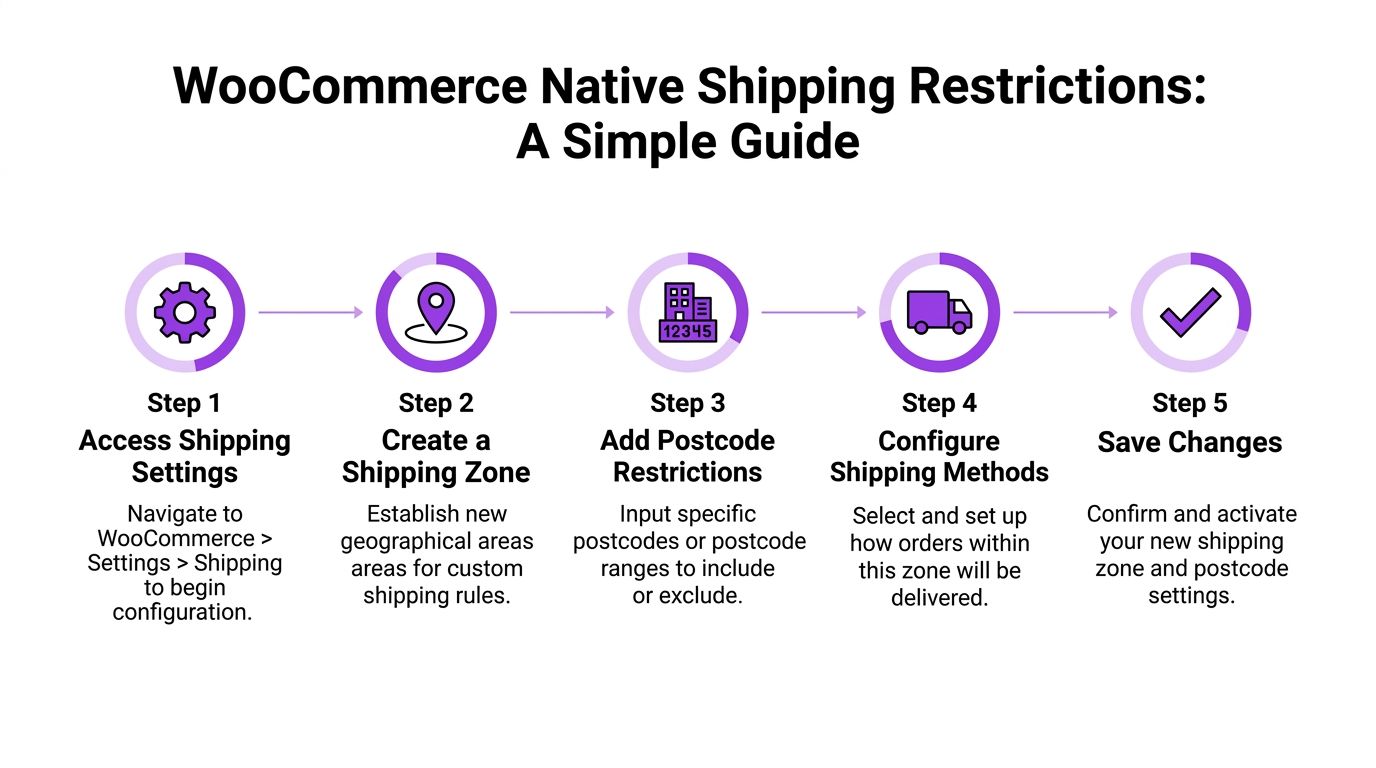
Set up a postcode-restricted zone
Go to WooCommerce > Settings > Shipping > Shipping zones and create a new zone. Give it a name that reflects the actual rule, not a vague label like “special area.” If the zone covers a compliance rule, call it what it is so your team knows why it exists.
Then set the region and add postcodes in one of three formats:
- Full postcode entries
Enter one postcode per line when you need exact matches.
Free Shipping Compliance Audit
We'll review your WooCommerce store's shipping compliance for free.
-
Numeric ranges
Use a range like90210...99000when the area is continuous and predictable. -
Wildcards
Use a pattern likeAB10*when every code beginning with the same prefix should follow the same shipping rule.
Once the zone exists, attach the shipping methods you want available there. Customers whose shipping addresses match that zone will see those methods at checkout.
The native method works best in narrow use cases
For a non-regulated catalog, this setup can be enough. It's also useful when you only need to carve out a clean geographic service area, such as local delivery, regional ground shipping, or a small number of excluded prefixes.
A practical native setup often looks like this:
| Use case | Native WooCommerce fit |
|---|---|
| Exact list of approved postcodes | Good fit |
| Continuous postcode range | Good fit |
| Broad prefix matching | Good fit |
| Product-specific restrictions by postcode | Poor fit |
| Non-contiguous postcode exceptions | Poor fit |
| Overlapping local legal rules | Poor fit |
Zone order is where many stores go wrong
WooCommerce reads zones from the most specific to the broadest. If you place a large country or state zone above a smaller postcode-based zone, the broader one can match first. Then your precise rule never fires.
A broad shipping zone placed too high in the list can quietly cancel out the compliance logic you thought you had.
For firearms retailers, that's a dangerous blind spot. The store appears configured. Checkout still behaves incorrectly.
Native restrictions are geographic, not contextual
This is the core trade-off. Native zones answer one question well: where is the customer located? They don't answer the harder compliance questions:
- Is this restriction tied to one product but not another?
- Should one shipping method be hidden while another remains visible?
- Does the same postcode require different treatment depending on what's in the cart?
- Can your team maintain large lists of edge-case postcodes without introducing entry errors?
That's where the built-in tool stops being a solution and starts being a rough filter.
Why Basic Postcode Rules Fail Regulated Businesses
A firearms store doesn't operate inside one clean geographic rule. It operates inside overlapping rules. One address can be acceptable at the state level, restricted at the county level, and subject to a different condition at the city level depending on the item in the cart.
That's why generic WooCommerce restrict shipping by postcode tutorials usually miss the core problem. They show how to match a postcode. They don't solve what happens when the same postcode needs different treatment based on product type, shipping method, or a narrower jurisdiction nested inside a broader one.
The mismatch between geography and compliance
Native WooCommerce zones are built around shipping geography. Compliance work is built around legal logic. Those are not the same thing.
A regulated store often needs rules like these:
- One product can ship, another can't: The customer's postcode is acceptable for accessories but not for a restricted part.
- One method is allowed, another isn't: Ground may be acceptable while expedited service should be hidden.
- The same postcode changes over time: Legal changes require updates without waiting for someone to remember a manual edit.
- Exceptions sit inside larger approved areas: A county or city rule interrupts an otherwise valid state-level area.
Advanced postcode-based shipping restrictions often require third-party plugins when native zones lack necessary granularity, such as restricting specific shipping methods for an array of non-contiguous ZIP codes. This automation saves hours weekly and is a core requirement for firearms retailers and other regulated businesses (Calcurates overview).
Why this becomes a governance issue
This isn't only a store configuration problem. It's a compliance governance problem. Your shipping rules need the same discipline as your payment controls, age verification workflow, and order review policy.
If your broader compliance process needs a refresher, CISO's 2026 regulatory compliance guide is a useful operational read because it treats compliance as a system of controls, not a one-time setup.
The more regulated the catalog is, the less acceptable it becomes to rely on broad zones and human interpretation.
For firearms retailers, the danger is subtle. The store can look organized. The shipping screen can look properly configured. Yet the actual enforcement logic still depends on staff catching exceptions after the customer has already tried to buy a restricted item. That's the trap.
Automated Compliance with Ship Restrict A Walkthrough
When native zones stop being enough, you need rule-based enforcement that can evaluate product, destination, and shipping outcome together. That's the only reliable way to handle regulated goods in WooCommerce.
The implementation should start with a clean rule model. Before you click anything, define three things on paper: which products are restricted, which postcodes are affected, and what the customer should see when the rule applies.
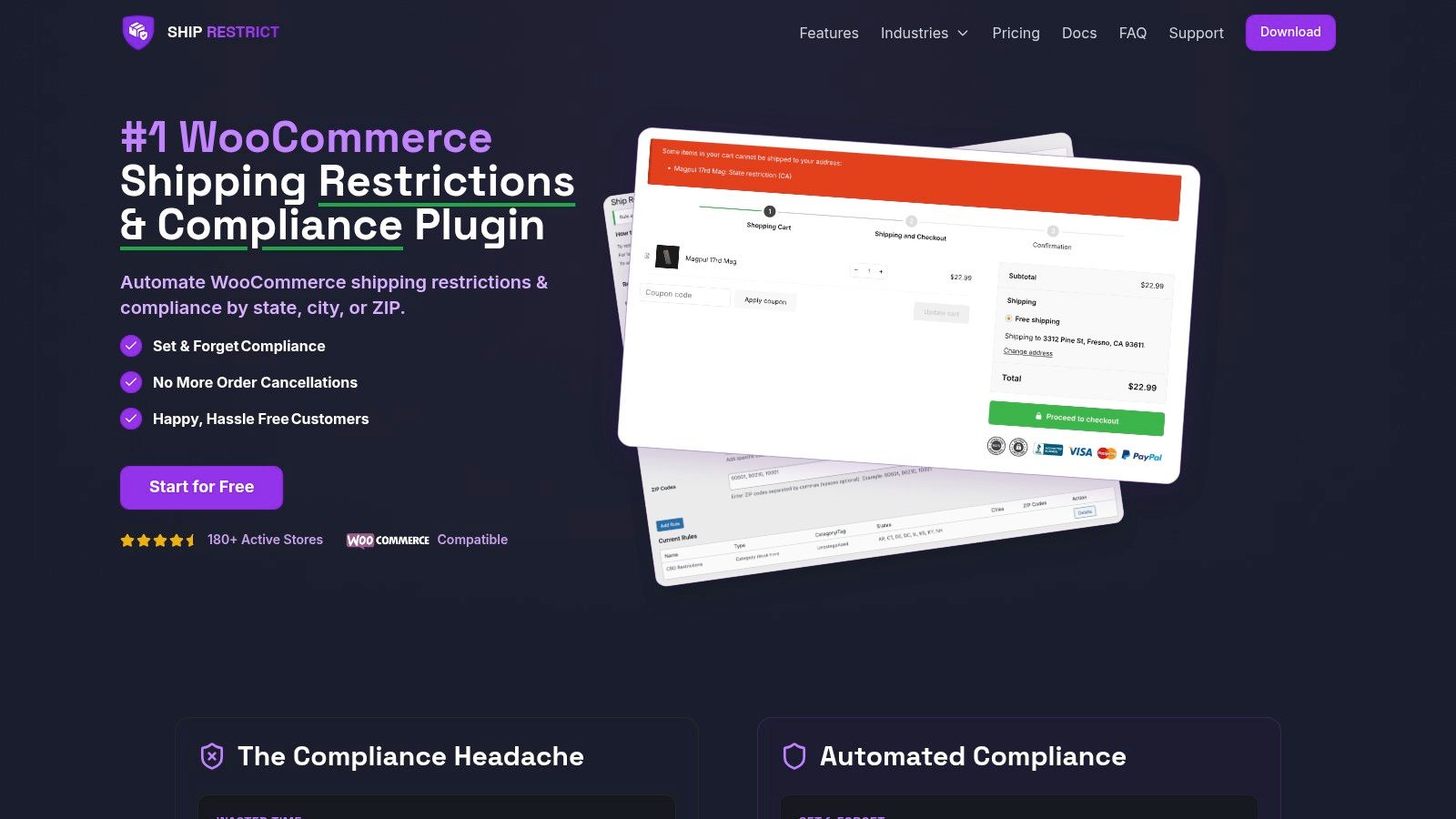
For platform-specific setup details, start with the Ship Restrict getting started documentation. The documentation matters because compliance plugins live or die on rule clarity. If the setup path is vague, the store logic usually ends up vague too.
Build the rule around the product first
For regulated catalogs, don't start by dumping postcode lists into the system. Start by identifying the restricted product set. In a firearms store, that may be a category, a tag, or a hand-picked group of products that trigger special treatment.
A practical workflow looks like this:
-
Identify the restricted catalog segment
Group the items that need postcode enforcement. Keep this group explicit so future product additions don't slip past the rule. -
Define the destination list
Use the postcodes relevant to that rule. If you're dealing with a large list, prepare it outside WooCommerce first so you can review formatting before import. -
Choose the action
Decide whether the store should hide a shipping method, block shipment altogether, or display a customer-facing restriction message. -
Set rule priority
More specific rules should win over broad ones. Product-and-postcode rules should usually outrank generic shipping rules.
Example rule for a firearms retailer
Say you need to block a restricted parts category from shipping to a specific list of postcodes in one state, while allowing other products to continue through checkout normally.
The rule logic should read like this:
| Rule element | Example setup |
|---|---|
| Product scope | Restricted parts category |
| Destination scope | Specific postcode list |
| Action | Hide shipping for matching carts |
| Customer message | Product unavailable for this shipping destination |
| Priority | Higher than general shipping rules |
That's the structure you want. Clear input, clear condition, clear outcome.
Use customer-facing messaging intentionally
Many stores treat the restriction message as an afterthought. That creates confusion, abandoned carts, and support tickets. The message should explain the outcome without inviting argument.
Good restriction messaging is:
- Specific enough to be useful: Mention that the limitation is destination-based.
- Neutral in tone: Don't sound accusatory.
- Operationally helpful: Tell the customer whether removing the item or changing the address may resolve the issue.
A strong message often sounds like this in practice: this item can't be shipped to the entered destination due to shipping restrictions. That tells the customer what happened and why, without exposing internal rule logic.
Compliance habit: Every automated block should have a matching customer message and an internal explanation your staff can reference.
Bulk import matters more than most teams expect
The moment your postcode list grows, manual entry becomes a liability. It's slow, easy to mistype, and hard to audit later. Bulk import is where automated restriction tools start paying for themselves operationally.
If you're handling large postcode sets:
- Clean the source file first: Remove duplicates and standardize formatting.
- Separate rule groups logically: Don't combine unrelated legal reasons into one giant list.
- Name imported rule sets clearly: Your future self should know why a postcode group exists.
- Retain the source document: You need a reference point when someone asks why a destination is blocked.
This is also where many code-snippet approaches break down. Yes, a custom woocommerce_package_rates filter can work for a narrow technical case. No, it doesn't scale well when a retailer needs maintainable, reviewable business rules managed by non-developers.
Confirm the front-end behavior
After the rule is saved, test it as a customer. Add a restricted product to the cart, enter a matching postcode, and confirm that the shipping outcome changes exactly as intended. Then repeat with a non-restricted product to make sure you haven't blocked more than you meant to.
A useful implementation review asks four questions:
- Did the rule trigger only for the intended products?
- Did it trigger only for the intended postcodes?
- Did the customer see a clear message?
- Did unaffected products still behave normally?
Once the core setup is in place, it helps to see the workflow in motion:
<iframe width="100%" style="aspect-ratio: 16 / 9;" src="https://www.youtube.com/embed/BlCa_I_HQGQ" frameborder="0" allow="autoplay; encrypted-media" allowfullscreen></iframe>What works and what doesn't
What works is explicit rule design, narrow scope, and automated enforcement at checkout. What doesn't work is trying to bolt compliance onto a generic shipping setup after the fact.
The cleanest stores I see usually share the same traits:
- They define restricted products deliberately.
- They separate business logic from staff memory.
- They use importable, maintainable postcode lists.
- They test edge cases before going live.
What fails is equally consistent:
- One giant rule trying to handle every restriction.
- Broad zones used as substitutes for compliance logic.
- Unclear rule names.
- No customer-facing explanation.
- No testing against mixed carts.
WooCommerce can absolutely support postcode-based shipping enforcement. But for regulated goods, the question isn't whether a rule can be written. It's whether the rule can be trusted.
Testing and Troubleshooting Your Shipping Rules
A shipping restriction isn't finished when the rule saves. It's finished when you've tested the actual combinations your customers will produce. For regulated products, testing has to be structured. Random spot checks aren't enough.
The fastest way to miss a broken rule is to test only the ideal scenario. You need approved addresses, blocked addresses, mixed carts, and edge-case formatting.
The Ship Restrict testing guide is a good operational reference because it forces teams to validate the rule instead of assuming the configuration is correct.
Run a repeatable checkout test set
Use a test account and a defined set of addresses. Don't improvise. Build a small matrix and keep it for future changes.
A solid test pass includes:
-
Allowed product and allowed postcode
Confirm that normal shipping options appear and checkout behaves normally. -
Restricted product and blocked postcode
Confirm that the intended shipping restriction appears and the customer message is readable. -
Restricted product and allowed postcode
Make sure the block doesn't fire outside its destination scope. -
Mixed cart scenario Add both restricted and unrestricted products. In this scenario, weak rule logic often breaks.
-
Formatting variations
Check whether spaces, capitalization, or postcode formatting affect matching in your setup.
Troubleshoot the usual failure points
Most postcode restriction problems come from a short list of causes. The issue is rarely mysterious.
| Symptom | Likely cause | What to check |
|---|---|---|
| Rule never triggers | Wrong postcode format | Compare test input to stored values |
| Broad block affects too much | Rule scope too wide | Product targeting and priority |
| Specific rule loses to general rule | Priority conflict | Order of rule evaluation |
| Checkout shows stale results | Cached session or site cache | Clear relevant caches and retest |
Don't test only with one product and one postcode. Compliance failures usually live in the combinations.
Check the shopper experience too
Technical correctness matters, but so does customer clarity. If the restriction works and the message is confusing, support still inherits the problem. Review the front-end language from a customer's perspective and confirm that the result makes sense.
That's also a good time to test message variants. If you want to improve clarity without weakening the compliance outcome, a platform like Otter A/B platform for WordPress testing can help you compare different notice wording on product or cart screens. For regulated stores, better messaging usually means fewer avoidable support contacts.
Keep a regression checklist
Any time you change products, shipping methods, or destination logic, rerun the same tests. A brief checklist protects you from accidental breakage later.
Keep these items in your internal QA routine:
- Product mapping: New restricted items belong to the correct rule group.
- Destination coverage: Added or edited postcode lists still import cleanly.
- Priority review: New rules don't override existing compliance controls.
- Frontend messaging: Restriction text still appears in the right place.
- Mixed-cart behavior: One allowed item doesn't reopen shipping for a blocked item.
Testing isn't administrative overhead. It's the proof that your store is enforcing what your policy says.
Communicating Restrictions and Maintaining Compliance
A blocked shipment is a legal control. It's also a customer communication moment. If your store removes shipping options with no explanation, customers assume the checkout is broken. If your message is clear, they understand that the store is enforcing destination-based restrictions.
The right message lowers friction without weakening the rule. Keep it direct, calm, and factual. You don't need to lecture the customer or explain every legal detail.
Write messages that reduce support load
Good restriction notices usually do three jobs at once:
- State the outcome: The item can't ship to the entered destination.
- Name the reason category: Shipping restrictions or destination restrictions.
- Suggest the next step: Remove the item, update the address, or contact support for clarification.
Here are better patterns than a generic error notice:
- Destination-based notice: This item isn't available for shipment to the entered postcode.
- Cart-level notice: One or more items in your cart can't be shipped to this destination.
- Action-oriented notice: Remove the restricted item or use a different eligible shipping address.
Clear restriction messaging shows customers your store is controlled, not broken.
Treat rule maintenance like policy maintenance
Shipping compliance doesn't stay correct on its own. Products change. Shipping methods change. Jurisdiction interpretations change. Even if your underlying rule engine is sound, stale destination data will still create exposure.
That's why the best process isn't just automated enforcement. It's automated enforcement paired with disciplined maintenance:
- Review restricted product groups regularly: Don't assume old product mappings still reflect the current catalog.
- Document why a rule exists: A postcode list without context becomes impossible to audit later.
- Assign ownership: Someone on the team should own rule review, not just initial setup.
- Keep an internal change log: When a restriction changes, note what changed and why.
Auditability matters more than teams expect
When a customer disputes a blocked order or a staff member asks why a shipment was denied, you need more than “the plugin blocked it.” You need an explainable rule set. That means clear naming, internal notes, and consistent logic.
A maintainable compliance setup usually includes:
| Operational need | Better practice |
|---|---|
| Staff questions | Rule names that describe both product and location logic |
| Customer disputes | Standard response templates tied to restriction reasons |
| Internal reviews | Change records for edits to postcode lists or product scope |
| Ongoing confidence | Scheduled testing of high-risk rules |
The strongest WooCommerce setups don't just block restricted shipments. They create a record of deliberate, repeatable enforcement. That's what protects the business as it grows.
If you're tired of relying on manual postcode checks and fragile shipping workarounds, Ship Restrict is built for WooCommerce stores that need automated shipping compliance for regulated products. It gives firearms retailers a practical way to enforce shipping restrictions by state, county, city, and ZIP code before an order becomes a legal problem.
Automate Shipping Compliance
Stop worrying about restricted states. Ship Restrict handles it automatically.

Cody Yurk
Founder and Lead Developer of ShipRestrict, helping e-commerce businesses navigate complex shipping regulations for regulated products. Ecommerce store owner turned developer.
Automate Shipping Compliance
- Block restricted states
- No more cancellations
- Set and forget
3-day free trial · Card required