Mastering Shipping Zones Woocommerce: A Guide To
Master shipping zones woocommerce to automate compliance for regulated goods. Configure zones by state, county, or ZIP & avoid costly mistakes.
A regulated order rarely feels routine. You open WooCommerce, see a customer in a state you know has edge-case restrictions, and then the detailed work starts. You check the destination, compare it against your spreadsheet, wonder whether the county matters, and ask yourself whether the address falls into an exception area your team added months ago.
That process breaks down fast. One stale rule, one overlooked postcode, or one staff member applying the wrong interpretation can turn a normal shipment into a compliance problem. For stores that sell firearms, parts, ammunition, or other restricted products, shipping setup isn't just a checkout setting. It's part of your control system.
The High Stakes of Shipping Regulated Products
The familiar version of this problem looks simple at first. An order comes in. The billing details look clean. The shipping address is domestic. Nothing seems unusual until someone on your team notices that the destination sits in a location with special rules your spreadsheet handles badly.
That's when manual review turns expensive. Staff stop picking orders. Someone checks the order against a state list, then a county list, then whatever internal notes your store has accumulated over time. If the business handles enough regulated products, that review process spreads into customer support, fulfillment, and even store administration because one bad shipment doesn't stay confined to shipping.
Automate Shipping Compliance
Block orders to restricted states automatically. 3-day free trial.
Start Free TrialPractical rule: If your compliance process depends on memory plus a spreadsheet, you don't have a process. You have a delay that sometimes catches mistakes.
Risk isn't only fines or license trouble. It's operational fragility. A customer places an order, pays, receives confirmation, and then your staff cancels the shipment after discovering the address shouldn't have qualified in the first place. That creates chargeback risk, support friction, and avoidable scrutiny. The financial and legal fallout can be severe, which is why it helps to understand the true cost of shipping compliance violations, fines, fees, and consequences.
There's another layer merchants sometimes overlook. The store itself is part of the compliance surface. If you're handling regulated transactions, customer records, and operational rules, your site needs hardening alongside shipping controls. A practical checklist on website security best practices for IT pros is worth reviewing because a weak store setup can undermine otherwise careful compliance operations.
WooCommerce shipping zones are the native place to start. Most tutorials treat them as a rate-setting feature. For regulated goods, they're more useful as a first line of denial. They let you define where shipping methods appear, which means they can stop restricted destinations before checkout offers the wrong option.
Understanding WooCommerce Shipping Zones
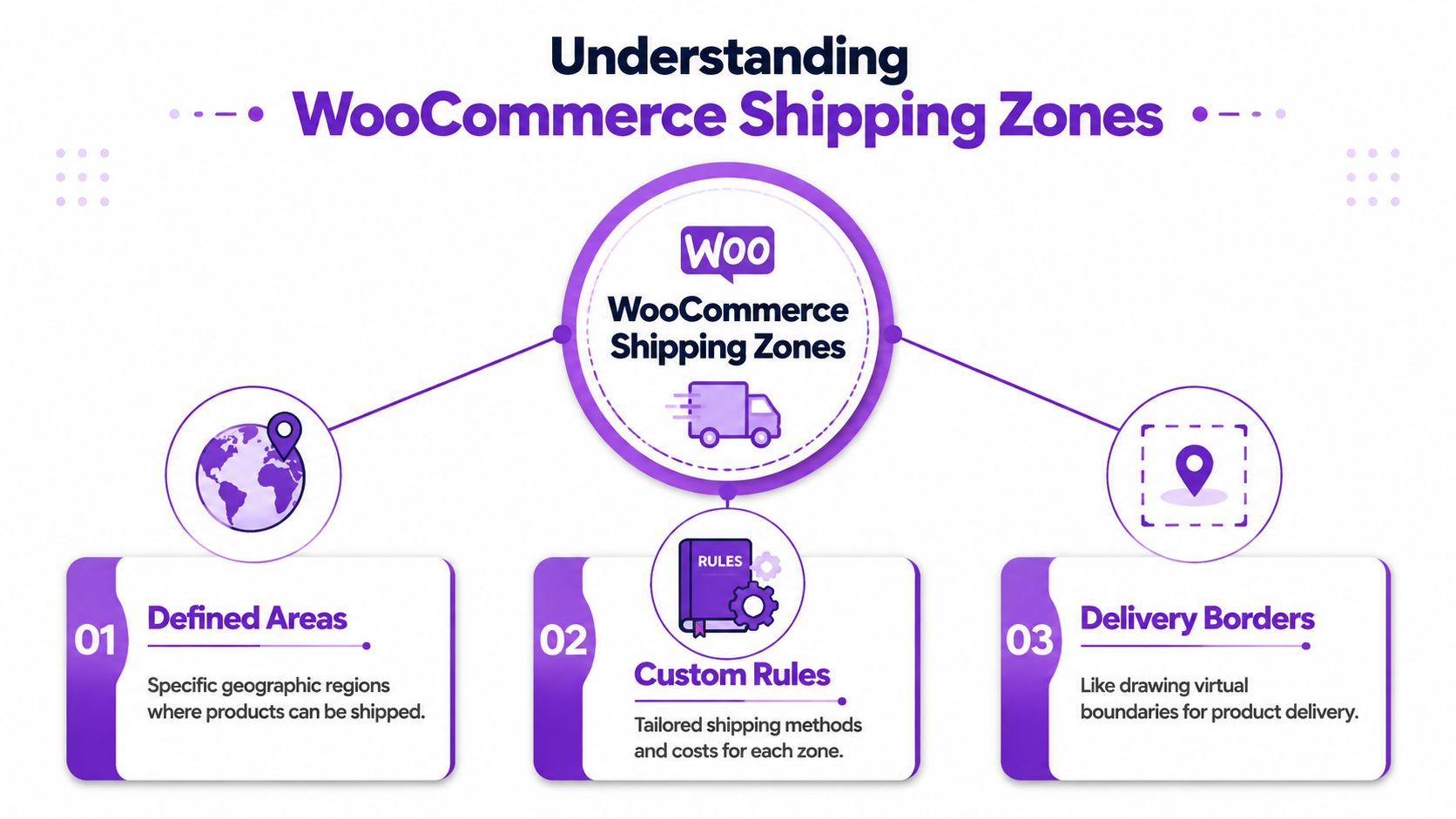
Think of WooCommerce shipping zones as borders you draw on a map. A customer enters a shipping address, WooCommerce checks which border contains that address, and then shows only the shipping methods attached to that zone.
That sounds simple, but the control comes from how narrow those borders can be. WooCommerce defines a shipping zone as a geographical area, and its documentation says merchants can build zones using countries, states or provinces, continents, and optional postcode limits. It also recommends ordering zones from the smallest geographic area to the largest so the most specific rule is applied first. The documentation's UK example uses postcode wildcards such as BT15*, which shows that zones can be narrowed below the state level for tighter control (WooCommerce shipping zone documentation).
Why order matters more than most merchants think
If you're working with shipping zones WooCommerce gives you, priority isn't cosmetic. It's logic. A broad zone like “United States” can accidentally swallow addresses that should have matched a narrower restricted area if the broader rule sits above the specific one.
For a regulated catalog, that means your order of operations has to reflect legal risk:
- Most specific first: Put restricted ZIP or postcode segments above statewide rules.
- State rules next: Use them when the law applies at the state level and doesn't need local exceptions.
- Broad fallback last: Country-wide or international defaults belong at the bottom.
That hierarchy is the difference between prevention and clean-up. If a destination should be blocked, the restrictive zone has to match before the permissive one ever gets a chance.
Free Shipping Compliance Audit
We'll review your WooCommerce store's shipping compliance for free.
What zones actually control
A zone doesn't just describe geography. It controls which shipping methods the customer sees. That makes it useful for both pricing and exclusion.
A practical way to think about it is this:
| Zone setup | Customer experience | Compliance effect |
|---|---|---|
| Broad domestic zone | Standard methods appear for most customers | Good for normal fulfillment |
| Narrow postcode-limited zone | Different method options appear | Useful for special handling |
| Restricted destination zone with no usable method | Customer can't complete that shipment as normal | Prevents the wrong checkout path |
If you're comparing native zones to more specialized rule systems, this breakdown of WooCommerce shipping zones vs shipping restriction plugins helps clarify where the built-in model works well and where it starts to strain.
A shipping zone is a map boundary with business consequences. In regulated commerce, every boundary should exist for a reason you can explain to an auditor or your own staff.
How to Configure Basic Shipping Restrictions
If you want a usable compliance baseline in WooCommerce, start with denial zones. Don't begin with rate optimization. Begin by defining where an order should not proceed through standard checkout.
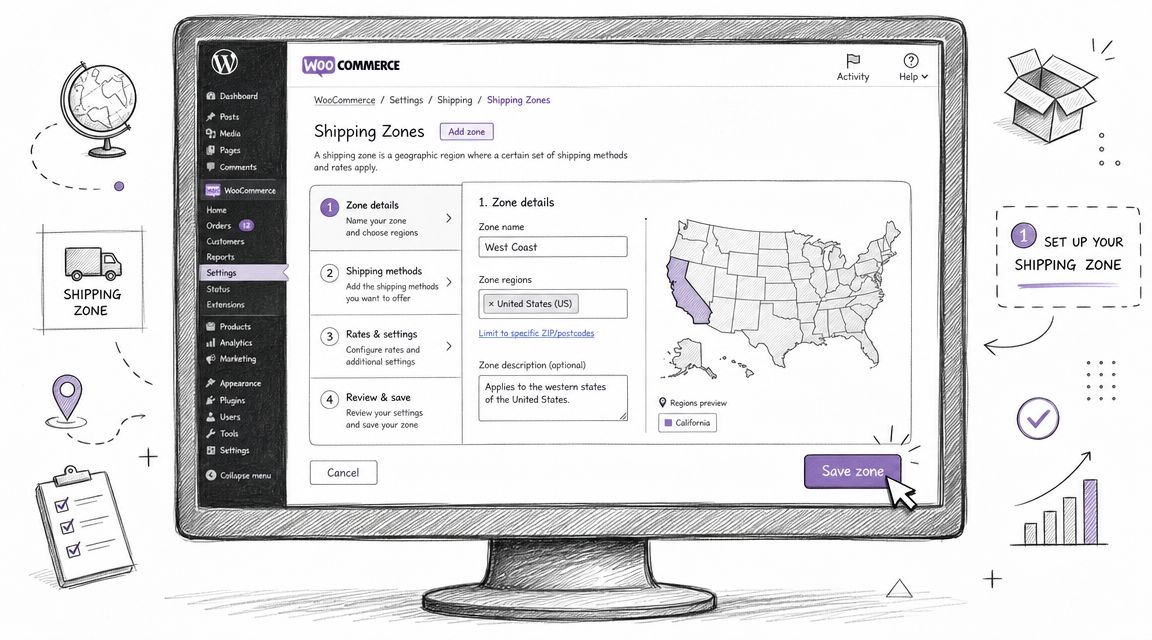
Block a state using a dedicated zone
Inside WooCommerce > Settings > Shipping > Shipping Zones, create a new zone and give it a name that reflects the business rule, not just the geography. “Restricted California Products” is better than “California” because your staff will understand why it exists.
Then:
- Choose the region carefully: Select the specific state you need to control.
- Save the zone before adding methods: This lets you confirm the scope first.
- Decide the customer outcome: If the goal is to stop shipping, don't attach a normal shipping method that would allow the order to move forward.
The key operational point is simple. If a restricted address matches a zone that doesn't present the customer with a valid shipping path for that product flow, you've prevented the error earlier than a manual review would.
Narrow the rule with postcodes
State-level rules are often too broad. Regulated sellers run into county carve-outs, city restrictions, or operational no-ship areas that sit inside an otherwise serviceable state.
Core WooCommerce lets you narrow a zone with one postcode per line, and specialized implementations can go further with fields such as city or address line. That kind of granularity reduces accidental over-qualification into broad domestic rates and supports exclusion-style logic before methods are shown (advanced WooCommerce zone logic overview).
Here's the practical use case:
- Use a state-only zone when the rule is statewide.
- Use postcode-limited zones when only certain areas inside the state are restricted.
- Name the zone after the reason so your team can maintain it later without guessing.
Store-floor advice: Write zone names for the next employee, not for yourself. “Los Angeles County restriction review” is maintainable. “Special West 2” is not.
A narrow zone also has to sit above the broader state rule. Otherwise, the state rule may match first and the postcode restriction won't matter in practice.
Test the checkout path, not just the settings page
Often, merchants stop too early. The zone looks correct in admin, so they assume it works. That isn't enough.
Use test addresses that represent:
- An allowed destination in a normal service area
- A restricted destination inside the special rule area
- A borderline destination near the edges of your postcode logic
Check what the customer sees at checkout. You're not validating data entry. You're validating the buying path.
A short walkthrough can help if you're setting this up for the first time:
<iframe width="100%" style="aspect-ratio: 16 / 9;" src="https://www.youtube.com/embed/4yuho7zaObI" frameborder="0" allow="autoplay; encrypted-media" allowfullscreen></iframe>What works and what doesn't
What works in core WooCommerce is straightforward geography-based control. It's effective for broad restrictions and for many clean postcode-based exclusions.
What doesn't work well is pretending geography alone solves every compliance case. If your restriction depends on product type, local edge cases, changing rules, or lots of small exceptions, core zones become harder to manage with confidence.
Use native zones as your baseline control layer. They're good at drawing boundaries. They're less good at handling the messy legal reality that sits inside those boundaries.
Where Manual Zone Management Fails
Most merchants don't get into trouble when they create their first shipping zone. Problems show up later, when the store has grown, the rule set has multiplied, and nobody remembers why half the exceptions exist.
Manual zone management fails in slow motion. A staff member adds a new restricted area, another adjusts a broader domestic zone, and a third person tests only one address. The store keeps running, but the logic becomes brittle.
The overlap problem
WooCommerce relies on manually ordered priority. If two zones can plausibly match an address, the order matters. Existing setup guides often stop at creation and don't address what happens when your store accumulates overlapping zones over time. That creates operational drift. A mis-ordered or overlapping zone can inadvertently apply the wrong rule and cause the exact shipping mistake the merchant was trying to avoid (analysis of WooCommerce shipping zone maintenance issues).
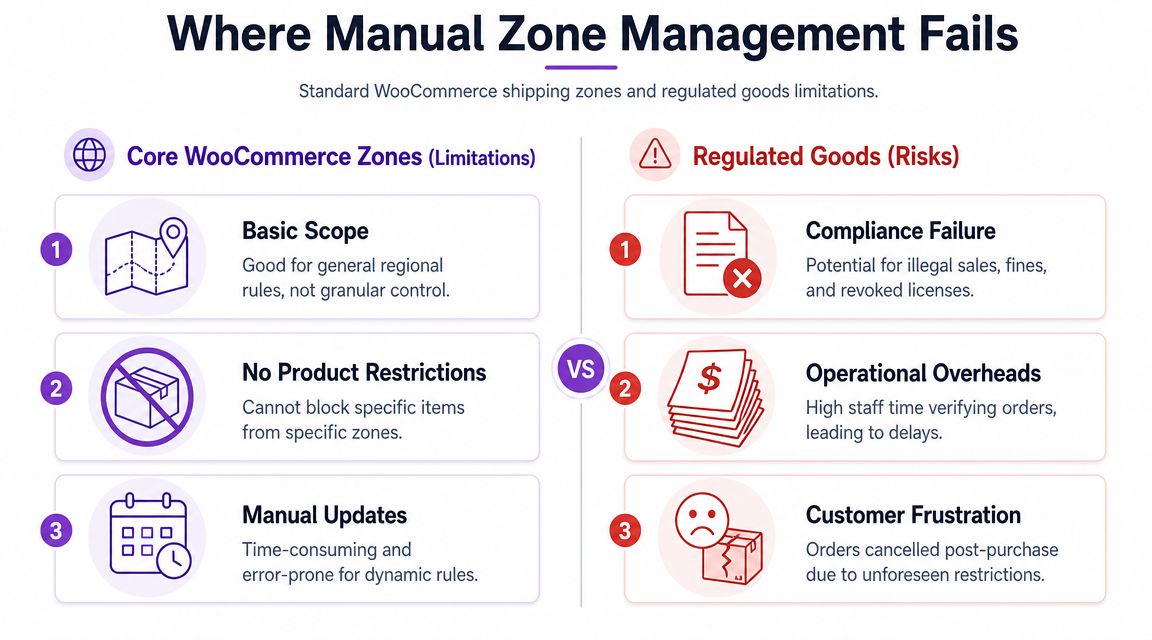
That's the technical description. The business version is harsher. A restricted customer sees a valid shipping method because a broad zone outranked a narrow one, and nobody notices until after payment or fulfillment.
Rule decay is the real maintenance cost
The hardest part of compliance isn't building a rule. It's keeping it accurate. Laws change. Internal interpretations change. Operational carrier limits change. Meanwhile your WooCommerce zone list stays static until someone remembers to update it.
Manual systems tend to fail in predictable ways:
- Old exceptions remain active: A temporary workaround becomes a permanent hidden rule.
- New restrictions arrive unevenly: One market gets updated, another gets missed.
- Testing becomes selective: Teams test the latest change, not the full interaction between old and new zones.
The danger isn't just a wrong rule. It's a rule that still looks intentional long after the reason for it has disappeared.
For regulated goods, this is why shipping zones WooCommerce provides should be treated like controlled data, not like casual checkout settings.
Administrative load grows faster than merchants expect
A small store can manage a simple list. A regulated store with multiple exception areas, product categories, and market-specific constraints starts carrying a real maintenance burden.
Here's where the strain usually appears first:
| Failure point | What staff experience | Result |
|---|---|---|
| Zone sprawl | Too many entries to review confidently | Slower edits, more guesswork |
| Ambiguous naming | Nobody knows why a rule exists | Risky deletions or bad assumptions |
| Incomplete testing | Only happy-path addresses get checked | Hidden failures at checkout |
| Static rule sets | Legal or operational changes lag behind store logic | Non-compliant shipments or false blocks |
When you rely only on manual zones, compliance work shifts from prevention to investigation. Instead of asking, “How do we block this correctly?” your team starts asking, “Why did this address qualify?” That's a bad place to run a regulated business from.
Automating Granular Compliance with Ship Restrict
There's a point where manual geography management stops being a responsible system and starts being a workaround. That point usually arrives before the team admits it. If your catalog is regulated and your restrictions depend on city, county, state, or ZIP nuance, automation stops being a convenience and becomes a control.
WooCommerce's shipping zone system is mature enough to have a dedicated REST API with endpoints to create, view, update, and delete zones programmatically. That tells you zones are a core data structure, not just a checkout display feature. It also helps explain why stores with complex setups can scale rule handling far beyond a handful of regions, including community examples with 231 shipping zones in a single import context (WooCommerce shipping zones REST API).
Why a compliance layer changes the workflow
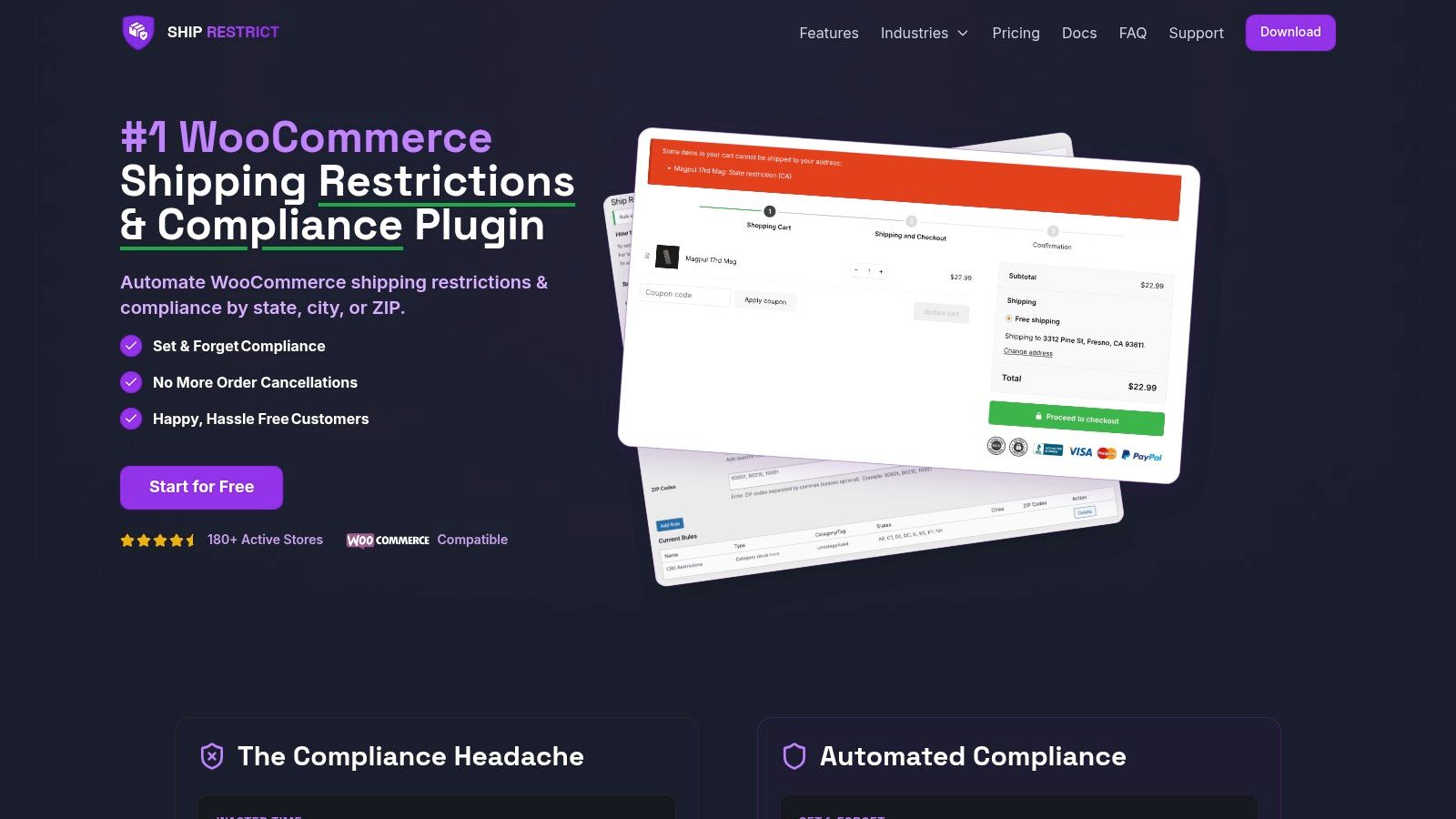
The native WooCommerce model is geography-first. Regulated commerce often needs restriction-first logic. That means the system has to account for legal boundaries and operational exceptions without forcing staff to maintain long postcode lists by hand.
A dedicated restriction layer helps in several ways:
- Granular location control: Rules can be built around state, county, city, or ZIP logic without stuffing all nuance into zone notes and naming conventions.
- Bulk administration: Teams can manage large rule sets as a system instead of editing one fragile entry at a time.
- Scheduled enforcement: Time-based rule activation matters when restrictions change or temporary blocks need clear start and end points.
- Customer-facing messaging: A rejected shipment should explain itself clearly instead of leaving support to clean up confusion.
What this solves in practice
The improvement isn't abstract. It changes who has to do the work and when.
With a manual setup, your staff often discover a restricted order after the customer has already started or completed checkout. With an automated restriction workflow, the system evaluates the address earlier and enforces the rule consistently. That reduces ad hoc interpretation by fulfillment staff and makes the store itself carry more of the compliance burden.
For merchants evaluating a rules engine, the most useful place to start is the documentation for location-based restriction controls. Look for whether the tool supports the actual level of granularity your business needs, whether rules are readable by non-developers, and whether maintenance feels like administration rather than detective work.
A workable compliance system doesn't just block shipments. It lets your team understand why the block happened and trust that the same rule will apply the next time.
The trade-off is complexity in setup versus complexity in operations
Some merchants hesitate because automation adds another plugin, another interface, and another operational dependency. That's a fair concern. But it's the wrong comparison if you're selling regulated products.
A more accurate comparison isn't “plugin versus no plugin.” It's “structured automation versus ongoing manual exception handling.” One centralizes logic. The other distributes it across staff memory, support tickets, spreadsheets, and post-order corrections.
For regulated stores, the second option usually costs more in attention, confidence, and risk.
Achieve Shipping Confidence Through Automation
The merchant staring at a new order and a messy restrictions spreadsheet doesn't need another generic shipping tutorial. They need a system that makes the right decision before the order becomes a fulfillment problem.
That's the useful way to think about shipping zones WooCommerce offers. They are the foundation. They help define service areas, create exclusions, and control which shipping methods appear. For many stores, that foundation is enough to establish a basic control layer.
For regulated goods, it usually isn't enough to carry the full compliance load on its own.
Confidence comes from consistency
A good compliance workflow does three things well:
- It blocks restricted destinations early: The customer shouldn't be led into a checkout path that your team has to reverse later.
- It stays understandable: Staff need to know what the rule does and why it exists.
- It remains maintainable: Legal and operational changes should update the system without turning every edit into a high-risk event.
When those conditions are in place, shipping compliance stops feeling like a daily fire drill. It becomes part of normal store operations.
Compliance should support growth
Merchants often treat compliance controls as a drag on sales. In practice, the opposite is often true. A store that enforces shipping restrictions cleanly creates fewer cancellations, fewer manual reviews, and fewer support escalations. The team gets time back. Customers get clearer answers. Fulfillment moves with less hesitation.
Strong shipping controls don't slow a regulated store down. They remove the uncertainty that slows people down.
If you're still relying on manual address checks, broad state blocks, and internal notes to manage restricted shipments, your process is doing too much human work. WooCommerce gives you a solid starting point with zones. Serious compliance operations need that foundation plus automation that can handle real-world edge cases without constant staff intervention.
If you're ready to replace manual shipping reviews with enforceable location rules, Ship Restrict is built for WooCommerce stores that sell regulated products. It helps merchants apply restrictions by state, county, city, or ZIP code before checkout goes wrong, so compliance becomes a repeatable system instead of a daily guessing game.
Automate Shipping Compliance
Stop worrying about restricted states. Ship Restrict handles it automatically.

Cody Yurk
Founder and Lead Developer of ShipRestrict, helping e-commerce businesses navigate complex shipping regulations for regulated products. Ecommerce store owner turned developer.
Automate Shipping Compliance
- Block restricted states
- No more cancellations
- Set and forget
3-day free trial · Card required