WooCommerce User Permission Management: Secure Your Store
Secure your WooCommerce store: master user permission management, prevent errors & protect your business in 2026.
You're probably in one of two situations right now. Either you still run the store alone and you're about to give your first employee backend access, or you already have a small team and you know too many people can see, edit, or approve too much.
For a regulated WooCommerce store, that's not a minor admin cleanup task. It's a direct compliance risk. One wrong permission can let a staff member change shipping logic, expose customer order data, edit restricted product settings, or issue actions that should stay with ownership only.
Most store owners start by trusting people and using default WordPress roles. That works until it doesn't. In firearms and other regulated categories, user permission management has to be deliberate, documented, and tested. If your store depends on accurate shipping restrictions, clean records, and tightly controlled order handling, permissions belong near the top of your risk list.
Why User Permissions Are Your First Line of Defense
The first time an FFL dealer hires help, the usual fear isn't abstract cybersecurity. It's operational. Someone ships to the wrong destination. Someone edits the wrong product. Someone disables a rule and doesn't realize what they touched.
Automate Shipping Compliance
Block orders to restricted states automatically. 3-day free trial.
Start Free TrialThat fear is justified, because access errors usually happen through normal accounts doing ordinary work. A team member logs in, sees options they were never supposed to have, and clicks through a setting that should've stayed restricted. In a regulated store, the damage doesn't need to come from a dramatic breach. A routine mistake is enough.
Permissions are a business control, not an IT checkbox
The market reflects how serious this has become. The access control market was valued at $12.01 billion in 2025 and is projected to reach $25.15 billion by 2034, according to access management statistics for digital goods. That matters because it shows where businesses are putting money and attention. Access control isn't a side concern anymore. It's core governance.
For a WooCommerce store selling regulated goods, user permission management sits at the intersection of three risks:
- Compliance risk because the wrong user can alter shipping logic, customer data access, or order handling.
- Operational risk because broad permissions make small mistakes expensive.
- Security risk because attackers rarely need full server control if they can hijack an overpowered admin or manager account.
Practical rule: If a person can change compliance-sensitive settings, that access should be rare, intentional, and easy to audit.
Broad access creates silent failure points
Default WordPress and WooCommerce roles weren't built for regulated commerce. They were built for general publishing and store operations. That means they often bundle capabilities together in ways that are too coarse for a firearms retailer.
A shipping clerk may need to view orders and update fulfillment status. That same person usually does not need plugin settings access, role management, tax configuration, payment settings, or product rule changes. Once you let “help with orders” turn into “full Shop Manager access,” you've created a hidden control failure.
Security testing drives this home. If you want a useful outside perspective on how internal access gets abused once an attacker lands inside a business environment, this guide to internal pentesting for MSPs is worth reading. The main lesson applies directly to WooCommerce: internal access paths matter, and overpowered accounts make lateral damage easier.
Good permission design protects growth
A lot of merchants treat permissions as temporary. They give broad access to keep things moving, then plan to tighten it later. Later usually never comes. Staff changes, plugins expand, and old accounts linger.
That's why permissions are your first line of defense. Before firewalls, before incident response, before policy binders, the question is simple: who can do what inside the store right now?
Free Shipping Compliance Audit
We'll review your WooCommerce store's shipping compliance for free.
If that answer isn't precise, you're relying on luck.
Foundational Principles for Secure Access Control
Most permission mistakes come from one bad habit. Owners grant access for convenience instead of job function. In regulated e-commerce, that habit creates avoidable exposure fast.
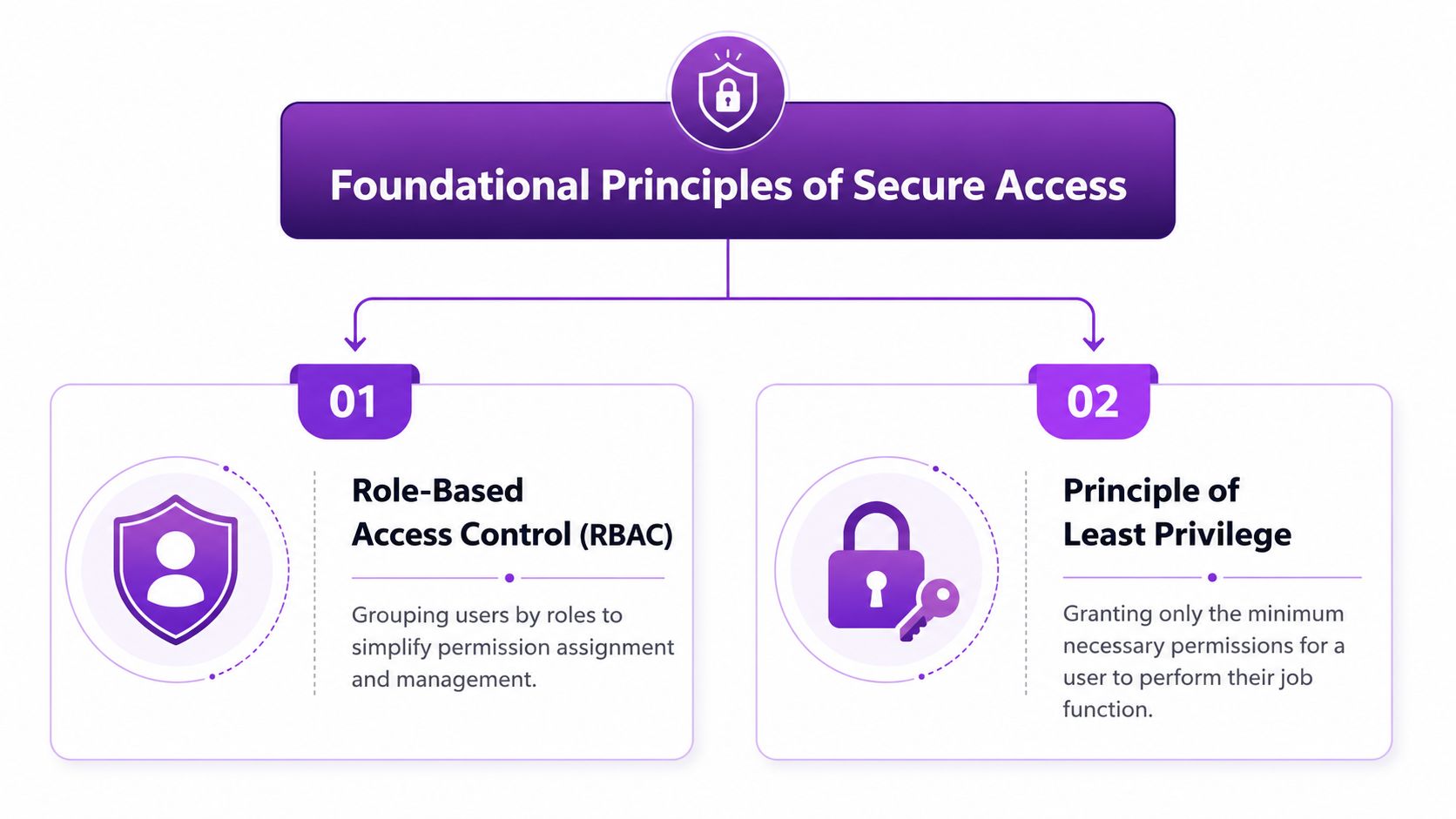
Two principles fix most of the mess: Principle of Least Privilege and Role-Based Access Control. They sound technical. In practice, they're straightforward.
Least Privilege means no extra access just in case
Least Privilege means a user gets only the access required to do today's job. Not possible future tasks. Not emergency authority. Not “they might need it later.”
That matters because compromised credentials remain a leading cause of security breaches, and over-permissioned users and inactive accounts are a significant vulnerability, which is why Microsoft's guidance stresses quarterly access audits as part of sound access control practice in this Microsoft access governance guidance.
In a WooCommerce firearms store, Least Privilege usually looks like this:
- Order processing staff can view assigned order details and update fulfillment progress.
- Marketing staff can edit content and promotions, but can't touch order records, shipping rules, or customer exports.
- Compliance staff can review restricted product workflows and shipping controls, but not user role assignments unless that duty is explicitly assigned.
- Only the owner or primary admin can manage plugin settings, permissions, core store configuration, and administrator accounts.
What doesn't work is access “just in case.” That's how a part-time assistant ends up with refund powers, export rights, or settings access they never needed.
RBAC turns messy exceptions into a controlled system
Role-Based Access Control, or RBAC, means you assign permissions to roles first, then place users into those roles. That's much safer than editing permissions one user at a time.
Think in job bundles, not people. “Shipping Clerk” is a role. “Fulfillment Manager” is a role. “Marketing Assistant” is a role. The user inherits the bundle that matches the work.
If you assign permissions person by person, your store will drift. If you assign by role, you can review access in minutes instead of chasing custom exceptions.
For smaller merchants, this is also where good process beats expensive software. You don't need enterprise IAM tooling to think clearly about role boundaries. You need a short list of store tasks and a hard line around who can perform them.
If you're also handling customer data for campaigns or analytics, the discipline overlaps with broader privacy work. This piece on securing digital marketing data for Cincinnati SMBs is useful because it reinforces the same operating principle: don't give broad data access to people whose jobs don't require it.
Start from denial, then add only what the job needs
The safest way to build user permission management is to start narrow.
Use this order:
- List the job tasks, not the titles.
- Map each task to a capability inside WordPress, WooCommerce, or a plugin.
- Remove anything that affects store-wide settings unless the role owns that function.
- Test the role with a non-admin account before assigning it to a real employee.
- Review it again after the first week of real use and add only what was missing.
That last step matters. A lot of stores build roles backward. They start with a broad default role, then try to subtract. It's cleaner to start with almost nothing and layer capabilities intentionally.
Designing Custom Roles for Your Regulated Store
Default roles are too blunt for a regulated WooCommerce operation. “Administrator” is obviously too much for most staff, but “Shop Manager” is often too much too. It can open doors that have nothing to do with shipping, compliance review, or content work.
Custom roles solve that. They let you match access to actual store responsibilities instead of accepting whatever WordPress bundles together.
Start with one owner and clear role boundaries
One rule should stay firm from the beginning. Assign a single primary owner or administrator. Experts call this out because multiple top-level admins can create “admin conflict,” where administrators can remove or alter each other's access. The same guidance also notes that automating RBAC reduces manual errors by 40 to 60% in organizations that use role recertification and scheduled role audits, as explained in these RBAC best practices from Oso.
That means your store should have:
- One primary owner with full control
- Custom roles for operating staff
- No casual use of Administrator
- No “Everyone” style access logic inside reporting or plugin settings
Build roles around regulated workflows
For a firearms store, most permissions fall into four buckets:
- Store ownership and configuration
- Compliance-sensitive shipping and order review
- Day-to-day fulfillment
- Content and merchandising
Don't create roles from your org chart. Create them from tasks that affect risk.
Here's a practical model.
| Capability | Shop Manager (Default) | Compliance Manager (Custom) | Fulfillment Specialist (Custom) | Marketing Assistant (Custom) |
|---|---|---|---|---|
| View orders | Yes | Yes | Yes | No |
| Edit order status | Yes | Yes | Yes | No |
| Process refunds | Often yes | Optional, usually no | No | No |
| Export customer/order data | Often yes | Limited, if required | No | No |
| Edit products | Yes | Limited | No | Limited to non-regulated content fields if possible |
| Change prices | Yes | No | No | Limited only if pricing is part of the role |
| Manage WooCommerce settings | Yes | No | No | No |
| Manage user accounts and roles | No or limited | No | No | No |
| Edit shipping compliance rules | Too broad if available | Yes | No | No |
| Access compliance-related plugin settings | Too broad if available | Yes | No | No |
| Edit blog pages, banners, landing pages | Yes | No | No | Yes |
| View analytics and campaign tools | Yes | Limited | No | Yes |
The point of the table isn't perfection. It's separation.
What each role should and should not do
Compliance Manager
This role should be narrow but trusted. It's for the person who owns shipping compliance, restricted-destination logic, and exception review.
Allow this role to:
- View relevant orders
- Review customer shipping details when needed for compliance
- Manage shipping restriction rules and plugin settings tied to those rules
- Update compliance-related store content if that's part of the job
Do not allow this role to:
- Manage users
- Change payment settings
- Edit taxes
- Install plugins
- Access unrelated marketing or theme controls
Fulfillment Specialist
This role handles physical order flow. It should be tightly constrained.
Allow:
- Order viewing
- Picking and packing workflow updates
- Shipment status updates
- Internal order notes if your process uses them
Do not allow:
- Refunds
- Product edits
- Customer exports
- Rule editing
- Store settings access
Marketing Assistant
This role usually gets over-granted because owners want fast help with merchandising. That's where stores get into trouble.
Allow:
- Posts, pages, approved content blocks
- Product descriptions only if you can isolate those fields operationally
- Coupon creation only if someone else approves promotion logic
Do not allow:
- Order access
- Compliance plugin access
- User management
- Shipping or checkout settings
- Any ability to alter restricted product handling
A clean role model doesn't slow the business down. It stops unrelated work from spilling into compliance-sensitive controls.
Treat shipping rule access as a privileged function
If you use plugins that control where products can or can't ship, access to those settings belongs with your compliance function, not general operations. That includes any tool that controls state, county, city, or ZIP-based restriction logic.
If you're sorting through your stack and deciding what belongs in a regulated WooCommerce environment, this review of best WooCommerce extensions for shipping restrictions is a practical reference point. The important part from a permissions standpoint is simple: rule engines deserve restricted admin access because they directly affect whether prohibited orders are blocked or allowed.
Don't design roles around trust alone
Owners often say, “I trust my staff.” That's good management. It's not access control.
Permissions should assume three things happen eventually:
- someone clicks the wrong thing,
- someone changes jobs,
- someone keeps access longer than they should.
User permission management works when it controls normal business friction. It fails when it depends on everyone remembering what not to touch.
Permission Scenarios for Common Team Setups
Small stores usually don't fail because they ignored security. They fail because they improvised. Someone needed help, got broad access, and the temporary fix became the permanent setup.
That's especially common in small businesses. 68% of SMBs lack formal access-review workflows, and 42% grant excessive permissions due to undefined roles, according to this SMB permission management guide. That's exactly why many WooCommerce stores end up with access drift.
Sole proprietor with first hire
This is the most dangerous stage because the owner still knows every part of the store and assumes broad access is manageable.
The first hire usually needs to help with packing, labels, and status updates. That person does not need authority over store settings, plugins, taxes, customer exports, or role management.
A safe setup looks like this:
-
Owner
- Full admin
- Only person with role management and plugin configuration authority
- Only person who can change compliance-sensitive store settings
-
Fulfillment hire
- View orders
- Update fulfillment status
- Add internal order notes
- No refunds
- No product editing
- No access to shipping restriction configuration
This setup keeps the employee productive without exposing the store's control layer.
When the first hire asks for admin because “it's easier,” the correct answer is usually no. Ease for one user often creates long-term cleanup for the business.
Owner, compliance manager, and part-time marketer
This is a common three-person structure for a growing firearms retailer. It works well if each person has a lane.
The owner keeps final authority over users, plugins, payments, and storewide configuration. The owner may rarely touch daily orders, but should retain emergency control.
The compliance or shipping manager gets access to order review, shipping logic, and restricted destination workflows. This person can monitor orders that need a compliance decision and maintain the shipping restriction toolset. They still should not manage users or install software.
The part-time marketing assistant handles homepage updates, product copy, campaign pages, and possibly coupon content. That role should be isolated from orders, shipping controls, customer exports, and anything that changes how regulated items are processed.
What usually goes wrong in these setups
The weak points are predictable:
- Shared admin logins when a team wants speed over accountability
- Old permissions left in place after someone shifts responsibilities
- Default Shop Manager used as a shortcut because custom roles weren't created
- Marketing staff granted product control that spills into regulated catalog changes
A small team doesn't need a complicated permission model. It needs one that's disciplined. The fewer people you have, the easier it is to define clean boundaries. The mistake is assuming a small team can safely run on broad trust and broad roles.
Implementing and Testing Your Permission Strategy
Once the role design is clear, implementation should be boring. That's a good sign. User permission management works best when it's systematic, not clever.
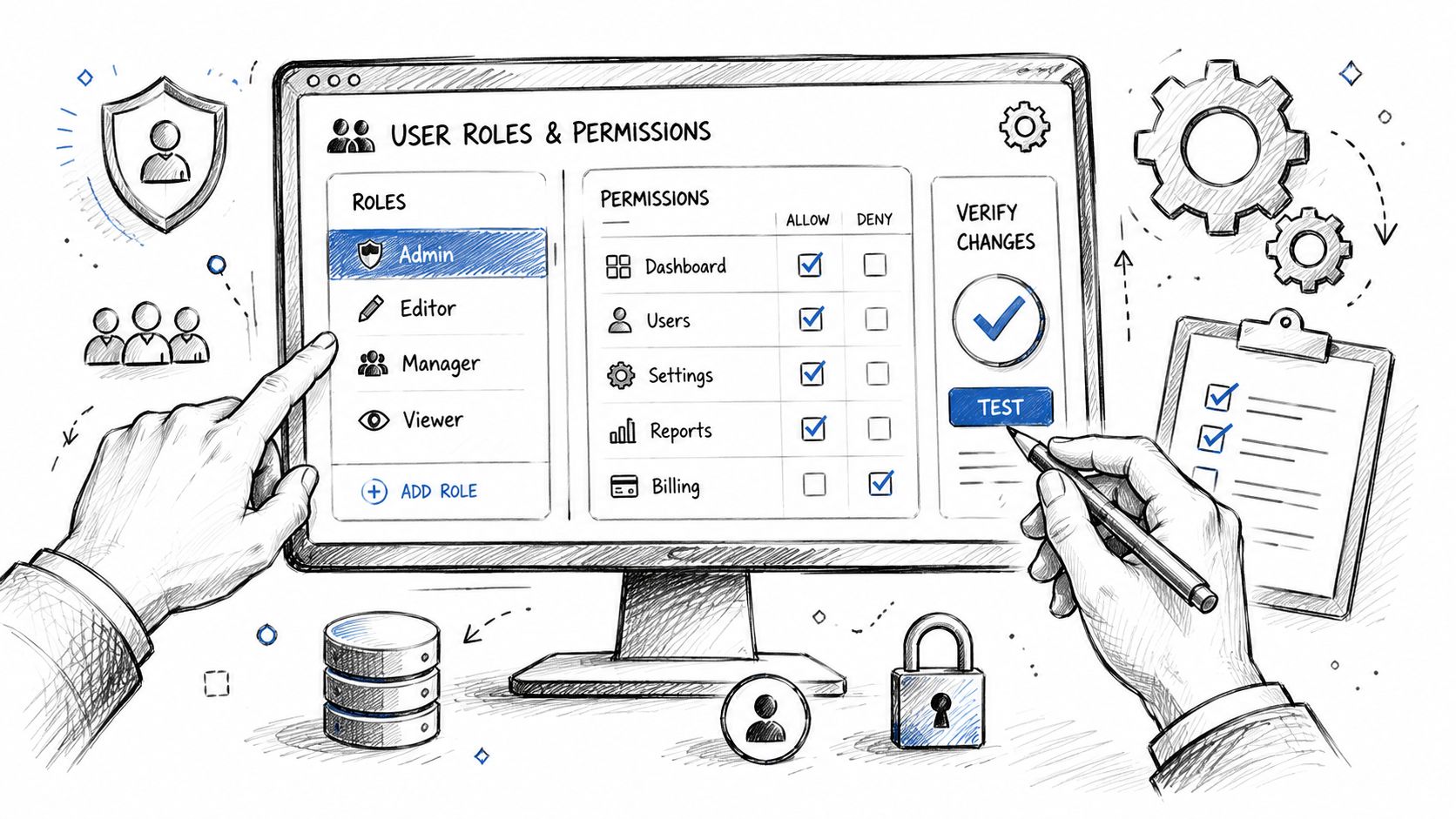
A practical way to do this in WooCommerce is to use a role editor plugin, create each custom role, assign capabilities one by one, and then test with dedicated non-admin user accounts. Never test by glancing at the role editor screen and assuming it's right.
Build the roles in a staging environment first
If you're making significant permission changes, use a staging copy of the store. That lets you test order workflows, restricted-product behavior, and plugin access without creating live mistakes. This guide on setting up a WooCommerce testing environment is a good operational reference before you start changing production roles.
In staging, create at least four test users:
- Primary owner
- Compliance manager
- Fulfillment specialist
- Marketing assistant
Then log in as each one and attempt the tasks that role should and should not perform. Don't stop at menu visibility. Click through.
What to test directly
Use task-based testing, not generic “looks good” review.
-
Fulfillment account test
- Can it open orders?
- Can it mark progress correctly?
- Can it issue refunds or access settings? It shouldn't.
-
Compliance account test
- Can it review orders and maintain shipping restriction rules?
- Can it alter users or unrelated store settings? It shouldn't.
-
Marketing account test
- Can it edit approved content?
- Can it view customer records or shipping rule controls? It shouldn't.
Run a formal six-phase access review
The most reliable testing method is a structured access review. Linford & Co. describes a six-phase process in these user access review best practices:
- Classify systems based on sensitivity. In this context, that includes WordPress admin, WooCommerce orders, shipping rule plugins, payment settings, and customer data areas.
- Pull access lists with last login timestamps so you can see who has access, what groups they belong to, and whether dormant accounts still exist.
- Review permissions against job roles and ask whether each capability still matches the person's current work.
- Revoke or modify unneeded access immediately, especially for terminated staff, contractors, and dormant accounts.
- Verify the revocation technically by testing that the old access path is closed.
- Document everything so you have a record of what changed and why.
That process catches the two failures most stores miss: hidden capability creep and accounts nobody remembered were still active.
A walkthrough can help if your team hasn't done this before.
<iframe width="100%" style="aspect-ratio: 16 / 9;" src="https://www.youtube.com/embed/d4PDP-PyWFE" frameborder="0" allow="autoplay; encrypted-media" allowfullscreen></iframe>A permission change isn't complete when you click save. It's complete when the wrong user can no longer perform the wrong action.
Treat revocation as a test, not paperwork
When someone leaves or changes roles, don't assume your edits took effect. Log in with a test account or observe the revised account directly. Confirm the menu is gone, the action fails, and the workflow is blocked.
That extra verification matters more in regulated stores because one stale account or one leftover capability can bypass the controls you rely on elsewhere.
Maintaining Security with Ongoing Audits
Permissions decay. Staff responsibilities change, plugins add new capabilities, and old accounts linger longer than anyone intends. That's why user permission management isn't a one-time setup. It's an operating discipline.
Quarterly reviews are the right cadence for most regulated WooCommerce stores. That timing matches established access-review practice and is frequent enough to catch drift before it becomes normal.
Keep the baseline tight
Three controls should stay essential:
- Strong authentication for administrators so high-risk accounts aren't protected by password alone
- Quarterly permission reviews to catch role creep, dormant users, and leftover plugin access
- Immediate access changes when an employee leaves, changes jobs, or stops handling a regulated function
MFA matters most on top-level accounts and any account that can manage permissions or alter compliance-sensitive settings. If an attacker gets one of those accounts, your carefully designed role model stops helping.
Review by job reality, not by memory
Don't ask, “Does this user still seem fine?” Ask stricter questions:
- Does this person still perform this task?
- Does the task still require this exact capability?
- Did a plugin update expose new settings to this role?
- Is there any account here that no longer has an active business reason to exist?
Audit habit: Review permissions against current job duties, not old assumptions from when the account was created.
Documentation helps more than most merchants expect. A simple permission register with username, role, approval date, and last review date gives you a clean trail when someone asks who can modify regulated workflows and why.
If you need a repeatable operating rhythm for that process, this quarterly compliance review guide for regulated e-commerce is a useful checklist to adapt internally.
The stores that stay out of trouble usually aren't the ones with the most software. They're the ones that revisit access before access becomes a blind spot.
If your WooCommerce store sells firearms or other regulated products, Ship Restrict helps lock down one of the highest-risk areas in the stack: shipping compliance. It lets you enforce granular destination restrictions inside WooCommerce so prohibited orders are blocked before checkout, reducing the chance that a permission mistake or manual oversight turns into a shipment you never should've accepted.
Automate Shipping Compliance
Stop worrying about restricted states. Ship Restrict handles it automatically.

Cody Yurk
Founder and Lead Developer of ShipRestrict, helping e-commerce businesses navigate complex shipping regulations for regulated products. Ecommerce store owner turned developer.
Automate Shipping Compliance
- Block restricted states
- No more cancellations
- Set and forget
3-day free trial · Card required