Selling Fireworks Online: WooCommerce Store Setup Guide
Learn how to set up a WooCommerce store for selling fireworks online. Covers licensing, shipping restrictions, checkout compliance, and product page tips.

You have inventory, a business license, and the Fourth of July is around the corner. But WooCommerce will not stop your customers in banned states from hitting "Place Order." Sound familiar?
If you are selling fireworks online, you already know this pain. WooCommerce does not handle regulated product shipping out of the box. That means illegal orders slip through. You spend hours on manual checks. Costly return shipments eat into your margins.
This guide is built for regulated industries ecommerce store owners who need a store that blocks restricted shipments before checkout even finishes. We will walk through everything, from legal basics to a fully set up store that handles shipping rules on its own.
Here is the bottom line: with the right WooCommerce setup and a shipping restriction plugin like ShipRestrict, you can start selling fireworks online in a way that is legal, smooth, and profitable.
Automate Shipping Compliance
Block orders to restricted states automatically. 3-day free trial.
Start Free TrialBefore you install a single plugin, let's make sure your legal base is solid.
Step 1: Know the Legal Rules Before Selling Fireworks Online
Selling fireworks online legally is not optional. It is the entire base your store is built on. Skip this step, and nothing else in this guide matters.
Federal Rules (ATF Licensing)
You will need a Federal Explosives License (FEL) from the Bureau of Alcohol, Tobacco, Firearms and Explosives. There is no way around it.
Most online fireworks stores sell consumer-grade fireworks. These are classified as 1.4G. Display fireworks (1.3G) come with much stricter licensing and storage rules. This guide focuses on the consumer fireworks side of the business.
One quick note: this guide covers store setup, not legal advice. Always talk to a compliance attorney for your specific case.
The State-by-State Patchwork
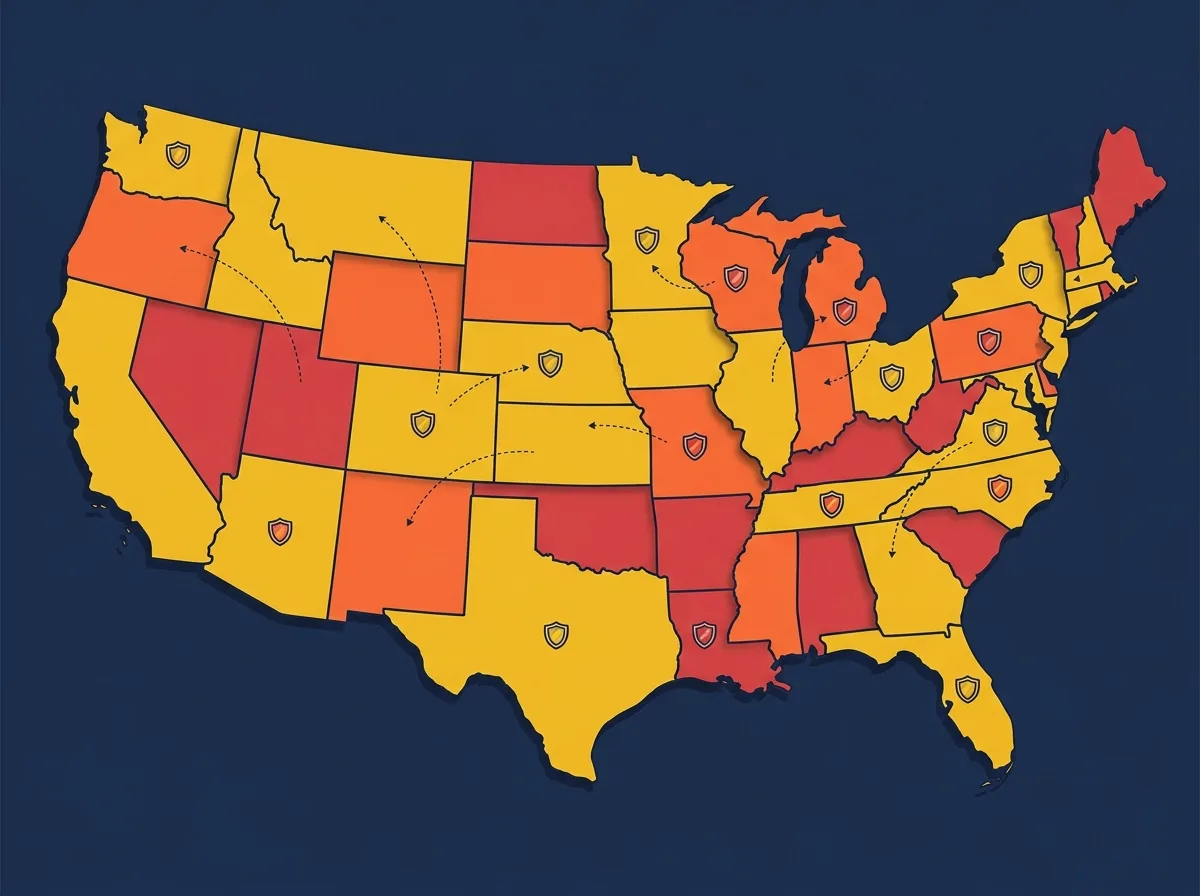
Here is where things get tricky. Fireworks sales rules change wildly from state to state. Some states ban all consumer fireworks. Others allow everything. Most fall somewhere in the messy middle.
The key point: you, the seller, must stop orders from shipping to states where your products are illegal.
Take Massachusetts, for example. The state bans all consumer fireworks. Ship there anyway, and you face fines, seized goods, and possible license loss. The Consumer Product Safety Commission tracks fireworks injuries and rules each year, so regulators pay close attention to this space.
Free Shipping Compliance Audit
We'll review your WooCommerce store's shipping compliance for free.
Carrier Rules (The Other Half of the Puzzle)
Even if a state allows your products, your carrier might not play along. USPS flatly bans shipping fireworks. Full stop.
FedEx and UPS do allow consumer fireworks (1.4G), but only under strict hazmat packaging and labeling rules. You will need a carrier account with hazmat approval. Factor that into your setup timeline.
Quick Legal Checklist Before You Build
- Federal Explosives License obtained
- State seller permits secured
- Destination state legality researched
- Hazmat-approved carrier account set up
- Age verification needs identified
With your legal ducks in a row, let's get your WooCommerce store going.
Step 2: Set Up Your WooCommerce Store for Fireworks
You likely know your way around WordPress already. So let's skip the basics and focus on the fireworks WooCommerce store details that trip people up.

Hosting That Will Not Shut You Down
This one catches people off guard. Some shared hosting providers have use policies that flag or ban "weapons/explosives" product types. Before you build anything, confirm your host is fine with your fireworks online shop setup.
Pick a WooCommerce-ready host with strong speed and no limits on regulated product sales.
WooCommerce Settings for Fireworks
A few settings need your focus right away:
- Product types: Choose between simple and variable products. Assortment packs work great as variable products. Single items are simple products.
- Tax setup: Some states apply special fireworks sales tax rules. Research this before you set up your tax settings.
- Shipping zones: Create initial zones for states you will ship to. But here is the thing: shipping zones alone are not enough. They only hide shipping methods. They do not actually block checkout. We will solve that problem next.
Your Must-Have Plugin Stack
Every regulated ecommerce store needs a few extra tools:
- Age verification plugin to gate purchases at checkout
- Shipping restriction plugin to block orders by state and ZIP code (more on this next)
- SSL certificate and basic security for customer trust
Your store base is set. Now let's fix the biggest headache in fireworks ecommerce: making sure restricted orders never get through checkout.
Step 3: Automate Shipping Restrictions With ShipRestrict
This is where everything changes. If you have been checking every order against a spreadsheet of banned states and ZIP codes, you already know the pain.
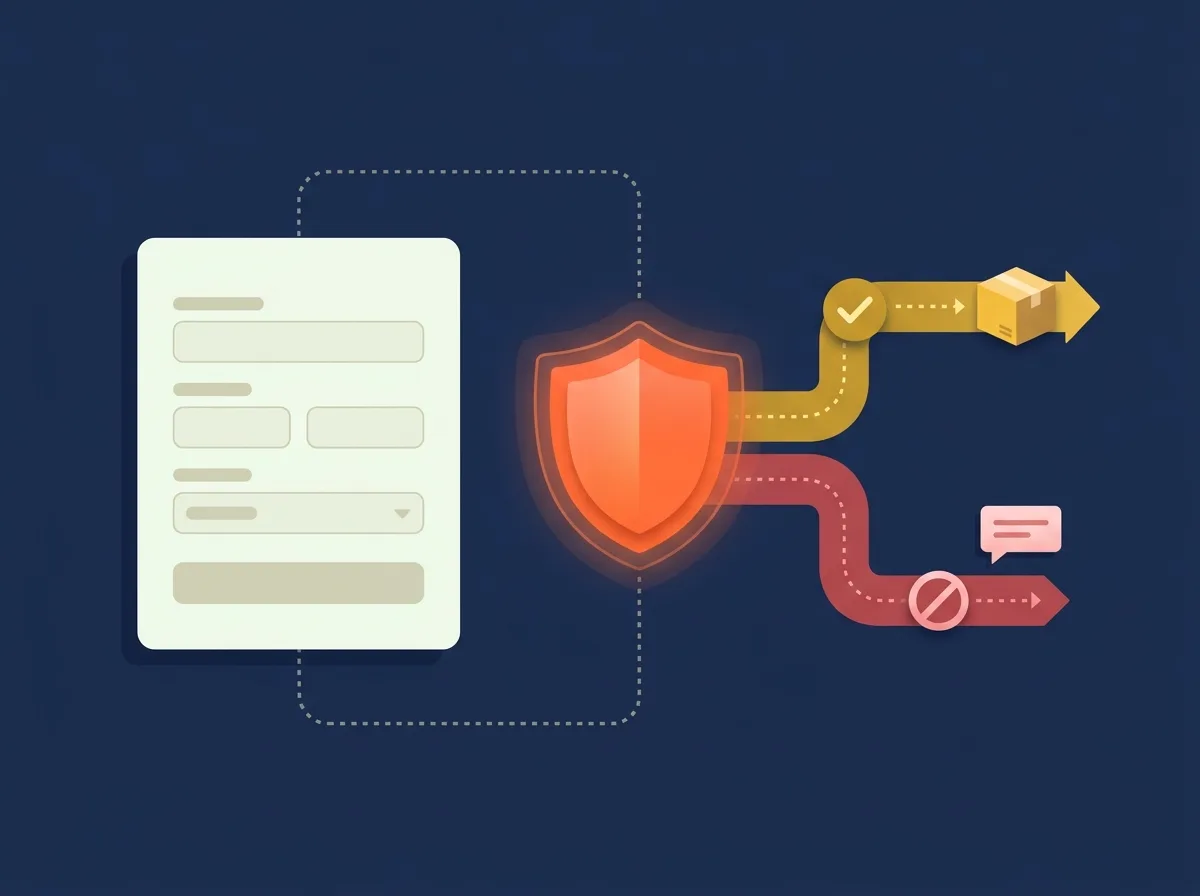
It is error-prone. It is slow. And it does not scale when traffic spikes around the Fourth of July.
Store owners selling fireworks online with default WooCommerce settings report that half their orders go to banned states. Think about that. Half. Every one of those orders turns into a cancel, a refund, or worse, a shipment that should not have gone out.
The cost of getting it wrong? Returned packages, carrier fines, and legal trouble that could shut you down.
How ShipRestrict Solves This at Checkout
ShipRestrict is a WooCommerce plugin that lets you block or limit shipping by state, ZIP code, product type, or shipping class.
The real power is real-time blocking. Customers in restricted areas see clear messages before they finish an order. No more after-the-fact cancels. No more awkward "sorry, we can't ship that to you" emails.
And if you sell items like merchandise, safety gear, or accessories alongside your fireworks, ShipRestrict handles per-product rules. Your fireworks get restricted. Your t-shirts do not.
Setting Up ShipRestrict for Fireworks (Step by Step)
Here is how to get up and running:
- Install and activate the plugin from shiprestrict.com
- Create restriction rules that block specific states where consumer fireworks are illegal
- Set ZIP-level restrictions for states with partial bans. Some states have county-level legality gaps that a blanket state rule will not catch.
- Assign restrictions to your fireworks product categories or shipping classes
- Write a clear restriction message for customers at checkout. Make it helpful, not just a dead end.
- Test with sample orders from both restricted and allowed addresses to confirm everything works
The Before and After
Before ShipRestrict: manual spreadsheet checks, post-sale cancels, and constant stress during peak season.
After ShipRestrict: fully automated, legally sound checkout that handles traffic spikes with zero manual review.
"The goal is not to block customers. It is to block problems before they become fines, returns, and legal headaches."
Restrictions are handled. Now let's make sure your product pages turn legal visitors into buyers.
Step 4: Build Product Pages and Checkout That Convert
Legal compliance is the base. But conversions are how you make money. Fireworks stores face unique UX challenges. Trust is hard to build and ad options are limited. Your pages need to work harder than most.

Product Page Must-Haves
Your customers cannot see, touch, or hear your fireworks before buying. Your product pages carry the full sales load.
Visuals sell fireworks. Invest in great images and, if you can, video of your products in action. A 30-second clip of a firework going off is worth more than a full paragraph of text.
For your written content, go beyond basic specs. Cover the effects, how long it lasts, noise level, and safety ratings. Buyers want to know exactly what they are getting.
Add clear safety notes and legal notices right on the product page. This builds trust and helps with liability. Think about adding a live shipping check that tells customers whether the item ships to their state before they add to cart.
Checkout Flow That Works
A few rules for selling fireworks online with great checkout UX:
- Age verification: Place it where it catches compliance without killing flow. A quick check before payment is the sweet spot.
- Shipping clarity: Explain hazmat carrier rules, expected delivery times, and any packaging fees upfront. Surprise fees at checkout kill conversions.
- Trust signals everywhere: Show your FEL license badge, carrier certifications, and secure payment icons. In a niche where buyer trust is fragile, these small details make a real difference.
Driving Traffic Without Paid Ads
Here is where it gets interesting. Google Ads and Facebook Ads both limit fireworks promotion. So forget pay-per-click as your main growth channel.
Instead, lean into what works:
- SEO and content marketing are your best tools. Build category pages for long-tail keywords like "buy bottle rockets online [state]."
- Email marketing for repeat seasonal buyers. Grab emails now with early-bird deals for next season.
- Niche communities like Reddit pyrotechnics groups and hobbyist forums. These are gold for organic reach.
Handling returns and refunds for regulated products is another topic worth planning for before launch.
Let's pull everything together so you can launch with confidence.
Step 5: Pre-Launch Checklist and Common Mistakes to Avoid
You are almost there. Before you flip the switch, run through this checklist. Every item is here because someone learned the hard way.
Pre-Launch Testing Checklist
- Place test orders from restricted states and ZIPs. Confirm ShipRestrict blocks them.
- Place test orders from allowed states. Confirm smooth checkout.
- Verify the age gate fires correctly.
- Confirm hazmat shipping rates calculate right.
- Review all legal disclaimers on product and checkout pages.
- Test mobile checkout. A huge share of seasonal impulse buyers shop on phones.
Common Mistakes That Trip Up Fireworks Store Owners
Using only WooCommerce shipping zones. This is the top mistake. Shipping zones do not block checkout. They just hide shipping methods. That confuses customers and still lets orders through.
Forgetting ZIP-level restrictions. Some states allow fireworks in certain counties but not others. A state-level rule alone will not catch these edge cases.
Skipping carrier hazmat paperwork. Your store can be perfect, but the carrier will reject bad labels. Make sure your shipping process meets hazmat rules set by your carrier.
Not testing after updates. WooCommerce and plugin updates can sometimes reset or break restriction rules. Test your rules after every update. Every single one.
You have the roadmap. Let's wrap up.
Conclusion
Let's recap what you have built. You started with legal needs: ATF licensing, state-by-state research, and carrier hazmat accounts. You set up a WooCommerce base built for regulated products. You automated shipping restrictions with ShipRestrict so banned-state orders never get past checkout. And you tuned your product pages and checkout flow for both compliance and conversions.
Three core points to remember when selling fireworks online:
- Legal compliance is the base. Get licensed and know your restricted states cold.
- ShipRestrict automates the hard part. Block restricted shipments at checkout, not after the sale.
- Build for organic traffic and trust. Your product pages and content do the work that paid ads cannot.
"You are in a regulated industry, not an impossible one."
Thousands of fireworks businesses sell online each season. Now you have the setup to join them.
Ready to stop checking every order by hand? Set up ShipRestrict on your WooCommerce store today and sell fireworks with confidence, only to the states where it is legal.
Want the full technical walkthrough? Explore the fireworks industry page for a complete guide to restriction rules and setup options.
Automate Shipping Compliance
Stop worrying about restricted states. Ship Restrict handles it automatically.

Cody Yurk
Founder and Lead Developer of ShipRestrict, helping e-commerce businesses navigate complex shipping regulations for regulated products. Ecommerce store owner turned developer.
Automate Shipping Compliance
- Block restricted states
- No more cancellations
- Set and forget
3-day free trial · Card required