Mastering Next Day Air UPS Saturday for eCommerce
Master Next Day Air UPS Saturday delivery for eCommerce. Learn to verify availability, manage costs, and configure weekend shipping efficiently.
A customer places an order late Thursday and emails support right after checkout. They need it there Saturday, they'll be home to sign, and Monday is too late. If you sell regulated goods, that message creates two pressures at once. You need speed, and you need to stay inside the rules.
That's where UPS Next Day Air Saturday stops being a niche option and becomes an operational tool. For firearms retailers and other regulated-goods merchants on WooCommerce, the challenge isn't just buying a fast label. It's making sure the service is available for that destination, your warehouse can hit the cutoff, your checkout only offers it when the shipment is lawful, and your customer understands exactly what “Saturday delivery” does and doesn't mean.
Why UPS Saturday Delivery Is a Game Changer for Merchants
The old weekend problem was simple. A customer ordered on Thursday, you shipped on Friday, and unless you paid extra and met the right conditions, the package often sat in the network until Monday. That gap hurt conversion for urgent orders and created avoidable support tickets.
UPS changed the practical value of overnight weekend fulfillment when UPS Next Day Air® expanded Saturday delivery to both commercial and residential addresses across the U.S., integrating Saturday into its standard cycle for about 90% of the population and often removing the legacy $16 Saturday surcharge for most eligible shipments, according to Shippo's overview of UPS Next Day Air Saturday service.
Automate Shipping Compliance
Block orders to restricted states automatically. 3-day free trial.
Start Free TrialFor a merchant, that changes the decision tree.
What this changes in real operations
You're no longer evaluating Saturday delivery as a rare exception. In many lanes, it's part of normal planning. That matters when your products have legal restrictions, signature requirements, and buyers who often need fast delivery tied to a transfer appointment, time off work, or a narrow compliance window.
Practical rule: If your store still treats Saturday air delivery like a special-case manual override, your checkout logic is probably lagging behind carrier reality.
The biggest win isn't just speed. It's predictability. You can build promotions, cutoff messaging, and order-routing rules around a service that now covers most standard route zones instead of assuming every weekend order is a Monday problem.
Why regulated merchants feel the impact more
Merchants selling unrestricted products can often recover from a late delivery with an apology and a discount code. Regulated-goods merchants usually can't. A delay can collide with staffing, transfer coordination, adult-signature availability, or customer expectations around legally sensitive orders.
That's why the weekend question should sit inside your compliance workflow, not outside it. If your team still asks whether carriers move on weekends, this background on whether mail travels on weekends is useful, but the important shift for UPS overnight service is operational. Saturday is now part of how many next-day promises are fulfilled, not a fringe add-on.
Verifying Eligibility and Navigating Cutoff Times
Before you promise Saturday delivery, verify the lane. Don't assume because UPS offers Saturday service in general, your specific origin, destination, and pickup schedule support it.
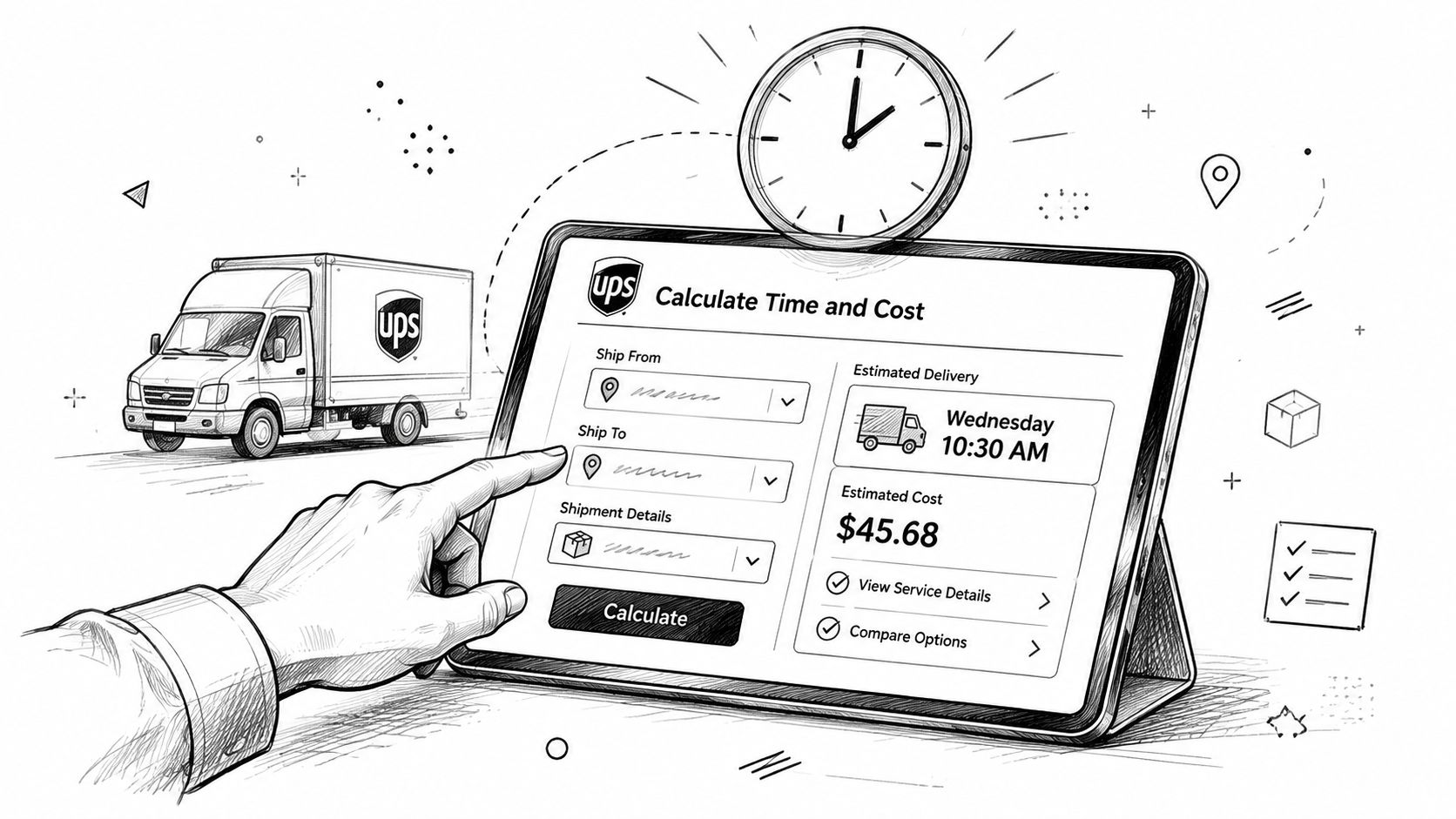
Check the lane before you quote the customer
Use the UPS time-and-cost tool with the actual ship-from ZIP code, the destination ZIP code, package weight, and package dimensions. Don't estimate from memory and don't test from your office if your fulfillment warehouse is in another state.
A practical workflow looks like this:
Free Shipping Compliance Audit
We'll review your WooCommerce store's shipping compliance for free.
- Enter the correct origin point. If you have multiple warehouses or a 3PL, use the location that will tender the package.
- Use the exact destination address type. Residential and commercial commitments can differ.
- Select the service carefully. You're checking standard UPS Next Day Air or UPS Next Day Air Early where relevant, not a later-delivery overnight product.
- Confirm Saturday appears in the commitment. If the result doesn't show a Saturday delivery commitment, don't sell it as one.
- Validate before capture if the order is high-risk. For regulated products, a quick lane check before finalizing the label is cheap insurance.
If you need a comparison point for nearby service levels, this explainer on whether UPS 2nd Day Air delivers on Saturday helps clarify why merchants shouldn't assume all air products behave the same way.
Cutoff times decide whether your promise is real
Most fulfillment mistakes don't happen because the carrier lacks coverage. They happen because the warehouse misses the handoff.
Your internal cutoff needs to be earlier than the carrier cutoff. If your UPS driver usually picks up in the afternoon, your team shouldn't promise Saturday delivery up to the minute the truck arrives. You need time for fraud review, compliance checks, pick-pack, label generation, and exception handling.
A Saturday promise fails on Friday afternoon, not on Saturday morning. The miss usually happens when the order clears too late to make the air handoff.
Build a store rule around your actual workflow
Use a simple internal matrix:
| Order status | What to do |
|---|---|
| Paid, address verified, compliance cleared early in the day | Offer Saturday-capable air service if the lane supports it |
| Paid but pending manual review | Don't promise Saturday until the review is complete |
| Late-day Friday order near pickup cutoff | Hide the option or show a warning that the shipment may move on the next business cycle |
| Destination looks valid but staff is uncertain | Pause and verify manually before confirming to the buyer |
Many stores frequently overpromise. They show a premium shipping option because the plugin can return a rate, but they ignore the warehouse clock. A correct Saturday setup always combines carrier eligibility and operational eligibility.
Decoding Surcharges and Special Handling Rules
The label price is only the start. What matters is the true shipped cost once accessorials and handling requirements hit the order.
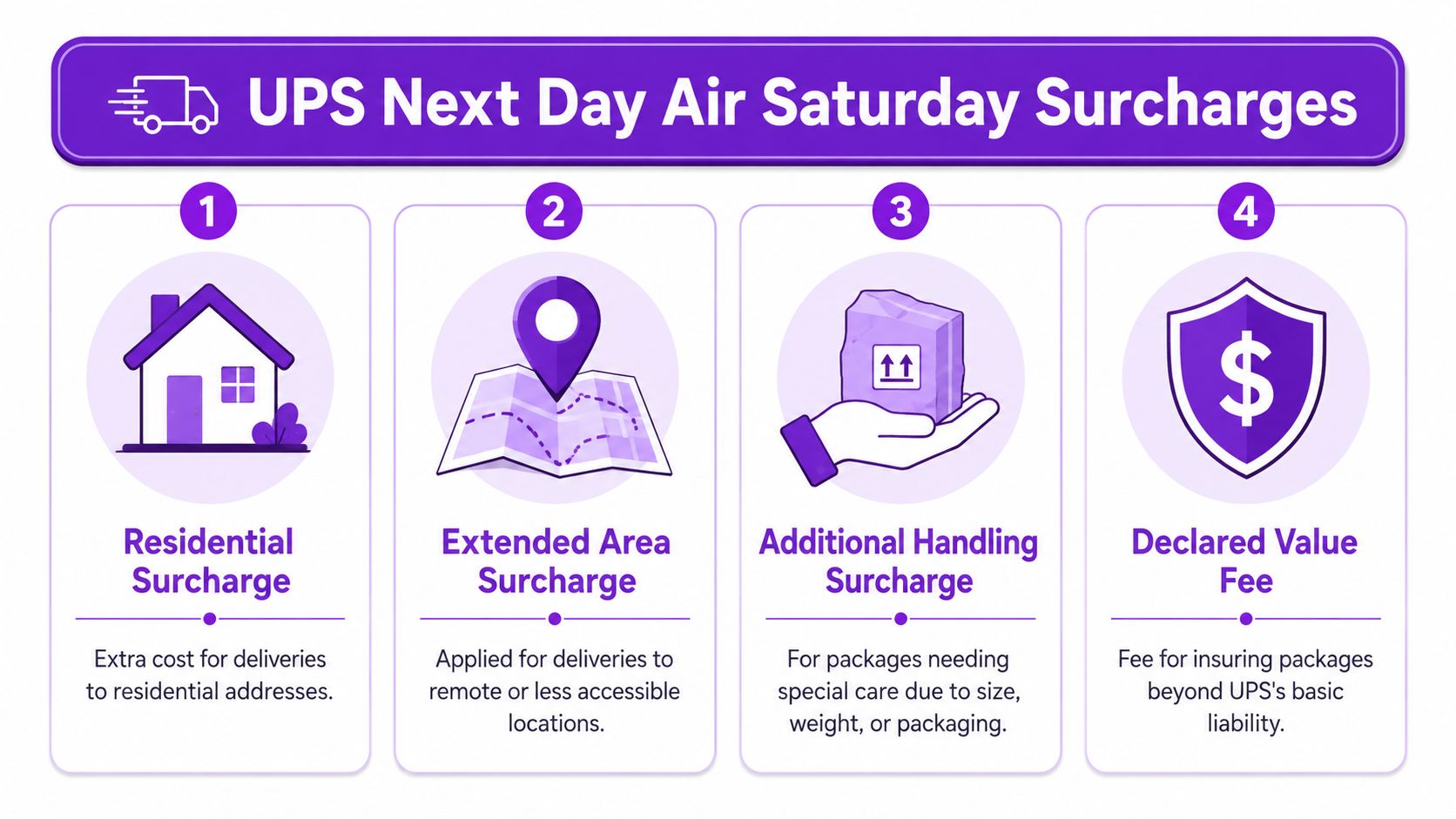
The network is big, but your invoice is granular
UPS runs at enormous scale. It delivers 22.3 million packages and documents per day worldwide, with about 19.1 million U.S. domestic deliveries daily, according to this summary of UPS package volume and operational scale. That scale is part of why weekend air service is more workable than it used to be.
But scale doesn't make invoices simple. Your Saturday overnight cost can still move based on shipment characteristics and destination.
Common cost drivers include:
- Residential delivery charges for home addresses.
- Extended area charges when the destination is harder to serve.
- Additional handling if the box shape, packaging, or physical characteristics trigger extra handling.
- Declared value fees when you need coverage beyond basic carrier liability.
For regulated merchants, that last point matters more than many realize. If the item value is significant, under-declaring risk to make the label cheaper is a bad trade.
Special handling rules that can't be treated as optional
Some eCommerce merchants can ship fast and sort out exceptions later. That's not how regulated goods work. If the shipment requires Adult Signature Required, build that into the order flow from the beginning.
Here's what tends to work:
- Attach signature requirements at label creation. Don't rely on warehouse memory.
- Use packaging that survives scrutiny. Damaged cartons create delays, claims, and customer anxiety.
- Keep internal SKU notes clear. If one product category has extra carrier handling steps, your pick-and-pack team should see that before the label prints.
What doesn't work is trying to absorb complexity with staff heroics. If your process depends on one experienced shipper remembering which items need which service add-ons, you'll eventually miss one.
Price the premium service honestly
I've seen stores lose money on Saturday air because they advertise a flat fee that ignores address type, signature requirements, and package profile. The customer gets a bargain. The merchant gets an avoidable margin hit.
Bottom line: If you sell regulated goods, “overnight Saturday” is not a single price. It's a service tier plus destination rules plus handling requirements.
A better approach is to use live carrier rating where possible, then decide whether you want to subsidize any portion of that cost as a merchandising choice. The key is that the subsidy should be intentional, not the result of a blind checkout rule.
Configuring WooCommerce for Automated Saturday Shipping
WooCommerce can support a clean Saturday-air setup, but only if you separate three jobs: rate retrieval, checkout presentation, and restriction logic. Merchants often mash those together and then wonder why restricted products are showing premium shipping methods to the wrong customers.
Start with the carrier layer
First, connect WooCommerce to a UPS-capable shipping plugin that can return live services and rates at checkout. The plugin should be able to request service-specific options and pass back clear names the customer can understand.
Once that's live, test for these basics:
- Service naming is readable. “UPS Next Day Air Saturday” is better than a vague internal code.
- Rates change by address. If every destination returns the same overnight result, something is wrong.
- Residential destinations display correctly. Don't assume your plugin handles address classification the way you expect.
Then control when the option appears
Consequently, regulated merchants need a stricter setup than a general retailer. A live rate returned by the carrier doesn't mean the method should be shown for every cart.
Use rule-based restriction logic to decide when the Saturday method is visible. Good filters include:
| Rule area | Practical use |
|---|---|
| Destination geography | Only show the method for states, counties, cities, or ZIP codes where the products in cart are lawful to ship |
| Product category | Show premium Saturday air for accessories, but block it for categories that need a different fulfillment path |
| Cart composition | Hide the method if one restricted item in the cart changes the compliance requirement |
| Customer messaging | Explain why the method isn't available instead of silently removing it |
That's the difference between automation and confusion. Automation applies policy before checkout completion. Confusion hides behind generic “shipping unavailable” errors.
A useful reference for implementing rule-based enforcement in this environment is this guide to automated shipping compliance for WooCommerce stores.
Make checkout explain the premium clearly
Saturday shipping often fails at the UX layer, not the carrier layer. The customer sees an expensive option with no context, hesitates, and either abandons or buys it with the wrong expectation.
If you're refining the front end, this walkthrough on optimizing WooCommerce checkout with Elementor is useful for making shipping method descriptions, notices, and trust signals easier to read.
“Arrives Saturday” is not enough. Add a short note about signature requirements, order approval timing, and destination eligibility.
A setup pattern that works
A practical build usually follows this sequence:
- Enable live UPS methods in WooCommerce through your shipping plugin.
- Map product classes so restricted and unrestricted items don't share identical checkout behavior.
- Create geographic restriction rules tied to the product types in the cart.
- Hide Saturday air when the cart fails compliance rules or requires manual review.
- Add checkout copy that explains order cutoff timing and signature requirements.
- Run end-to-end tests with compliant and non-compliant addresses before launch.
What doesn't work is relying on staff to review every Saturday order after it's paid. By then, the customer has already been promised something your system should have screened earlier.
Managing Pickups and Customer Communications
Once the order clears checkout, the work becomes physical. The label has to print correctly, the package has to make the right pickup, and the customer has to know what happens next.
Handle the package like a deadline, not a label
For Saturday-bound air shipments, the warehouse should use a separate internal queue. Don't bury them in the same stack as standard orders. Flag them in the dashboard, pull them early, and confirm the service level before the box is sealed.
A clean fulfillment checklist helps:
- Confirm the selected service matches the committed delivery promise sold at checkout.
- Verify signature settings before the label prints.
- Stage the cartons separately so the pickup handoff doesn't mix urgent air with routine ground shipments.
- Close the loop with the driver schedule if your normal pickup pattern changes before weekends or holidays.
If your warehouse tenders packages at a staffed counter instead of a scheduled pickup, treat the internal cutoff even more conservatively. Counter drop-off assumptions cause late scans.
Write customer-facing messages that prevent support tickets
Most “Where is my order?” messages come from unclear wording, not from actual carrier failure. Your store should explain three things: when the order must be approved, what Saturday delivery means, and whether someone must be present.
Use short copy in the places that matter:
At checkout: “Saturday delivery is available only for eligible destinations and approved orders placed before the listed cutoff.”
Order confirmation email: “Your order is scheduled with UPS Next Day Air service for Saturday delivery, subject to carrier scan acceptance and destination eligibility.”
Post-purchase shipping email: “An adult must be available to receive and sign for this shipment where required.”
Keep support and fulfillment aligned
If support tells the customer “It will arrive Saturday” but fulfillment knows the package missed the air handoff, you've created a preventable mess. Give support a simple internal status language:
| Internal status | Customer-safe meaning |
|---|---|
| Ready for air tender | Order is prepared and awaiting carrier handoff |
| Tendered to UPS | Package is in carrier possession |
| Delivery attempt pending signature | Delivery may depend on recipient availability |
| Exception under review | Team is verifying the cause and next steps |
That language keeps your team from making promises based on hope instead of scan history.
Troubleshooting Common Saturday Delivery Exceptions
Even with a good setup, Saturday deliveries can still go sideways. What matters is how quickly you identify the failure point.
Missed signature and delivery attempt issues
For regulated shipments, the most common Saturday problem isn't transit. It's recipient availability. If tracking shows an attempted delivery and no completed handoff, contact the customer first to confirm who was present and whether the address details were correct.
Then review the label settings used at shipment creation. If the package required an adult signature, your customer communication should reflect that. If it didn't, find out why before the next order repeats the mistake.
Weather, scan gaps, and confusing tracking
Weather disruptions and operational exceptions do happen. When tracking looks stalled, don't invent certainty for the customer. Use the latest carrier scan, note that the shipment is in exception review, and tell the buyer when you'll update them again.
A practical response pattern is:
- Check the latest scan event and service level used.
- Confirm your warehouse tendered on time.
- Open a carrier inquiry if the tracking history supports it.
- Send the customer a plain-language update with what you know, what you're verifying, and when they'll hear from you next.
If you can't confirm the package made the correct air handoff, start there. Merchants often chase Saturday exceptions inside the carrier network when the real issue happened in their own building.
When the best fix is process, not escalation
Not every exception deserves a furious carrier call. If the root cause was a late fraud review, a bad address, or a mislabeled service, the better fix is changing checkout logic or warehouse procedure.
This is an important lesson with next day air UPS Saturday. The service works best when it's part of a controlled system. Verify the lane. Respect the cutoff. Price the full cost. Require the right signatures. Say less at checkout, but say it more clearly.
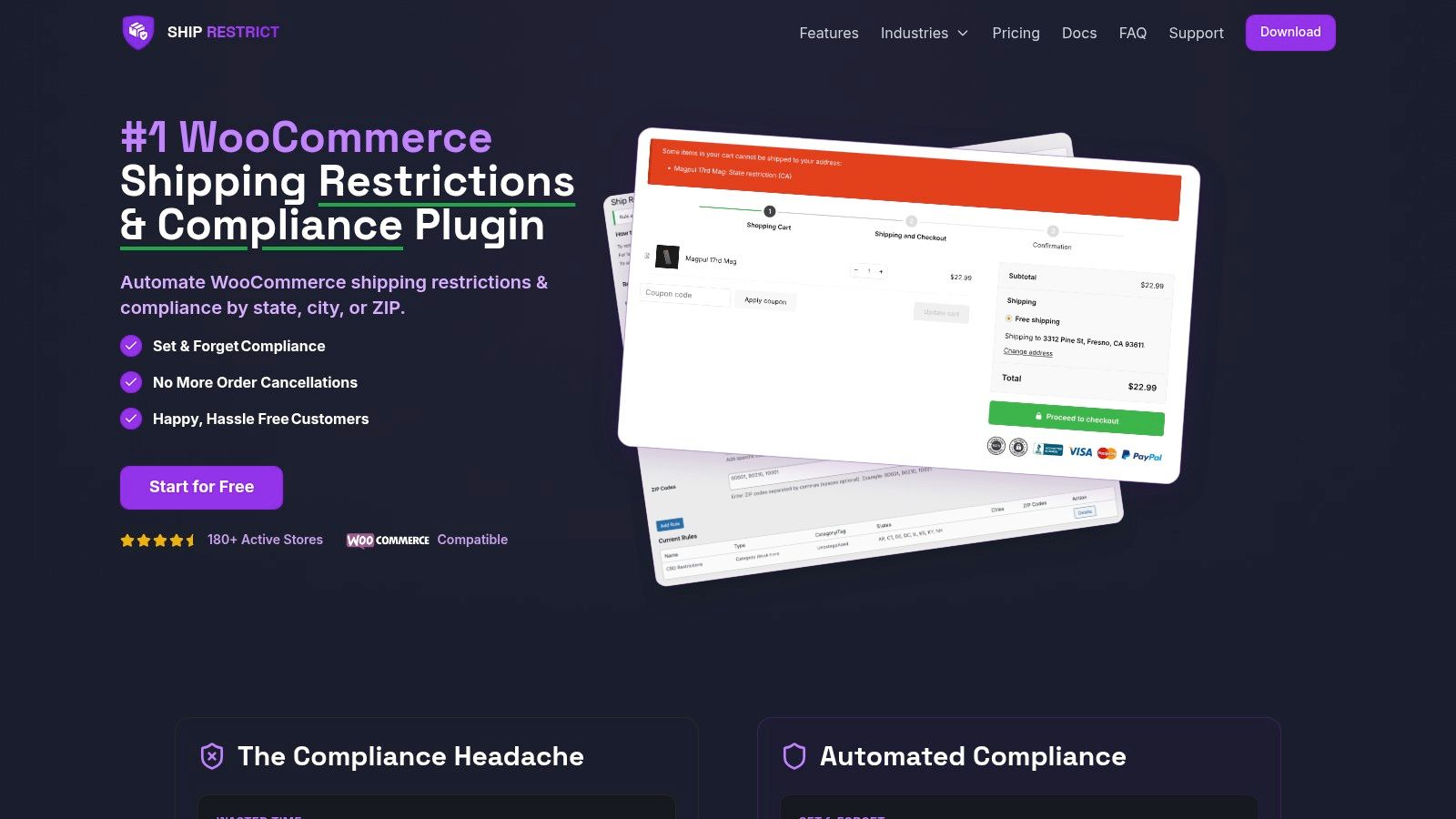
If your WooCommerce store sells regulated products, Ship Restrict helps you stop invalid shipments before checkout with rule-based restrictions by state, county, city, and ZIP code. It's a practical way to reduce manual address review, tighten compliance, and keep premium shipping options like Saturday air visible only when they make sense.
Automate Shipping Compliance
Stop worrying about restricted states. Ship Restrict handles it automatically.

Cody Yurk
Founder and Lead Developer of ShipRestrict, helping e-commerce businesses navigate complex shipping regulations for regulated products. Ecommerce store owner turned developer.
Automate Shipping Compliance
- Block restricted states
- No more cancellations
- Set and forget
3-day free trial · Card required