Does UPS Second Day Air Deliver on Saturday? Find Out 2026
Does UPS Second Day Air deliver on Saturday? Get clarity on UPS rules, costs, and smart tips for WooCommerce merchants to avoid risky weekend deliveries in
UPS 2nd Day Air doesn't automatically deliver on Saturday. It's a 2-business-day service, and Saturday delivery only happens when the shipper adds the Saturday Delivery option.
That distinction matters a lot more than most checkout pages admit. If you run a WooCommerce store that ships regulated products, especially to FFLs, a wrong assumption about weekend delivery can create customer disputes, failed handoffs, returned packages, and compliance headaches you didn't need.
The Weekend Shipping Dilemma
Thursday afternoon is where bad shipping decisions tend to show up.
You've got a rush order. The customer paid for UPS 2nd Day Air. Your team wants to move it fast, but the receiving FFL may not be open on Saturday. If someone on the warehouse side assumes “2-day” means “Saturday,” and someone on the customer service side promises the same thing, you've just created an avoidable problem.
Automate Shipping Compliance
Block orders to restricted states automatically. 3-day free trial.
Start Free TrialFor firearms dealers, the issue isn't just speed. It's control. A delayed consumer package is annoying. A regulated shipment arriving at a closed FFL, or bouncing through a failed delivery cycle over the weekend, is operational risk.
Why this catches merchants off guard
Most confusion starts with one bad mental shortcut: people count calendar days.
That's not how this service works. UPS 2nd Day Air runs on business days, and Saturday sits outside the default promise unless the shipment is set up for weekend delivery. The practical result is simple. If your staff treats every Thursday air order like a Saturday arrival, they'll eventually promise a date they can't support.
Practical rule: For regulated goods, never treat weekend delivery as implied. Treat it as a separate delivery path that must be intentionally enabled, verified, and communicated.
What usually goes wrong
A few patterns show up again and again in firearm ecommerce operations:
- Checkout language is too broad: Customers see “2nd Day Air” and assume the box lands two days later.
- Warehouse staff ship too late: The label gets created, but pickup timing misses the carrier window that would make a weekend handoff possible.
- No one checks the FFL schedule: Even if Saturday delivery is technically available, the recipient may be closed.
- Customer service overpromises: Support teams often confirm a delivery date before anyone confirms the accessorial or the actual ship date.
The merchants that avoid these issues don't just ask, “Does UPS Second Day Air deliver on Saturday?” They ask a better question: under what conditions should we allow that to happen at all?
What Two Business Days Really Means
UPS 2nd Day Air is a 2-business-day service, and UPS states that its standard domestic commitment is typically by 10:30 AM for most U.S. commercial destinations and by noon for many residential or rural destinations. Saturday delivery isn't automatic and requires the Saturday Delivery accessorial, as noted in this overview of UPS 2nd Day Air timing and Saturday rules.
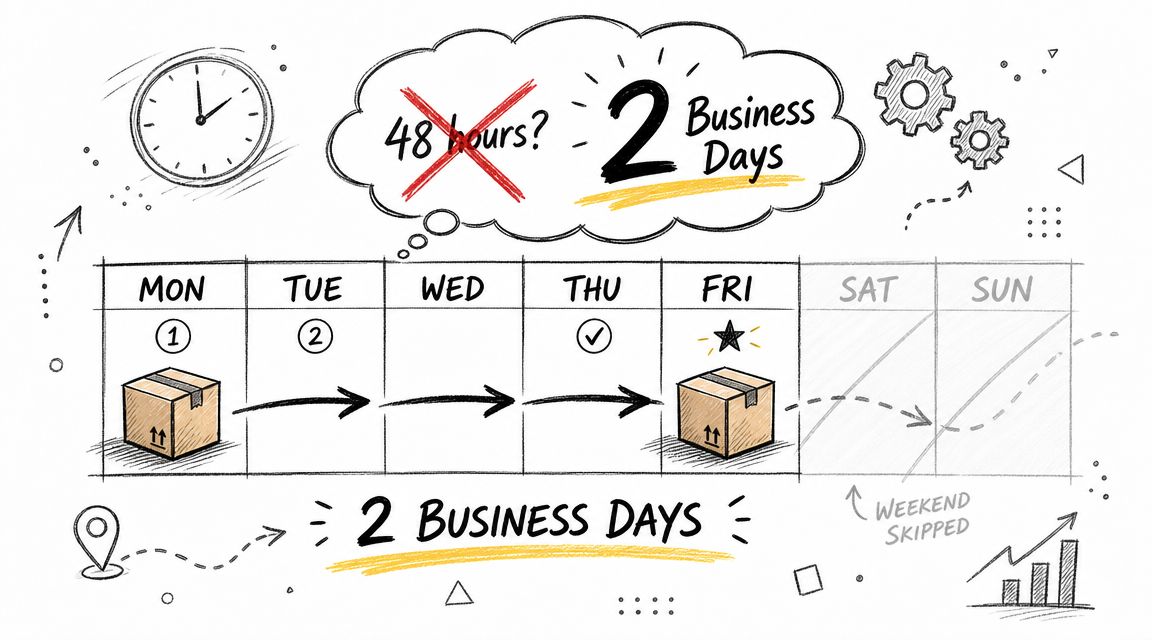
That's the baseline you need in your head before you build any shipping policy. This service is not a rolling 48-hour clock. It's a carrier timetable built around business-day movement and service commitments.
Business days change the delivery math
A simple way to think about it:
Free Shipping Compliance Audit
We'll review your WooCommerce store's shipping compliance for free.
| Ship day | Standard 2-business-day logic |
|---|---|
| Monday | Wednesday |
| Tuesday | Thursday |
| Wednesday | Friday |
| Thursday | Monday, unless Saturday Delivery is added and eligible |
| Friday | Tuesday |
That table is the reason so many stores get into trouble on Thursdays. Staff members do quick math based on the calendar. UPS calculates against the service definition.
If your team handles multiple carriers, it helps to keep a clear reference for understanding UPS and USPS for ecommerce, especially when customers assume all “expedited” labels work the same way.
Why this matters for regulated merchants
For an FFL retailer, “two business days” isn't just a delivery estimate. It affects:
- When you print labels
- Which promises your checkout can safely display
- Whether a transfer destination will be staffed
- How your team handles pre-weekend fulfillment
The safest shipping operations define carrier timing in store rules, not in memory.
If your checkout, warehouse SOP, and customer service scripts all use the same business-day logic, you cut down the most common source of bad promises.
The Official Answer on Saturday Deliveries
The clean answer is no, not by default.
UPS's weekend-delivery terms show that Saturday delivery is a defined add-on, not a standard feature of the base service. UPS says it offers Monday through Saturday delivery for residential and commercial parcels, states that no deliveries occur on Sunday for standard UPS service, notes packages are generally delivered by 8 p.m., and lists a $4 per package fee for Saturday commercial ground delivery, which helps explain why Saturday air delivery is treated as an accessorial rather than a built-in promise. You can review those terms on UPS's page for weekend pickups and deliveries.
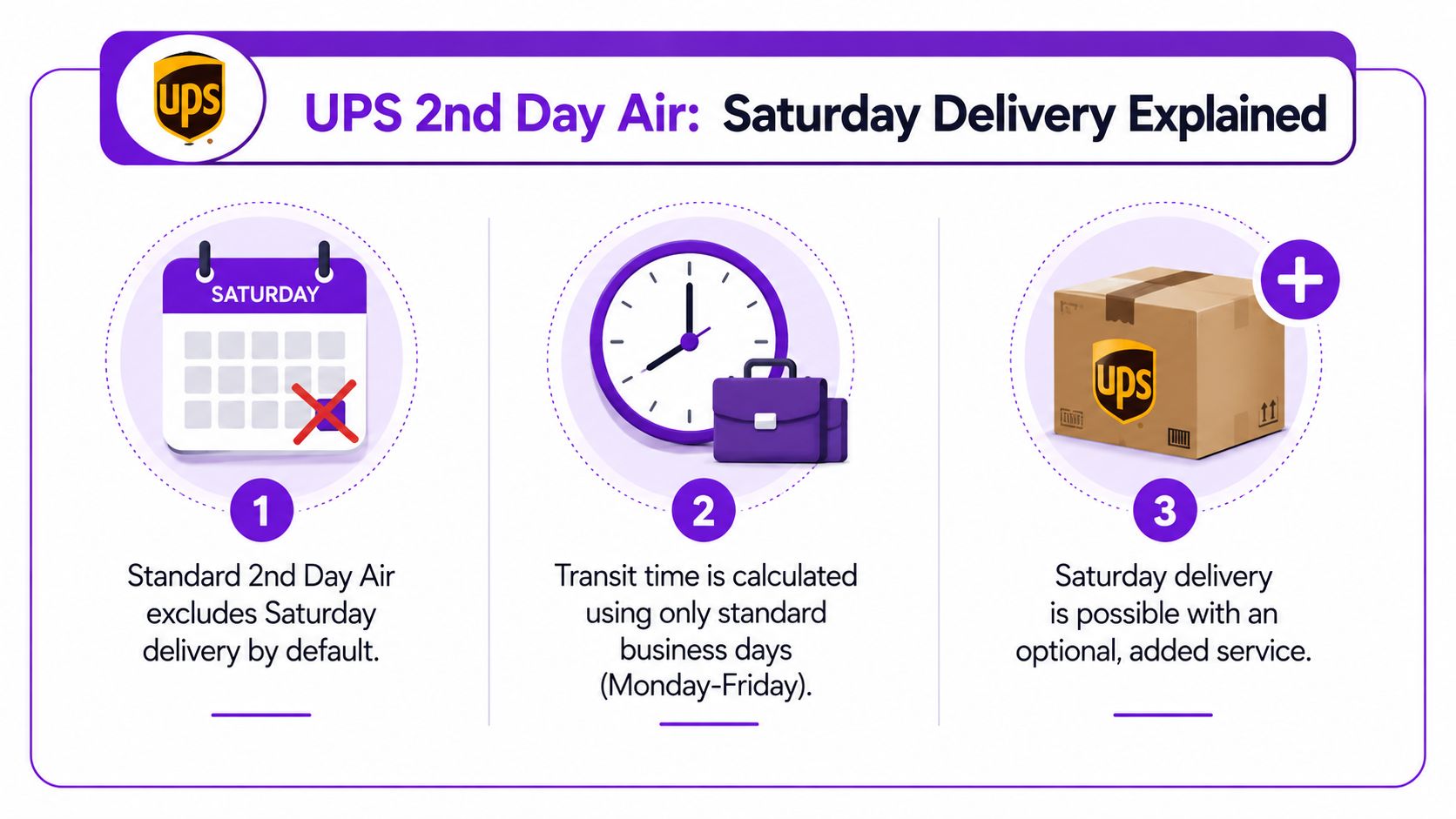
The default service versus the optional add-on
That distinction is where many merchants get sloppy. UPS 2nd Day Air gives you a standard transit commitment based on business days. Saturday sits outside that default lane.
Saturday delivery can still happen, but only when all of these line up:
- The shipper selects the Saturday option
- The shipment is eligible by destination and service
- The parcel enters the network early enough
- The receiving location can accept delivery
If any one of those pieces is missing, your “Saturday delivery” expectation turns into a Monday outcome or a failed attempt.
Why the difference matters at checkout
A lot of stores present air services as simple speed tiers. That works for ordinary goods. It fails for regulated orders.
If your WooCommerce checkout labels UPS 2nd Day Air as a weekend-capable option without clarifying the accessorial and eligibility side, customers will read certainty where only conditional availability exists. That's how support teams end up fielding “you promised Saturday” complaints.
This short video is useful if you want a general visual explanation of the service logic:
<iframe width="100%" style="aspect-ratio: 16 / 9;" src="https://www.youtube.com/embed/vKPkja6aVQM" frameborder="0" allow="autoplay; encrypted-media" allowfullscreen></iframe>Saturday delivery is a deliberate shipping configuration, not a free bonus attached to 2nd Day Air.
For firearms dealers, that means you should only expose or approve Saturday-capable flows when your internal process can support them.
Scheduling and Cost of UPS Saturday Delivery
If you want Saturday delivery, you need to operationalize it. In doing so, merchants either run a controlled process or create a mess.
Third-party explainers note that Saturday delivery only happens when the Saturday Delivery option is explicitly selected and the parcel is picked up or dropped off early enough, often by Thursday for a Saturday arrival. They also note that the operational risk is highest for stores shipping regulated goods where missed promised dates can trigger compliance workflows, as discussed in this guide to UPS 2nd Day Air and Saturday timing.
The Thursday cutoff is where control matters
Thursday is the edge case you need to train around.
A package created late on Thursday may not move in time. A package packed on Thursday but not handed off can miss the path you expected. During holiday periods or after a missed carrier pickup, your internal assumption can break even if the customer paid for fast shipping.
That's why I prefer a hard operational rule: if a Saturday handoff would create risk, don't leave the decision to a packer staring at a label queue.
A workable process for merchants
Use a simple control sequence:
- Check recipient type: Is this going to a residence, a commercial address, or an FFL?
- Confirm Saturday intent: Did the store or staff explicitly choose a Saturday-capable path?
- Verify timing: Can the shipment be picked up or dropped off early enough?
- Review destination readiness: Will the receiving location be open and staffed?
- Communicate the fallback: If the shipment misses the weekend path, what's the customer told?
If you're building a broader policy across carriers, it helps to map these workflows against your multi-carrier shipping solutions so staff aren't making carrier-specific judgment calls from memory.
What doesn't work
The weakest process is “we'll decide at fulfillment.”
By then, the customer has already seen the option, the order is already in motion, and your team is trying to solve timing and compliance at the same time. That's backwards. The rule belongs earlier, at checkout or order review.
How WooCommerce Merchants Can Prevent Risky Weekend Deliveries
For firearms retailers, an unwanted Saturday delivery can be worse than a slower one.
If the package is heading to a receiving FFL that keeps limited weekend hours, your team may send a lawful shipment into an avoidable service failure. Even when the carrier handles it correctly, you still create extra tracking events, customer confusion, and staff time spent untangling a problem that started with a preventable shipping choice.
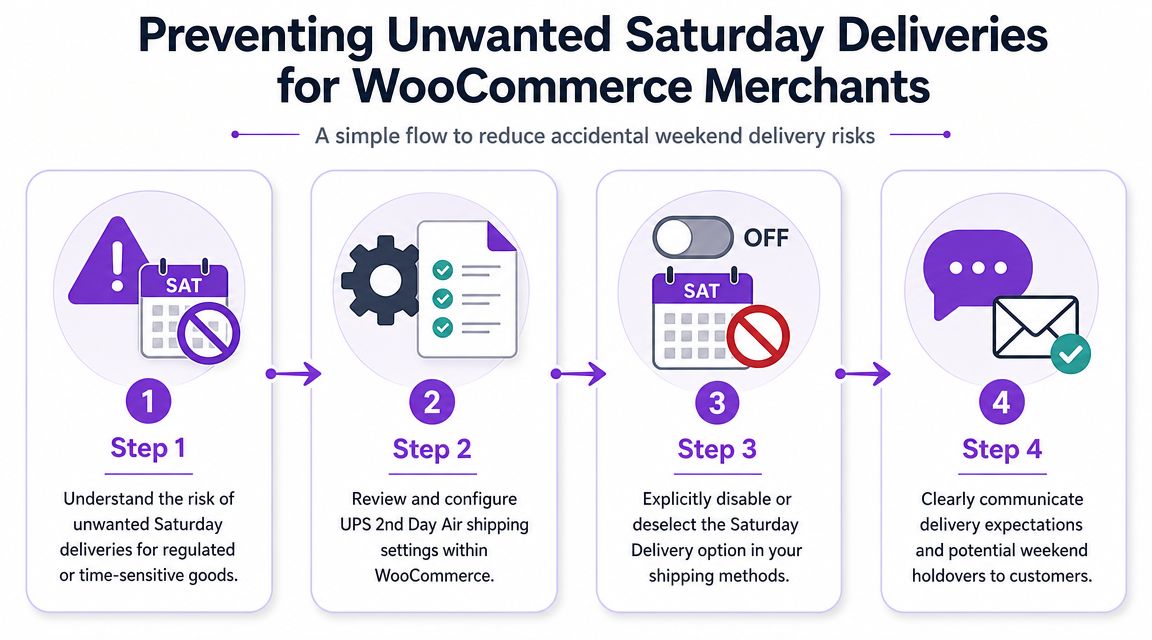
The real risk is mismatch, not speed
The shipping method itself isn't the problem. The mismatch is.
You have a customer who wants fast delivery. You have a destination that may not be open on Saturday. You have WooCommerce showing an air option that sounds straightforward. Unless your store applies rules before payment, someone has to catch the issue manually.
That's fragile. Staff turnover, late-day order volume, and customer service pressure all make manual review less reliable.
A regulated merchant should optimize for controllable handoff windows, not maximum speed on every order.
Teams working on broader optimizing logistics efficiency often focus on visibility and delivery flow. In regulated commerce, efficiency also means preventing shipments from entering delivery windows you don't want.
What to disable and when
You don't need a complicated policy to reduce risk. You need a consistent one.
Consider rules like these inside WooCommerce:
- Block risky air methods on late-week orders: If an order is FFL-bound and placed inside your Thursday risk window, don't show the service that could force a weekend edge case.
- Separate FFL and non-FFL logic: Consumer goods and regulated items shouldn't always inherit the same shipping menu.
- Use destination-based controls: Some receiving dealers take Saturday deliveries. Some don't. Your rules should reflect that reality where possible.
- Require review for exception orders: If staff want to override a restriction, make that a conscious admin action, not the default workflow.
A practical implementation path is to move these checks into automated restrictions rather than relying on notes and training. For example, this guide on blocking non-compliant orders before checkout in WooCommerce shows how merchants can stop bad shipping combinations before the customer ever pays.
Manual review fails in predictable ways
Here's where manual processes usually break:
| Failure point | What happens |
|---|---|
| Sales or support promises Saturday | Ops has to unwind the expectation |
| Fulfillment misses the pickup window | Saturday path disappears after the label is created |
| FFL hours weren't checked | Delivery attempt hits a closed recipient |
| Storefront shows too many methods | Customers select options the business shouldn't allow |
One option in this category is Ship Restrict, a WooCommerce plugin that lets merchants build shipping restriction rules by location and order context for regulated products. Used correctly, that kind of tooling helps remove guesswork from late-week order handling.
Automating Shipping Rules for Full Compliance
Manual shipping compliance breaks first on busy days.
That's especially true when you're juggling carrier rules, product restrictions, FFL destinations, and customer-selected service levels inside the same WooCommerce store. One person remembers the Thursday rule. Another assumes the destination accepts Saturday deliveries. A third sees “2nd Day Air” and approves the order. That's how preventable errors get normalized.
What automation should handle
A scalable setup should enforce the logic your team already knows but can't reliably apply by memory every time.
That means automating decisions like:
- Hide certain methods by order day
- Treat FFL-bound shipments differently from ordinary ecommerce orders
- Block services that create weekend delivery risk
- Surface a clear message when a shipping method isn't available
The goal isn't to make your checkout complicated. The goal is to make the wrong choice impossible.
Why this is the safer model
UPS rules create edge cases. Regulated shipping creates consequences when those edge cases are mishandled. Put those two together, and “we'll review it before it ships” stops being a serious control.
A better approach is to bake the restriction into the store itself. If you want a reference point for that model, this overview of automated shipping compliance for WooCommerce stores captures the operational logic well.
If a shipping option can create a compliance problem, your store should decide before checkout, not after label creation.
The merchants who handle this well don't spend Friday afternoon debating whether a shipment might hit a closed FFL on Saturday. Their rules already made the decision.
If your WooCommerce store sells regulated products, Ship Restrict is built for this kind of problem. It lets merchants automate shipping restrictions before checkout so risky combinations, including location- and rule-based shipping issues, can be blocked instead of manually caught later.
Automate Shipping Compliance
Stop worrying about restricted states. Ship Restrict handles it automatically.

Cody Yurk
Founder and Lead Developer of ShipRestrict, helping e-commerce businesses navigate complex shipping regulations for regulated products. Ecommerce store owner turned developer.
Automate Shipping Compliance
- Block restricted states
- No more cancellations
- Set and forget
3-day free trial · Card required