How to Avoid Common Mistakes: Shipping Compliance 2026
Learn how to avoid common mistakes in shipping regulated products with Ship Restrict. This WooCommerce guide covers rule setup, validation, workflows, and
You're packing orders, the phone's ringing, and a buyer wants confirmation that a restricted item can ship today. In the same hour, someone in fulfillment is checking a spreadsheet, someone else is reading local rules, and a third tab is open to a carrier page that may already be out of date. That's where how to avoid common mistakes stops being a theory question and becomes an operations problem.
For WooCommerce stores handling regulated products, the mistake pattern is usually the same. Teams rely on manual checks, scattered notes, and one-off judgment calls, then wonder why blocked orders slip through or legitimate sales get rejected. The fix isn't more chaos. It's tighter process design, clearer rules, and automation that handles the repetitive compliance work before checkout instead of after a customer has already hit buy.
Introduction to Compliance Automation
Manual compliance looks manageable until volume, jurisdiction changes, and edge cases hit at once. A retailer can do the right thing all week, then miss a county restriction, process a bad ZIP code, or approve an order that should never have reached fulfillment. When that happens, the cost isn't just operational friction. It's rework, customer escalation, and the risk of shipping something that shouldn't have left the warehouse.
The biggest weakness in a manual workflow is that it depends on memory and constant attention. That's exactly the kind of setup that breaks down under pressure. Human-factors guidance for avoiding mistakes recommends a short, high-signal checklist with only five to nine items, because people are more likely to skip critical steps when the list gets long, and the checklist should focus on the killer items that can cause serious failure if missed (human-factors checklist guidance). The same logic applies to shipping compliance. If the process asks staff to remember every exception from scratch, errors will keep happening.
Automate Shipping Compliance
Block orders to restricted states automatically. 3-day free trial.
Start Free TrialPractical rule: automation should handle repeatable restrictions, and humans should handle edge cases and exceptions.
That's why a rules engine matters more than another spreadsheet. A system like Ship Restrict can apply location-based blocking before checkout, so the store doesn't waste time reviewing orders that never should have passed the cart stage. The point isn't to remove judgment. It's to stop asking staff to do the same low-value verification work over and over.
A better compliance stack also gives you cleaner decision points. Instead of debating every order in Slack, the team works from predefined rules, validation logs, and clear escalation paths. That shift matters because it frees operations teams to focus on growth, service, and exceptions that require human review.
Identify Common Shipping and Compliance Mistakes
The most expensive shipping mistakes usually aren't dramatic. They're boring, repeated, and easy to overlook. A ZIP code sits in the wrong column, a county rule doesn't match the latest local restriction, or someone copies a rule set into a new store without checking whether the jurisdiction still applies.
The errors that create the most damage
Outdated spreadsheets are the obvious problem, but they're rarely the only one. Overlapping jurisdiction rules can conflict with each other, and a manual reviewer may not notice that a city restriction overrides a broader county allowance. Inconsistent carrier checks create another gap, because the order may look fine in the cart but fail later when fulfillment tries to label it.
Small entry errors are just as dangerous. One mistyped ZIP code can let a restricted order through or block a legitimate one. In regulated commerce, either outcome hurts. The first exposes the business to compliance trouble, the second turns into a lost sale and a support ticket.
For a broader risk review, I like pairing compliance analysis with best business risk assessment tools from Lighthouse Consultants, because the underlying issue is often less about one bad rule and more about whether the whole workflow has enough controls around it.
Manual review fails fastest when the team assumes every exception will be obvious at the point of order.
The deeper issue is that many merchants still treat shipping compliance as a one-time setup task. It isn't. Rules drift, local restrictions change, staff turnover happens, and the person who built the original spreadsheet may no longer be around to explain the logic. If you don't surface those weak points early, they show up later as blocked carts, misrouted orders, or customer service rework.
Why rule mistakes turn into business problems
Rule errors don't stay in the compliance lane. They hit throughput, customer trust, and support workload. A false block can force a refund or a manual review, while a missed restriction can lead to an order that has to be stopped after payment is already captured. Either way, the team pays for the mistake twice.
Free Shipping Compliance Audit
We'll review your WooCommerce store's shipping compliance for free.
That's why the workflow has to be designed like a risk control, not a clerical task. The point is to find the places where the process depends on human memory, then replace those points with validation, automation, and periodic review.
Configure Automated Restriction Rules with Ship Restrict
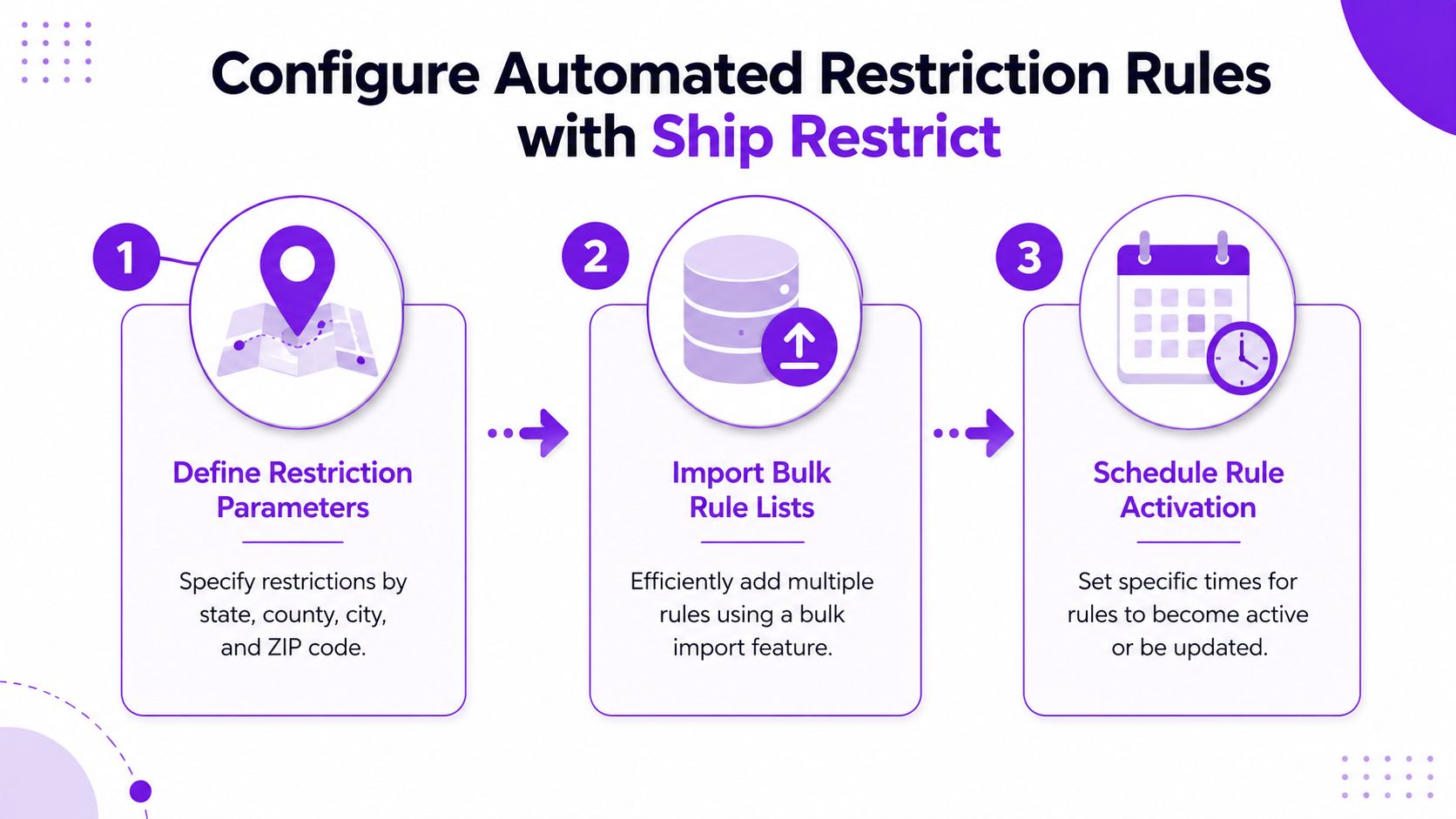
Granular restriction rules are what keep compliance strict without turning the store into a conversion killer. If you only block by broad geography, you'll overblock legitimate buyers. If you get too loose, you'll miss real restrictions. The sweet spot is precise rule design, then disciplined maintenance.
Build rules where the law actually changes
Start with the smallest jurisdiction level you need. For firearms and other regulated products, that may mean state, county, city, or ZIP code restrictions, depending on how the rule set applies in your market. Ship Restrict's restriction types documentation shows the location-based approach clearly, and the operational value is simple, the closer the rule matches reality, the fewer false positives you create. Use the internal guide on restriction types while you map which locations need hard blocks and which need exceptions.
Bulk imports help when you're managing many local rules at once. Don't hand-enter dozens of records if your source data already exists in a clean list. That's where most typos creep in. The best setup is one where the rules are imported, reviewed, and then activated only after a second pass.
The video walkthrough can be useful for teams that want a visual setup reference.
<iframe width="100%" style="aspect-ratio: 16 / 9;" src="https://www.youtube.com/embed/jqxVs3Q90UI" frameborder="0" allow="autoplay; encrypted-media" allowfullscreen></iframe>Use timing and exceptions carefully
Scheduled activation matters more than many teams expect. If a restriction starts or expires at the wrong time, you can either block orders that should be allowed or allow orders that should be blocked. Treat rule timing like any other operational change, with a clear owner and a review step before it goes live.
Exceptions deserve the same care. A border-city carve-out or a product-specific exemption should be explicit, limited, and documented. Don't bury it in a note field and assume the next person will find it. That's how compliance setups drift into confusion.
The best rule systems are strict by default and narrow by exception.
This is also where conversion protection comes in. Generic guidance usually tells merchants to “check local laws,” but that doesn't tell them how to handle overlapping jurisdictions, update cadence, or exception handling. The recent survey cited in the gap-analysis brief found that 49% of logistics professionals said regulatory issues were among their top operational challenges, and 43% said they caused shipment delays (survey summary on logistics compliance issues). That's exactly why rule granularity matters. A precise setup blocks the wrong orders less often, which keeps the checkout moving for legitimate buyers.
Implement Address Validation Best Practices
Even strong restriction rules fall apart if the address data is sloppy. If the checkout form lets incomplete or malformed addresses through, the system can't make a reliable decision. Address validation is the layer that keeps bad data from entering the workflow in the first place.
Clean the address before the order becomes a problem
Integrate address validation at checkout so obvious issues surface immediately. That means checking for missing street fields, malformed postal codes, and mismatched city-state combinations before the order reaches fulfillment. If the store ships regulated items, that validation should sit alongside the restriction logic rather than operating as an afterthought.
A practical plugin setting example looks simple. Enable address verification at checkout, require all mandatory fields, and flag formats that don't match a valid mailable address. If your carrier or fulfillment process doesn't handle P.O. boxes for a specific product class, block those early too. The point is to catch likely failures before they trigger manual review or a return.
For teams comparing address tools, the framing in top email verification tools reviewed is useful in one narrow sense. The article is about email validation, not shipping compliance, but the broader lesson transfers cleanly, validation tools are only helpful when they're configured to stop bad inputs early instead of cleaning up after the fact.
Make validation part of the restriction pipeline
The internal guide on Experian address search for shipping restrictions fits well here if you're comparing validation approaches. Whatever service you use, the workflow should be the same. Validate first, then evaluate the shipping restriction rule set, then pass only acceptable orders forward.
Don't let the cart become the first place a bad address gets noticed.
Often, teams overcomplicate things. They add too many soft warnings, or they make validation so aggressive that it blocks good customers. Keep it focused. If the address can't be trusted, the compliance decision can't be trusted either.
Test Workflows and Craft Customer Messaging
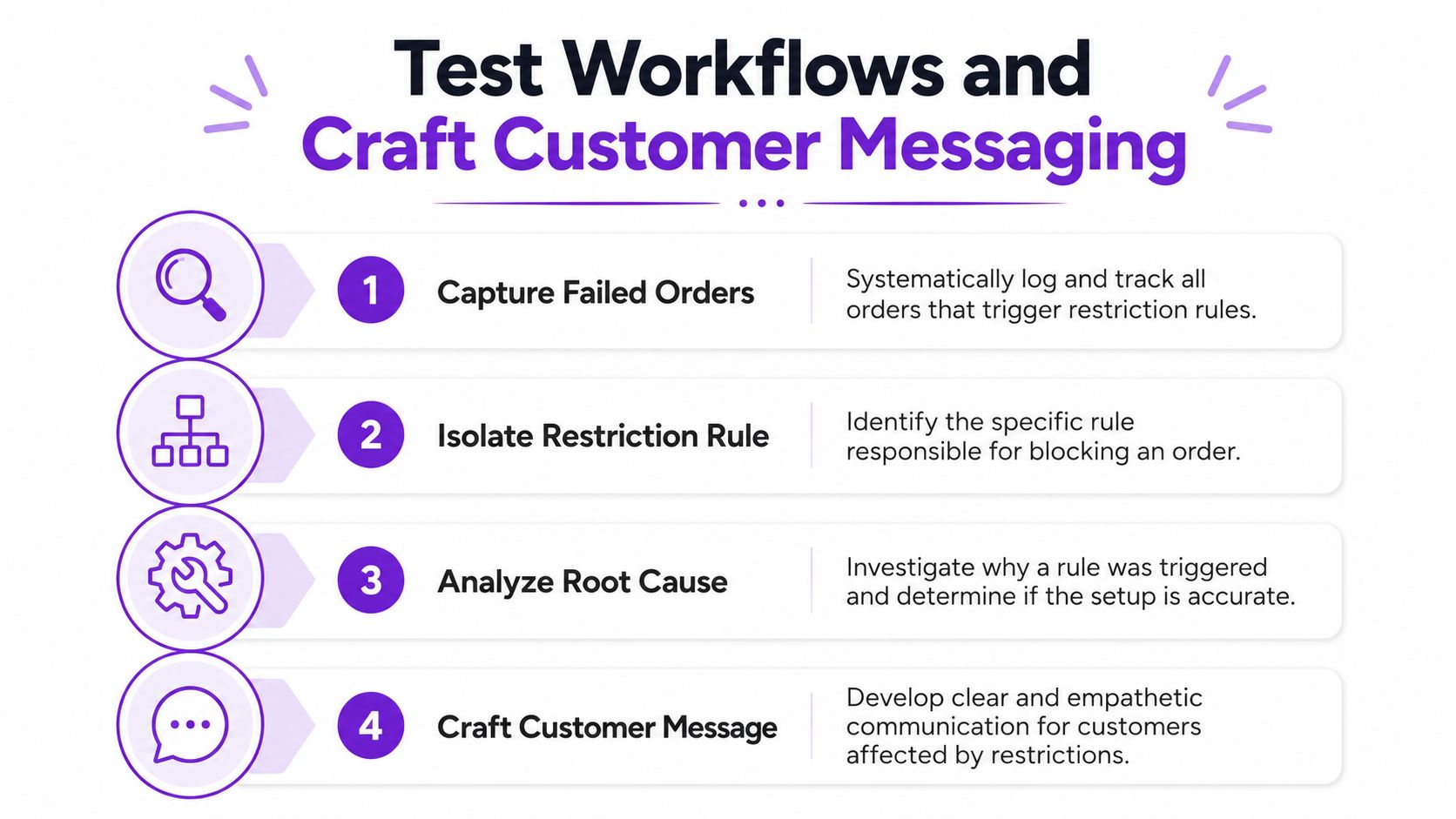
Testing is where good compliance setups prove themselves. A rule can look perfect in the admin panel and still fail in the actual checkout flow, especially when multiple conditions stack together. The only reliable way to catch that is to test the full path, from customer entry to block message to internal logging.
Test the workflow, not just the rule
Start with failed orders and work backward. Capture the blocked order, identify which restriction fired, and then separate the symptom from the cause. That sequence matters because people often jump straight to a fix before confirming whether the issue came from the rule, the address data, or a checkout integration problem.
A simple testing checklist should stay short and sharp:
- Trigger a restricted address: Use a known blocked location and confirm the checkout stops at the right point.
- Test a legitimate exception: Make sure the system doesn't overblock an approved edge case.
- Check the error message: Confirm that the customer sees clear language, not a vague rejection.
- Review the admin log: Verify that staff can see which rule caused the block.
- Confirm the resolution path: Make sure the team knows what to do when an order is wrongly blocked.
That aligns with the problem-solving approach that separates symptom detection from root-cause analysis, using 5 Whys and PDCA so the fix sticks rather than repeating the same failure later (problem-solving framework overview).
Write messages that reduce frustration
Blocked customers don't need legal jargon. They need a clear reason, a next step, and a signal that the store handled the issue on purpose. A stronger message says what happened, why the order can't proceed, and whether support can review an exception.
A useful pattern is:
- State the restriction plainly: “This item can't ship to the address entered.”
- Offer a narrow next step: “Check whether the shipping address is within an allowed location.”
- Set expectations: “If you believe this is an error, contact support with the order details.”
The messaging matters because it shapes whether the customer sees the block as a policy decision or a site error. That difference changes abandonment, support load, and whether the merchant gets a second chance at the sale. If you're already using Ship Restrict, keep the message aligned with the actual rule so support doesn't have to translate the policy later.
Clear rejection text prevents a compliance block from turning into a trust problem.
Monitor Compliance and Conduct Regular Audits
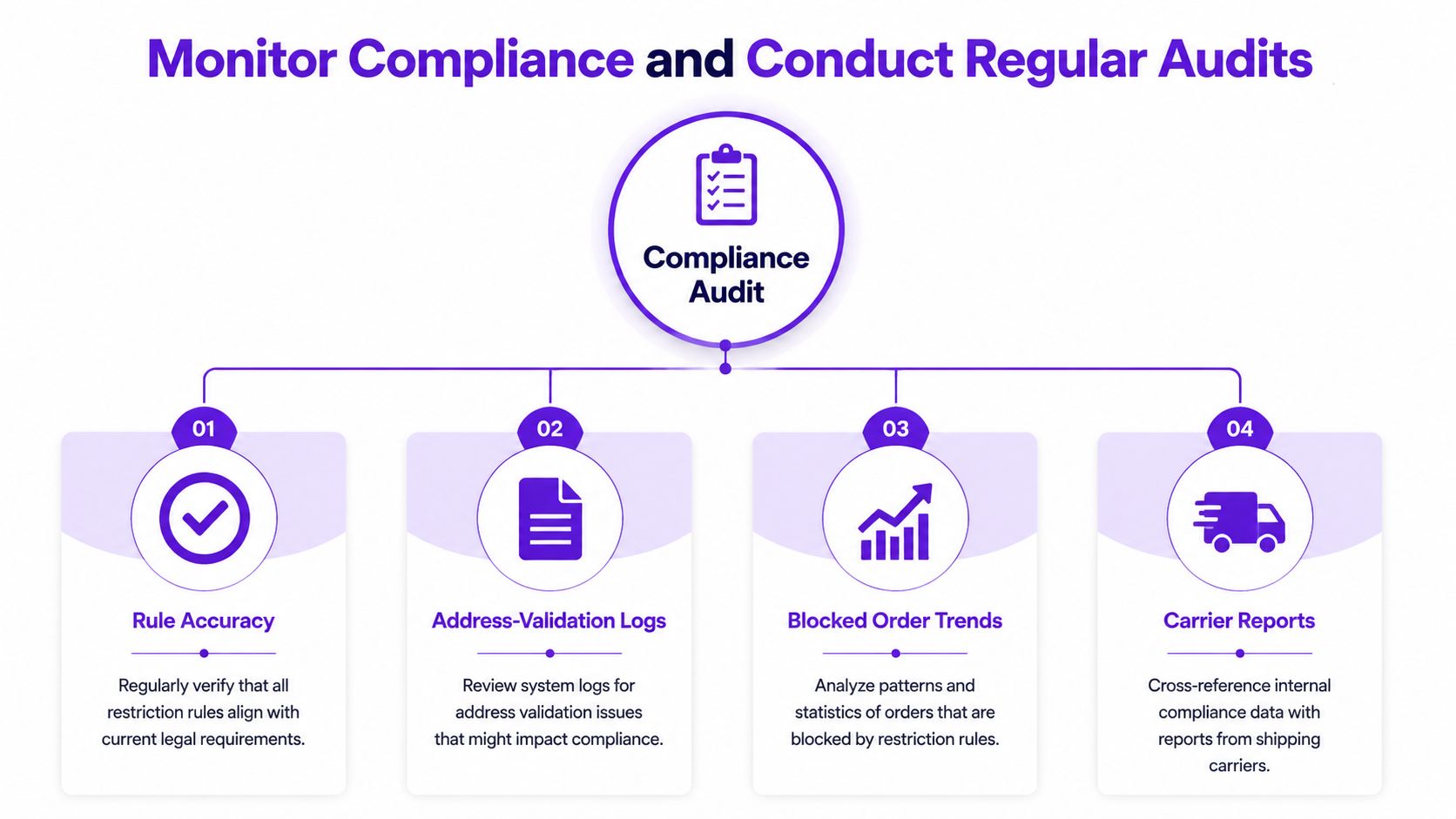
Compliance drifts when nobody checks the live system against the current rule set. That drift is subtle. A rule may still exist, but the legal basis behind it may have changed, or an exception may no longer be valid, or a new address pattern may be creating false blocks.
Audit four things every time
Keep the review anchored on four pillars. First, rule accuracy, because every restriction should still reflect current requirements. Second, address-validation logs, because bad input patterns often reveal a form issue before they become a compliance issue. Third, blocked order trends, because recurring blocks can show whether the system is too strict or missing a real restriction. Fourth, carrier reports, because shipping outcomes sometimes expose a mismatch that internal logs don't make obvious.
A monthly review works well for live stores because it forces the team to look at drift before it compounds. Don't treat the audit as a paperwork exercise. Pull the logs, spot the anomalies, and then decide whether the rule, the address capture, or the messaging needs adjustment.
The internal compliance checklist on WooCommerce shipping compliance audit checklist is a useful companion if you want a structured review path. Use it to keep the audit consistent, not to replace judgment.
Use the audit to refine the workflow
The purpose of auditing isn't to prove the system is perfect. It's to catch the places where the system is starting to lose precision. If blocked orders are climbing because of an overbroad rule, tighten it. If a carrier report reveals a bad address pattern, improve validation. If support keeps seeing the same complaint, the customer message needs a rewrite.
The audit should end with a decision, not a folder of notes.
That habit is what keeps compliance from becoming shelfware. Teams that review, adjust, and document changes keep their workflows calmer than teams that only react after an incident. The difference shows up in fewer surprises and fewer rushed fixes.
Prepare Incident Response Checklist and Next Steps
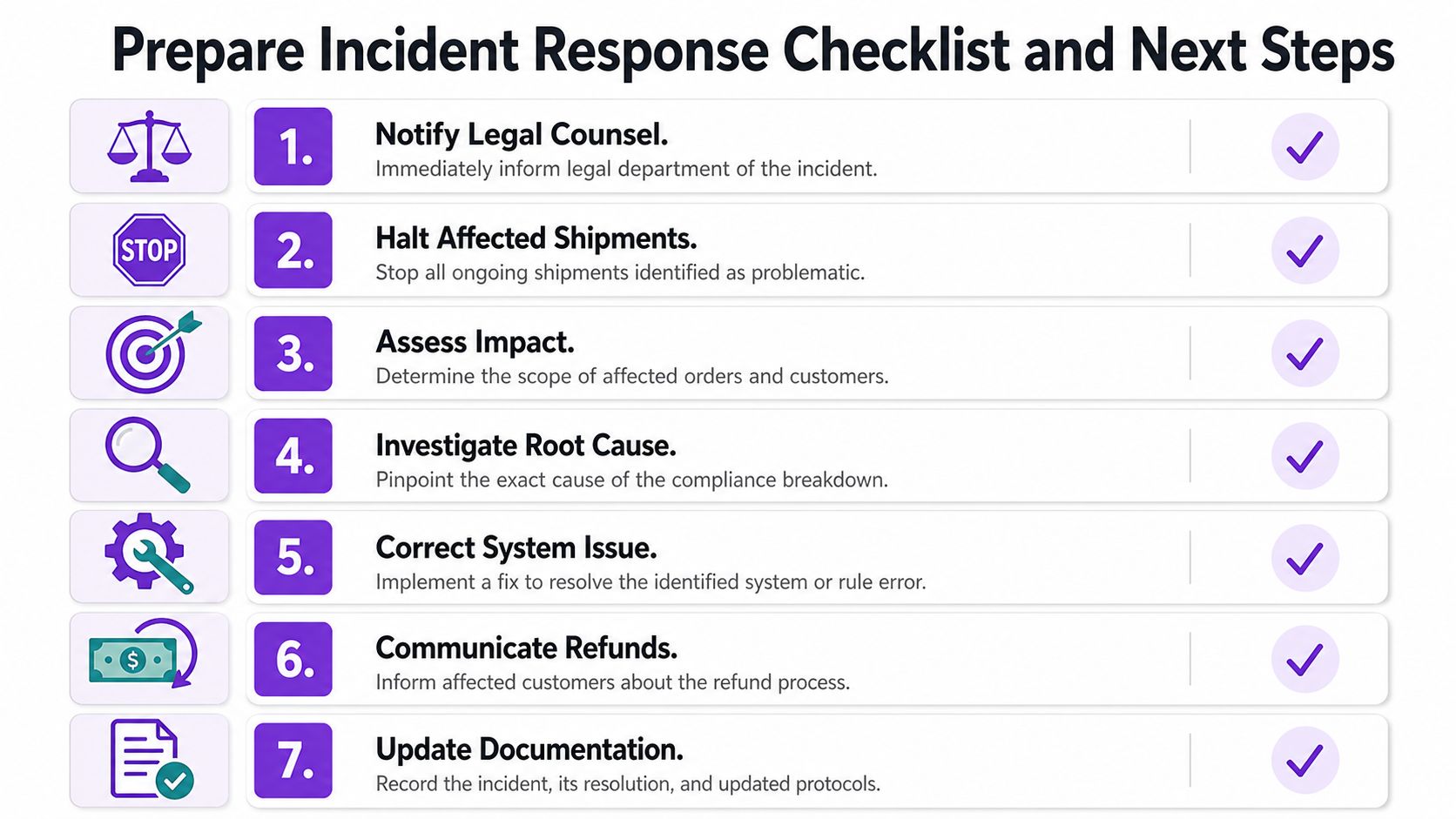
When something slips through, speed matters, but order matters more. A short checklist keeps the team from improvising under pressure and forgetting a critical step. Human-factors guidance recommends five to nine killer items tested in real use, which is the right size for an incident response list as well (checklist guidance for high-stakes workflows).
Use a tight response sequence
Your incident list should be short enough to run without confusion and specific enough to avoid gaps:
- Notify legal counsel if the issue may create exposure.
- Halt affected shipments so the problem doesn't spread.
- Assess impact by identifying which orders and customers are involved.
- Investigate root cause before changing the wrong setting.
- Correct the system issue or rule error.
- Communicate refunds or next steps clearly to affected buyers.
- Update documentation so the same mistake doesn't repeat.
The order matters. If the team fixes the symptom first and ignores the cause, the same failure comes back later. If the team overcommunicates before understanding the scope, support can create more confusion than the original incident.
Keep the checklist alive
Test the list in real order scenarios, then revise it based on misses. If someone hesitates during a drill, the checklist is too vague. If the team completes it but still misses a handoff, the sequence needs tightening.
The next step is to link incident handling with cleaner rule feeds, better admin alerts, and clearer ownership. That's how compliance becomes operational, not just defensive. It also keeps the business from treating every mistake as a one-off surprise.
If your current shipping process still depends on memory, spreadsheets, and last-minute judgment, it's time to replace that fragile setup with a rule-based workflow. Review your restriction logic, tighten address validation, and run a live audit against your blocked-order logs. If you want a practical way to do that in WooCommerce, start by evaluating Ship Restrict against your current rules and see where granular location controls and workflow checks can reduce mistakes without choking off legitimate sales.
Automate Shipping Compliance
Stop worrying about restricted states. Ship Restrict handles it automatically.

Cody Yurk
Founder and Lead Developer of ShipRestrict, helping e-commerce businesses navigate complex shipping regulations for regulated products. Ecommerce store owner turned developer.
Automate Shipping Compliance
- Block restricted states
- No more cancellations
- Set and forget
3-day free trial · Card required