WooCommerce shipping compliance audit checklist: 8 steps
This WooCommerce shipping compliance audit checklist helps you review shipping rules, ensure regulatory compliance, and reduce risk. Audit today
Running a WooCommerce store for regulated products like firearms isn't just about sales and marketing-it's a high-stakes operation where compliance is paramount. A single shipping mistake can lead to catastrophic consequences: revoked FFLs, hefty fines, and irreversible brand damage. Yet, many retailers rely on manual checks and outdated spreadsheets, a risky gamble in a landscape of ever-changing federal, state, and local laws. This is where a systematic audit becomes your most powerful defensive tool.
A comprehensive WooCommerce shipping compliance audit checklist isn't just a best practice; it's a critical business continuity plan. It allows you to proactively identify vulnerabilities, from incorrect product classifications to flawed shipping rule configurations, before they become costly violations. This guide provides a detailed, actionable checklist designed to help you transform your compliance from a reactive scramble into a proactive, automated, and defensible system.
We will move beyond generic advice and provide a granular roadmap covering every critical checkpoint. You will learn how to meticulously verify carrier rules, validate shipping addresses against legal restrictions, audit your plugin configurations for accuracy, and document every step for complete accountability. This checklist is your framework for building a robust shipping operation that not only functions efficiently but also withstands intense regulatory scrutiny, ensuring your business remains secure and operational. We will cover the following key areas:
- Carrier and Rate Accuracy
- International Regulations
- Sales Tax Nexus and Shipping
- Address Validation and Standardization
- Package Weight and Dimensions
- Returns and Reverse Logistics
- Hazmat Classification and Shipping
- Rate Transparency and Disclosures
1. Carrier Compliance and Rate Accuracy Verification
The first critical step in any WooCommerce shipping compliance audit checklist is to confirm that the shipping rates your store quotes are identical to what carriers actually charge. This verification process ensures that your WooCommerce setup correctly communicates with carrier APIs (like UPS, FedEx, or USPS), accurately reflects any negotiated rates, and prevents discrepancies between the customer's checkout price and your final shipping label cost. Misaligned rates can quickly erode profit margins, create customer service nightmares, and even flag your account with carriers for repeated invoicing adjustments.
Automate Shipping Compliance
Block orders to restricted states automatically. 3-day free trial.
Start Free Trial
This audit point is especially vital for businesses selling regulated items like firearms, where specific carrier services (e.g., FedEx Priority Overnight for handguns) are mandatory. Quoting an incorrect, cheaper service not only impacts your bottom line but also creates a significant compliance breach.
Why This Audit Check is Crucial
Rate accuracy directly impacts your profitability and operational efficiency. For instance, a common error is an expired API key for a carrier like FedEx, causing the system to fall back to outdated, cached rates or default to a more expensive option without warning. Another scenario involves misconfigured product weights or dimensions, leading WooCommerce to request rates for a 5 lb package when the item actually weighs 15 lbs, resulting in consistent undercharging and direct profit loss on every sale.
Key Insight: Consistent undercharging for shipping is a silent profit killer. A small, unnoticed discrepancy of a few dollars per order can accumulate into thousands in losses over a year, directly impacting your business's financial health.
Actionable Audit Steps
To perform this check effectively, follow these practical steps:
- API Connection Health Check: Navigate to your WooCommerce shipping settings and verify that all carrier API connections are active and authenticated. Check for any error messages or warnings related to authentication failures.
- Test Order Simulation: Create several test orders using a variety of products with different weights and dimensions. Send these orders to different shipping zones (e.g., a local address, a cross-country address, and one in a remote area) to see how rates fluctuate and ensure accuracy across the board.
- Negotiated Rate Verification: If you have negotiated rates with a carrier, place a test order and compare the quoted price in WooCommerce with the rate shown in your carrier account portal. They must match exactly.
- Cross-Reference Invoices: At the end of each week, pull your shipping carrier invoice and cross-reference the charged amounts for a few random orders against what was charged to the customer in WooCommerce. This is the ultimate test of true accuracy.
By integrating these checks into your regular operations, you build a robust system that protects your profits and ensures a transparent checkout experience. This foundation is essential before moving on to more complex compliance rules, which often rely on accurate carrier data. For managing these intricate shipping rules and carrier services, you can explore some of the best shipping restriction plugins available for WooCommerce to enhance your store's capabilities.
2. International Shipping Regulations and HS Code Compliance
The second essential component of a WooCommerce shipping compliance audit checklist involves verifying your store's adherence to international shipping laws, which hinges on correct Harmonized System (HS) code classification. This audit ensures every product is accurately categorized for customs, declarations are filled out properly, and you are not attempting to ship items to countries where they are restricted. Failure to comply can lead to severe consequences, including seized shipments, hefty fines, and permanent blacklisting by customs authorities.

For businesses selling products with complex components or varying international regulations, such as electronics containing lithium batteries or dietary supplements, this audit point is non-negotiable. A simple misclassification can turn a routine international shipment into a costly and time-consuming compliance failure that damages both your revenue and your brand's reputation with global customers.
Why This Audit Check is Crucial
Proper HS code and customs compliance is the passport for your products to enter foreign markets smoothly. An incorrect HS code can lead to the wrong tariffs and duties being applied, causing customs to hold the package and bill either you or your customer for the difference, creating a terrible user experience. For example, a shipment of electronics to the EU could be rejected outright for lacking proper CE marking documentation, while a misclassified nutritional supplement could be flagged as a controlled substance and destroyed by customs, resulting in a total loss.
Key Insight: International shipping compliance is not just about avoiding penalties; it's a competitive advantage. Stores that master customs declarations and HS codes provide a seamless, predictable delivery experience, building trust and encouraging repeat business from a global customer base.
Actionable Audit Steps
To perform this check effectively, follow these practical steps:
Free Shipping Compliance Audit
We'll review your WooCommerce store's shipping compliance for free.
- HS Code Product Database Audit: Export a list of all products available for international shipping. Manually verify that each product has a correct and specific HS code assigned. Do not use generic codes, as they are a common red flag for customs officials.
- Customs Declaration Review: For a sample of recent international orders, review the generated customs forms (like the CN22 or CN23). Ensure the HS code, product description, value, and country of origin are all accurately populated from your WooCommerce data.
- Destination Country Restriction Check: Cross-reference your product catalog against the prohibited and restricted items lists for your top five international markets. Confirm that your shipping rules prevent these items from being sold to customers in those countries.
- Consult a Customs Broker: For complex or high-value products, engage a customs broker to perform a spot-check on your HS code classifications. Their expertise can help you identify and correct errors before they become costly problems.
Regularly auditing these international shipping parameters is vital for sustainable global growth. Implementing robust systems for these tasks is easier with the right tools, and you can discover more about automated shipping compliance for WooCommerce stores to streamline this process.
3. Tax Nexus and Sales Tax Calculation on Shipping Charges
A frequently overlooked yet critical component of a WooCommerce shipping compliance audit checklist is verifying how your store handles sales tax on shipping charges. Many jurisdictions treat the taxability of shipping fees differently, and misconfiguration can lead to significant tax underpayment, audit risks, and financial penalties. This audit step ensures your tax calculations align with the specific regulations of each state or country where you have a tax nexus.
The rules are complex and inconsistent. For example, some states require sales tax on the total order value including shipping, while others, like Illinois, may exempt separately stated shipping charges. Other jurisdictions tax expedited shipping but not standard ground services. Getting this wrong creates a compliance nightmare that can unravel your financial stability.
Why This Audit Check is Crucial
Incorrectly calculating sales tax on shipping is a direct compliance failure with serious consequences. Imagine your store fails to collect tax on shipping fees for all orders sent to a state where it's required. An audit could uncover this systemic error, resulting in a demand for back taxes, plus penalties and interest, on thousands of transactions. This financial burden can be crippling, especially for small to medium-sized businesses.
Furthermore, these regulations are constantly changing. What was compliant last year might not be today. Automating and regularly auditing these rules is not just a best practice; it's essential for sustainable business operations and mitigating risk.
Key Insight: The taxability of shipping is not uniform. It is determined by the "ship-to" address, not your business location. Each destination state's rules must be individually configured and verified in your WooCommerce setup to ensure total compliance.
Actionable Audit Steps
To perform this check effectively, follow these practical steps:
- Review State Taxability Rules: Create a matrix or spreadsheet documenting the shipping tax rules for every state where you have nexus. Note whether shipping is taxable, non-taxable, or conditionally taxable (e.g., based on shipping method).
- Automated Tax Plugin Verification: If you use a service like TaxJar or Avalara, navigate to its settings within WooCommerce. Confirm that your configuration correctly applies tax to shipping according to your research. For a deeper dive into general sales tax compliance, including understanding nexus rules, refer to our guide on sales tax compliance strategies and nexus rules.
- Simulate Test Orders by State: Create test orders with shipping addresses in key nexus states. For each one, verify that the sales tax calculated at checkout correctly includes or excludes the shipping fee based on that state's specific laws.
- Consult a Tax Professional: Schedule an annual review with a tax advisor who specializes in e-commerce. Have them validate your WooCommerce tax configuration against current state and federal regulations to catch any discrepancies before they become major issues.
4. Address Validation and Shipping Address Standardization
A crucial yet often overlooked part of any WooCommerce shipping compliance audit checklist is verifying that customer shipping addresses are validated and standardized before any labels are printed. An invalid or incorrectly formatted address is a guaranteed delivery failure, leading to returned shipments, added carrier fees, customer frustration, and significant financial loss. Implementing an address validation system ensures that the addresses entered by customers are real, deliverable locations according to postal service databases.
This audit point is particularly critical when shipping regulated items. A failed delivery of a firearm due to an address typo not only creates a logistical nightmare but also introduces a major security and compliance risk. Ensuring the package is sent to a verified, correct address on the first attempt is non-negotiable for maintaining FFL compliance and preventing inventory from going missing.
Why This Audit Check is Crucial
Address validation directly impacts your operational costs, customer satisfaction, and compliance standing. For example, a customer might accidentally type "123 Main Stt" instead of "123 Main St," or enter an incorrect ZIP code. Without validation, your system accepts this, a label is printed, and the package is sent into a logistical black hole, only to be returned days or weeks later with a hefty return-to-sender fee. By validating at the point of checkout, you can prompt the customer to correct the error instantly.
Key Insight: Proactive address validation is one of the most effective ways to reduce your non-deliverable mail (NDM) rate. A store that reduces its NDM rate from just 3% to under 1% can save thousands annually in lost shipping fees, product costs, and customer service hours.
Actionable Audit Steps
To perform this check effectively, follow these practical steps:
- Implement an Address Validation API: Integrate a service like SmartyStreets or the free USPS WebTools API into your checkout process. These tools check addresses against official postal databases in real-time.
- Audit Your Checkout Flow: Go through the checkout process and intentionally enter a slightly incorrect address (e.g., with a typo or wrong ZIP code). The system should flag the error and suggest a standardized, validated correction. Ensure the customer has the option to accept the suggestion or keep their original entry if they are certain it is correct.
- Review Post-Shipment Data: Periodically review your shipping reports for returned packages. Analyze the reasons for the returns; if a significant number are due to "Invalid Address," it's a clear sign that your validation system is either failing or not implemented.
- Check Plugin Configuration: If you use a plugin like Address Validation and Verification by AfterShip, navigate to its settings. Confirm the API key is active, validation is enabled for your target countries, and that it is configured to either automatically correct addresses or prompt users for confirmation.
5. Package Weight and Dimensional Weight Compliance
An often-overlooked but financially critical component of a WooCommerce shipping compliance audit checklist is verifying package weight and dimensional weight (DIM weight) calculations. This audit ensures your product data is precise and that your system correctly applies carrier rules for billing. Carriers like UPS and FedEx charge for the greater of the package's actual weight or its DIM weight, a calculation based on package volume. Miscalculations here lead to systematic undercharging or overcharging, directly impacting profitability and creating invoicing headaches.
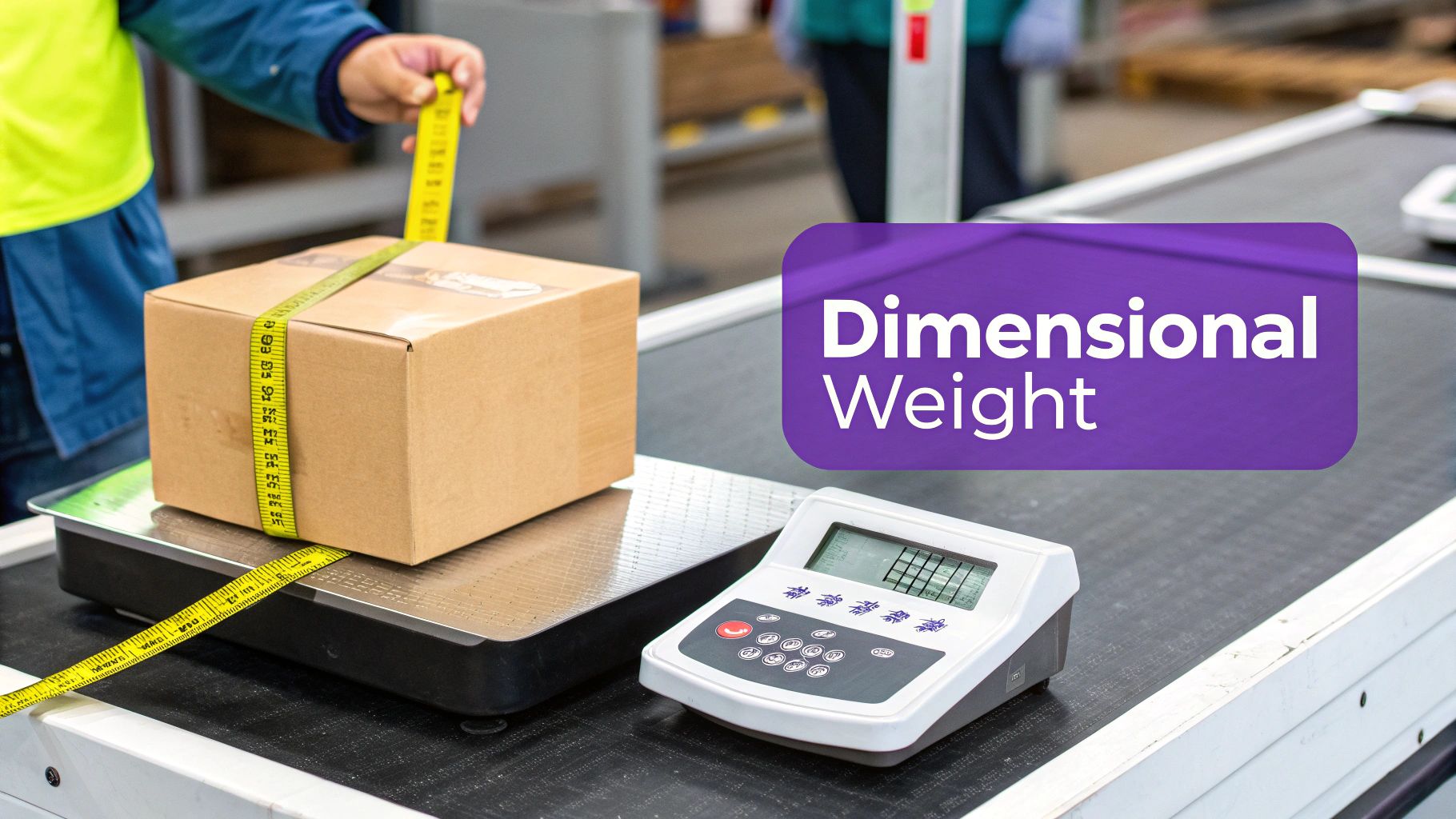
For businesses selling regulated items, this check is even more significant. For example, a lightweight but bulky rifle case might have an actual weight of 8 lbs but a DIM weight of 25 lbs. If your WooCommerce store only accounts for the 8 lbs, you will undercharge the customer and lose money on every single shipment of that product. These small errors, repeated across hundreds or thousands of orders, can quietly drain your revenue.
Why This Audit Check is Crucial
Accurate weight data is the foundation of accurate shipping rates. A common mistake is failing to account for the weight of the packaging itself, including the box, void fill, and packing tape. This seemingly minor oversight can add up, causing a consistent undercharge of $2 to $5 per shipment. Another frequent error is ignoring DIM weight rules entirely, which is particularly costly for products that are large but not heavy, like holsters, shooting targets, or firearm storage solutions.
Key Insight: Ignoring DIM weight is equivalent to giving carriers a blank check. As carriers increasingly tighten their DIM weight rules and divisors, failing to configure this correctly in WooCommerce means you are consistently paying more for shipping than you are charging your customers.
Actionable Audit Steps
To ensure your weight and dimension data is compliant and accurate, perform the following checks:
- Calibrate and Measure: Use a calibrated digital scale to weigh every product. Separately, weigh your standard boxes and all packaging materials. Record both the product weight and the total packaged weight in your product database.
- Record Dimensions: For every product, measure the length, width, and height of its final packaged form. This data is essential for accurate DIM weight calculations.
- Configure Packaging Weight: Ensure your WooCommerce shipping settings or plugins are configured to add the weight of the box and packing materials to the product weight before requesting a rate from the carrier API.
- DIM Weight Calculation Test: Manually calculate the DIM weight for several of your most common products using your carrier’s current formula (e.g., L x W x H / 139 for UPS and FedEx Daily Rates). Compare this with the rate your WooCommerce store quotes to confirm the calculations match.
- Utilize a DIM Weight Plugin: For complex inventories, consider using a specialized plugin designed to automate these calculations. These tools can handle different box sizes and apply carrier-specific rules automatically, reducing the risk of manual error.
6. Return, Refund, and Reverse Logistics Documentation
An often-overlooked yet critical part of a WooCommerce shipping compliance audit checklist is verifying that your return, refund, and reverse logistics processes are clearly documented, legally compliant, and correctly implemented. This audit ensures your policies align with consumer protection laws (like those from the FTC or CMA), are clearly communicated to customers, and that your system can handle the complexities of returned goods, especially regulated items. A poorly defined returns process not only creates customer dissatisfaction but also exposes your business to significant legal liability and regulatory fines.
For businesses selling firearms, this is non-negotiable. The return of a firearm is a highly regulated event that requires strict adherence to ATF rules and carrier policies. Simply having a customer mail back a handgun is a serious compliance violation; the process must involve another FFL and follow specific, documented procedures.
Why This Audit Check is Crucial
A robust reverse logistics policy directly impacts customer trust, legal standing, and operational insight. Without a clear policy, a business could face an FTC investigation for unfair or deceptive trade practices. Conversely, a well-implemented system, such as one that offers self-service return labels, can dramatically improve customer satisfaction and loyalty. Furthermore, tracking return reasons provides invaluable data, helping you identify product quality control issues or misleading descriptions.
Key Insight: Your return policy is not just a customer service document; it's a legal contract. For regulated products, it's also a critical component of your compliance framework. An ambiguous or non-compliant policy can lead to severe penalties and loss of licensure.
Actionable Audit Steps
To ensure your reverse logistics are compliant and effective, follow these practical steps:
- Policy Visibility Audit: Confirm that your return and refund policy is conspicuously displayed and easy to find. It should be linked in your site's footer and clearly referenced on product pages and during the checkout process.
- Legal Compliance Review: Review your policy against relevant consumer protection laws, such as the FTC's Mail, Internet, or Telephone Order Merchandise Rule and any country-specific regulations like the EU's 14-day "cooling-off" period. Ensure your terms are fair, legal, and unambiguous.
- Process Implementation Check: Use a plugin like the official WooCommerce Returns and Warranty Requests extension to manage the process. Test the return authorization (RMA) flow from a customer's perspective to ensure it is intuitive and functional.
- Documentation and Data Analysis: Ensure your system requires customers to select a reason for their return. Regularly analyze this data to spot trends. For example, a high return rate on a specific item could signal a manufacturing defect or an inaccurate product listing that needs immediate attention.
7. Hazardous Materials (Hazmat) Classification and Shipping Compliance
A crucial, high-stakes component of any WooCommerce shipping compliance audit checklist is the proper handling of hazardous materials (hazmat). This check verifies that products like lithium batteries, aerosols, flammable liquids (e.g., cleaning solvents, nail polish), and certain chemicals are correctly identified, classified, and shipped according to strict Department of Transportation (DOT) and carrier-specific regulations. Failure to comply can lead to severe fines, carrier account suspension, and significant safety risks.
For online stores selling products that fall under hazmat categories, this is not an optional check; it is a legal and operational necessity. Misclassifying an aerosol product and shipping it via air, for instance, can result in a fine exceeding $50,000 and create a dangerous situation in transit. Even seemingly harmless items require strict adherence to shipping protocols.
Why This Audit Check is Crucial
Hazmat compliance is one of the most rigorously enforced areas in shipping. Carriers like FedEx and UPS have zero tolerance for undeclared or improperly packaged hazardous goods. A common scenario is a business being suspended from a carrier's network for shipping products containing lithium batteries without the proper documentation and labeling. This instantly halts operations and can take weeks to resolve, leading to lost revenue and damaged customer trust. The legal and financial liability rests entirely on the shipper, not the carrier.
Key Insight: Ignorance of hazmat regulations is not a defense. Your business is fully responsible for identifying, classifying, and declaring every hazardous material you ship. A single oversight can trigger catastrophic financial and logistical consequences.
Actionable Audit Steps
To ensure your store is fully compliant with hazmat shipping rules, follow these specific actions:
- Inventory Hazmat Identification: Conduct a thorough audit of your entire product catalog to identify every item that could be classified as hazardous. This includes products with batteries, flammable contents, pressurized containers, or corrosive chemicals.
- Classification and Documentation: For each identified hazmat product, obtain the Safety Data Sheet (SDS) from the manufacturer. Use this document to correctly classify the item according to DOT regulations and determine the required packaging, labeling, and shipping declarations.
- Implement Shipping Rule Restrictions: Configure your WooCommerce shipping settings to automatically restrict hazmat products to compliant shipping methods. This typically means enforcing ground-only shipping and preventing international or air transit.
- Staff Training and Certification: Ensure that any team member involved in packing and shipping has received certified hazmat training. Document this training and schedule annual refreshers to stay current with regulatory changes.
- Verify System Logic: Use test orders to confirm that your shipping rules are working correctly. Add a hazmat item to the cart and verify that all non-compliant shipping options (like FedEx Priority Overnight) are hidden at checkout.
Properly configuring your store for these requirements is non-negotiable for safety and legal compliance. For a deeper understanding, explore these strategies for managing hazmat shipping restrictions in WooCommerce, which can help you automate and enforce these critical rules.
8. Shipping Rate Transparency and Disclosure Compliance
Beyond quoting accurate rates, your store must present all shipping-related costs to the customer transparently and upfront. This step in your WooCommerce shipping compliance audit checklist focuses on verifying that all fees, surcharges, and delivery timeframes are clearly disclosed before the final payment stage. Hidden or misleading costs not only create a poor customer experience but also violate consumer protection regulations like those enforced by the Federal Trade Commission (FTC) and the EU's Consumer Rights Directive, leading to potential fines and legal action.
This audit point is critical for maintaining trust and meeting legal standards. For businesses selling regulated items, where shipping can involve mandatory adult signature fees or special handling surcharges, failing to disclose these costs early in the process can lead to high cart abandonment rates and customer disputes. Transparency is not just good practice; it's a core compliance requirement.
Why This Audit Check is Crucial
Ambiguous or hidden shipping costs are a primary reason for cart abandonment and can trigger regulatory scrutiny. For example, the FTC has taken action against online sellers for advertising low product prices while adding significant, poorly disclosed shipping and handling fees at the final step of checkout. Similarly, in the UK, regulators have fined retailers for not being clear about delivery charges. These scenarios highlight the legal and financial risks of non-transparent pricing structures.
Key Insight: Full transparency in shipping costs builds customer trust and reduces legal risk. Clearly itemizing all charges, including handling fees or carrier-imposed surcharges, demonstrates honesty and prevents the negative perception of being "nickeled and dimed" at checkout.
Actionable Audit Steps
To ensure your store meets transparency standards, perform the following checks:
- Early Cost Estimation: Review your product and cart pages. Implement a feature that displays estimated shipping costs early, perhaps using a zip code estimator, so customers are not surprised at checkout.
- Itemize All Fees: Go through your checkout process. Ensure any additional charges like "Handling Fees," "Adult Signature Required," or "Fuel Surcharges" are listed as separate, clearly labeled line items rather than being bundled into a single, vague shipping cost.
- Verify Pre-Payment Disclosure: Confirm that the final, total shipping cost is displayed before the customer is asked to enter their payment information. This is a key requirement for many consumer protection laws.
- Check Delivery Timeframes: Audit your shipping method labels in WooCommerce (e.g., "FedEx Priority Overnight"). Ensure they are accompanied by clear delivery estimates (like "1-2 Business Days") to manage customer expectations and comply with disclosure rules.
- Review "Free Shipping" Policies: If you offer free shipping promotions or trials, ensure the terms are compliant with the FTC's Negative Option Rule, which governs subscription-based services and automatic renewals.
8-Point WooCommerce Shipping Compliance Audit Comparison
| Audit Area | Implementation Complexity 🔄 | Resource Requirements ⚡ | Expected Outcomes 📊 | Ideal Use Cases 💡 | Key Advantages ⭐ |
|---|---|---|---|---|---|
| Carrier Compliance and Rate Accuracy Verification | Medium–High — multi-carrier API sync and rate mapping 🔄 | Carrier APIs, test orders, negotiated account access, periodic testing ⚡ | Accurate customer charges; fewer carrier disputes; recovered revenue 📊 | Multi-carrier stores; negotiated-rate accounts; high shipping volume 💡 | Prevents underquoting; reduces customer complaints; early API-failure detection ⭐ |
| International Shipping Regulations and HS Code Compliance | High — complex, country-specific rules and classifications 🔄 | HS code database, customs broker access, compliance software, ongoing updates ⚡ | Fewer customs holds/fines; correct duties/taxes; predictable delivery times 📊 | Cross-border sellers; varied product catalog; high-value international orders 💡 | Avoids delays/fines; accurate duty calculation; enables market access ⭐ |
| Tax Nexus and Sales Tax Calculation on Shipping Charges | High — nexus and jurisdictional rules vary widely 🔄 | Tax engine (Avalara/TaxJar), tax counsel, rule matrix, automated reporting ⚡ | Correct tax remittance; reduced audit exposure; accurate financials 📊 | Multi-state/marketplace sellers; stores with mixed taxable policies 💡 | Ensures tax compliance; reduces penalties; automates complex calculations ⭐ |
| Address Validation and Shipping Address Standardization | Low–Medium — straightforward API integration with edge cases 🔄 | Address validation API (SmartyStreets/Loqate/USPS), checkout plugin, monitoring ⚡ | Lower NDM/return rates; higher delivery success; improved claims handling 📊 | High-volume fulfillment; international shipments; manual-entry checkouts 💡 | Reduces failed deliveries; lowers costs; improves customer experience ⭐ |
| Package Weight and Dimensional Weight Compliance | Medium — requires accurate measurement and DIM rules per carrier 🔄 | Calibrated scales, DIM calculators, product/package database, periodic audits ⚡ | Accurate billing versus carriers; optimized packaging; protected margins 📊 | Bulky/light-item merchants; fulfillment centers; high volumetric charges 💡 | Prevents billing disputes; reduces overcharges; enables packaging optimization ⭐ |
| Return, Refund, and Reverse Logistics Documentation | Medium — policy + process + systems required 🔄 | RMA system, clear policy docs, return labels, staff/fulfillment workflows ⚡ | Fewer disputes/chargebacks; legal compliance; insights on returns trends 📊 | Retailers with notable return rates; subscription businesses; regulated markets 💡 | Protects legally; improves customer trust; streamlines reverse logistics ⭐ |
| Hazardous Materials (Hazmat) Classification and Shipping Compliance | Very High — strict regulations and safety-critical requirements 🔄 | Hazmat experts, specialized packaging/labels, certifications, carrier approvals ⚡ | Safe, legal shipments; avoided fines/account suspension; maintained insurance cover 📊 | Sellers of batteries, chemicals, aerosols, flammables; regulated industries 💡 | Ensures safety/compliance; prevents severe legal exposure; preserves carrier access ⭐ |
| Shipping Rate Transparency and Disclosure Compliance | Medium — UX/legal changes and real-time calculations 🔄 | Real-time rate engines, UI updates, legal review, accurate address data ⚡ | Reduced cart abandonment; regulatory compliance; clearer customer expectations 📊 | D2C retailers; marketplaces; stores with surcharges or thresholds 💡 | Builds trust; reduces disputes/chargebacks; improves conversion rates ⭐ |
From Checklist to Confidence: Automating Your Compliance Framework
Completing a manual review using a WooCommerce shipping compliance audit checklist is a monumental and necessary step toward securing your business. You've meticulously navigated the labyrinth of carrier rules, tax nexus obligations, and hazardous material classifications. This initial, thorough audit establishes a crucial baseline, transforming abstract regulatory threats into a tangible, manageable action plan for your firearms eCommerce operation.
However, the reality of this industry is that compliance is not a one-time project; it is a continuous operational discipline. The regulatory landscape for firearms and related products is in a constant state of flux. State laws, county ordinances, and even carrier policies can change with little notice, rendering a once-perfect manual setup obsolete and non-compliant overnight. Relying solely on periodic manual checks is like navigating a minefield with an old map; it's a high-stakes gamble against inevitable human error and outdated information.
Beyond the Manual Audit: The Case for Automation
The true goal is to evolve from a reactive, checklist-driven process to a proactive, automated compliance framework. This is where the power of strategic automation becomes not just a convenience, but a core component of your risk management strategy. An automated system doesn't get tired, doesn't forget a rule, and doesn't take shortcuts. It acts as a vigilant, 24/7 gatekeeper for every single transaction.
Imagine a system that:
- Instantly validates addresses against a continuously updated database of federal, state, and local shipping restrictions.
- Automatically blocks or allows specific products from being shipped to prohibited destinations, removing the burden of manual verification from your team.
- Enforces complex shipping rules based on product categories, shipping classes, and customer roles without any manual intervention.
- Creates a digital, defensible audit trail for every shipping decision, providing invaluable documentation in the event of a regulatory inquiry.
This is the shift from "doing compliance" to "being compliant." Automation embeds your rules directly into the fabric of your WooCommerce checkout process, making adherence the default standard, not a manual task to be remembered.
Building a Resilient and Scalable Operation
Implementing a robust rule engine is about more than just avoiding fines or penalties. It's about building a resilient and scalable business foundation. When your compliance is automated, you free up invaluable time and mental energy. Instead of constantly worrying about the latest legislative update from a specific state, you can focus on strategic growth initiatives like marketing, customer service, and product expansion.
Key Takeaway: An automated compliance system transforms your shipping process from a potential liability into a strategic asset. It protects your Federal Firearms License (FFL), enhances operational efficiency, and provides the peace of mind necessary to grow your business with confidence in a highly regulated market.
This WooCommerce shipping compliance audit checklist has equipped you with the knowledge to identify your vulnerabilities. Now, the critical next step is to implement a system that hardens those defenses permanently. By leveraging the right tools, you can ensure that your commitment to compliance is not just a point-in-time achievement but an enduring operational strength that safeguards the future of your business.
Ready to move beyond manual checklists and automate your shipping compliance? Ship Restrict provides the powerful, flexible rule engine you need to enforce complex shipping restrictions for firearms and regulated products directly within WooCommerce. Visit Ship Restrict to see how you can build a smarter, safer, and more scalable shipping operation today.
Automate Shipping Compliance
Stop worrying about restricted states. Ship Restrict handles it automatically.

Cody Yurk
Founder and Lead Developer of ShipRestrict, helping e-commerce businesses navigate complex shipping regulations for regulated products. Ecommerce store owner turned developer.
Automate Shipping Compliance
- Block restricted states
- No more cancellations
- Set and forget
3-day free trial · Card required