Complete Commercial Invoice Fedex for Regulated Goods
Learn how to complete a commercial invoice fedex for international shipments, especially for regulated goods. Avoid common mistakes and streamline your process.
The first international order usually feels great right up until you realize the label isn't the hard part. The hard part is the paperwork that decides whether customs lets the package move or parks it in a warehouse.
For a firearms retailer, that pressure shows up fast. You're not shipping novelty socks. You're shipping regulated goods, controlled parts, accessories that may be legal in one place and restricted in another, and product descriptions that can't be vague without creating risk. If your WooCommerce store just accepted an overseas order for a firearm accessory, replacement component, optic mount, or another exportable item, the FedEx commercial invoice is the document that will either keep the shipment moving or create a problem.
New e-commerce managers often treat the invoice like a formality. That's the mistake. In practice, it's a customs declaration with legal and financial consequences. If the description is sloppy, if the origin data is wrong, if the line items don't match the shipment, or if the values don't make sense, customs can stop the shipment before your customer ever sees a tracking update that matters.
For regulated goods, “close enough” doesn't work. The invoice has to describe what the goods are, who's sending them, who's receiving them, what they're worth, where they were made, and how the transaction is structured. It also has to fit into a workflow your team can repeat without hand-editing every order.
Automate Shipping Compliance
Block orders to restricted states automatically. 3-day free trial.
Start Free TrialYour First International Order and the Commercial Invoice
A common first scenario looks like this. The order comes through overnight. The customer is legitimate, the payment clears, the destination appears serviceable, and everyone gets excited because international expansion finally looks real.
Then the shipping team opens FedEx, sees the commercial invoice requirement, and starts asking the same questions every new exporter asks. What exactly goes on it? How detailed do we need to be? Do we list accessories separately? What if the store data doesn't include country of origin for every SKU? What if the product name in WooCommerce is customer-friendly but useless to customs?
That's where a lot of avoidable errors begin.
In a firearms operation, those errors have more weight than they do in a generic retail store. A vague line like “gun parts” doesn't help customs classify the goods. It also invites scrutiny you don't want. On the other hand, a precise description that matches the item, the packing details, and the order record gives customs a cleaner file to review.
Practical rule: If a customs officer can't tell what the item is from the invoice alone, the description isn't finished.
The best way to approach your first FedEx commercial invoice is to stop thinking about it as an afterthought created after packing. Treat it as the final output of your product data. If your SKU records, weights, values, origin details, and descriptions are clean in WooCommerce, the invoice is manageable. If they're messy, the invoice will expose that immediately.
That's also why regulated-goods teams need operational discipline before they need carrier paperwork. If your checkout accepts orders you later discover you can't legally ship, the invoice is already too late in the process. The cleanest shipment is the one your system was allowed to accept only after location, product, and restriction rules were checked.
What a FedEx Commercial Invoice Is and Why It Matters
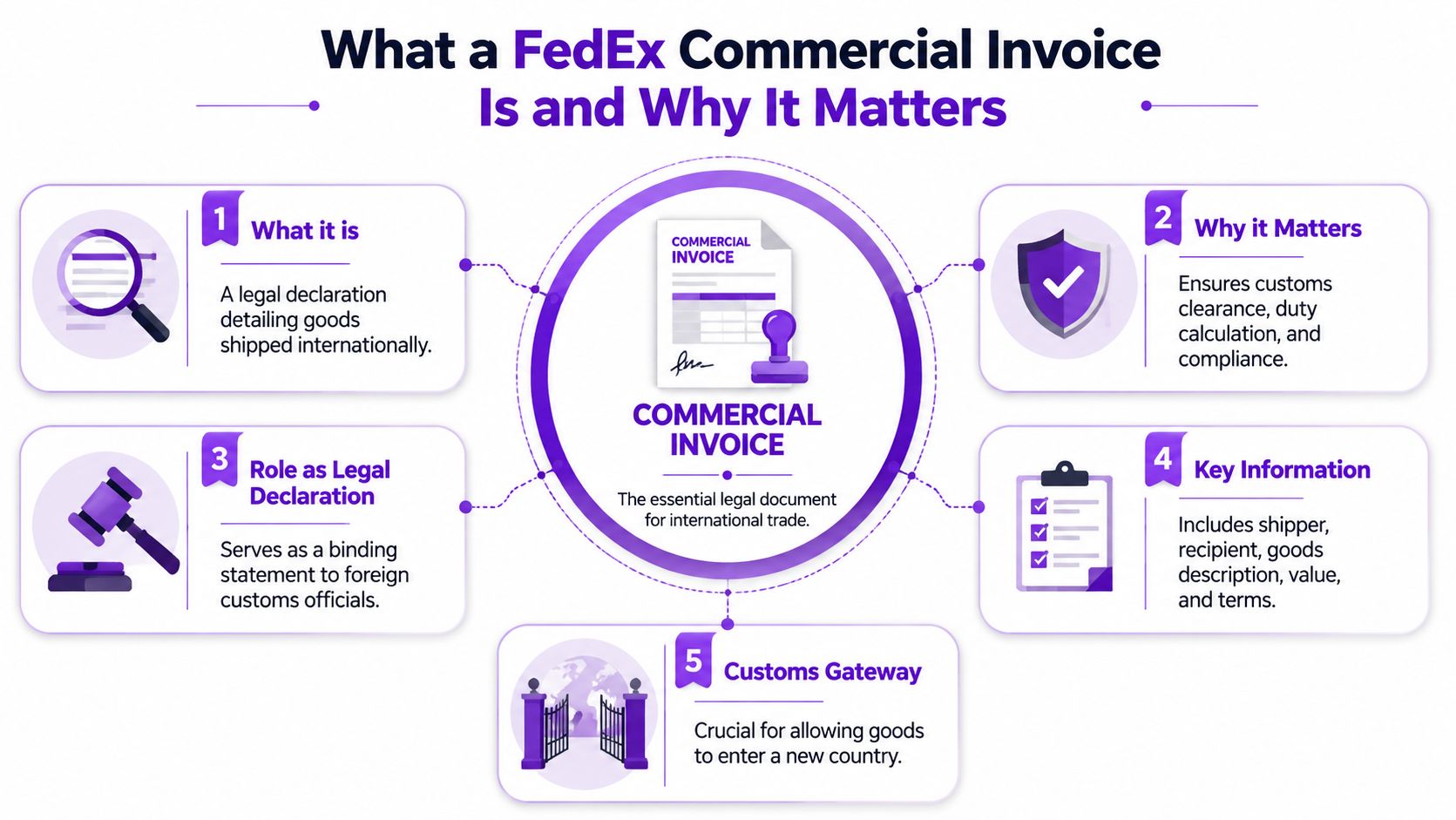
A FedEx commercial invoice is not just a document you attach because the carrier says so. It is the core customs document for the shipment. FedEx describes the Commercial Invoice as the primary document used by most foreign customs agencies for import control, valuation, and duty determination, and says it is the foundation for all other international shipping documents. FedEx also states that it is required for all international commodity shipments in its guidance on international shipping documents.
That point matters because many new managers confuse three different things:
Free Shipping Compliance Audit
We'll review your WooCommerce store's shipping compliance for free.
- The shipping label, which tells FedEx where the package goes
- The packing slip, which helps the customer and warehouse identify contents
- The commercial invoice, which tells customs what the shipment is in a form they can assess
Only one of those serves as the customs valuation document. That's the commercial invoice.
Why customs cares
Customs doesn't care that your warehouse knows what's in the box. Customs cares whether the declared goods are described clearly enough to classify, value, and admit under the destination country's import rules. For regulated categories, that review can become stricter because the product type itself raises compliance questions.
Think of the commercial invoice as the shipment's passport. It identifies the goods, states the transaction terms, and gives the reviewing authority a structured record to rely on. If the passport is incomplete or inconsistent, the package doesn't travel smoothly.
A clean invoice reduces confusion. A confusing invoice creates questions, and customs always gets to ask the questions.
When it applies and when it doesn't
FedEx's rule is broad. If you're shipping an international commodity shipment, the commercial invoice is required. In plain language, that means shipments containing goods with commercial value, not ordinary document-only traffic.
For a firearms retailer, that usually means the invoice applies to most cross-border product exports you would consider shipping. Accessories, components, mounts, tools, branded merchandise, and replacement items can all fall into that workflow if the transaction involves goods rather than simple paperwork.
Why it matters more for regulated goods
With regulated goods, customs is already looking for precision. Product description, declared value, country of origin, and transaction terms can all influence how the shipment is reviewed. If your internal teams treat the invoice like a clerical task, they'll miss the fact that it's a compliance document first.
That's why experienced operations teams build the invoice from product data, not from memory. The shipment moves better when the store record, the warehouse pick, the airway bill, and the customs declaration all say the same thing.
Completing the Commercial Invoice Field by Field
The invoice gets easier once you stop looking at it as one big form and start looking at it as a series of fields that each answer a customs question.
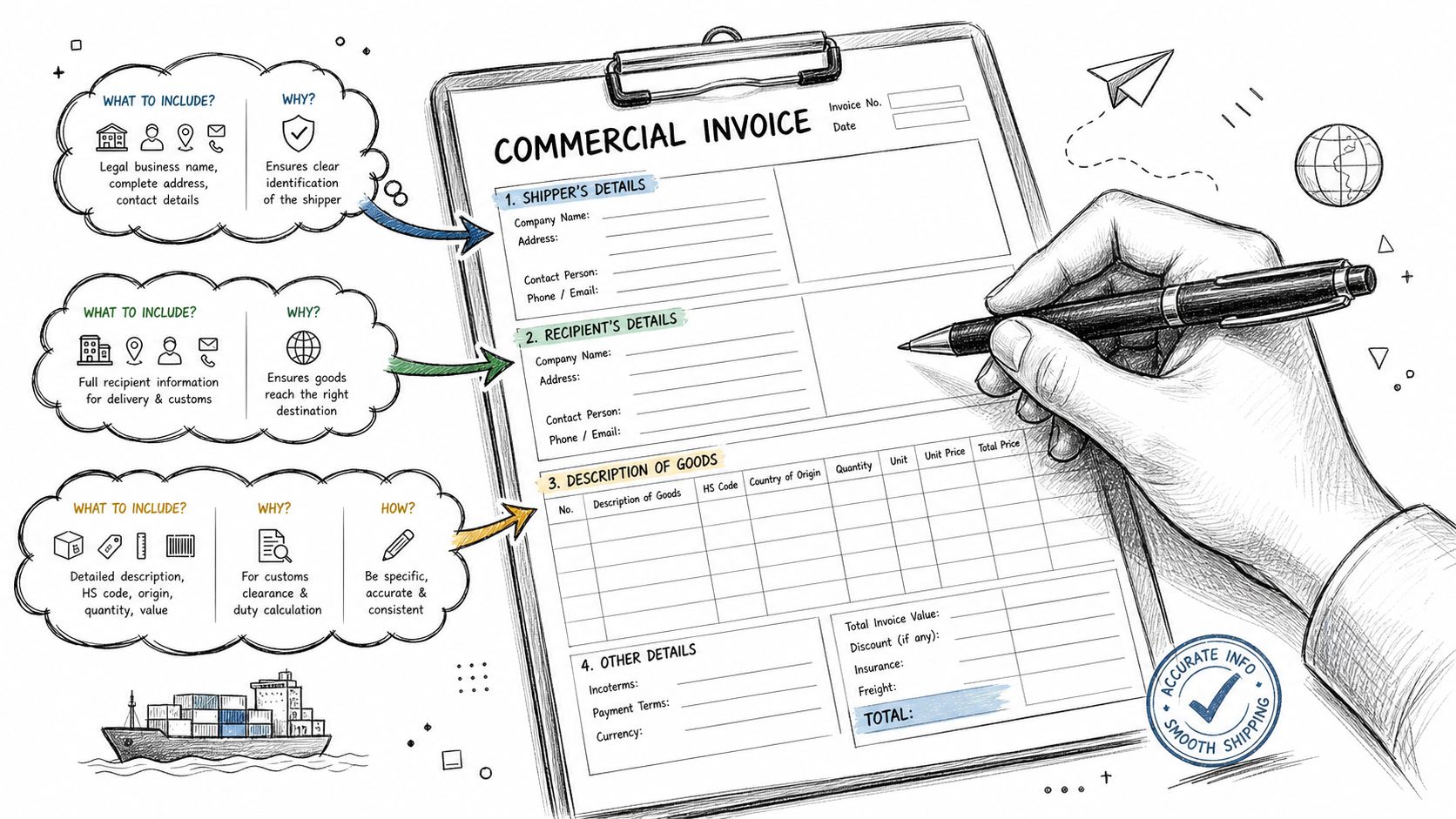
FedEx states that a compliant commercial invoice must be completed in English and include the shipping date, airway bill number, Incoterms, goods description, quantity, HS code, declared value, insurance costs, country of origin, weight, and a signature. It must also identify the shipper and receiver with full contact details and tax numbers, according to FedEx's commercial invoice requirements.
Start with the parties and shipment identifiers
The shipper and receiver fields need to be complete, formal business or personal details, not shorthand copied from an email footer. Use the legal seller identity that owns the goods. Include addresses, contact details, and tax identifiers where required.
The shipping date and airway bill number tie the invoice to the actual shipment. If your team generates invoices outside the carrier workflow and then edits labels later, this is one place where records drift apart.
For firearms retailers, one practical issue comes up often: the warehouse address isn't always the legal exporter identity. If goods ship from a fulfillment site or 3PL, make sure the invoice still reflects the correct seller or owner where required by your shipping setup and trade process.
Use Incoterms deliberately
Incoterms aren't decoration. They tell customs and the buyer how costs and responsibilities are allocated in the transaction. If your team selects them casually, you'll create confusion about who handles charges at destination and what the invoice value represents.
If your e-commerce manager is new to cross-border tax handling, a practical primer on VAT obligations is useful before setting destination-facing workflows. This UK and EU VAT registration guide helps frame the tax side without turning the invoice itself into guesswork.
Write goods descriptions like a compliance person, not a marketer
At this point, regulated-goods teams either help themselves or hurt themselves.
A product title written for conversion usually isn't good enough for customs. “Premium Tactical Upgrade Kit” may sell well on a product page, but it tells customs almost nothing. Your invoice description should identify what the item is.
Examples of stronger invoice language for regulated retail include:
- Specific component naming: “Rifle scope mount, aluminum”
- Replacement part identification: “Steel trigger housing component”
- Accessory description: “Polymer magazine pouch”
- Tool description: “Armorers wrench for firearm maintenance”
Avoid umbrella terms like “parts,” “gear,” or “sporting goods” when a more precise description is available in your catalog data.
Working standard: The invoice should describe the item well enough that a reviewer can understand the product without opening your website.
HS code, origin, quantity, weight, and value
These fields perform essential customs work. They also need line-level discipline.
<table> <thead> <tr> <th>Field Name</th> <th>Purpose</th> <th>Pro-Tip for FFL Retailers</th> </tr> </thead> <tbody> <tr> <td>HS code</td> <td>Classifies each item for customs review</td> <td>Map codes at the SKU level, not by collection or category</td> </tr> <tr> <td>Country of origin</td> <td>States where the product was manufactured</td> <td>Don't use warehouse location as origin</td> </tr> <tr> <td>Quantity</td> <td>Shows how many units are in the shipment</td> <td>Match the physical pack count exactly</td> </tr> <tr> <td>Weight</td> <td>Supports customs and shipment consistency</td> <td>Use maintained product weights from WooCommerce, not estimates</td> </tr> <tr> <td>Declared value</td> <td>States the item value for customs</td> <td>Keep line-item values consistent with the order record and invoice logic</td> </tr> </tbody> </table>FedEx's documentation guidance also points to line-level specificity and consistency across invoice, airway bill, and shipment details. For stores shipping items that may trigger special handling rules, that same product-data discipline matters elsewhere too. If your catalog includes dangerous goods or anything adjacent to hazmat controls, review these hazmat shipping regulations for WooCommerce stores so your product records don't break down when it's time to document a shipment.
After you've mapped those fields, review a walkthrough before training staff on the process:
<iframe width="100%" style="aspect-ratio: 16 / 9;" src="https://www.youtube.com/embed/WLHFKezDQRQ" frameborder="0" allow="autoplay; encrypted-media" allowfullscreen></iframe>Don't forget insurance costs and signature
Teams often remember the product lines and forget the formalities. FedEx requires the invoice to be signed, and its instructions also call for insurance costs to be included where applicable.
That matters because the commercial invoice is a transaction record, not a casual summary. If your store, shipping software, and carrier settings don't capture those fields cleanly, you'll end up hand-editing invoices at the worst possible time, usually when the order is packed and the carrier cutoff is close.
Electronic Submission with FedEx ETD
If your team still prints commercial invoices, signs them, makes copies, and hopes the paperwork stays with the box, you're carrying avoidable risk.
Electronic Trade Documents, usually called FedEx ETD, is the better workflow. It moves the customs documents through the carrier system digitally instead of making the package depend on a pouch, a printer, and a warehouse employee remembering which copy goes where. For regulated goods, that matters because document loss and document mismatch are operational problems you can prevent.
Why ETD is the practical choice
Paper works until it doesn't. A printed invoice can be missing, damaged, attached incorrectly, or out of sync with a revised shipment. ETD reduces those failure points because the submission happens as part of shipment creation.
That doesn't remove the need for accurate data. It just removes one common source of avoidable friction.
The strongest reason to use ETD is control. When the invoice is generated from the same system that creates the label, your records are less likely to drift. Your shipping team can review the shipment data before tender, submit the documents with the shipment, and keep a cleaner audit trail.
How to fit ETD into a WooCommerce operation
Most stores don't fail here because ETD is complicated. They fail because product data is incomplete before the order reaches the shipping screen. If WooCommerce lacks origin data, accurate weights, usable product descriptions, or consistent customs fields, ETD just delivers a bad invoice faster.
A better setup looks like this:
- Keep product data complete: Maintain origin, value, weight, and description at the SKU level
- Use shipping software that supports trade documents: Don't rely on manual uploads if your volume is growing
- Review before tender: Treat ETD submission as the final compliance check, not a blind automation step
Teams that want to reduce hand-processing across finance and shipping can also learn from broader AI-powered invoice workflows. The tools discussed there aren't a substitute for customs judgment, but they do reinforce the same principle. Structured data beats manual retyping every time.
Where ETD still doesn't save you
ETD won't fix a bad description. It won't choose the right HS code for you. It won't resolve whether a restricted item should have been accepted for international checkout in the first place.
It's a transmission method, not a compliance brain.
Use it anyway. Just pair it with a catalog and order workflow that produces invoice-ready records before the shipment reaches FedEx.
Avoiding Costly Mistakes and Customs Delays
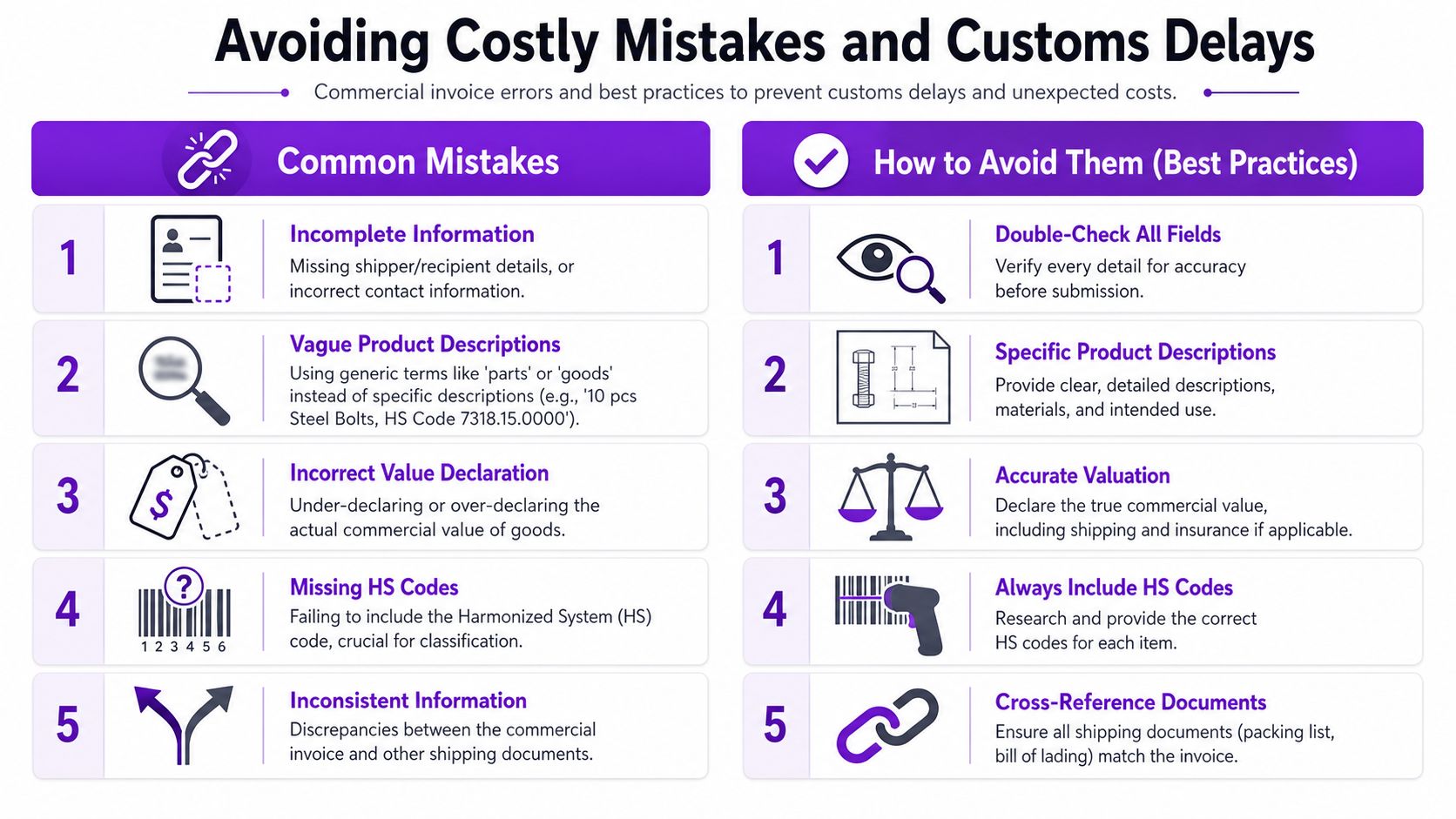
The mistake often worried about is a typo. The mistake that usually causes bigger trouble is inconsistency.
FedEx's documentation guidance identifies the most common pitfall as a mismatch between invoice data and the airway bill or shipment contents, and it advises e-commerce teams to standardize SKU-level descriptions, origin, weights, and Incoterms in the OMS or WooCommerce workflow so the invoice can be generated with minimal manual editing. That guidance is in FedEx's commercial invoice instructions PDF.
The declared value problem
New managers often think “declared value” is obvious. It isn't.
There's the customs-facing value on the commercial invoice, and there may also be carriage or insurance-related values elsewhere in the shipment workflow. If your team treats those as interchangeable, you can create internal confusion fast. The issue gets more complicated when freight, insurance, packing, or handling costs need to be reflected and your software doesn't support clean allocation.
That's not a hypothetical problem. Shipping platform users have specifically raised questions around extra cost fields such as freight, insurance, packing, and handling in FedEx invoice workflows, which shows how often merchants run into this ambiguity in real operations, as discussed in the ShippingEasy community thread on FedEx commercial invoices.
For firearms and related regulated goods, the takeaway is simple. Don't let the invoice become an improvised accounting document at pack time. Decide in advance how your business will handle shared shipping costs, insurance presentation, and line-item valuation logic.
If finance, operations, and shipping would answer “what value belongs on this invoice?” three different ways, customs paperwork will expose the problem.
The descriptions that create scrutiny
Vague descriptions invite questions. Over-marketed descriptions also invite questions. You need the middle ground that identifies the product accurately without sounding like ad copy or concealment.
Bad examples:
- “Gun parts”
- “Sporting accessory”
- “Tactical goods”
Better examples:
- “Aluminum optic mount”
- “Replacement steel sight component”
- “Polymer rifle case accessory”
That same precision matters in the rest of your cross-border compliance process. If your team is still sorting out what documents belong with restricted or sensitive shipments, this guide to cross-border restricted goods documentation is worth reviewing alongside your invoice procedure.
A practical pre-flight review
Before release, compare the invoice against the actual shipment, not just the order screen.
Use a simple review sequence:
- Match the line items: The invoice should describe what is physically in the box
- Check the identifiers: Airway bill reference and order references should align
- Review origin and weights: These should come from maintained product records, not memory
- Read the descriptions aloud: If they sound vague, rewrite them
- Check cost fields: Make sure declared values and any insurance entries follow your internal rules
What works and what doesn't
What works is boring. Standardized SKUs, maintained origin records, controlled descriptions, reviewed Incoterms, and one source of truth in WooCommerce.
What doesn't work is last-minute editing by whichever employee happens to print the label. That approach produces mismatches, inconsistent terminology, and values nobody can explain later if a shipment is challenged.
Streamline Compliance with WooCommerce and Ship Restrict
The cleanest FedEx commercial invoice usually starts long before anyone opens a carrier screen. It starts with how your WooCommerce catalog is built.
If each SKU has a usable customs description, maintained weight, correct country of origin, and a consistent valuation record, invoice generation becomes an output of your store data instead of a separate clerical task. That's the shift new e-commerce managers need to make. Don't “prepare invoices.” Prepare products and orders so invoices are easy.
WooCommerce should be your source of truth
For regulated goods, the product page isn't just merchandising. It's upstream compliance data.
That means your product records should carry:
- Clear operational descriptions: Not just storefront titles
- Origin data: At the individual item level
- Stable weights: Maintained for the exact sellable SKU
- Consistent item values: So customs records aren't improvised later
If your team is still deciding whether WooCommerce is the right long-term stack compared with hosted platforms, this breakdown that lets you compare WooCommerce and Shopify features is useful from an operations perspective, especially when you need control over product metadata and restricted-shipping logic.
Restrict bad orders before invoice work begins
A lot of shipping headaches aren't really invoice problems. They're order-acceptance problems. If the store lets a customer place an order to a destination you shouldn't serve, the invoice process becomes damage control.
That's where a rules engine matters. Ship Restrict is a WooCommerce plugin that automates location-based shipping restrictions for regulated products, including firearms, so stores can block or limit non-compliant orders before checkout rather than discovering the issue at fulfillment. Its workflow fits the same discipline required for cleaner commercial invoice processing.
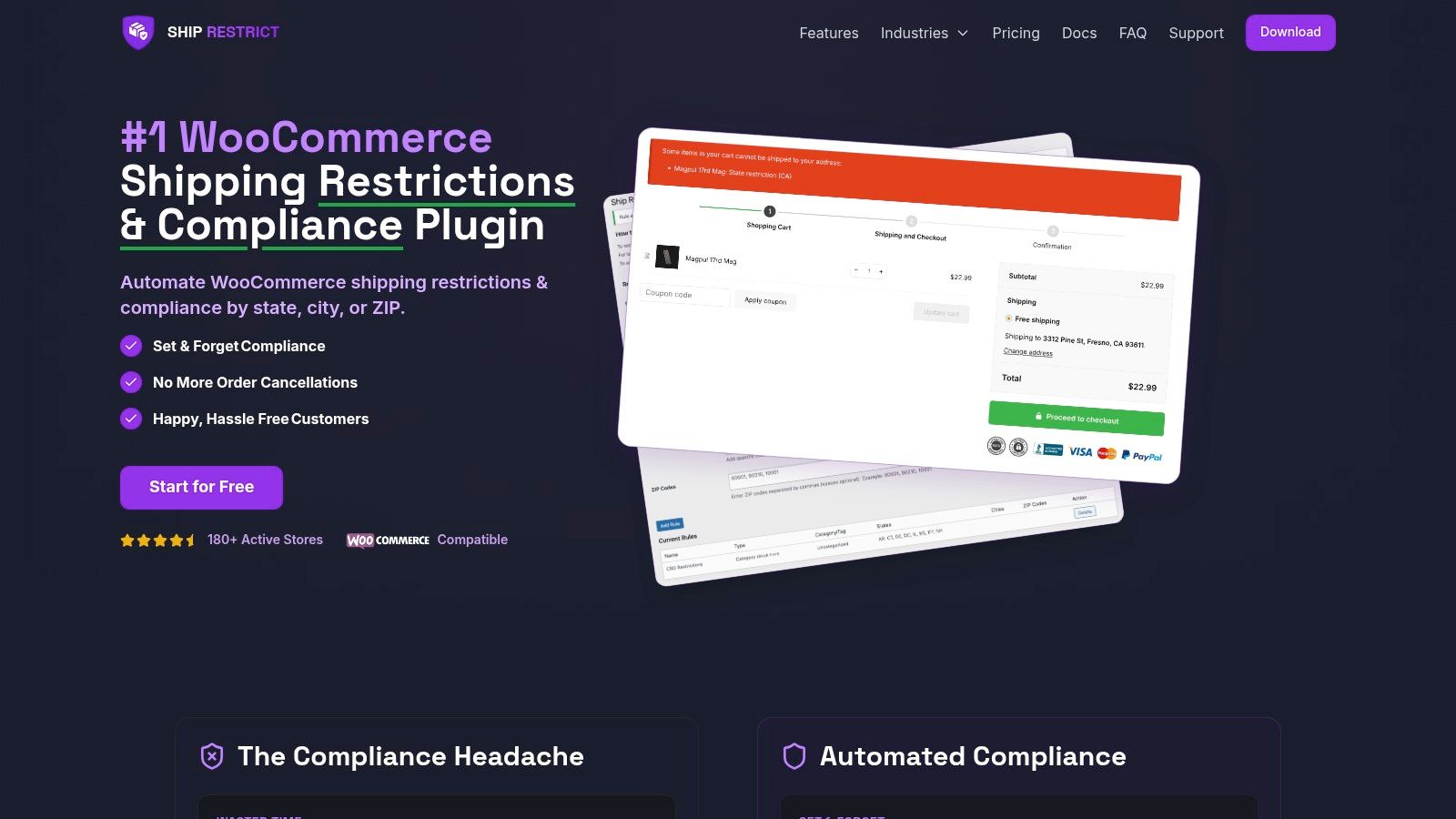
That approach changes the workload. Instead of asking the shipping team to rescue bad orders with manual review, you prevent those orders from entering the system in the first place. For regulated categories, that's a much better use of staff time.
Operational takeaway: The best compliance document is the one built from clean data after the wrong order was blocked earlier in the workflow.
If you're building a more automated process around destination controls, checkout enforcement, and shipping-rule logic, this article on automated shipping compliance for WooCommerce stores is a useful companion to your invoice SOP.
A good setup looks simple from the outside. Customer places an allowed order. WooCommerce stores complete product data. Shipping software generates the label and trade documents. The invoice reflects what's in the box. Customs gets a consistent record. Your team spends less time fixing preventable errors.
That's what you want. Not clever paperwork. Just repeatable compliance.
If your store sells regulated products and you want to stop bad shipments before they turn into customs, carrier, or legal problems, take a look at Ship Restrict. It helps WooCommerce merchants enforce shipping restrictions before checkout, which makes the downstream work, including FedEx commercial invoice handling, much easier to control.
Automate Shipping Compliance
Stop worrying about restricted states. Ship Restrict handles it automatically.

Cody Yurk
Founder and Lead Developer of ShipRestrict, helping e-commerce businesses navigate complex shipping regulations for regulated products. Ecommerce store owner turned developer.
Automate Shipping Compliance
- Block restricted states
- No more cancellations
- Set and forget
3-day free trial · Card required