Apps for Wholesalers: A Practical Buyer's Guide
Find the best apps for wholesalers with this practical buyer's guide. Compare B2B, inventory, and WooCommerce tools built for regulated products.
You're probably staring at a wholesale store that works, but only because people keep patching it together by hand. One tab holds stock, another holds pricing, a third holds order notes, and somebody in ops is still checking shipping rules by memory when the product mix gets tricky. That setup doesn't scale, and it definitely doesn't belong in a regulated catalog where one bad shipment can create a much bigger mess than a lost sale.
Apps for wholesalers need to be treated like a stack, not a shopping list. Buyers now expect digital self-service, and McKinsey reported in 2020 that 70% to 80% of B2B decision-makers preferred remote or digital interactions, while 70% of business buyers were willing to spend up to $500,000 in a fully remote or self-service model (McKinsey research summary). That shift is why the key question is no longer whether to use wholesale software, but which layers belong in your workflow and which ones just add dashboard noise.
The Wholesale Order Has Changed
A normal morning for a wholesale operations manager starts with the same bad habit, switching between systems that never agreed on a single source of truth. Inventory sits in one tab, customer records in another, pricing lives in a spreadsheet, and shipping exceptions are buried in email while someone keeps a separate note for the states or ZIP codes that cannot receive certain products. By lunchtime, the team has already burned hours on manual checks that should have been automatic.
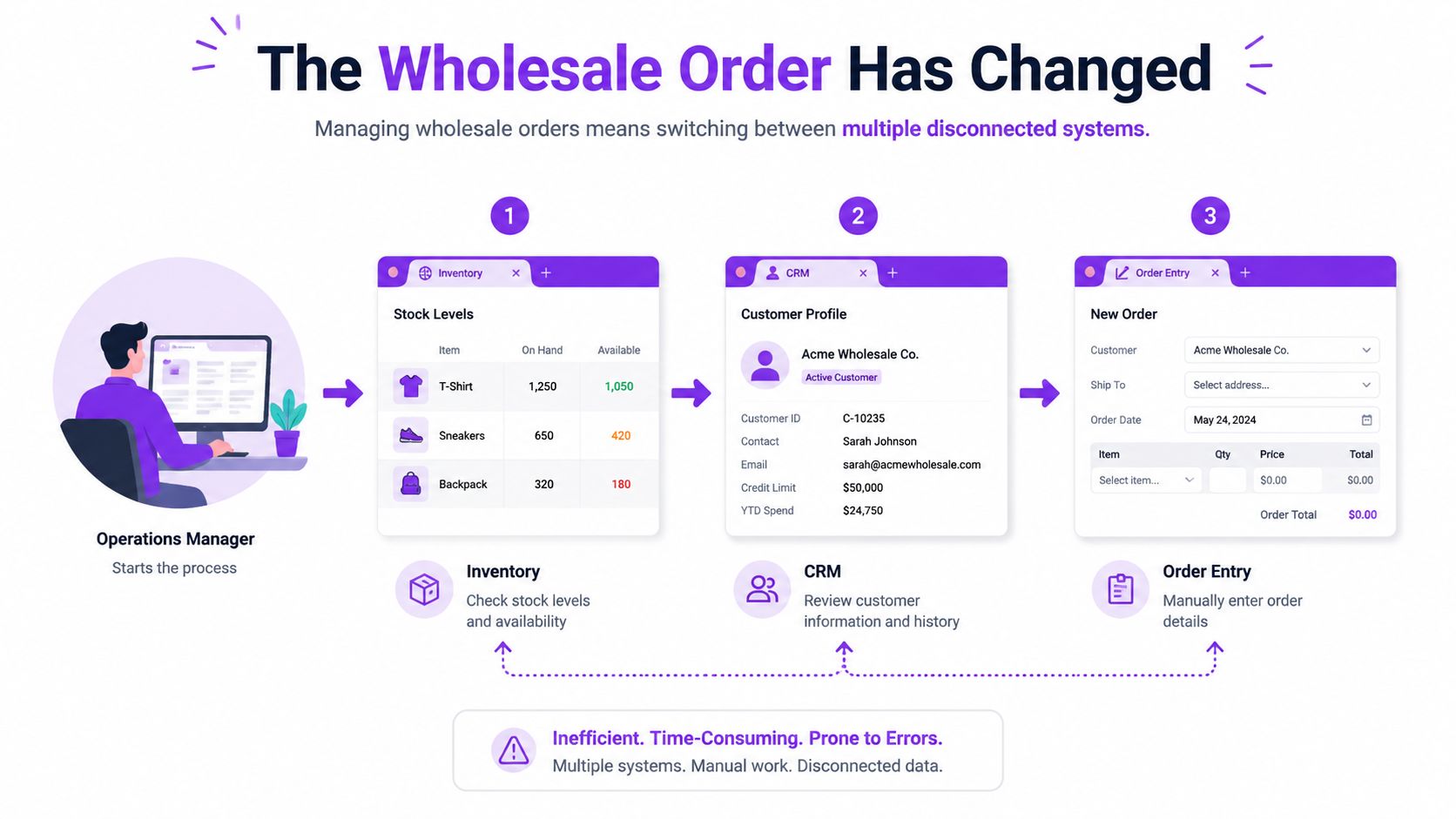
The old model assumed a rep, a phone call, and a spreadsheet could carry the whole order. That worked when order volume was lower and the product rules were simpler. It breaks fast when buyers want self-service, buyers expect account-specific pricing, and your team has to decide whether a restricted SKU can ship to a specific address before checkout.
Automate Shipping Compliance
Block orders to restricted states automatically. 3-day free trial.
Start Free TrialWhat the stack replaces
The right setup does not start with a single app. It starts with a stack that connects ordering, inventory, pricing, and shipping enforcement so every order is validated before it creates work for your team. That is the practical response to the digital buying shift McKinsey described, because buyers are already comfortable making complex purchases remotely.
A wholesale store should not ask staff to retype the same order into three systems.
For regulated catalogs, that stack also has to protect the business before checkout, not after. If you feel the pain in WooCommerce, start with your shipping rules, then decide which other tools earn their place. For a close look at extension options, see WooCommerce extensions for shipping restrictions.
What Counts as a Wholesale App
A wholesale app is not a vibe, and it is not just a prettier catalog. It is any tool that helps a buyer, rep, or internal staff member perform one wholesale job, such as browsing account-specific pricing, reordering, validating stock, managing fulfillment, or blocking a shipment that should not go out the door. If the tool does not change one of those jobs, it is probably decorative.
Define the job before you define the vendor
The cleanest way to sort these tools is by function. A B2B ordering portal handles buyer login, catalog access, and ordering. An inventory app handles stock accuracy. An OMS manages order flow between channels and warehouses. ERP modules and CRM tools sit deeper in the business and usually support account management, pricing logic, and downstream reporting.
That distinction matters because a generic WooCommerce extension is not interchangeable with a dedicated B2B suite. One may give you a quick shortcut for discounts or a reordered form, while the other is built to manage contract pricing, multi-user accounts, and more complex workflows. Mixing those up is how merchants buy the wrong app first, then bolt on three more tools to recover.
Use this definition before you shortlist anything. It keeps the conversation honest and stops sales pages from blurring together. If a product claims it is an all-in-one wholesale answer, ask which job it owns, which system it syncs with, and what it leaves for someone else to handle.
For a stricter view of the shipping layer that often gets ignored until late, review the best WooCommerce extensions for shipping restrictions. That is where the line between a storefront tool and a compliance tool gets obvious.
The Five App Categories Every Wholesaler Runs
The wholesale stack only works when each layer has a job and stays in its lane. The categories overlap in places, but they are not substitutes for one another. A team that buys the wrong one ends up with duplicate features, broken sync, and a checkout that looks fine until someone tries to ship a restricted item.
Free Shipping Compliance Audit
We'll review your WooCommerce store's shipping compliance for free.
Inventory, OMS, and B2B portals do different work
Inventory management keeps stock truthful. It should tell you what is available now, not after someone manually updates a spreadsheet. Order management moves the order through the business, from intake to fulfillment to accounting. A B2B ordering portal is the buyer-facing layer, the place where repeat customers log in, see their terms, and place orders without calling a rep.
Those three often get lumped together in product marketing, but they fail differently. Inventory mistakes create oversells. OMS mistakes create fulfillment chaos. Portal mistakes create friction that pushes wholesale customers back to email or phone. Good small to mid-sized WooCommerce setups keep each layer connected, but not duplicated.
Pricing, ERP, CRM, and shipping compliance complete the picture
Pricing and back-office systems belong in the next layer. They control customer-specific rates, account terms, and contract logic, then share that data with the storefront instead of letting staff hardcode exceptions. ERP and CRM tools support the operational truth behind the order, so reps, accounting, and warehouse teams are not editing the same customer in different places.
Shipping and compliance are their own category, not a checkbox. That is especially true for regulated products, where location restrictions can matter as much as price. For a practical example of how logistics automation thinking applies to this kind of workflow, the article on understanding AI in transport for hauliers is useful because it treats operational routing as a rule-driven system, not a guess.
| Category | Primary User | Main Job |
|---|---|---|
| Inventory management | Warehouse and ops | Keep stock accurate |
| OMS | Operations and fulfillment | Route and process orders |
| B2B ordering portal | Buyers and reps | Place repeat wholesale orders |
| Pricing, ERP, CRM tools | Sales, finance, and admin | Sync customer terms and account data |
| Shipping and compliance | Store owner and ops | Block invalid shipments |
Practical rule: if two tools both claim to solve the same layer, only one should be the source of truth.
For shipping-specific enforcement, compare your options against this guide to WooCommerce shipping restriction plugins. That is the layer where accuracy matters more than flashy UI.
How to Score Any Wholesale App Before You Buy
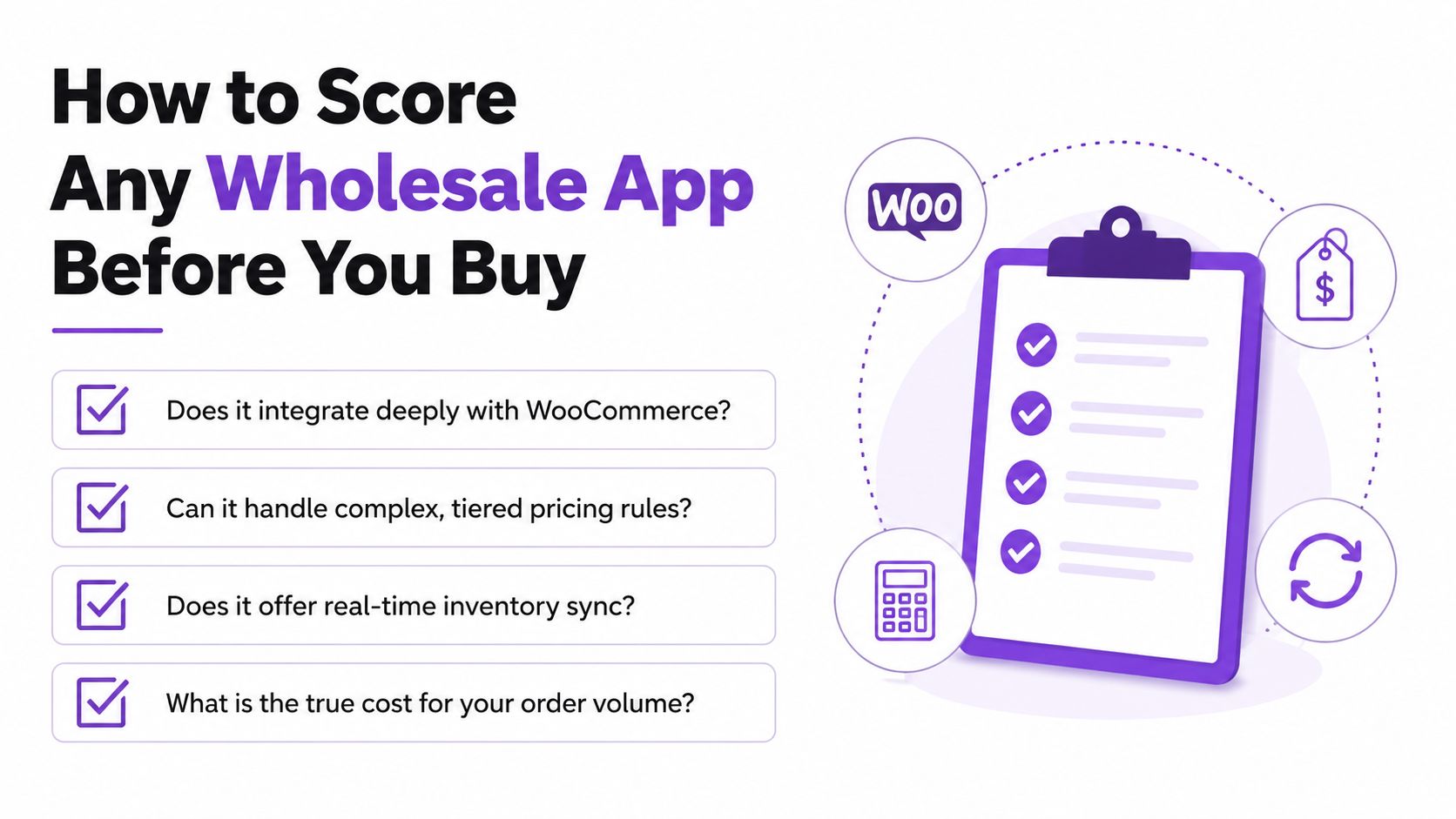
Most app listings are feature dumps. That is the wrong lens. You are not buying features, you are buying fewer manual steps, fewer exceptions, and fewer ways for bad data to reach checkout.
Ask questions that expose the real fit
Start with integration depth. Does the app talk to WooCommerce cleanly, or does it sit beside it and hope for the best? Then ask about total cost of ownership, not just list price, because per-seat fees, per-order fees, and paid support can turn a cheap tool into an expensive habit. If the vendor cannot explain how data exports work, assume you do not own your setup the way you think you do.
Support matters more in regulated stores than in generic retail. If your rules change often, the vendor needs a process for updates, not a vague promise that someone will “take a look.” Roadmap transparency matters too. You are investing in how the app will behave six months from now, not just how it demos today.
A good demo shows failure modes, not just happy paths.
Use a 30-minute demo script
Open with the hardest order you process. Ask the vendor to walk through pricing changes, inventory validation, and checkout behavior for that exact workflow. Then test what happens when a buyer is in the wrong region, when a SKU is out of stock, and when the order needs a manual override. If the app can't handle those cases cleanly, move on.
For store owners who also care about service reliability, the uptime guarantee guidance is a good reminder that operational trust is part of software value. A wholesale app that slows down at checkout is not helping, no matter how good the dashboard looks.
Integrating the Stack Without Breaking Checkout
Stacking wholesale apps on a live store without staging is how teams create avoidable outages. The sane order is boring, and boring is what you want. Build on a staging site first, confirm that the B2B layer behaves, then sync inventory and pricing, then connect OMS logic, and only after that let shipping rules enforce the final checkout decision.
Sequence the work, do not improvise it
The first pass should prove that buyers can log in, see the right catalog, and place a clean order. Once that works, connect inventory and pricing so the order reflects the same truth everywhere. After that, wire the order management layer so fulfillment and accounting receive what the buyer submitted, not what somebody later reconstructed by hand.
Shipping restrictions should be the last layer because they depend on the rest of the data being correct. If the address, product, or customer record is wrong, the restriction decision will be wrong too. That is why rule plugins belong at checkout, after catalog, pricing, and inventory are already stable.
The API conversation matters here because wholesale stacks rarely survive on native features alone. If you need to connect multiple tools, the guide to powering modern apps with API integration is a useful reminder that clean interfaces beat brittle custom glue every time.
Avoid the mistakes that cause checkout failures
Do not hardcode product IDs across plugins. Do not flip on four integrations in one afternoon and hope to catch conflicts in production. And do not skip tests on slower connections, because field reps and buyers do not always sit on perfect networks.
Test the order flow the way your buyer actually shops, not the way your developer prefers to demo.
A stable stack feels almost dull after rollout. That is the point. The fewer surprises your checkout has, the less time your team spends cleaning them up later.
Where Most App Guides Stop at Compliance
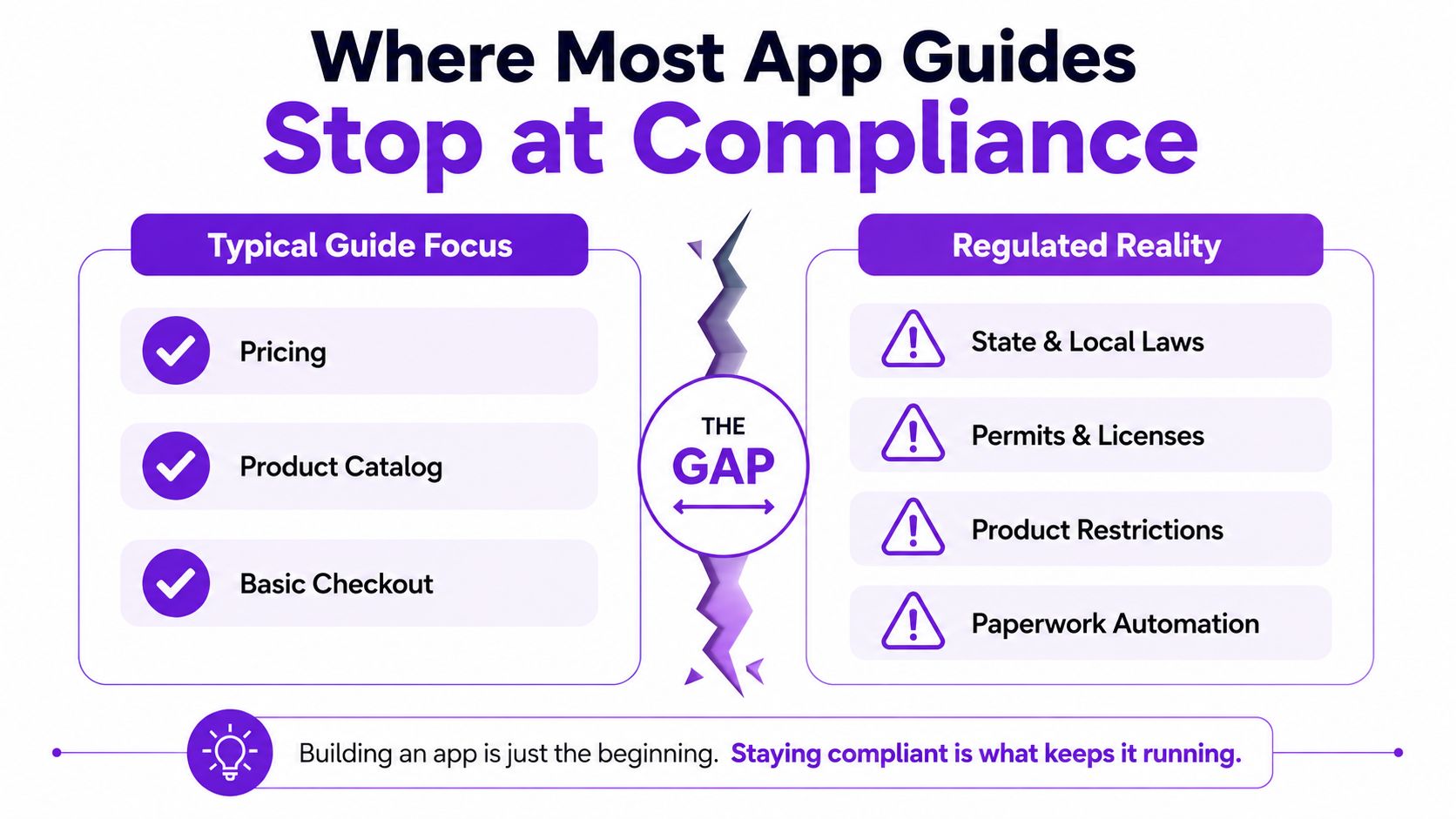
Most “best wholesale app” roundups stop at catalogs, discounts, and checkout. That is a shallow definition of the problem. Once you sell regulated goods, the key issue becomes whether the software can enforce state, county, city, ZIP, license, or carrier rules before a restricted order ever gets close to fulfillment.
Compliance is not a checkbox
For a WooCommerce wholesaler, regulated can mean firearms, alcohol receiving rules, hemp or CBD legality, age verification, or carrier limitations that override a state-level assumption. Those rules are not stable decoration. They change, they conflict, and they can vary by location, which means the app stack has to enforce them, not just document them.
A generic shipping plugin usually gives you broad conditions. That is not enough when the rule set changes often and the cost of a mistake is high. The practical problem is operational trust. Staff need to know the system blocks what must be blocked, and buyers need to know why an order cannot proceed.
Compliance deserves its own layer
A few marketplace and wholesale guides do mention supplier verification and buyer protection, but they still tend to center product discovery and pricing. The harder question is how you maintain policy enforcement as your catalog grows. That is where a real compliance tool belongs, outside the general commerce chatter and inside the order pipeline itself.
For operators in freight-adjacent or licensed businesses, the operator licence compliance guidance from Fleetalyse is a good parallel because it treats legal obligation as an operating system, not an afterthought. Wholesale shipping rules deserve the same seriousness.
Where Ship Restrict Fits in the Wholesale Stack
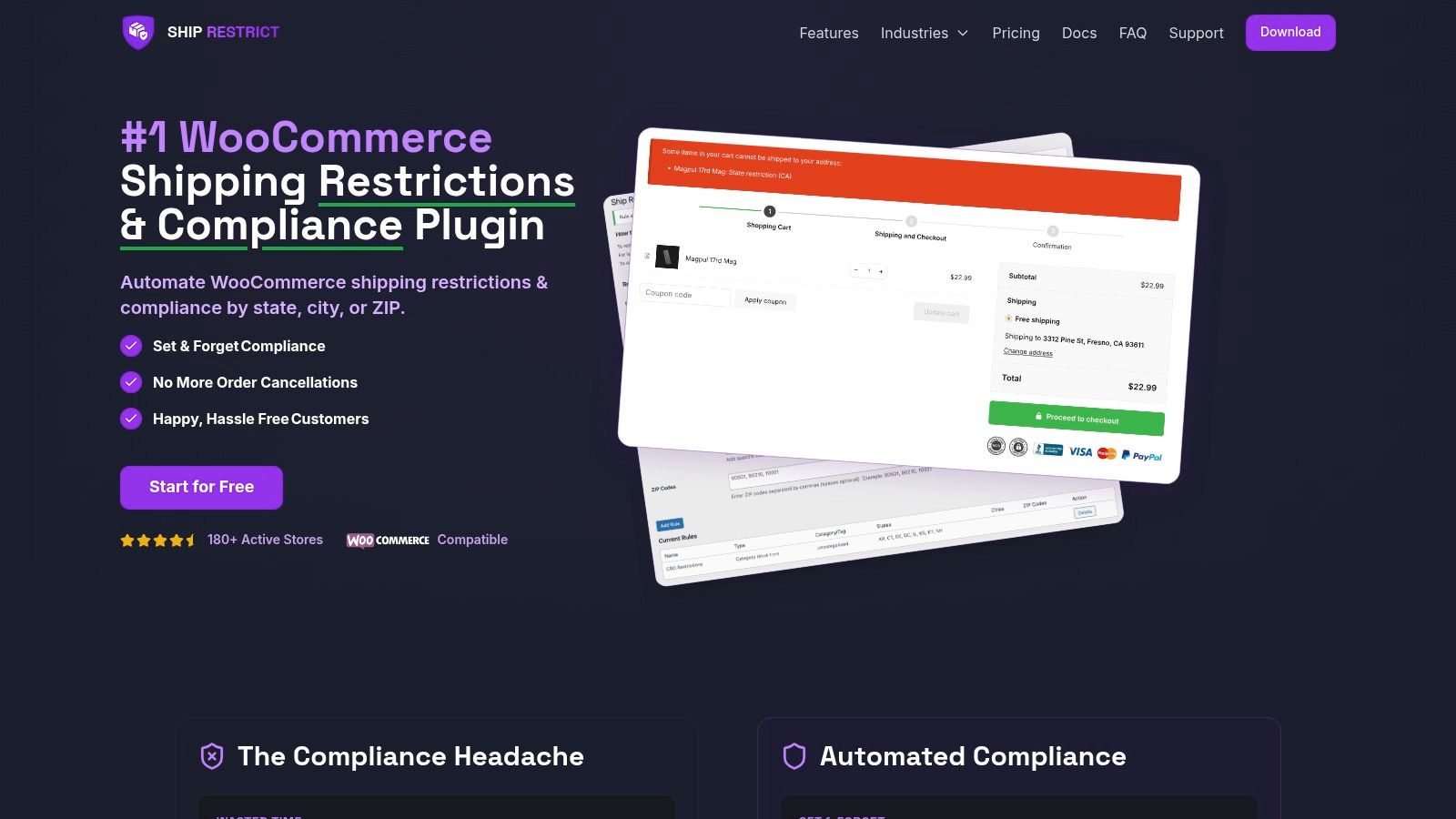
Ship Restrict sits in the compliance layer, not in the catalog layer. It is there to stop restricted WooCommerce orders before checkout by evaluating location rules against the shipping destination, which is exactly where a regulated wholesale store needs enforcement to happen. In a stack that already has inventory, pricing, and order flow sorted, this is the guardrail that keeps the order from reaching the wrong address in the first place.
Rule granularity and workflow fit
The useful part is the rule engine. It can work at state, county, city, or ZIP level, which is the kind of granularity regulated catalogs need. It also supports bulk rule creation, scheduled start and expiry dates, and customer-facing messages that explain why a checkout can't proceed instead of leaving the buyer guessing.
That matters because compliance errors are usually workflow errors first. If the buyer gets a vague denial, support gets the ticket. If the restriction is specific and accurate, the buyer can correct the address or move on without a long back-and-forth. That saves staff time and keeps the order pipeline moving.
Performance and roadmap
The plugin is built to validate restrictions at checkout without turning the store into molasses, and that is the right design choice for a live wholesale site. Upcoming capabilities listed by the publisher include real-time rule feeds, rule import and export, and admin notifications. Those are the kinds of additions that make compliance easier to maintain when the catalog or rule set grows.
<iframe width="100%" style="aspect-ratio: 16 / 9;" src="https://www.youtube.com/embed/vX7do6hzdHc" frameborder="0" allow="autoplay; encrypted-media" allowfullscreen></iframe>Ship Restrict also follows a simple tiered pricing structure, with monthly plans for smaller stores and enterprise packages for larger operations. That makes it easy to slot into a stack without pretending every wholesaler needs the same deployment shape. For regulated WooCommerce stores, that is the practical fit.
Putting the Stack Together This Week
If you only have time to fix one thing this week, audit your shipping rules first. Every other layer depends on knowing where you can legally sell, and a clean restriction layer stops bad orders before they turn into calls, refunds, or worse. After that, lock inventory sync and customer-specific pricing, then add the B2B portal so buyers can place cleaner orders without asking your team to intervene.
A sane rollout order
- Review shipping restrictions first. Your compliance rules need to be explicit before any new app touches checkout.
- Stabilize inventory and pricing sync next. Buyers should never see a price or stock state that conflicts with the back office.
- Add the B2B ordering layer after that. Give buyers a better front end only after the underlying truth is reliable.
- Leave OMS and extra workflow tools until the core path is clean. More automation is useful only when the basics are already correct.
You can measure whether the stack is paying for itself without building a giant dashboard. Watch how many manual address checks still happen each week, how many restricted orders trigger correction work, and how long it takes a rule update to become active in the store. If those numbers are still messy, your stack is not finished.
The best wholesale setup is the one your team stops arguing with.
If you are building a regulated WooCommerce store, Ship Restrict is the compliance layer that keeps shipping rules out of your inbox and inside the checkout flow. Visit Ship Restrict to see how the plugin fits into a wholesale stack built around fewer mistakes, cleaner enforcement, and less manual review.
Automate Shipping Compliance
Stop worrying about restricted states. Ship Restrict handles it automatically.

Cody Yurk
Founder and Lead Developer of ShipRestrict, helping e-commerce businesses navigate complex shipping regulations for regulated products. Ecommerce store owner turned developer.
Automate Shipping Compliance
- Block restricted states
- No more cancellations
- Set and forget
3-day free trial · Card required