XPO Transit Time: Master Shipping for Your Store
Master XPO transit time for your firearms store. Estimate LTL, manage exceptions, and integrate with WooCommerce for compliance and customer satisfaction.
You quote an LTL order on Thursday. The customer is waiting on a receiving FFL. The dealer only accepts freight during a narrow morning window. Checkout looked clean, the address passed, and the transit estimate seemed fine. Then the order gets held for a compliance review after payment, misses pickup, and what looked like a normal shipment turns into a legal, operational, and customer service problem.
That’s why xpo transit time matters differently for firearms sellers than it does for a general eCommerce store. In most retail categories, a late delivery is annoying. In regulated goods, a bad transit assumption can trigger refused freight, extra warehouse handling, rerouting to the wrong receiving location, and a stack of support tickets that your staff has to untangle one by one.
Generic carrier guides rarely deal with that reality. They talk about delivery dates. They don’t talk about how lane timing, pickup cutoffs, receiving rules, and restricted destinations collide inside a WooCommerce workflow.
Why XPO Transit Time Is More Than Just a Date
For a firearms retailer, transit time isn’t just a delivery promise. It’s part of the compliance chain.
Automate Shipping Compliance
Block orders to restricted states automatically. 3-day free trial.
Start Free TrialIf your store lets an order through checkout before you’ve confirmed that the destination is serviceable under your rules, the transit clock is already working against you. The customer thinks the order is moving. Your warehouse team may already be planning the pallet. The receiving FFL may have limited intake hours. One bad assumption creates friction across all three.
The biggest gap I see is simple. Carrier lane tools tell you how long a shipment may take between ZIP codes. They usually do not tell you whether that lane still works once firearms restrictions, FFL handoff requirements, or local policy checks are layered on top. That gap is expensive. Reports summarized around XPO coverage discussions note merchants seeing 20-30% of LTL quotes fail post-validation and losing 5-10 hours weekly to manual checks when regulated restrictions are missed at the quoting stage (XPO geographic coverage context).
Where stores get into trouble
A standard WooCommerce checkout can make a bad order look valid because it’s only answering one question. Can this address be entered?
That isn’t enough for regulated freight. You also need to know:
- Whether the destination can legally receive the product
- Whether the receiving FFL can accept on the expected delivery day
- Whether your warehouse can tender the freight before the lane cutoff
- Whether the paperwork matches what will ship
If the paperwork is sloppy, the problem compounds. A clean BOL matters because warehouse staff, customer service, and the terminal all rely on the same shipment description and consignee details. If you need a refresher, this freight bill of lading overview is a useful plain-English breakdown of what the document does and why errors on it create downstream issues.
Practical rule: If transit timing and compliance validation happen in separate steps, expect avoidable holds.
What this means in WooCommerce
Your store should never show a shipping option just because XPO can physically move freight into that ZIP. The question is whether your business can complete the shipment lawfully and on schedule.
That changes how you think about xpo transit time. It’s not a simple date on a calculator. It’s a decision point that affects whether the order should move at all.
Decoding LTL Transit Times The XPO Way
LTL doesn’t move like parcel. That’s the first thing WooCommerce teams need to understand.
Free Shipping Compliance Audit
We'll review your WooCommerce store's shipping compliance for free.
A parcel shipment often feels direct. LTL usually isn’t. Think of XPO’s network more like a mail system. Freight starts at a local terminal, gets sorted into a broader network, moves on a linehaul route through one or more hubs, then returns to a destination terminal for final delivery scheduling. Every handoff is efficient when the shipment is prepared correctly, but every handoff also creates dependency on timing, paperwork, dock flow, and network capacity.
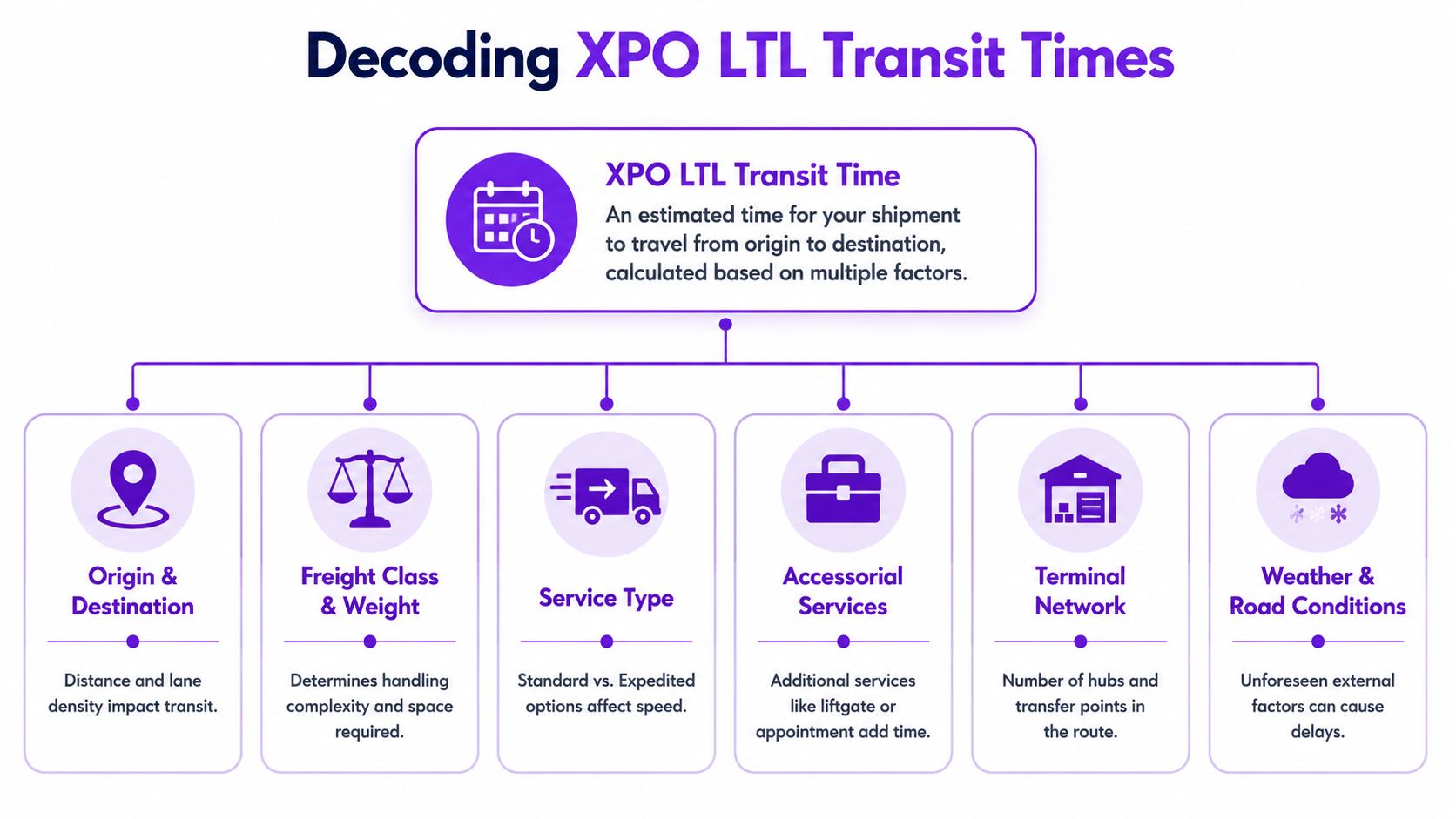
The network logic behind the estimate
When XPO publishes a transit estimate, it’s reflecting how a shipment should move through that terminal and linehaul structure under normal conditions. In February 2026, XPO reported that LTL tonnage per day increased by 0.2% year over year, driven by a 3.0% rise in shipments per day, while its AI-driven models processed 2.6 million miles of linehaul freight daily (XPO February 2026 operating data). For store operators, the practical takeaway is that the network is built to handle high shipment volume while keeping transit performance stable.
That doesn’t mean every lane behaves the same. Dense lanes usually move more predictably than thin ones. Metro-to-metro freight is easier to plan than freight that needs multiple touches before final delivery. Firearms retailers feel that difference fast because receiving locations aren’t always flexible.
What actually moves the shipment
The estimate depends on several moving parts, but these are the ones your team should keep in view:
- Origin terminal flow. If your warehouse misses pickup prep, the entire movement starts late.
- Linehaul schedule. This is the long-distance trunk movement between terminals.
- Destination terminal processing. Freight can arrive on time to the terminal and still need delivery scheduling.
- Final-mile constraints. Appointment-only receivers and limited dock windows matter a lot.
If your staff treats LTL like a bigger parcel label, they’ll miss where delays really start.
The shipment isn’t late when the customer complains. It was late when the pickup window was lost, the consignee details were incomplete, or the terminal had to stop and clarify the paperwork.
A lot of confusion starts with the transport document itself. Teams that don’t regularly move freight should review DigiParser's bill of lading explanation, especially the distinction between shipment identity, freight details, and consignee instructions. Those fields aren’t administrative clutter. They affect how the shipment gets handled inside the network.
How to Get an Accurate XPO Transit Time Estimate
The fastest way to get a baseline is XPO’s own calculator. Use it as a planning tool, not as permission to promise a delivery date to a firearms customer before you’ve checked your compliance workflow.
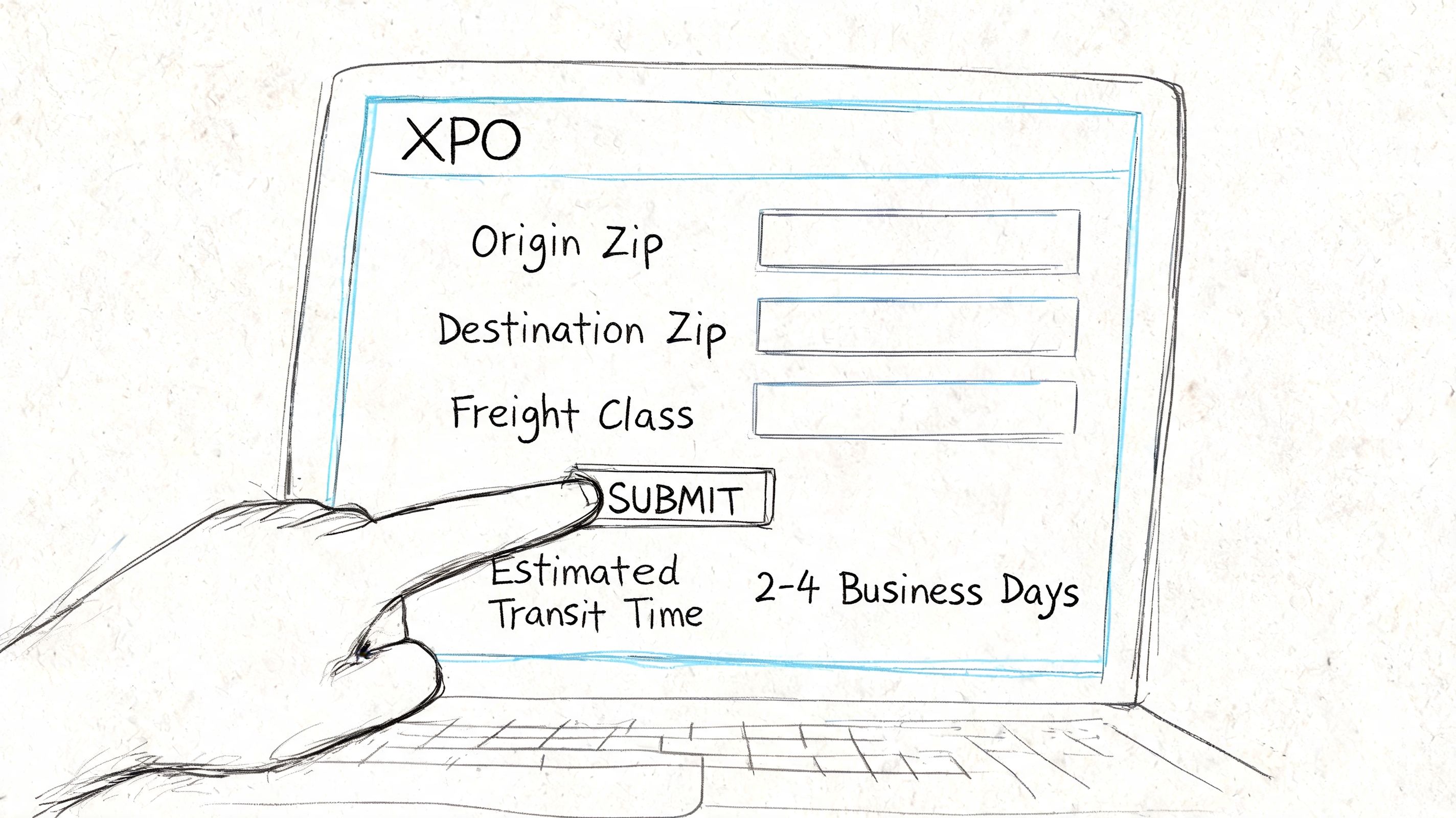
Use the calculator correctly
Start with the public transit tool and enter the exact origin and destination ZIP codes. Don’t estimate from nearby ZIPs unless you have no other option. For regulated freight, small geographic shortcuts create avoidable mistakes.
Then work through the date logic carefully:
- Use the actual ship date, not the day the order was placed.
- Check weekends and holidays because the estimate is built around service calendars.
- Match the lane to the actual consignee, not just the customer’s billing location.
- Treat the result as an estimate, especially if delivery requires appointment coordination.
XPO’s transit tools provide estimated delivery dates, and its API includes a calculateTransitTime operation for direct integration. XPO also says its proprietary AI in the TMS helps linehaul models by factoring in logistics constraints that affect on-time performance (XPO Transit Time Calculator and API details).
Manual quote versus system-driven estimate
There’s a difference between checking a lane and operationalizing it inside WooCommerce.
A manual lookup works when your shipping team reviews every order by hand. That breaks down once order volume increases or when staff members interpret restrictions differently. If your checkout, back office review, and carrier quoting process don’t use the same destination logic, the transit estimate loses value because it’s being applied to orders that may never have been eligible.
For most stores, a practical process looks like this:
- Validate destination first. Confirm the order can legally move.
- Pull transit estimate second. Now the date means something.
- Present a conservative customer-facing window. Leave room for appointment scheduling.
- Escalate edge cases for manual review. Don’t automate every exception.
What reliable stores do differently
Good teams separate customer messaging from internal planning.
Internally, they use the closest operational estimate they can get. Externally, they give a realistic delivery window that accounts for handling, review, and consignee coordination. That keeps customer support from having to explain why an “estimated delivery date” shown at checkout didn’t survive contact with actual compliance and freight handling.
If you’re building this into WooCommerce, the API route is the right long-term direction. It reduces copy-and-paste errors and gives your store a cleaner way to calculate xpo transit time in real time. But it only works if the underlying order data is already compliant and complete.
Factors That Influence Your Actual Transit Time
A transit estimate is the starting line. Your actual shipment outcome depends on what happens after the quote.
Some variables are predictable. You can plan around them. Others hit after tender and force you to react. That distinction matters because a firearms store can’t afford to promise aggressively and then discover the lane had hidden friction all along.
Predictable factors you should account for
Premium services can tighten delivery windows, but they don’t erase network realities. XPO offers premium guarantees like Guaranteed by Noon, yet public discussion around network conditions notes that their effectiveness can be affected by strain. The same source context points to Q1 2026 freight volumes surging 8% year over year and cites cross-border customs delays averaging 2.5 days, both of which show why calculators don’t always reflect every real-world variable (XPO company context).
For domestic firearms freight, the predictable side usually includes service type, day of week, holidays, consignee receiving hours, and whether the shipment needs added handling.
A useful operational habit is to train your team on driver and schedule constraints generally, even if they aren’t managing the carrier fleet directly. This overview of ELD HOS mandate compliance helps explain why linehaul and local delivery timing can tighten around legal hours-of-service limits.
Unpredictable factors you still need to plan for
Weather, road closures, terminal congestion, equipment imbalance, and cross-border checks can all stretch the actual delivery window. You can’t prevent those, but you can stop them from turning into a support mess.
If you sell regulated products, it also helps to compare broader routing options and service coverage before locking yourself into one approach. This guide to regional carrier options for regulated products is a strong reference for evaluating where national LTL fits and where it doesn’t.
Operational note: The more constrained the consignee is, the less useful a bare transit estimate becomes.
Key factors impacting XPO transit times
| Factor | Impact on Transit Time | Retailer Action |
|---|---|---|
| Service level | Faster options may tighten the delivery window, but still depend on terminal flow and consignee availability | Match service level to receiver requirements, not customer impatience |
| Pickup day | Late-week pickups can interact poorly with weekends and receiver schedules | Tender earlier in the week when possible |
| Freight prep | Poor palletizing, vague labels, or incomplete paperwork slow dock handling | Standardize freight prep and consignee instructions |
| Accessorial needs | Appointment delivery, liftgate, or limited-access handling can add coordination time | Confirm accessorials before booking |
| Destination profile | Rural or low-density lanes can be less forgiving than dense metro lanes | Quote conservatively on thin lanes |
| External disruption | Weather, congestion, and border processing can alter the planned route timing | Build customer-facing buffer into promised windows |
The practical lesson is simple. Don’t let your checkout page treat xpo transit time as a certainty when your operations team knows it’s only one input among several.
Transit Times for WooCommerce Firearms Retailers
For a firearms seller, transit time is part of compliance control. If your store treats it as a generic shipping metric, you’ll keep solving the same problems after the order is placed.
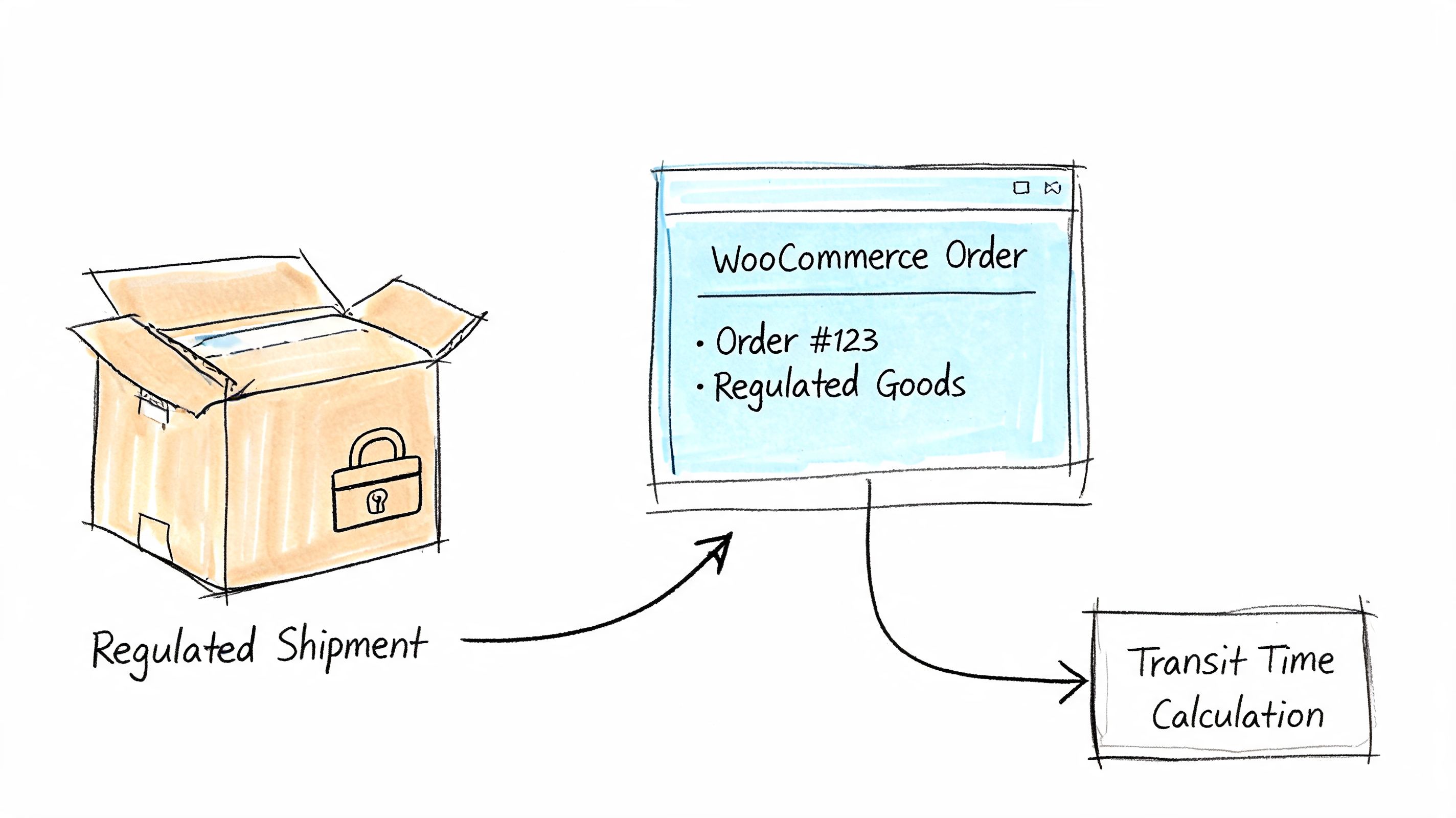
The hard part isn’t getting a lane estimate. The hard part is deciding whether that estimated lane is operationally safe for a regulated order. A WooCommerce storefront can show a shipping method in seconds. Your warehouse and receiving FFL have to live with the consequences.
Why checkout timing becomes a compliance issue
XPO’s hub-and-spoke structure runs on cutoff discipline. If a compliance hold or address validation issue stops the order before pickup, you’re not usually losing an hour. You’re often losing the shipment’s place in that day’s linehaul flow.
XPO documentation context notes that in a 24-hour hub-and-spoke system, a missed pickup deadline effectively adds a full day to the transit curve. The same document also lists loading tolerances such as 6.1-13.6 meters = 60 minutes, which is a reminder that dock handling and shipment configuration can trigger cascading delays when freight isn’t prepared cleanly (XPO transport conditions reference).
That matters in WooCommerce because bad logic usually shows up upstream:
- An order reaches checkout before destination restrictions are applied
- Customer service manually reviews the address after payment
- The warehouse waits for release
- Pickup is missed
- The customer still thinks the original estimate applies
That sequence is where support tickets are born.
What a firearms store should change
Most stores need stricter rules at the point of order acceptance. You want the checkout to reject or reroute bad orders before anyone starts planning carrier movement. If your team is still verifying sensitive destinations after payment, the process is already too late.
The policy side matters too. Your shipping page should explain that delivery timing depends on legal destination review, receiver acceptance, and freight scheduling. That alone cuts back on “why hasn’t this left yet?” emails because the customer sees that regulated goods don’t move on parcel assumptions.
This resource on firearms and ammunition shipping compliance for WooCommerce stores is worth reviewing if your current store logic still treats shipping validation as a manual back-office task.
If a store can block an invalid coupon instantly, it can block an invalid regulated destination before payment too.
Customer-facing estimates should be conservative
I don’t recommend showing the raw carrier estimate as the customer promise for firearms freight. Use it internally, then add enough operational room for review, warehouse prep, and receiving coordination.
That usually means your storefront message should reflect a delivery window, not a single arrival date. A narrow promise creates support debt. A realistic promise protects both the customer experience and the receiving dealer relationship.
This walkthrough is helpful if your team wants a visual overview of the process issues that come with regulated delivery timing:
<iframe width="100%" style="aspect-ratio: 16 / 9;" src="https://www.youtube.com/embed/oDrpndtNF6U" frameborder="0" allow="autoplay; encrypted-media" allowfullscreen></iframe>Where stores save the most time
The win isn’t shaving a small amount off transit. The bigger win is preventing orders that should never enter the fulfillment queue.
When WooCommerce is configured well, your staff doesn’t spend the afternoon calling dealers, editing orders, voiding labels, and resetting customer expectations. They spend that time shipping valid orders cleanly. For regulated goods, that’s the primary purpose of managing xpo transit time properly.
Proactively Managing Shipments and Handling Exceptions
Once the freight is in motion, tracking becomes a customer service tool. Don’t use it only to answer complaints after they arrive.
Teams that handle regulated freight well check shipment status with intent. They aren’t just asking where the freight is. They’re asking whether the next handoff still supports the promised delivery window and whether the receiving FFL needs a heads-up.
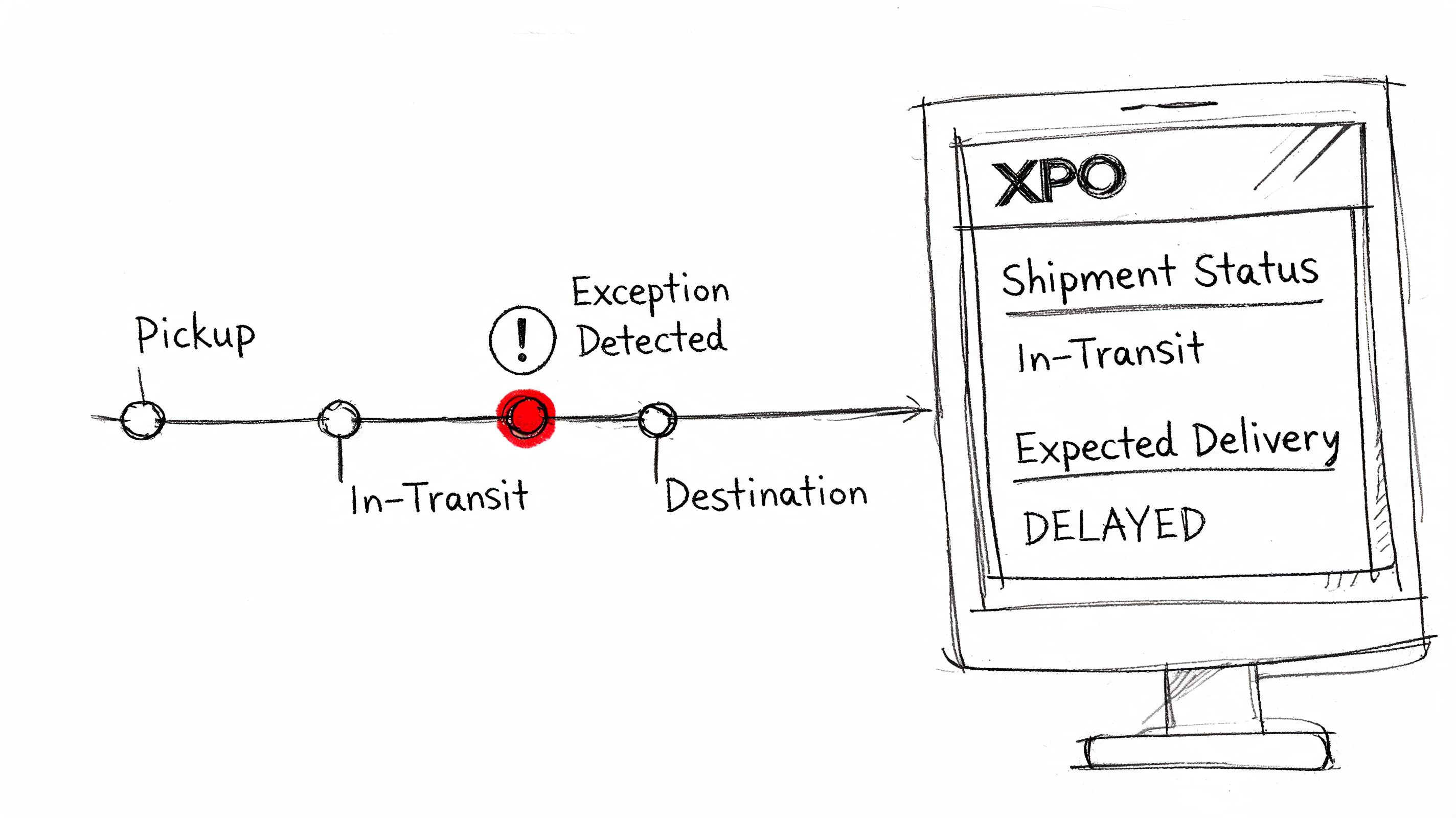
Read statuses like an operator
A status update only helps if your team knows what action it should trigger.
Here’s the practical lens I use:
- Picked up means the freight is in the network, not that delivery timing is locked.
- At origin terminal often means normal processing unless it sits longer than expected.
- In transit is broad. It confirms movement, not final-mile readiness.
- At destination terminal is the moment to watch closely for appointment and consignee coordination.
- Exception means somebody on your team should stop assuming the original delivery plan still holds.
A destination-terminal scan can be encouraging, but for firearms shipments it should also prompt a quick consignee check if delivery timing is tight.
A simple communication rule
Don’t email the customer every time the status changes. Do communicate early when the status suggests the delivery window could slip or when the receiving FFL may need to adjust.
This is the decision tree that works in practice:
- Normal movement and no tight receiver window. Monitor internally.
- Destination reached but delivery depends on appointment or narrow receiving hours. Notify the consignee or customer contact.
- Exception that threatens the expected window. Contact the carrier, then update the customer with facts only.
- No scan progression when movement should have occurred. Escalate internally fast.
Send fewer updates, but make each one useful. “We’re monitoring your shipment” doesn’t help. “Freight reached the destination terminal and we’re confirming delivery timing with the receiving location” does.
What to document while the shipment is live
When an issue appears, your records determine how fast you can resolve it. Keep these details together in one place:
- PRO number
- BOL copy
- Consignee and FFL contact details
- Promised delivery window shown to the customer
- Internal notes on accessorials or appointment needs
- Any communication with the terminal or customer
That record protects your team from avoidable confusion. It also gives customer service the context they need to answer accurately instead of guessing from a partial tracking screen.
When to Escalate or File a Claim with XPO
Not every late shipment is a claim. That distinction matters.
A service failure is about the transportation commitment. A cargo claim is about damage, shortage, or loss. If your staff mixes those up, they’ll gather the wrong paperwork and lose time.
Escalate service issues first
If the problem is a missed delivery commitment, start with operational escalation. Pull together the PRO number, shipment date, quoted service level, consignee details, and the tracking history that shows where the shipment fell off plan.
If your customer bought a premium service, confirm the terms attached to that service before promising any refund or adjustment. Keep your communication narrow and factual.
File cargo claims with evidence
When freight is damaged, short, or lost, document immediately and keep the file clean. Your checklist should include:
- BOL and shipment identifiers
- Delivery receipt with exceptions noted if applicable
- Photos of packaging and product condition
- Item description and quantity shipped
- Invoice or proof of value
- Timeline of discovery and notifications
For regulated products, internal documentation matters even more because you may need to reconstruct chain of custody and customer communication later.
If your team is reviewing carrier agreements, this guide on indemnification clauses in carrier agreements is worth reading. It helps clarify where carrier responsibility ends and where your company still carries risk.
The best claim process is still prevention. Accurate consignee data, clean BOLs, realistic delivery windows, and earlier exception handling solve more problems than any claims workflow ever will.
If your WooCommerce store sells firearms or other regulated products, Ship Restrict helps stop restricted orders before they create pickup misses, compliance risk, and customer support churn. It gives you granular location-based shipping rules so your team can block bad destinations early and keep valid orders moving on realistic timelines.
Automate Shipping Compliance
Stop worrying about restricted states. Ship Restrict handles it automatically.

Cody Yurk
Founder and Lead Developer of ShipRestrict, helping e-commerce businesses navigate complex shipping regulations for regulated products. Ecommerce store owner turned developer.
Automate Shipping Compliance
- Block restricted states
- No more cancellations
- Set and forget
3-day free trial · Card required