What Does Dispatched Mean in Shipping: Explained for 2026
Confused about delivery status? Understand what does dispatched mean in shipping, its difference from 'in transit,' and what it means for your 2026 orders.
Dispatched means the package has been packed and handed over to the shipping carrier, so it has left the seller's warehouse and officially started its journey. In shipping, that status marks the start of transit, not final delivery.
If you run a firearms eCommerce store, that distinction isn't minor. A customer sees “dispatched” and assumes the order is almost at the door. Your staff may see the same status and think the shipment is out of your hands. Sometimes that's operationally true. Sometimes it's only partly true, especially when compliance records, adult signature handling, FFL routing, and carrier acceptance all matter.
That's why merchants get into trouble with this term. They treat it like generic tracking language when it is a precise handoff point. For a regulated retailer, the moment a package leaves your controlled environment and enters a carrier network affects customer communication, inventory visibility, claims handling, and your audit trail.
Decoding Dispatched A Critical Moment in Shipping
You've probably had this happen. A customer emails saying, “My order says dispatched. Where is it?” Meanwhile, your shipping team is asking whether the box is physically gone, merely labeled, or sitting in a pickup cage waiting for the driver.
Automate Shipping Compliance
Block orders to restricted states automatically. 3-day free trial.
Start Free TrialIn plain terms, dispatched means the shipment has been handed over to the carrier and is no longer in your warehouse. That's the operational answer most merchants need.
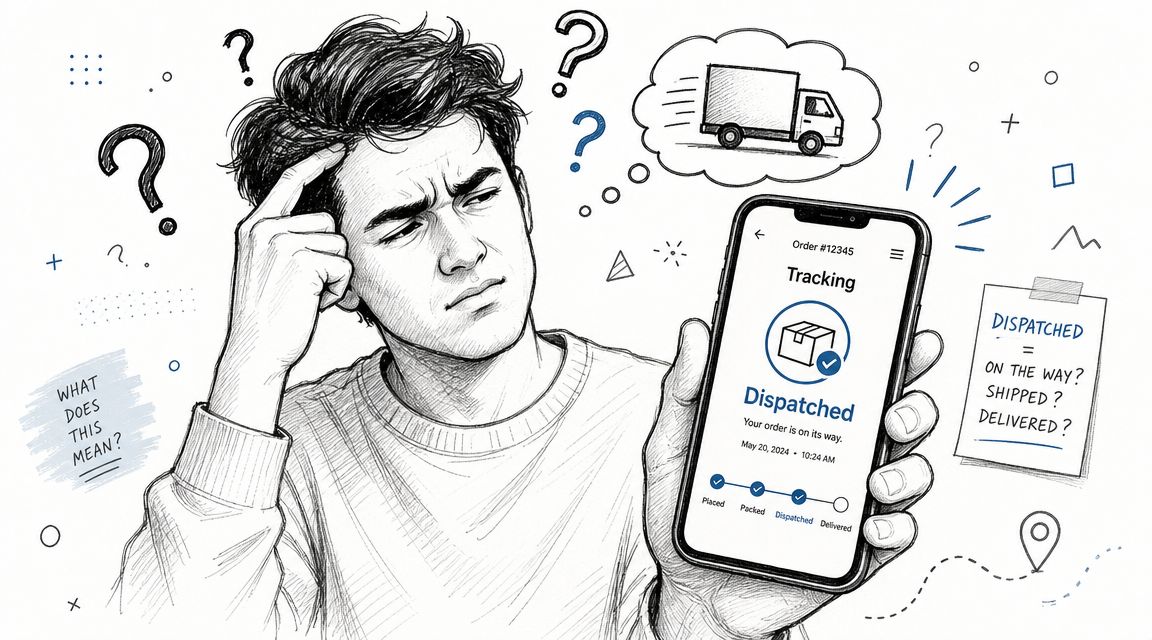
A useful way to think about it is a relay handoff. Your warehouse team handles the baton through picking, packing, labeling, and verification. The carrier takes the baton at dispatch. From that point, the package is moving through a transport network rather than sitting in your fulfillment area.
According to Detrack's explanation of shipment dispatched, dispatched means the order has been packed and handed over to a carrier, which marks the start of transit rather than delivery. That same source notes the term traces back to early-1500s usage meaning “to send off in a hurry,” which fits modern logistics surprisingly well.
Why this word matters more for regulated sellers
For a low-risk product, misunderstanding “dispatched” usually creates annoyance. For a firearms retailer, it can create exposure.
If your team tells a customer an item has “shipped” when it only has a label, you've created a false expectation. If your records show “dispatched” before the package was tendered to the carrier, you've weakened your internal chain of custody. If a regulated order moves to an FFL and the timestamps don't line up, the issue isn't just customer service. It becomes an operational recordkeeping problem.
Practical rule: Don't use “dispatched,” “shipped,” “carrier accepted,” and “out for delivery” as if they mean the same thing. They don't.
What dispatched does not mean
Merchants often blur this status with later milestones. That causes confusion fast.
- It doesn't mean delivered: The package may still have hub scans, sort events, weather holds, or route transfers ahead.
- It doesn't mean out for delivery: That status comes much later, when the parcel is on a local delivery vehicle.
- It doesn't always mean immediate movement: A box can be dispatched into the network and still wait for the next movement scan.
When people ask what does dispatched mean in shipping, they're usually really asking one of two things. Has the seller let go of the parcel, and can I trust the tracking yet? In most cases, the answer is yes to the first and “usually, but not perfectly” to the second.
The Shipping Journey Dispatched vs Other Tracking Statuses
“Dispatched” only makes sense when you place it in the full order lifecycle. Without that context, customers read too much into it and staff often read too little.
Free Shipping Compliance Audit
We'll review your WooCommerce store's shipping compliance for free.
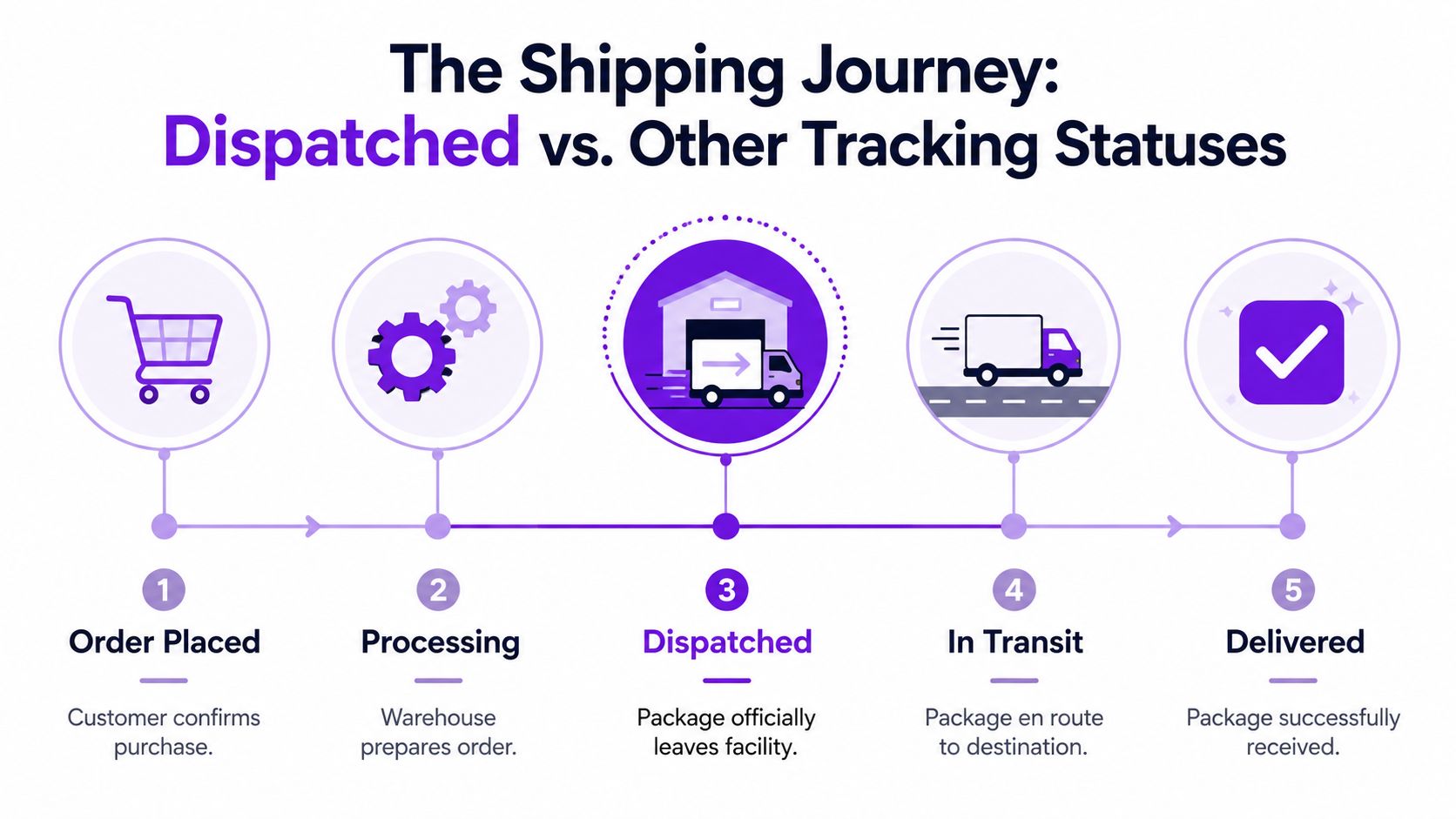
A practical definition from Bearcat Express on dispatch status in shipping puts dispatched after packaging, labeling, invoicing, and carrier handoff, but before “out for delivery” or “delivered.” It also notes that this status may not appear until the shipment is assigned to a route and tracking data is generated.
Shipping status comparison
| Status | What It Means | What's Happening Behind the Scenes |
|---|---|---|
| Order Confirmed | The order exists in your system | Payment is captured or approved, order data is created, review checks may start |
| Prepared for Shipment | The order is being readied for carrier pickup | Staff pick items, verify contents, pack cartons, print labels, and complete paperwork |
| Dispatched | The shipment has entered the delivery network | The package is handed to the carrier, route assignment may be set, tracking becomes active |
| In Transit | The carrier is moving it through the network | The parcel travels between hubs, linehaul legs, local facilities, or transfer points |
| Out for Delivery | Final-mile delivery is underway | A local driver has it on a route for delivery that day |
| Delivered | The shipment reached the destination | Delivery is completed, often with final scan and any required confirmation |
Where merchants get mixed up
The biggest confusion is between prepared for shipment, dispatched, and in transit.
Prepared for shipment is still your problem. The order may be boxed and labeled, but if it hasn't been handed over, it's still sitting under your control.
Dispatched is the handoff point. It has crossed from warehouse process into carrier process.
In transit is broader. It covers the movement that happens after dispatch while the package works through the carrier network.
A label printed at 2:00 p.m. doesn't mean the carrier has the package at 2:01 p.m. Your customer service language needs to reflect that gap.
What customers should expect at each stage
A customer reading tracking wants an answer to one practical question. “What happens next?”
- After order confirmed: Expect fulfillment work, not travel.
- After prepared for shipment: Expect carrier handoff soon, but not necessarily live movement.
- After dispatched: Expect tracking activity, but not necessarily immediate local progress.
- After in transit: Expect the parcel to be moving between facilities.
- After out for delivery: Expect arrival that day unless there's an exception.
If you manage more than one carrier, status wording may vary slightly between systems. That's one reason many merchants adopt multi-carrier shipping software for regulated operations. The goal isn't prettier labels. It's consistent interpretation across carriers so your team doesn't tell a customer the wrong thing.
Behind the Scenes How a Package Gets Dispatched
A package doesn't become dispatched because someone clicks a button in WooCommerce. It becomes dispatched because a chain of physical and system events lines up.
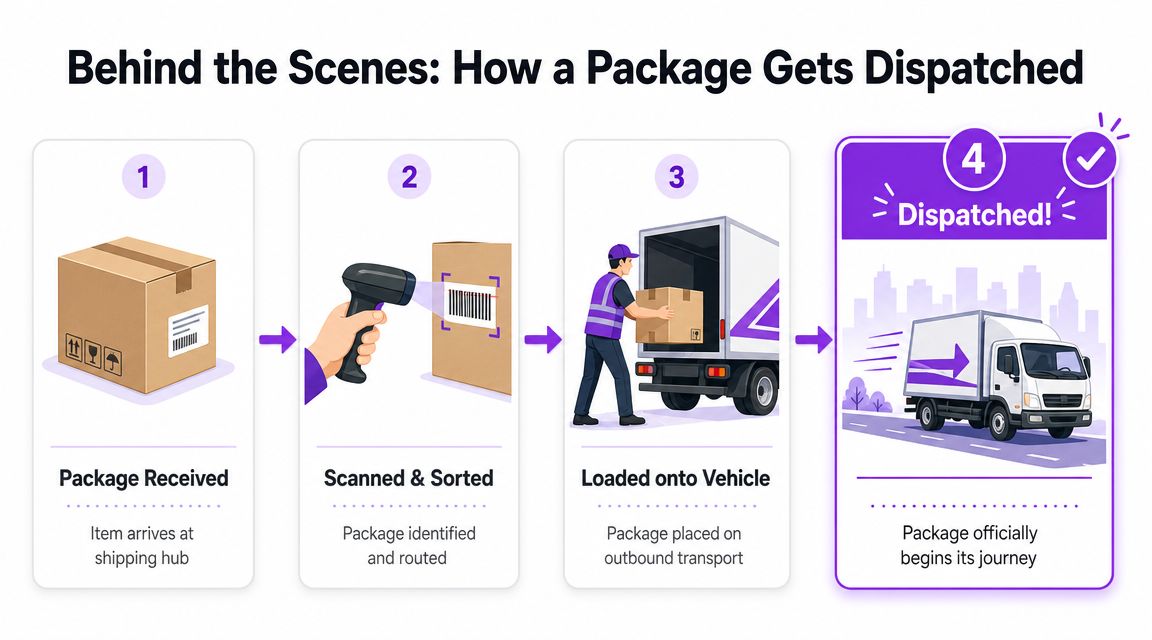
Inside most fulfillment operations, the sequence looks simple on paper and messy in real life. The order drops into the queue. Staff pick the product. They verify the SKU, quantity, destination details, and any shipment-specific requirements. Then they pack it, apply the label, and stage it for pickup or tender it at a carrier counter.
The physical workflow
For a firearms retailer, this part deserves discipline. The difference between a clean process and a loose one usually shows up after something goes wrong.
-
Pick and verify
Staff pull the correct item and confirm the order can move. For regulated goods, that can include destination restrictions, customer type, or transfer details before the carton is ever sealed. -
Pack and label
The shipment gets its external carrier label and any internal control markings your operation uses. At this stage, teams often say “it shipped,” even though it hasn't. -
Manifest and handoff
Orders are grouped for the day's outbound flow. The carrier driver picks them up, or your staff tenders them directly. -
First accepted scan
This is the event many systems treat as the operational trigger that confirms the package has entered the network.
Here's a good visual overview of dispatch flow in motion:
<iframe width="100%" style="aspect-ratio: 16 / 9;" src="https://www.youtube.com/embed/Ddf2O5Xazk8" frameborder="0" allow="autoplay; encrypted-media" allowfullscreen></iframe>Why dispatch updates can lag
The package may be on the truck before the customer sees a clean status update. That gap frustrates buyers, but it's normal.
A few common reasons:
- Batch processing: The carrier may upload scans in groups rather than instantly.
- Trailer loading sequence: A package can be physically handed over before it gets its first visible event.
- Route timing: Late-day pickups often show movement later than customers expect.
For merchants trying to reduce those gaps, route planning matters more than people think. If you're reviewing outbound timing with local delivery partners or regional fleets, OnRoute's essential guide to route optimization is a useful operational primer.
Tight dispatch language starts with tight warehouse timing. If your team stages cartons for hours before pickup, your status messages will always feel one step behind reality.
What works and what doesn't
What works is aligning system status with the actual handoff. What doesn't work is triggering customer notifications too early.
If your store marks an order “shipped” at label creation, support tickets go up. Customers check tracking, see little or nothing, and assume something is wrong. A better setup is to separate internal fulfillment completion from actual dispatch confirmation. Merchants using order fulfillment automation for WooCommerce shipping workflows usually get cleaner handoffs because system events can map more closely to real operational milestones.
What Dispatched Means for Your Business and Your Customers
For a merchant, “dispatched” changes responsibility in practical ways. For a customer, it changes expectations. For a firearms seller, it also marks a compliance checkpoint that deserves clear records.

Pazago's explanation of shipment dispatched describes this status as the point where warehouse-side processing is complete and the shipment has been handed to a carrier or freight forwarder. It also notes that this is the point where responsibility shifts from the shipper's facility to the transport network.
For merchants
That shift matters because it affects several decisions at once.
Liability and recordkeeping
Once the parcel is handed over, your warehouse can no longer treat it as on-hand inventory. If a package goes missing after that, the claim path changes. Your team needs accurate timestamps, carrier identifiers, and proof that the handoff occurred when your system says it occurred.
For firearms and other regulated goods, that record is even more important. If the order is moving to an FFL, your internal notes should match the shipping events. If it requires adult signature or special service handling, those details need to be attached before dispatch, not cleaned up later.
Inventory accuracy
A common operational mistake is leaving dispatched packages in an ambiguous status between “packed” and “gone.” That confuses stock reconciliation and customer support.
Use a clear internal rule set:
- Packed: Still physically under your control
- Tendered or dispatched: Carrier has it
- Exception: A problem has interrupted movement after handoff
If you sell restricted products, prevention belongs upstream. Tools such as Ship Restrict automate address-based shipping restriction checks in WooCommerce so invalid shipments can be blocked before they ever reach the dispatch stage.
If your compliance process starts after dispatch, it started too late.
For customers
Customers don't care about your internal workflow map. They care whether the package is moving and when they'll receive it.
When they see dispatched, the most accurate message is straightforward:
- the seller has completed warehouse processing
- the carrier has the package
- delivery hasn't happened yet
- tracking may continue to update as the shipment moves through hubs or local facilities
That last point matters. A buyer may see “dispatched” and no fresh movement for a while. That doesn't automatically signal a lost package. It often means the shipment is between visible scans.
Why regulated retail raises the stakes
A T-shirt order can usually tolerate fuzzy language. A firearm accessory order may not. A firearm order certainly may not.
The handoff point affects who had custody last, which carrier accepted the parcel, whether the destination path was correct, and whether your staff can demonstrate a controlled release from the warehouse. In regulated eCommerce, “dispatched” is not a cosmetic status. It's an operational boundary.
Troubleshooting Common Dispatched Scenarios
Most “dispatched” problems are communication problems first and carrier problems second. The tracking page shows one thing, the customer assumes another, and your support team gets stuck translating.
Scenario one. Dispatched for days with no movement
This usually means one of three things. The carrier accepted the parcel but hasn't posted another visible scan yet. A scan was missed at an intermediate point. Or the package is sitting in a queue within the network.
What merchants should do:
- Check the handoff record: Confirm when the carrier received the package.
- Review service level: Economy and ground movements often show fewer visible events than customers expect.
- Contact the carrier with specifics: Use the tracking number, ship date, and acceptance details. Don't send a vague “please investigate.”
What customers should do:
- Keep watching the tracking page: A delayed update doesn't always mean a lost parcel.
- Wait for the next carrier event: Many shipments jump from dispatch to a later facility scan without intermediate detail.
- Reply to support in the same thread: That helps your team keep the record together.
Sample reply:
Your order has been dispatched and handed to the carrier. We're checking for the next network scan now. A gap in updates can happen after handoff, especially before the package reaches the next processing point. We'll follow up as soon as we have a fresh carrier event.
Scenario two. The tracking number exists but doesn't work yet
This often happens when the label has been created and the system has shared the number before the carrier's first visible acceptance event has propagated.
Use simple language. Don't tell the customer the carrier “lost” it when the more likely answer is that the tracking record hasn't fully populated yet.
A clean response:
- For merchants: Confirm whether the package was tendered or only labeled.
- For customers: Ask them to check again later the same day or after the next pickup cycle.
“We've generated your shipment and confirmed outbound processing. Carrier tracking can take a bit to display fully after handoff. We're monitoring it and will update you if the carrier record doesn't activate properly.”
Scenario three. The customer thinks dispatched means arriving today
This is a wording issue. “Dispatched” sounds final to people who don't live in shipping systems.
Fix it by changing your post-purchase emails:
- Bad message: Your order has shipped and is on the way.
- Better message: Your order has been dispatched to the carrier and is now in the delivery network.
- Best message for regulated goods: Your order has been dispatched to the carrier. Tracking will update as the shipment moves through the network. Delivery timing depends on carrier processing and destination requirements.
Scenario four. A regulated shipment was dispatched to the wrong type of destination
At that point, speed matters. Don't rely on generic customer-service scripts.
Immediate actions:
- Pull the order record and fulfillment notes
- Confirm the exact destination and service selected
- Contact the carrier for interception options if available
- Document every step internally
When your team needs a process for incidents like this, keep a live playbook. A structured shipping troubleshooting guide for restricted orders gives support staff and operations managers one place to start instead of improvising in email.
Mastering Shipping to Build Customer Trust
Most buyers never ask what does dispatched mean in shipping until something feels off. That's the signal. Shipping language only becomes visible when expectations and reality drift apart.
Merchants who handle that well do two things consistently. They define statuses precisely inside the business, and they explain them plainly to customers. That sounds simple, but it prevents a long list of avoidable problems: premature “where is my order?” tickets, messy claims, inventory ambiguity, and compliance mistakes tied to poor handoffs.
Trust comes from precision
Customers don't need a logistics seminar. They need accurate updates at the right moment.
If your store says dispatched only when the carrier has the package, your emails become more believable. If your team knows exactly when custody changed, investigations move faster. If your warehouse and support staff use the same definitions, fewer orders fall into a gray area.
Clear status language is part of compliance. It isn't just customer service copy.
Strong shipping starts before dispatch
The cleanest dispatch event is the one that happens after every restriction, destination rule, and order detail has already been checked. That's especially true for firearms retailers, where one bad shipment creates far more damage than one unhappy email thread.
Merchants reviewing their broader operating model should also look at bigger process choices such as outsourcing, visibility, and post-purchase communication. Wonderment's strategies for modern logistics is a useful read if you're rethinking where fulfillment responsibility should sit.
When your pre-dispatch controls are solid, the dispatched status becomes what it should be. A clean, defensible handoff into the carrier network.
If you sell regulated products on WooCommerce, Ship Restrict can help you enforce shipping restrictions before an order ever reaches packing or carrier handoff. That gives your team a cleaner dispatch process, fewer preventable errors, and a better audit trail when shipping rules matter.
Automate Shipping Compliance
Stop worrying about restricted states. Ship Restrict handles it automatically.

Cody Yurk
Founder and Lead Developer of ShipRestrict, helping e-commerce businesses navigate complex shipping regulations for regulated products. Ecommerce store owner turned developer.
Automate Shipping Compliance
- Block restricted states
- No more cancellations
- Set and forget
3-day free trial · Card required