How to UPS Ship Wine: A 2026 Compliance Guide
Learn how to compliantly UPS ship wine with our step-by-step guide. Covers UPS policy, state laws, packaging, and automating restrictions in WooCommerce.
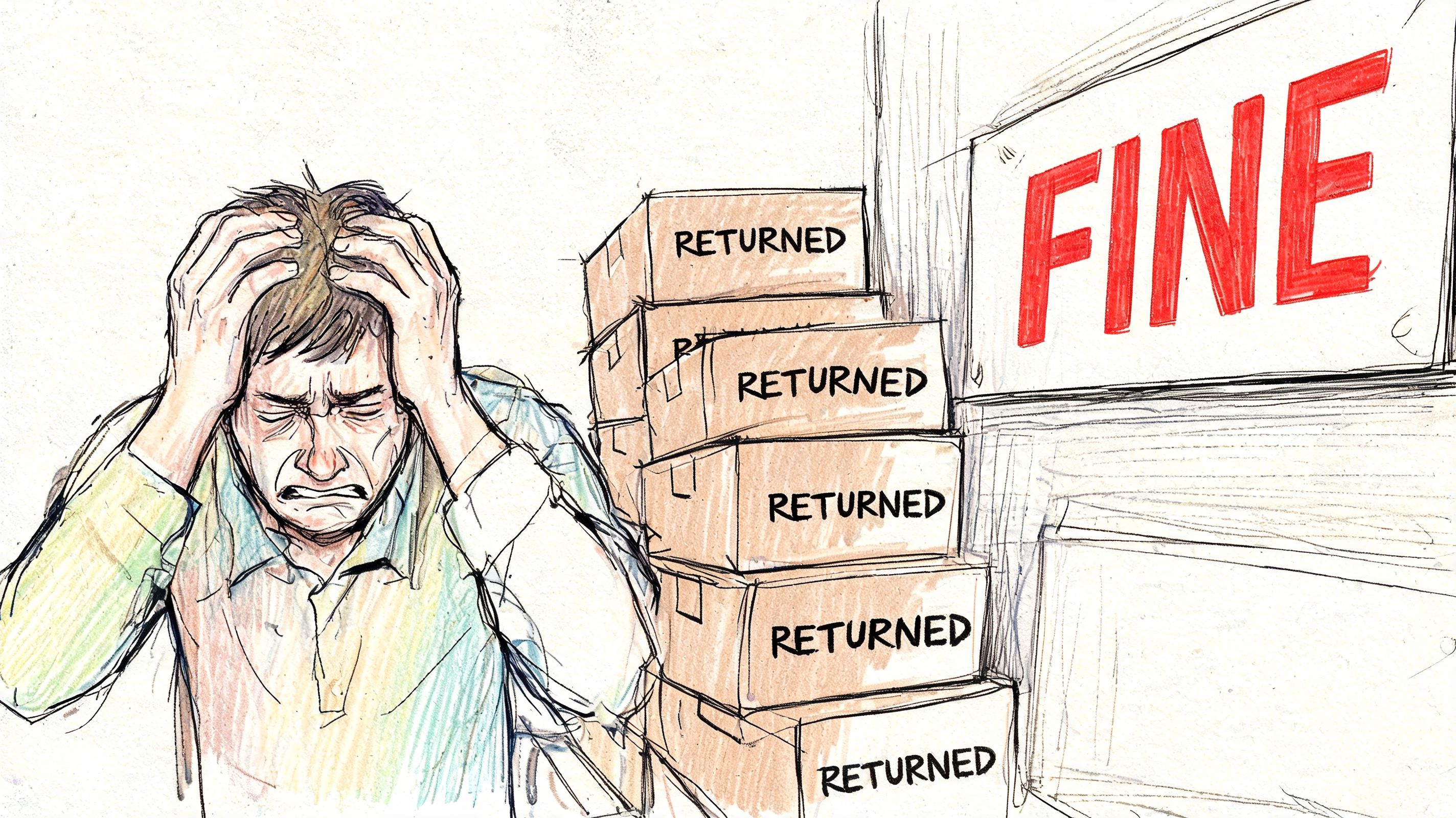
A lot of merchants land here after the same kind of problem. An order looked fine, the box went out, and then something broke in the chain. UPS rejected the shipment, the delivery failed because no adult could sign, or the destination turned out to be a restricted area that nobody caught at checkout.
When people search for ups ship wine, they usually aren’t asking a simple carrier question. They’re asking how to build a workflow that won’t fall apart once real orders start moving through WooCommerce, fulfillment software, and state-level alcohol rules.
Why Shipping Wine with UPS Requires a Bulletproof Plan
A single bad shipment can create three separate problems at once. You lose time in fulfillment, you frustrate the customer, and you expose the business to compliance risk. That’s why wine shipping can’t be treated like ordinary parcel shipping with a special sticker added at the end.
The opportunity is real. Direct-to-consumer wine shipping reached $1.82 billion on 3.95 million cases shipped in 2014, with an average bottle price of $38.40 according to the UPS direct-to-consumer shipping report. If your store sells wine legally, that’s not a side channel. It’s a revenue stream worth protecting.
Automate Alcohol Shipping Compliance
Block orders to restricted states automatically. 3-day free trial.
Start Free TrialThe real challenge is two systems at once
Most merchants first focus on UPS policy. That makes sense, but it’s only half the job.
You have to satisfy carrier rules and destination law at the same time. UPS cares whether you’re approved, whether you used the right software, whether the package is labeled properly, and whether the recipient is an adult. State and local law care whether you were allowed to ship wine to that address in the first place.
That second part is where teams get trapped. A state may allow some direct-to-consumer wine shipments while still carving out dry areas or local restrictions that make certain destinations off limits.
A compliant label on a non-compliant destination doesn’t save the shipment.
What fails in practice
The weak setups usually look like this:
- Manual review after purchase: Staff check addresses only after payment, then cancel orders that never should have gone through.
- Generic UPS account assumptions: Teams assume a normal shipping account is enough for alcohol.
- Checkout with no restriction logic: The store accepts orders everywhere and leaves compliance to warehouse staff.
- Carrier-only thinking: Merchants verify packaging but ignore local alcohol restrictions.
If you’ve compared carriers already, this guide on shipping wine by FedEx is useful as a contrast point. But the same core lesson applies with UPS. The businesses that do this well build compliance into the order flow before fulfillment starts.
Becoming an Approved UPS Wine Shipper
This is the first gate, and there’s no shortcut around it. You can’t decide to ship wine with your standard UPS workflow and fix the paperwork later. UPS requires approval before shipment, and if that approval is missing, the package won’t move as intended.
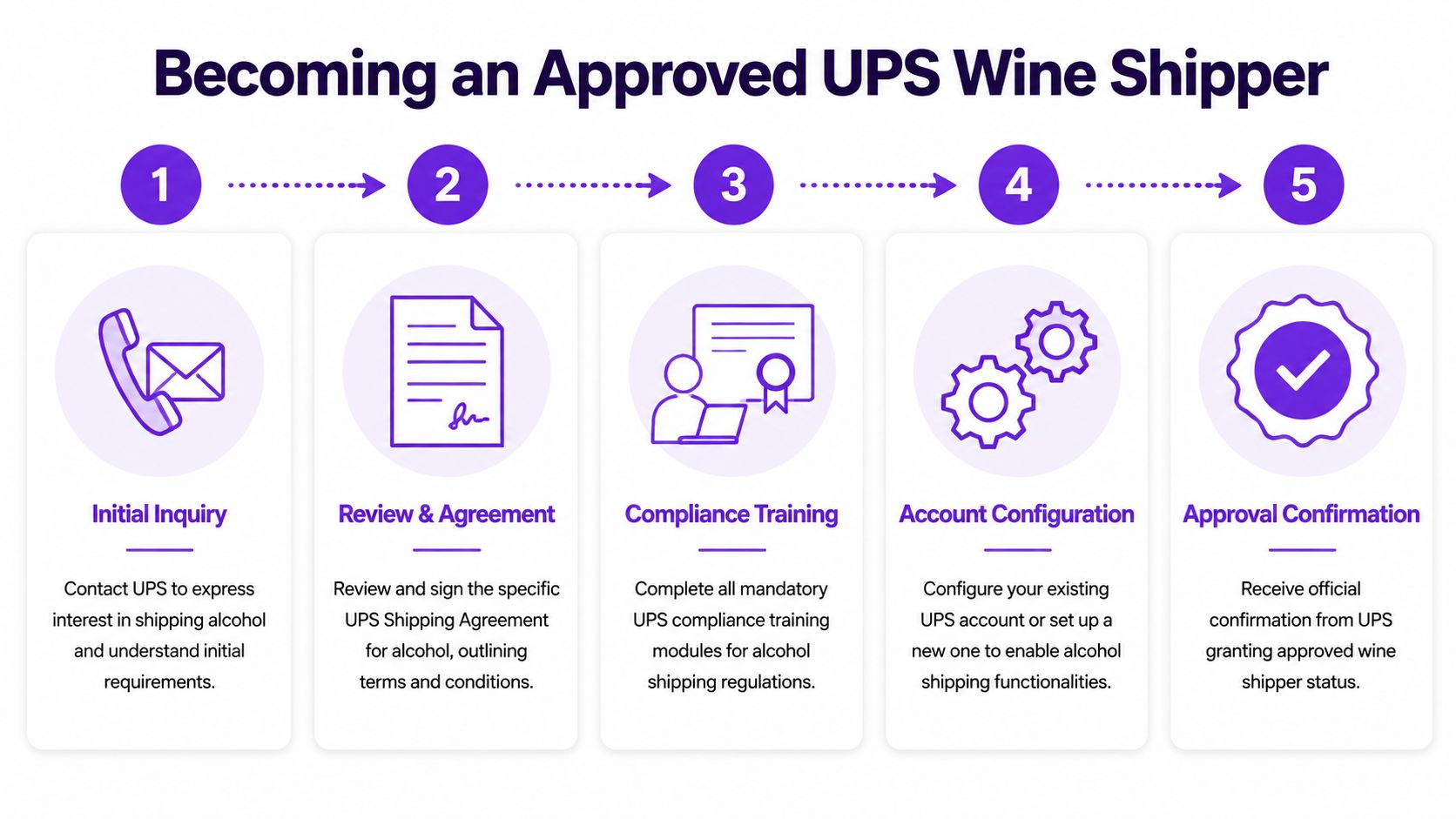
UPS requires a signed agreement and approved software processing for wine shipments. UPS states that shippers must enter into either The UPS Agreement for Approved Wine Shippers or The UPS Wine Industry Fulfillment House Agreement For Approved Wine Shippers, and shipments must be processed through UPS-compatible tools such as WorldShip or approved third-party systems, as explained in the UPS wine shipping requirements.
The approval step merchants often underestimate
The biggest mistake I see is treating approval as a paperwork formality. It isn’t. Approval changes how your account, shipping method, labels, and software all work together.
Free Alcohol Compliance Audit
Selling alcohol online? We'll review your WooCommerce store's shipping compliance for free.
If your business model includes a warehouse, 3PL, or fulfillment house, the agreement type matters. If you’re the licensed shipper and you fulfill in-house, you’ll usually be looking at the approved wine shipper path. If someone else handles fulfillment on your behalf, the fulfillment house agreement becomes central.
A practical sequence looks like this:
-
Confirm your licensing status
UPS wine shipping is for licensed shippers. Before you think about checkout logic or label printing, make sure your business status aligns with the relevant wine shipping permissions in the jurisdictions where you operate. -
Request the correct UPS agreement
Don’t rely on general customer support language. Ask specifically about wine shipping approval and the agreement that fits your operating model. -
Map your software stack
UPS requires shipments to run through compatible systems. That usually means WorldShip directly or an approved vendor workflow connected to it. -
Test operational handoff
Your order system, fulfillment workflow, and label generation process need to pass data cleanly. Weight sync, shipment creation, and tracking return all matter.
Software is part of compliance
Many stores often stumble here. They get approved in principle, then try to process orders with a workflow built for ordinary goods.
UPS specifically requires wine shipments to be processed through designated shipping solutions. Manual workarounds create risk fast. If your team is typing labels by hand, exporting inconsistent order files, or patching together disconnected systems, you’re inviting errors.
Practical rule: If the shipping workflow depends on staff remembering extra alcohol steps at the end, it’s not a stable workflow.
A cleaner setup usually includes:
- Order source control: WooCommerce sends only eligible wine orders into fulfillment.
- Shipping software alignment: WorldShip or an approved system handles label generation the way UPS expects.
- Tracking sync: The fulfillment platform sends tracking back to the store automatically.
- Address gating before payment: Restricted orders never become payable orders.
If your current account setup is unclear, a local resource that can help you find your UPS shipping solution may be useful before you redesign your fulfillment process.
What doesn’t work
These approaches fail more often than merchants expect:
| Approach | Why it breaks |
|---|---|
| Using a normal UPS account for wine | It bypasses the required wine shipper approval path |
| Processing labels outside approved tools | UPS requires compatible shipping solutions |
| Letting sales go through before checking restrictions | You create avoidable cancellations and manual cleanup |
| Relying on warehouse memory | Compliance steps get missed under real order volume |
Packaging and Labeling for Compliant Shipments
Approval gets you into the program. Packaging and labeling determine whether the box is ready to travel without creating avoidable trouble.
Wine is one of those categories where bad prep shows up fast. Bottles break, labels get challenged, and signature requirements fail at the door. The package has to do two jobs at once. It has to protect the product physically, and it has to signal compliance operationally.
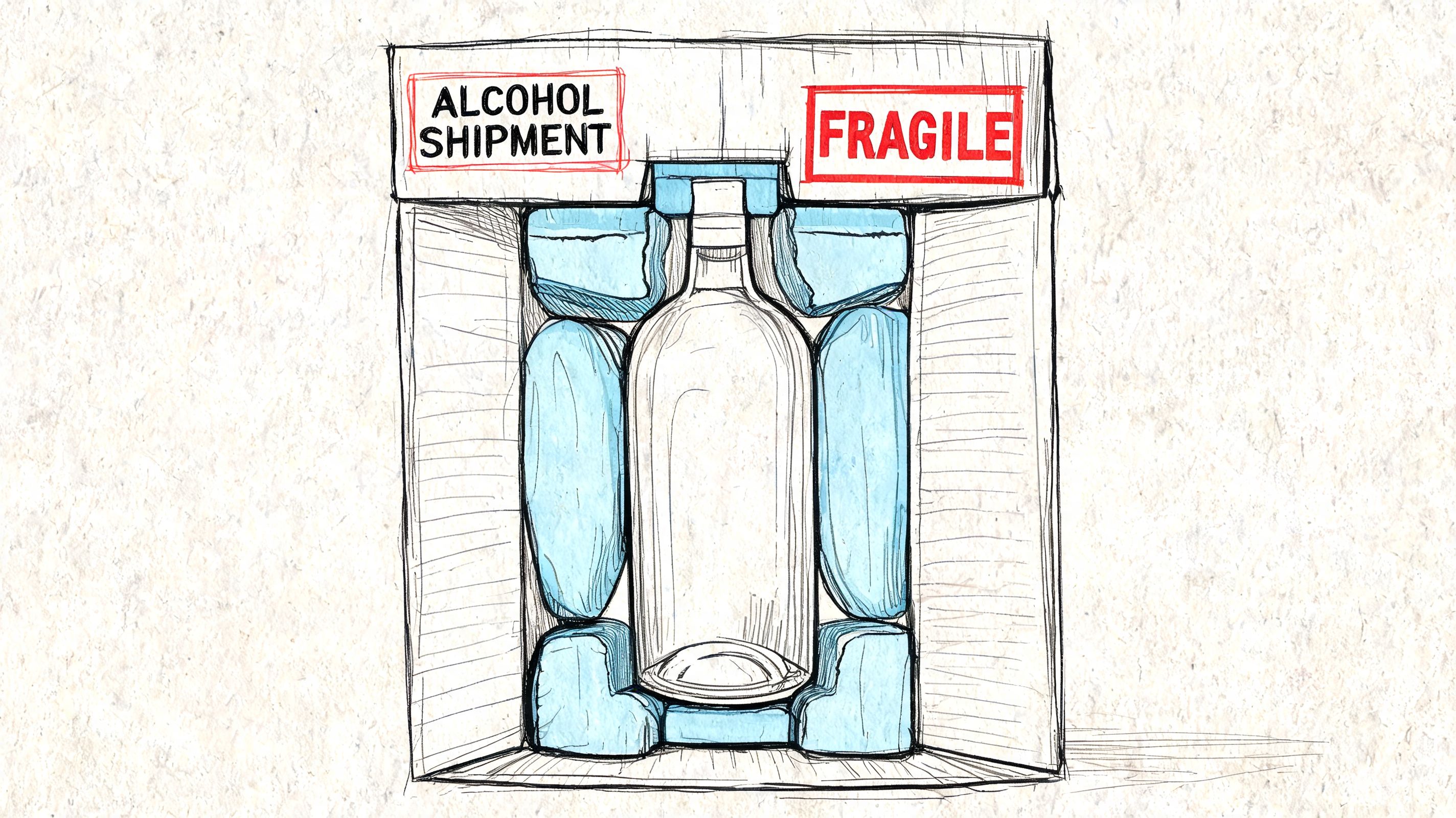
UPS offers specialized certified packaging for wine, including boxes that hold up to 12 bottles for still wine or 6 bottles for sparkling wine, and it also supports licensed direct-to-consumer export routes from select EU countries to markets including China, Japan, and Canada, as summarized in this UPS global alcohol shipping overview.
Start with approved packaging, not generic cartons
A lot of damage claims begin with a perfectly ordinary corrugated box that was never meant for glass bottles in transit.
For UPS wine shipping, use certified wine packaging designed for bottle separation and shock handling. The capacity matters because still and sparkling wine don’t package the same way. If your team swaps packaging ad hoc based on what’s left on the shelf, mistakes follow.
A useful internal standard is to define packaging rules by SKU family:
- Still wine orders: Match to certified inserts and carton sizes built for still bottles.
- Sparkling wine orders: Use the packaging configuration intended for sparkling wine, not the still wine equivalent.
- Mixed orders: Review whether the packaging format supports the exact bottle combination before the pick ticket is released.
Labeling is not just the shipping label
Many otherwise careful teams stumble on a particular requirement. A standard UPS label alone is not enough for domestic wine shipments.
UPS requires special alcoholic beverages shipping labels in addition to the standard label, and packages require UPS Delivery Confirmation Adult Signature Required service, with delivery only to an adult 21+. In practice, that means your label generation settings must already account for the alcohol workflow before the package reaches the packing bench.
If adult signature is added manually only when someone remembers, missed settings are inevitable.
Here’s a practical pack-out checklist:
- Use the right outer package: Certified wine shipping packaging, not a repurposed box.
- Confirm insert fit: Bottles should be immobilized, not cushioned loosely.
- Print the standard UPS label through the approved workflow: Avoid side processes.
- Apply the alcohol-specific label: Domestic wine shipments need it.
- Enable Adult Signature Required: This is mandatory for delivery.
A related operational lesson shows up in other temperature-sensitive or regulated categories too. This article on shipping frozen food via UPS is useful because it highlights the same principle: packaging has to be chosen for the product and the carrier workflow together, not as separate decisions.
Train for failed delivery scenarios
Even a perfectly packed shipment can come back if the consignee isn’t available to sign. That isn’t a packaging failure, but your customer communication should anticipate it.
Set expectations before shipment. Tell customers that an adult must be present, that rerouting may not solve a legal delivery problem, and that missed attempts can delay receipt. That one email saves a lot of support tickets.
For a visual walkthrough of wine pack-out practices, this is a helpful reference:
<iframe width="100%" style="aspect-ratio: 16 / 9;" src="https://www.youtube.com/embed/3sBe2kQ7tXM" frameborder="0" allow="autoplay; encrypted-media" allowfullscreen></iframe>Navigating State-by-State Wine Shipping Regulations
Carrier approval creates a legal shipping lane with UPS. It does not create permission to ship wine everywhere a customer can type an address.
That distinction matters because many merchants build their workflow backward. They ask, “Can UPS carry this?” when the harder question is, “Can we legally send this exact order to this exact destination?” Those are different tests.
State legality is not uniform
Wine shipping law is patchwork by design. Some destinations are more straightforward for licensed direct-to-consumer shipment. Others involve narrow permissions, permit requirements, or outright prohibitions. And even inside states that appear open, local restrictions can still block the order.
That’s why broad state-level thinking isn’t enough. If your store only validates at the state level, you can still accept an order that shouldn’t move.
A reliable review process needs to account for more than one layer:
| Compliance layer | What it answers |
|---|---|
| Business eligibility | Is your business allowed to make this kind of shipment? |
| State destination rules | Is wine shipment allowed to this state under your license type? |
| Local restriction check | Is the county, city, or ZIP area restricted? |
| Carrier execution | Will UPS accept and deliver the shipment under its program rules? |
Dry areas are the hidden operational problem
UPS is explicit that shippers must ensure that they do not ship to dry areas in any state, and the UPS addendum specifically notes restrictions in states including Alaska, Connecticut, Florida, New Hampshire, Vermont, and West Virginia, as outlined in the UPS wine addendum.
What UPS does not provide is a checkout-ready method for stores to identify and block those destinations automatically.
That gap is where many compliance programs become fragile. The policy exists. The technical enforcement often does not.
A team can know the rule and still fail the order if the store accepts payment before anyone checks the county or ZIP.
Why manual checking breaks down
Manual destination review sounds manageable at low volume. It rarely stays manageable.
Someone has to inspect the destination, compare it against current restrictions, make a judgment call, and then either release or stop the order. That works until you add nights, weekends, staff turnover, rush orders, and customer service pressure to “just ship it.”
The weakest points usually look like this:
- Address review after payment
- Spreadsheet-based restricted area lists
- Fulfillment staff making legal calls
- No county or ZIP logic inside checkout
The legal problem isn’t only prohibited states. It’s the uneven local map inside otherwise viable markets. That’s why state-by-state compliance needs to be translated into store logic, not stored as tribal knowledge.
Automating Wine Shipping Rules in WooCommerce
Once you accept that manual review won’t scale, the next question becomes operational. Where should restriction enforcement happen?
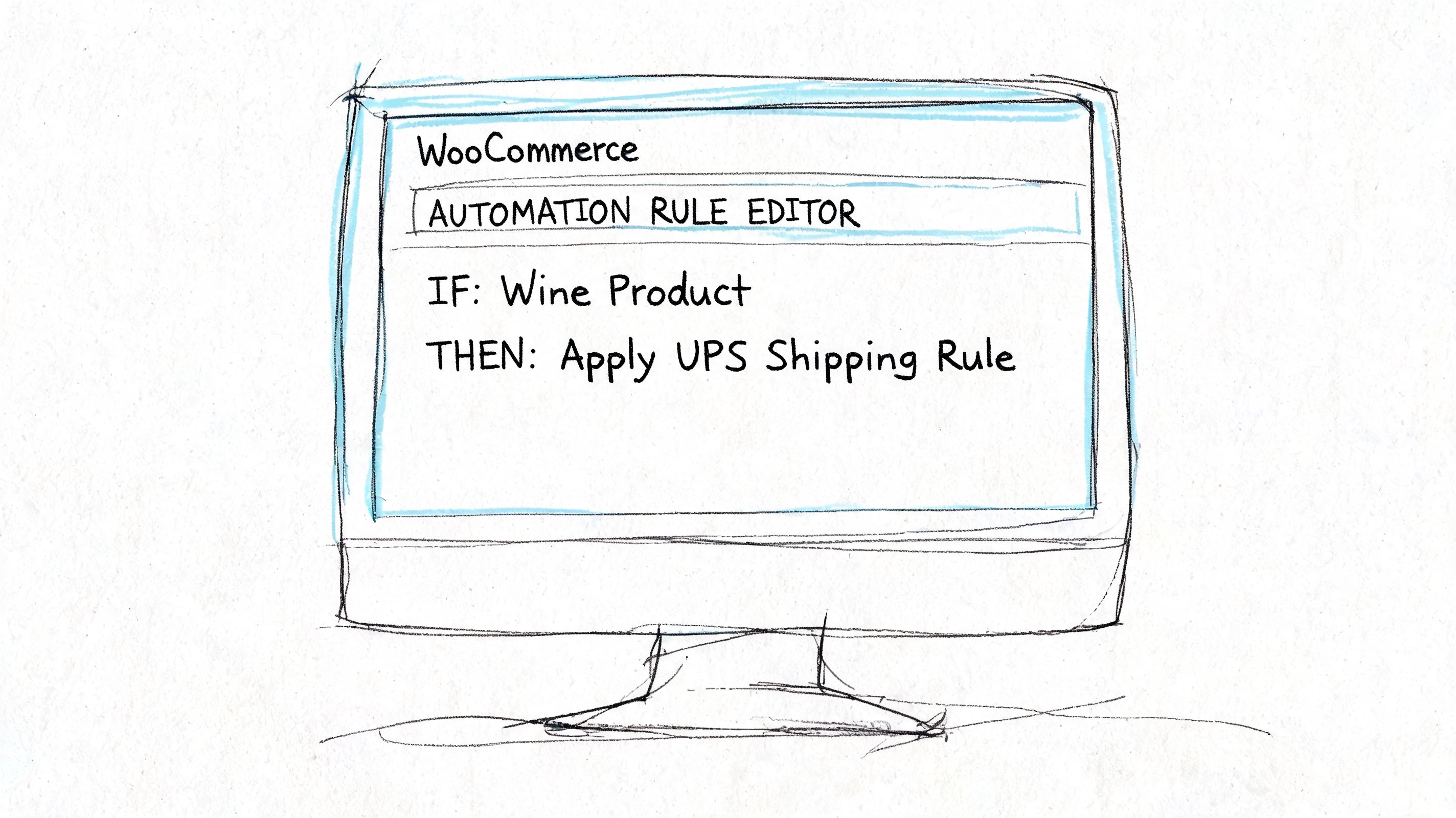
The answer is checkout. Not the warehouse. Not customer support. Not the shipping desk after labels are half printed. If your WooCommerce store accepts an order that your business shouldn’t ship, you’ve already created rework.
The right place to block the order
For regulated goods, checkout validation is where compliance becomes practical. That means the store should evaluate the destination and stop the transaction before payment if the address falls into a prohibited area.
For wine, that can mean rules by:
- State
- County
- City
- ZIP code
That level of granularity matters because broad state restrictions don’t catch dry areas, and broad ZIP logic may still miss county-level edge cases if your data structure is loose.
A good WooCommerce implementation usually follows this sequence:
-
Identify the wine products or categories
Restriction logic should apply to the exact products that need it, not your full catalog. -
Define the restricted geographies
Start with state-level exclusions, then add county, city, or ZIP rules where local law creates narrower prohibitions. -
Block before payment
The goal is prevention. The order should never move into paid status if the destination is ineligible. -
Show a clear customer message
Don’t hide the reason. Tell the shopper that shipping restrictions prevent delivery to that location. -
Keep rule maintenance separate from fulfillment
Compliance logic belongs in store configuration, not in warehouse memory.
Why automation beats staff review
Teams sometimes resist this because they think review by a careful employee is safer. In practice, it’s usually the opposite.
Manual review is inconsistent. Different people interpret rules differently. Someone gets interrupted. A temporary employee doesn’t know a county exception exists. A customer changes the address after approval. Once that happens, the order becomes a chain of exceptions.
Automation doesn’t get tired, and it doesn’t forget to check the destination.
Operational advice: Build the store so restricted orders fail fast and clearly. Every blocked checkout is cheaper than a canceled paid order.
If you’re planning a more complex build or replatforming work, this curated list of WooCommerce agencies can help identify developers who understand custom store logic and operational integrations.
What a workable WooCommerce rule set looks like
Here’s the structure I recommend for merchants handling regulated shipping logic:
| Rule type | Use case | Store behavior |
|---|---|---|
| Product-based rule | Only wine products need restriction checks | Trigger validation only for regulated items |
| State block | Shipment not allowed to a state | Prevent checkout |
| County block | Dry county or local alcohol restriction | Prevent checkout |
| ZIP block | Narrow destination exception | Prevent checkout |
| Message rule | Customer needs explanation | Show compliance notice at checkout |
If you want a deeper technical look at this category of setup, this guide to WooCommerce alcohol shipping restrictions is a useful reference point.
What not to automate halfway
Partial automation can be worse than none if it creates false confidence.
Avoid these patterns:
- Blocking only by state when local restrictions exist
- Running checks after the order is submitted
- Letting admins override rules without a documented process
- Using one generic error message for every restriction type
The strongest WooCommerce setups treat restriction logic like tax logic. It’s built into the transaction itself, not bolted on after the cart turns into an order.
Frequently Asked Questions About Shipping Wine
Can an individual ship wine through UPS as a gift?
Not under the wine shipping framework discussed here. UPS wine shipping is for licensed shippers operating under approved agreements and approved processing methods. If a business owner assumes personal gift shipping and licensed commercial wine shipping are the same thing, they’ll build the wrong workflow from the start.
Why did UPS reject my shipment even though the box was packed correctly?
Correct packaging doesn’t override account or processing requirements. Rejections often trace back to one of three causes:
- No approved wine shipper agreement on file
- Shipment processed outside the required UPS-compatible tools
- Destination eligibility problems that should have been caught earlier
When that happens, don’t just reprint the label and try again. Check the approval status, confirm the shipping software path, and verify that the destination is legally serviceable for wine.
What happens if nobody is available to sign?
UPS requires Adult Signature Required for wine shipments in the approved workflow. If no qualified adult is available, delivery can fail and the package may be delayed, returned, or held according to the service conditions in play.
The practical fix is customer communication before the first attempt. Tell the buyer clearly that an adult must be present. If your audience includes gift buyers, this matters even more because the recipient may not be expecting a controlled delivery.
Does UPS handle international wine shipping?
Yes, for licensed shippers under the appropriate program rules. UPS expanded international alcohol shipping capabilities in 2017, and by 2026 the network description referenced in earlier material includes direct-to-consumer export service from select EU countries to markets such as China, South Korea, Japan, Canada, Hong Kong, India, New Zealand, Singapore, and Thailand. The important qualifier is the same one that applies domestically. Eligibility depends on licensing, agreements, and destination rules.
How should I handle damaged wine shipments?
Start by separating transit damage from spoilage concerns.
If a bottle arrives broken or the carton is visibly damaged, document the condition immediately. Keep the packaging, photograph the labels and damage, and compare the shipment record against your pack-out process. You’ll need clean internal records if you file a claim or review a packaging failure with your carrier setup.
A basic response process looks like this:
- Pause any automatic refund decision until the facts are documented.
- Collect photos of the outer box, inner packaging, labels, and product condition.
- Confirm what packaging configuration was used for that SKU and bottle type.
- Review tracking events for visible handling issues or delivery anomalies.
- File the claim through your normal UPS claims workflow if the facts support carrier damage.
Can I rely on my warehouse team to spot restricted addresses manually?
You can, but it’s a fragile way to run a regulated category.
Warehouse teams are good at picking, packing, and exception handling. They should not be your primary legal gate. By the time a picker notices a problem, the order may already be paid, routed, packed, or promised to the customer.
What’s the most common workflow mistake with ups ship wine?
The most common mistake is treating compliance as a fulfillment task instead of a checkout rule.
That usually shows up as one of these scenarios:
- The store accepts every order and the warehouse decides later
- The shipping admin adds alcohol settings manually per shipment
- Staff rely on memory for dry county restrictions
- The business gets UPS approval but never tightens WooCommerce destination logic
The cleaner model is simple. Get approved properly. Use the required tools. Package and label correctly. Block non-compliant orders before payment.
If you sell regulated products on WooCommerce and need destination rules enforced before checkout, Ship Restrict gives you a practical way to block restricted orders by state, county, city, or ZIP. That’s especially useful when your compliance risk lives in local edge cases that generic shipping settings won’t catch.
Automate Alcohol Shipping Compliance
Stop worrying about restricted states. Ship Restrict handles it automatically.

Cody Yurk
Founder and Lead Developer of ShipRestrict, helping e-commerce businesses navigate complex shipping regulations for regulated products. Ecommerce store owner turned developer.
Automate Alcohol Compliance
- Block restricted states
- No more cancellations
- Set and forget
3-day free trial · Card required