Understanding State Shipping Rules for Firearms Compliance
Learn what state means for firearms shipping compliance. Compare state vs county vs city vs ZIP rules and model them in WooCommerce with Ship Restrict.
A lot of firearms merchants discover the same failure in a painful way. The cart looked fine, the address validated, and the order sailed through because the rule was modeled too narrowly, maybe by ZIP, maybe by city, while the actual restriction lived at the state layer. In WooCommerce, that mistake usually shows up at the worst possible moment, after payment authorization and before the shipping label is printed.
For regulated products, state is not just a line on an address form. It's the broad compliance scope that tells you whether an order can move at all, and it often sits above county, city, and ZIP rules that tighten the restriction further. The practical job is to turn that legal boundary into a checkout decision that's fast, explainable, and hard to bypass.
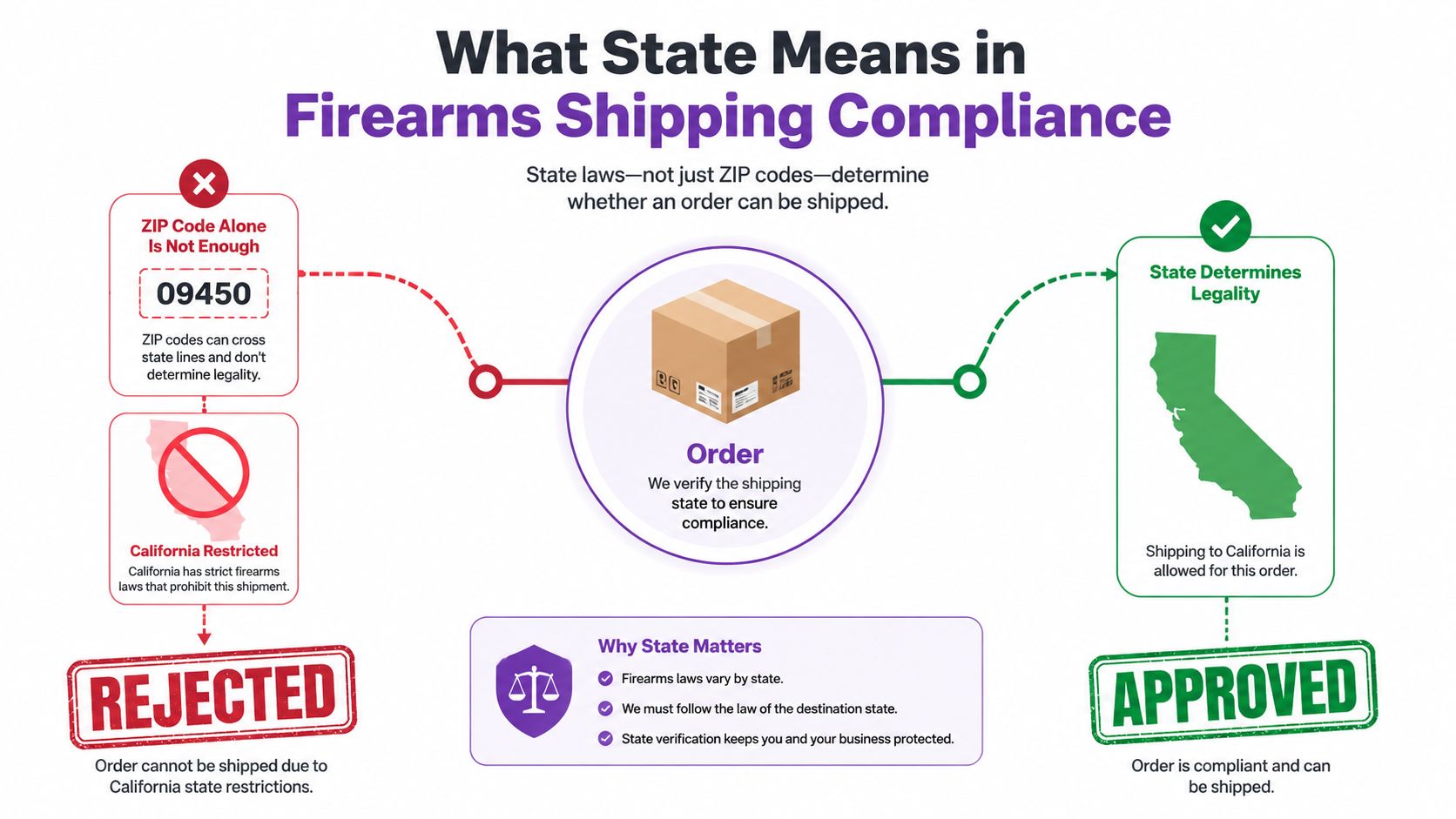
What State Means in Firearms Shipping Compliance
A merchant once told me the order that caused the panic came from California, but their rule only blocked one ZIP cluster near a past incident. The customer checked out from a different area, the address looked clean, and the sale went through. The store had built a narrow geographic filter, then discovered that the broader compliance question was never asked.
That's the core of state in firearms shipping compliance, it's the widest operational container most merchants use first. The Peace of Westphalia (1648) is widely cited as a milestone in the development of sovereignty and defined territorial authority, and that same territorial logic still shapes how state-level rules get enforced today. In the modern international system, the United Nations had 193 member states as of 2026, which is a reminder that state boundaries remain the basic organizing unit for real-world authority and segmentation. The state profile ranking also shows why merchants feel this at scale, because a single state can cover tens of millions of people, which means one rule can affect a huge share of your addressable market.
Automate Shipping Compliance
Block orders to restricted states automatically. 3-day free trial.
Start Free TrialWhat the state layer answers
The state layer answers a simple question, can this product ship into this jurisdiction at all. In practice, that's the first hard gate before anyone starts asking about county overlays or city-specific carveouts. It's also where many merchants begin because it's the easiest rule to explain to staff, customers, and developers.
Practical rule: if the store can't defend the order at the state level, it shouldn't rely on lower layers to “fix” the sale later.
That doesn't mean the state layer replaces everything else. Federal rules still sit underneath, carrier rules still apply, and some restrictions only appear when a county or city changes the answer inside an otherwise permissive state. But the state layer is the cleanest place to block entire regions, reduce false positives, and keep checkout logic readable.
The operational takeaway is simple. Model state as a compliance scope, not a decorative address field. If you get that right, the rest of the rule stack becomes much easier to reason about.
Comparing State, County, City, and ZIP Rule Layers
A clean compliance stack starts with the question, “what level of geography owns the restriction?” If you put everything at the ZIP level, you'll end up over-blocking orders that should have been allowed. If you stop at the state level, you'll miss location-specific exceptions that matter in dense urban pockets or edge-case delivery zones.
The point isn't to choose one layer forever, it's to assign each rule to the layer where it naturally belongs. That keeps checkout logic stable, and it also keeps the admin side maintainable when you're juggling multiple jurisdictions. The difference becomes obvious when you compare the layers side by side. For a deeper county-specific example, see county-level shipping restrictions and why state compliance isn't enough.
| Layer | Authority | Example Rule | Change Frequency | Implementation Effort |
|---|---|---|---|---|
| State | State legislature, state agencies, and state enforcement | Block an entire state from receiving a regulated firearm product | Moderate, but impactful when it changes | Lower, because one rule can cover many addresses |
| County | County ordinances and local enforcement | Restrict deliveries into a specific county with tighter transfer handling | More variable than state rules | Medium, because you need granular location matching |
| City | Municipal rules and local enforcement priorities | Block a city with extra transfer paperwork or retailer registration requirements | Often uneven across regions | Medium to high, because city names can be messy in checkout data |
| ZIP | Operational shipping filter, not usually the legal source itself | Exclude a delivery zone near a campus, base, or special-use area | Can change often in practice | Highest, because ZIP logic is easy to overfit and hard to maintain |
Where each layer actually works
State rules are best for broad prohibitions and product categories that shouldn't ship anywhere in that jurisdiction. County and city rules are better when the restriction sits inside a larger permissive state, or when local enforcement makes a difference. ZIP rules are the last resort, useful for highly specific edge cases, but risky if you use them as a substitute for the legal source.
The mistake I see most often is merchants copying a neighbor's geography model without checking the underlying rule source. They end up with brittle logic, stale restrictions, and checkout blocks that make no sense to the customer. If your policy is really state-wide, keep it state-wide. If it isn't, don't pretend it is.
Common State-Level Firearms Shipping Rules and Pitfalls
The most useful way to think about state rules is as a checklist of categories that can affect checkout. A store doesn't need to encode every possible legal nuance on day one, but it does need a disciplined way to sort rules into buckets before turning them into automation. That's where most manual processes break down, because staff members remember the exception but not the rule structure.
Free Shipping Compliance Audit
We'll review your WooCommerce store's shipping compliance for free.
The categories I see most often are handgun versus long gun sales, magazine capacity limits, ammunition shipping, age verification, and intra-state transfer paperwork. Some are state-wide, while others become relevant only inside specific cities or counties, which is why a clean state rule can still need lower-level overlays. A merchant who understands that split avoids both under-blocking and unnecessary cart rejections. For a broader reference on state-centric firearm rules, merchants often pair this work with state firearm laws and shipping compliance guidance.
The checklist merchants actually need
- Handgun versus long gun sales: different product types can trigger different shipment paths, so the product catalog has to carry that distinction cleanly.
- Magazine capacity limits: if a state restriction applies to a product attribute, the checkout logic has to recognize it before payment.
- Ammunition shipping: this often needs its own rule path, because treating ammo like any ordinary accessory creates avoidable mistakes.
- Age verification: if the cart contains regulated items, the store needs a hard gate that doesn't rely on a customer's informal acknowledgment.
- Intra-state transfer paperwork: some orders need documentation flow, not just a destination block, so the customer message has to be precise.
The biggest pitfall is assuming a permissive state allows every firearm-related shipment without further checks. The second biggest is copying a nearby state's rule set and calling it “close enough.” If you're trying to understand the broader platform mechanics behind these rules, understanding the Shopify system is useful background, even if your store runs on WooCommerce, because the operational lesson is the same, shipping logic has to be explicit, not improvised.
<iframe width="100%" style="aspect-ratio: 16 / 9;" src="https://www.youtube.com/embed/q_1SFqhOMXE" frameborder="0" allow="autoplay; encrypted-media" allowfullscreen></iframe>Modeling State Rules as WooCommerce Conditions
WooCommerce can only enforce what you can express as data. That means every rule needs a trigger, a scope, a product target, an action, and a customer message before it ever touches the plugin UI. If that structure isn't clear, the checkout rule will eventually drift from the legal requirement and someone will have to untangle it under pressure.
Billing and shipping state fields are not equal in practice. For firearms restrictions, the shipping state is usually the safer field to evaluate because it reflects where the product is headed. Billing can help with fraud review or account records, but using billing as the compliance source often blocks the wrong customer or misses the wrong address.
A rule schema that holds up
A usable state rule usually looks like this:
- Trigger: when a cart contains a regulated product or a product category that needs review
- Scope: state, county, city, or ZIP
- Product scope: one SKU, a category, or a tagged product group
- Action: block checkout, require review, or allow with notice
- Message: a plain explanation the buyer can understand without calling support
That schema matters because it separates policy from implementation. The legal requirement tells you what must happen, and the schema tells WooCommerce how to evaluate it.
If the rule can't be described in one sentence before you build it, it's probably too vague for checkout logic.
Precedence also matters. If a state rule blocks the order, a city allow-list can't override it unless your policy explicitly says so. In a multi-state store, that hierarchy needs to be written down before a developer starts configuring conditions, otherwise you get silent conflicts that only show up during live sales. For a practical reference on location-aware logic inside WooCommerce, WooCommerce location-based shipping is a useful companion topic.
Configuring Ship Restrict Rules by Geographic Layer
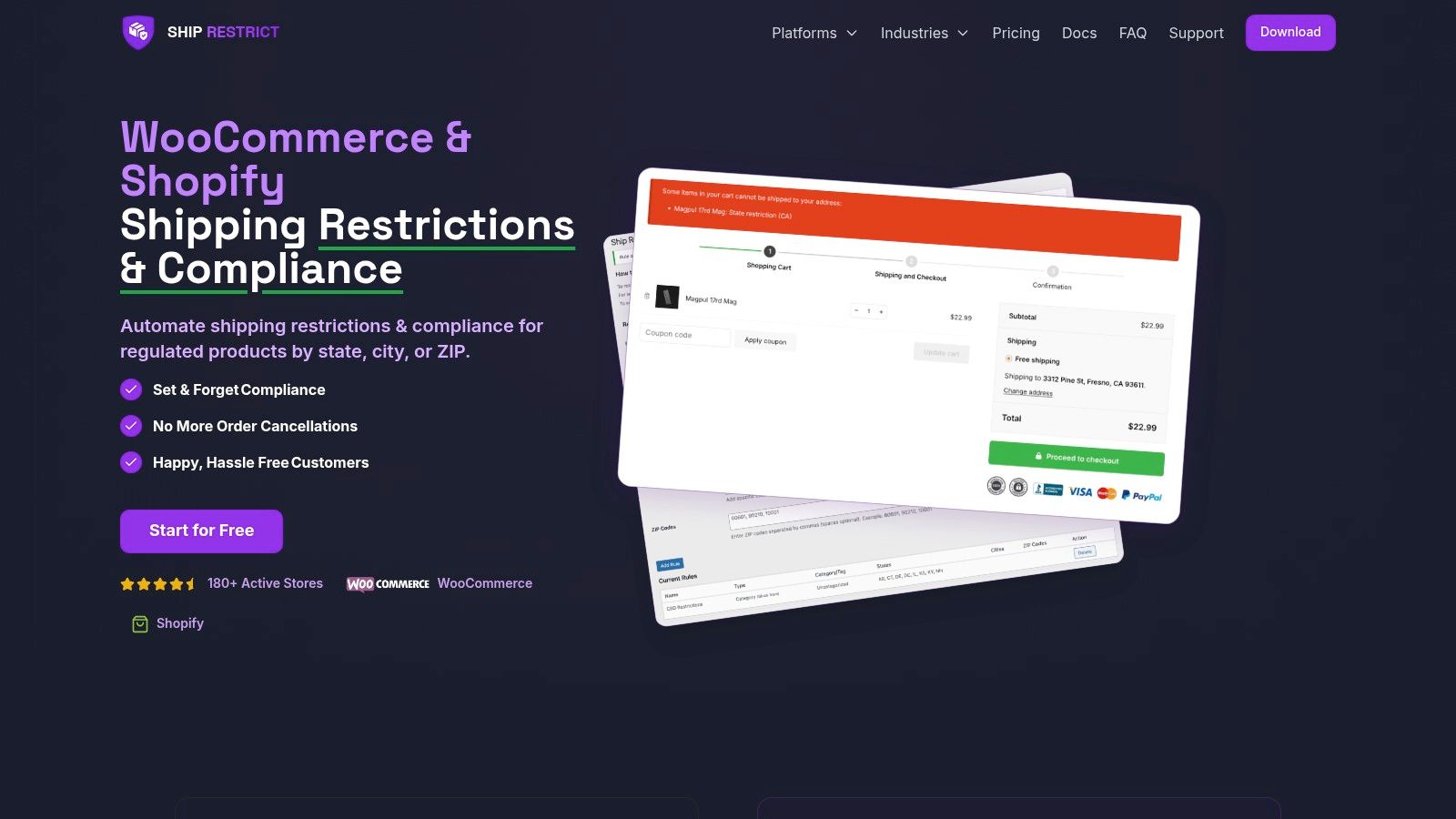
The cleanest setup starts with one broad rule and then narrows it only where the legal source demands it. In Ship Restrict, that means creating a state condition first, then layering county, city, or ZIP conditions only when the store needs that granularity. It's the difference between a rules library you can audit and a pile of one-off exceptions no one wants to touch.
Start with the broadest valid block
A state-level block is the simplest rule to build and the easiest one to explain to customer service. In a firearms store, that often means selecting the state, choosing the relevant product group, and setting the action to reject the cart with a message that names the restriction plainly. If the legal basis is statewide, don't bury it under ZIP exceptions that only add maintenance work.
Bulk rule creation helps when you have a long list of jurisdictions to manage. Instead of entering each rule by hand, you can organize the library so your team updates sets of states together, which cuts down on copy-paste drift. Scheduled start and expiry dates are equally useful when a restriction or allowance changes on a known date, because they let you stage the transition instead of flipping it in the middle of a sales day.
Narrow only when the rule truly needs it
County and city rules should sit underneath the state rule, not replace it. That keeps the enforcement order readable, and it also prevents a local exception from accidentally opening a state-wide loophole. ZIP rules belong in the narrowest cases, such as university towns or military bases, where the boundary is operationally meaningful but too specific for a broader layer.
Customer-facing messages matter more than many stores expect. A generic “cannot ship” message forces support tickets, while a specific one tells the buyer exactly why the address was rejected and what to do next. Clear messages don't make the rule softer, they make it easier to follow.
Troubleshooting State Rule Failures at Checkout
Most checkout failures come from a small set of mechanical problems, not from the law itself. A rule doesn't fire because the wrong address field is being evaluated. A block hits the wrong state because the state code was imported incorrectly. A ZIP override wins over a city condition because the rule hierarchy was built backwards.
The fastest diagnosis starts with the order log. If the plugin recorded the address, the product scope, and the matched condition, you can usually see whether the issue is data, precedence, or stale configuration. A sandbox order is the next test, because it lets you compare billing and shipping state values without risking a live customer transaction.
Common failure patterns
- Rule not firing: the cart didn't match the product scope, or the store is checking billing instead of shipping.
- Wrong state match: the state code, abbreviation, or imported mapping doesn't line up with the customer address.
- ZIP override issue: a lower-level rule is taking priority when the state rule should have controlled the outcome.
- Bulk import typo: one bad state code can disable a whole batch of rules.
- Outdated rule library: state standards change, and old conditions keep running long after the legal source moved on.
The compliance side also needs a review cadence. FHWA's state specification index shows that DOT specifications exist in multiple revisions, including 2026, 2025, 2024, and earlier books, and South Dakota explicitly switched projects let on or after Oct. 1, 2025 to its 2025 electronic standard specifications, which is a good reminder that location-based rules need version control and effective dates. FHWA's state specification index shows why “set and forget” is risky, and why a quarterly review is a practical floor for regulated stores.
Debugging rule: if a customer says the block was wrong, test the address, the product, and the effective date before you touch the rule itself.
Building a Repeatable State Compliance Workflow
The workflow that holds up quarter after quarter is boring in the best way. Monitor state updates, map each change to a rule type, stage the adjustment in your restriction engine, and test it against past orders before you push it live. Then keep a written note of why each restriction exists so the next person isn't forced to rediscover it from scratch.
That documentation step matters more than people think. A rule without a legal basis becomes tribal knowledge, and tribal knowledge disappears the moment a staff member leaves or a support queue gets busy. If you want a broader operations framework, the Million Dollar Sellers supply chain guide is a useful reminder that resilient commerce depends on repeatable processes, not just individual attention.
Ship Restrict fits into that kind of workflow by giving WooCommerce stores a way to encode state, county, city, and ZIP restrictions in one place, then update them without rebuilding checkout logic every time a rule changes. The next step is less manual typing, more reliable rule import and export, better admin notifications, and faster rule refreshes when your compliance library grows. If state-based shipping decisions are slowing your team down, visit Ship Restrict and evaluate whether its rule builder matches the way your store ships regulated products.
Automate Shipping Compliance
Stop worrying about restricted states. Ship Restrict handles it automatically.

Cody Yurk
Founder and Lead Developer of ShipRestrict, helping e-commerce businesses navigate complex shipping regulations for regulated products. Ecommerce store owner turned developer.
Automate Shipping Compliance
- Block restricted states
- No more cancellations
- Set and forget
3-day free trial · Card required