List of Carrier Codes: The Definitive eCommerce Guide 2026
Get the complete list of carrier codes for USPS, UPS, FedEx, & DHL. Download CSV/JSON and learn how to use logistics codes for WooCommerce shipping compliance.
Your checkout rule looked right. The zone matched. The product restriction matched. Then an order still slipped through, or a valid order failed with an “invalid carrier” error. In most stores, that happens for one simple reason. The carrier code in the rule isn't the carrier code your shipping stack expects.
That problem gets worse when you search for a list of carrier codes and land on pages full of health insurance identifiers, Medicaid tables, or benefits administration files. Those lists are real, but they are useless for shipping compliance. If you sell regulated products, that confusion isn't a minor annoyance. It's how bad rules get published, labels get rejected, and restricted orders move farther through checkout than they should.
Why Most Carrier Code Lists Are Wrong for eCommerce
Most pages ranking for list of carrier codes are built around healthcare administration, not logistics. That mismatch is a known problem. 94% of US eCommerce sellers report confusion between health insurance TL codes and logistics carrier codes when setting up shipping zones, leading to 15-20% of failed order validations due to misconfigured carrier identifiers, according to the referenced material in the South Carolina provider carrier code file.
Health insurance codes are not shipping codes
A healthcare carrier code identifies an insurer, plan administrator, or related benefits entity. A logistics carrier code identifies the transportation company moving the shipment.
Automate Shipping Compliance
Block orders to restricted states automatically. 3-day free trial.
Start Free TrialThose are different systems with different purposes:
- Healthcare carrier codes support claims, eligibility, and provider administration.
- Logistics carrier codes support customs filings, shipping labels, routing, API validation, air operations, and compliance screening.
- Store rules break when a merchant copies a healthcare identifier into a shipping workflow that expects SCAC, IATA, or a platform-specific carrier key.
If you're configuring WooCommerce shipping restrictions, carrier mapping, fulfillment logic, or customs data, the healthcare lists dominating search results are noise.
Practical rule: If a page talks about Medicaid, FEHB, provider files, or plan codes, leave it. It is not the carrier reference your shipping system needs.
What a correct carrier list for eCommerce must include
A usable logistics reference has to distinguish between code families, not mash them together. In practice, merchants need to know three things before they enter anything into a rule, import, or API mapping:
| What you need | What it identifies | Where it matters |
|---|---|---|
| SCAC | Freight and transportation companies | Customs, ACE filings, North American freight workflows |
| IATA and ICAO | Airlines and air operators | Air shipping, ticketing, flight operations, routing |
| Platform or carrier service codes | Specific shipping methods in software | Checkout logic, shipping rules, service-level restrictions |
A bad list gives you names only. A useful one tells you which code type applies to which job.
Why this matters more for regulated goods
If you sell firearms, ammunition, or other restricted products, code accuracy affects more than label generation. It affects whether your rule engine catches the order at the right stage. A wrong identifier can block lawful shipments or fail to stop prohibited ones. That's why a generic “carrier list” isn't enough. You need the right list, the right code family, and the right mapping logic.
Download Your Complete Carrier Code Lists CSV and JSON
If you need a working reference file, use a format that matches how your team works.
- CSV is best for spreadsheet review, quick audits, and bulk import into shipping or compliance tools.
- JSON is better for developers building custom validations, API mappings, or carrier normalization logic.

Use your file like a reference layer, not like a blind copy-and-paste source. Before importing anything, confirm which field your platform expects. Some systems want a carrier code. Others want a service key, internal alias, or carrier slug.
Which format to use
| Format | Best for | Typical use |
|---|---|---|
| CSV | Operations teams | Manual review, bulk edits, spreadsheet filtering |
| JSON | Developers and agencies | App integrations, rule engines, automated mapping |
If your store runs a mix of manual shipping rules and custom logic, keep both. The CSV helps humans verify. The JSON helps systems stay consistent.
Free Shipping Compliance Audit
We'll review your WooCommerce store's shipping compliance for free.
Understanding the Different Types of Carrier Codes
Not all carrier codes do the same job. Treating them as interchangeable is one of the fastest ways to create a shipping rule that looks valid but never fires.
SCAC for freight identification
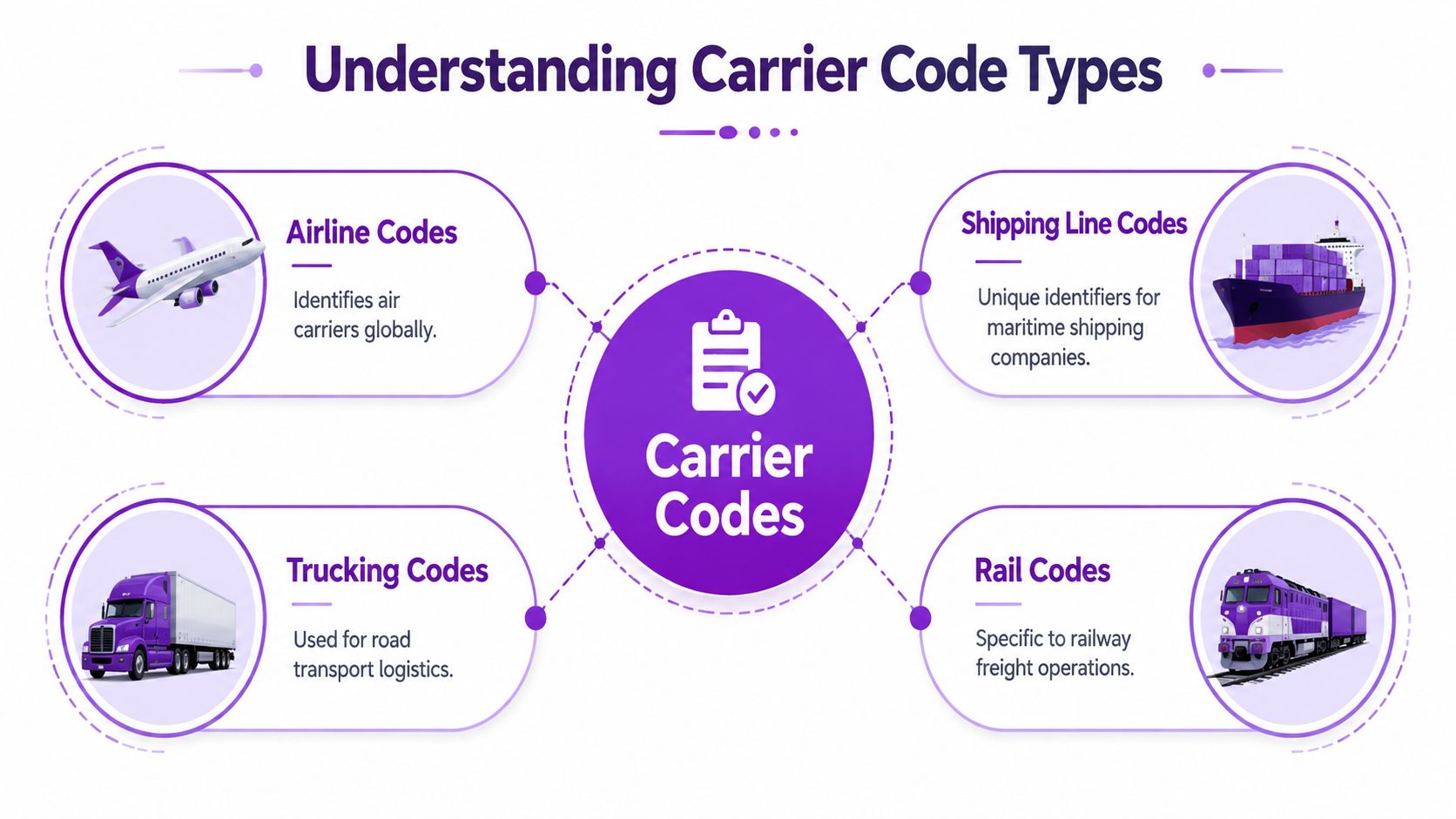
SCAC stands for Standard Carrier Alpha Code. It is a unique two-to-four-letter identifier used to identify transportation companies in freight workflows. U.S. Customs and Border Protection requires it in the Automated Commercial Environment for international freight activity, as described in CBP's guidance on the Standard Carrier Alpha Code requirement.
Think of SCAC as the freight industry's controlled company identifier. It answers the question, “Which transportation company is responsible for this movement?” That matters in customs processing, cross-border filings, and carrier traceability.
SCAC is the right tool when you are dealing with:
- freight movements into the U.S.
- customs and ACE workflows
- trucking, ocean, rail, and some air freight contexts
- carrier identification in enterprise logistics systems
IATA and ICAO for airlines
Airline codes are different. The International Air Transport Association assigns a two-character IATA designator and a three-character ICAO code to airlines used across commercial aviation operations. The FAA reference for the ASQP carrier code directory notes that IATA maintains over 4,000 active airline carrier codes for global operations, including major carriers like Delta Air Lines (DL) and regional operators like Air Wisconsin (ZW), in the FAA ASQP carrier codes reference.
These air codes support functions such as:
- ticketing
- scheduling
- baggage handling
- flight plan and operational coordination
That does not make them a substitute for SCAC. An airline can have an IATA code for aviation operations while your freight or customs workflow still expects a different carrier identifier.
If your shipping platform says “carrier code,” don't assume it means IATA. Check the field definition first.
Proprietary and platform-specific codes
Many store owners often stumble at this point. Some systems don't use official carrier identifiers in the user-facing field at all. They use an internal label such as a slug, service key, or normalized alias.
Examples include situations where:
- a plugin expects a service token rather than the carrier's formal identifier
- an API maps multiple legacy names to one current carrier record
- your checkout logic keys off a provider-specific string instead of SCAC or IATA
That's why fulfillment software selection matters. When comparing providers, it helps to review how modern platforms handle mapping, carrier normalization, and service-level data. The roundup of top 10 fulfillment providers for 2026 is useful for seeing how shipping operations differ once you move beyond basic label generation.
A simple way to choose the right code
Use this rule of thumb:
| Situation | Code type to verify first |
|---|---|
| Customs or freight filing | SCAC |
| Air carrier identification | IATA or ICAO |
| WooCommerce plugin or shipping API field | Platform-specific documentation |
The code itself matters. The field definition matters more.
Master List of Major US Carrier Codes
A useful list of carrier codes has to separate official identifiers from what merchants assume should exist. For many parcel carriers, store owners expect one universal code that works in every platform. In reality, you often need a combination of official identifiers and software-specific values.
One more operational point matters here. Carrier data is master data. If your product catalog, shipping logic, and fulfillment integrations all reference carrier names differently, your rules become fragile. If your team needs a clean explanation of why normalized reference data matters, learn about master data from NanoPIM. It's a helpful lens for understanding why one bad carrier value can ripple through checkout, labels, and reporting.
Major carrier codes table
The table below is intentionally conservative. It includes only identifiers supported by the verified data provided, plus clear notes where a universal public code should not be assumed.
Major Carrier Codes
| Carrier Name | SCAC | IATA Code | Notes |
|---|---|---|---|
| USPS | Not listed in the verified data provided | Not applicable in this context | USPS is a postal operator. Many store systems use internal method codes instead of SCAC for parcel rules. |
| UPS | Not listed in the verified data provided | Not listed in the verified data provided | Verify your platform's required field before assigning a code manually. |
| FedEx | Not listed in the verified data provided | Not listed in the verified data provided | Many integrations use service identifiers or provider aliases rather than a single merchant-facing carrier code. |
| DHL | Not listed in the verified data provided | Not listed in the verified data provided | DHL entities vary by service and region. Confirm the exact operating company in your integration. |
| Delta Air Lines | Not listed in the verified data provided | DL | Airline designator listed in the FAA ASQP reference. |
| Lufthansa | Not listed in the verified data provided | LH | Airline designator listed in the verified IATA summary. |
| Air Wisconsin | Not listed in the verified data provided | ZW | Regional airline example in the FAA ASQP reference. |
| Allegiant Air | Not listed in the verified data provided | G4 | Regional airline example in the verified IATA summary. |
| American Airlines | Not listed in the verified data provided | AA | Example of a two-character IATA designator in the verified data. |
| Air Canada | Not listed in the verified data provided | AC | Cited in the verified regulatory reference. |
| Air France | Not listed in the verified data provided | AF | Cited in the verified regulatory reference. |
| Air India | Not listed in the verified data provided | AI | Cited in the verified regulatory reference. |
How to read this table correctly
This table is for reference discipline, not blind import.
- Airlines are the clearest public examples. IATA designators are standardized and widely recognized for aviation use.
- Parcel carriers are trickier in merchant tools. Your shipping app may expose a branded name while storing an internal key behind the scenes.
- SCAC is official, but not every merchant workflow surfaces it. Some stores never touch SCAC directly unless customs, freight, or cross-border operations are involved.
What works and what doesn't
What works:
- keeping one approved carrier dictionary for your team
- validating field expectations before import
- using exact values from your live platform exports when available
What doesn't:
- building rules from search-engine snippets
- assuming all “carrier code” fields mean the same thing
- copying airline identifiers into parcel or freight logic without checking the use case
The safest carrier list is the one tied to the field names your systems already use.
Regional carriers and edge cases
Regional carriers matter operationally, especially when you route by geography or try to limit specific methods. But regional carrier identifiers are also where naming drift shows up fastest. One integration may display the brand. Another may store a subsidiary or network alias. For those carriers, the right source is usually your platform export, not a generic web list.
Common Service Level Codes for Major Carriers
The carrier name is only half the rule. The other half is the service level.
That's where many merchants lose control. They block “FedEx” when they only meant to block air services. Or they allow “UPS” without realizing a restricted item can still be assigned to a premium method they didn't intend to permit.
Why service codes matter more than merchants expect
A carrier code identifies the company. A service level code identifies the method. Ground, 2-day, overnight, express, priority, and economy options often behave differently inside shipping plugins and carrier APIs.
For regulated goods, service-level filtering is often what turns a broad restriction into a workable one:
- allow a ground method
- reject an air method
- permit domestic service
- block international export methods pending review
A practical way to structure service rules
Instead of trying to memorize every possible code string, organize your rules by business intent.
USPS patterns to watch
Common USPS service names in platforms often include:
- Priority Mail
- Priority Mail Express
- Ground Advantage
- Media Mail
UPS patterns to watch
Common UPS service names in platforms often include:
- Ground
- 2nd Day Air
- Next Day Air
- 3 Day Select
FedEx patterns to watch
Common FedEx service names in platforms often include:
- Ground
- Home Delivery
- 2Day
- Standard Overnight
- Priority Overnight
The exact code values vary by plugin, shipping gateway, and API wrapper. One app may store fedex_ground. Another may store FEDEX_GROUND. A third may store a numeric service enum behind the scenes while showing only a label in the admin.
Don't build restrictions from carrier marketing names alone. Build them from the actual service keys your software passes at checkout.
What to do in your own store
Use this process:
- Create a test order for each carrier and method you plan to allow or block.
- Inspect the shipping method value stored by your plugin, integration log, or exported order data.
- Normalize naming into one internal convention for your team.
- Write rules at the method level when the restriction is about transport type, not brand.
Good rule design versus weak rule design
| Weak rule | Better rule |
|---|---|
| Block FedEx | Block FedEx air services and allow ground where lawful |
| Allow UPS | Allow only approved UPS methods for the product category |
| Block international carrier | Block export methods and review customs-required shipments separately |
This is one of the biggest gaps in most published lists of carrier codes. They stop at the provider name. Real compliance work starts when you identify the exact service values your checkout uses.
How to Use Carrier Codes with Ship Restrict in WooCommerce
Most merchants don't struggle with the idea of carrier codes. They struggle with where those codes connect to an actual restriction. In WooCommerce, that usually means translating a carrier or service value into a rule that prevents the wrong shipping option from ever becoming available.
Build the rule from the shipping method actually returned
The reliable workflow is straightforward:
-
Identify the product trigger
Start with the item category that needs special handling, such as ammunition or another regulated SKU group. -
Identify the destination condition
Use the state, county, city, or ZIP rule that creates the legal or policy restriction. -
Match the shipping method value
Use the exact carrier or service-level value your WooCommerce shipping setup returns. Don't substitute a guessed label. -
Set the action
Remove the shipping option, block checkout, or show a customer-facing message, depending on your rule design. -
Test with a live checkout scenario
Use a real product, real destination, and each applicable shipping method.
Example of a practical rule
A common scenario is not “block a carrier completely.” It is narrower. For example, you might want to block air-based methods for a regulated product category going to a specific destination while still allowing compliant ground methods.
That's also where international workflows need extra care. For international shipments, a six-digit Harmonized System code became mandatory on customs declarations on September 1, 2025, and incorrect HS coding can lead to shipment rejection, according to the HS code requirement summary for international shipments. Carrier logic and customs classification aren't the same thing, but in practice they have to agree.
Bulk management is safer than one-off edits
If you manage many rules, manual entry becomes risky fast. A single typo in a service key can leave the rule looking complete while doing nothing. For a cleaner workflow, use the process described in the bulk import shipping restrictions from CSV tutorial so your carrier and service mappings are reviewed in one place before they go live.
Use one test matrix for products, destinations, and shipping methods. That catches more mistakes than editing rules one by one in the admin.
What usually works best
Teams get better results when they:
- build rules from exported or observed values
- separate carrier-level restrictions from service-level restrictions
- retest after plugin, gateway, or shipping app changes
The stores that struggle usually rely on guessed code names copied from a random list.
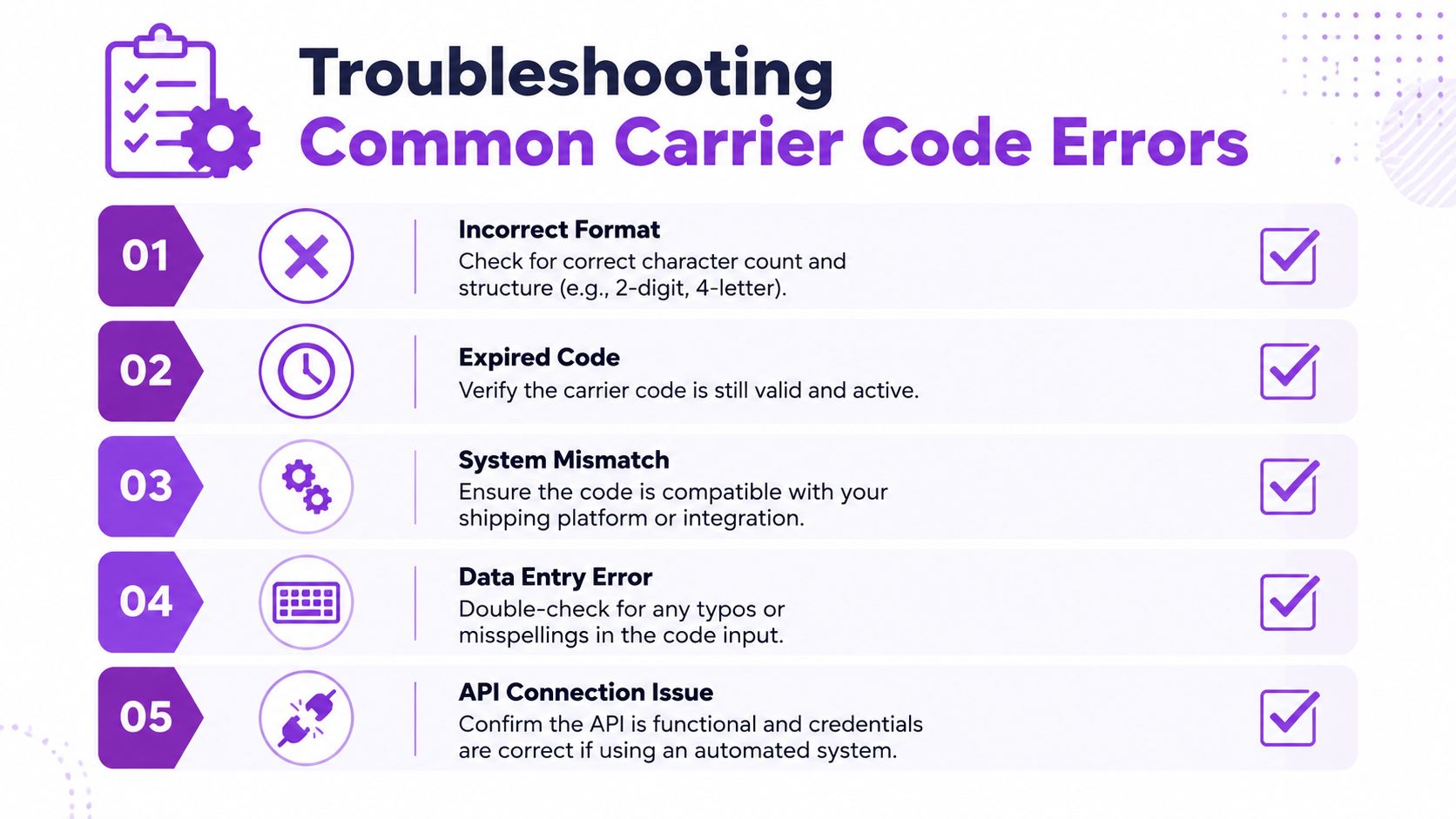
Troubleshooting Common Carrier Code Errors
When a carrier rule fails, the symptom usually looks simple. The root cause usually isn't.
Invalid code error
| Symptom | Likely cause | Fix |
|---|---|---|
| The platform says the carrier code is invalid | You entered a branded name, typo, or wrong code family | Confirm whether the field expects SCAC, IATA, or an internal platform value |
This is the classic mistake. The value looks plausible because it matches the carrier's public name, but the software expects a normalized internal key.
Rule doesn't trigger
| Symptom | Likely cause | Fix |
|---|---|---|
| Checkout still shows the method you meant to block | You used a carrier-level identifier when the system evaluates service-level methods | Inspect the exact shipping method returned during checkout and rewrite the rule at that level |
This happens often with parcel services. The merchant blocks the carrier brand, but the plugin evaluates the shipment against method keys.
Wrong code family
| Symptom | Likely cause | Fix |
|---|---|---|
| A valid code is accepted but the workflow still behaves incorrectly | You used an airline identifier where a freight or platform code was required | Match the identifier to the operational context, not to the carrier name alone |
An IATA code can be valid and still be the wrong answer.
A valid code in the wrong field is still a bad configuration.
Regional carrier not recognized
Regional carriers create naming issues because one system may expose a customer-facing brand while another uses a network or parent identifier. If your regional method fails, compare:
- the displayed method name in checkout
- the stored method key in order data
- the exact value in your rule condition
API and integration drift
Sometimes the rule used to work. Then an update changes the returned method name or alias. Nothing is visibly broken in the admin, but the live method string changed underneath your rule.
When that happens:
- rerun a test checkout
- capture the returned carrier or service value
- compare it against the saved rule
- update your normalization list
If you need a structured diagnostic path, the Ship Restrict troubleshooting documentation is the right place to verify common configuration and validation issues.
Maintaining an Accurate and Up-to-Date Carrier List
The biggest mistake merchants make with a list of carrier codes is treating it like a static asset. It isn't. Carrier identities, service mappings, and API aliases change often enough that a manually maintained spreadsheet turns into a liability.
Static lists break quietly
This is the dangerous part. Old carrier data usually doesn't fail loudly. It fails subtly.
A stale code may still look valid to a person reviewing the rule. But the platform may now return a different alias, a renamed method, or a normalized key that no longer matches your stored condition. That's how restrictions drift out of sync without anyone noticing until an order gets through.
Dynamic aliasing is now part of the job
Modern shipping stacks often map multiple legacy identifiers to current digital values. That's not a theory problem. It creates real compliance risk. Data shows 78% of new shipping compliance failures for regulated products happen because merchants use outdated carrier code lists that don't reflect dynamic aliases used in modern shipping APIs, causing 30% of restricted orders to bypass validation checks, according to the referenced material in the legacy carrier code mapping source.
That changes the maintenance standard.
A good process now includes:
- a controlled reference list for approved carrier and service values
- scheduled review after shipping plugin or gateway updates
- test orders for every restricted product category
- a record of old aliases and current equivalents
What strong maintenance looks like
Use one source of truth
Don't let support, operations, and development teams keep separate carrier lists. One approved reference reduces drift.
Review live values, not screenshots
A screenshot of a shipping method label is not enough. Use exported data, logs, or platform-level method identifiers whenever possible.
Update in bulk
When mappings change, bulk editing is safer than hunting through dozens of individual rules. The Ship Restrict bulk management documentation is useful if your workflow depends on updating many restrictions at once.
Keep history
When an alias changes, don't just overwrite it. Record what the old value was and when it stopped matching. That helps when debugging old orders or inherited rule sets.
The stores that keep carrier data clean don't usually do anything fancy. They just treat carrier identifiers like compliance data instead of admin text fields.
If your WooCommerce store sells regulated products, Ship Restrict helps you enforce shipping restrictions before checkout by state, county, city, ZIP, and shipping method. It's built for merchants who need tighter control, fewer manual checks, and clearer rule management as carrier and service data changes.
Automate Shipping Compliance
Stop worrying about restricted states. Ship Restrict handles it automatically.

Cody Yurk
Founder and Lead Developer of ShipRestrict, helping e-commerce businesses navigate complex shipping regulations for regulated products. Ecommerce store owner turned developer.
Automate Shipping Compliance
- Block restricted states
- No more cancellations
- Set and forget
3-day free trial · Card required