Export control classification numbers (ECCN) WooCommerce: A Guide to Compliance
Master Export control classification numbers (ECCN) WooCommerce and learn practical steps to stay compliant with global shipping.
If you're shipping internationally from your WooCommerce store, you're doing more than just putting products in boxes. You're navigating a maze of global trade regulations, and at the center of it all are Export Control Classification Numbers (ECCNs).
Getting this right isn't optional. It’s the key to avoiding six-figure fines, seized shipments, and a major headache for your business.
What Are ECCNs and Why Do They Matter for Your Store?

Think of an ECCN as a special code the government assigns to a product to flag it for export control. And no, this isn't just for missiles and military hardware. The system mostly covers "dual-use" items—goods and tech that have perfectly normal commercial uses but could also be used for military or sketchy purposes.
If you run your shop on one of the leading ecommerce platforms like WooCommerce, the responsibility for classifying and controlling these items falls squarely on your shoulders.
Automate Shipping Compliance
Block orders to restricted states automatically. 3-day free trial.
Start Free TrialHow ECCN Codes Work
The ECCN system is managed by the U.S. Department of Commerce's Bureau of Industry and Security (BIS) under a set of rules called the Export Administration Regulations (EAR).
Each ECCN is a five-character code that tells a story about the product. The first digit is the category (e.g., Category 3 for electronics), and the following characters get more specific about the product group and its technical specs. This code is what determines whether you need an export license to ship that item to a specific country.
Real-World Examples in Ecommerce
You’d be surprised what qualifies as a "dual-use" item. It’s a much broader category than most people think. We've seen businesses get tripped up by items you wouldn't expect.
Here are a few product types that often have an ECCN:
- High-Performance Electronics: This can be anything from certain microprocessors to high-end GPS devices. Their speed and power mean they could potentially be repurposed for things like military guidance systems.
- Software with Encryption: A ton of software uses encryption, from data security tools to operating systems. PostgreSQL, the open-source database, often falls under ECCN 5D992 as "mass market encryption" software.
- Advanced Materials: Selling specialty carbon fiber, certain metal alloys, or even some high-grade industrial lubricants? These can be controlled because of their applications in aerospace and defense manufacturing.
- Sensors and Lasers: A powerful laser sold for industrial cutting or a high-precision sensor could just as easily be used for military targeting or surveillance.
Key Takeaway: The term "dual-use" is incredibly broad. Never assume your products are exempt without checking. Misclassification can lead to fines stretching into the millions of dollars and even jail time.
To illustrate how different types of products are classified, here’s a quick breakdown of some common ECCN categories you might encounter.
Common ECCN Product Categories for Ecommerce
| ECCN Category | Description | Example WooCommerce Products |
|---|---|---|
| Category 3 | Electronics | High-frequency integrated circuits, advanced GPS receivers, certain oscilloscopes |
| Category 4 | Computers | High-performance computers and "ruggedized" laptops designed for harsh environments |
| Category 5 | Telecommunications & "Information Security" | VPN hardware, networking equipment with strong encryption, some VoIP technologies |
| Category 6 | Sensors & Lasers | High-powered industrial lasers, thermal imaging cameras, acoustic sensors |
| Category 9 | Aerospace & Propulsion | Certain drone components, specialized navigation systems, some types of engines |
This table just scratches the surface, but it shows the sheer variety of commercial products that fall under export controls. The only way to be sure is to classify each product you sell.
It's also crucial to know that ECCNs and the EAR are separate from an even stricter set of rules called the International Traffic in Arms Regulations (ITAR), which govern actual defense articles. For more on that, check out our guide on how ITAR compliance affects ecommerce for military equipment.
For any WooCommerce store owner shipping internationally, ignoring ECCNs is simply not an option. It's a fundamental part of responsible global commerce. A proactive strategy for managing Export Control Classification Numbers in WooCommerce is the only way to grow your international sales without putting your business at risk.
Free Shipping Compliance Audit
We'll review your WooCommerce store's shipping compliance for free.
Okay, you've figured out what ECCNs are and which of your products are affected. Now comes the important part: getting that data into WooCommerce. You can't build rules to stop a shipment if the system doesn't know a product is regulated in the first place. This is all about creating a clean, reliable data point on each product that your shipping rules can latch onto.
There are a couple of ways to tackle this. The right method for you really depends on your technical comfort level and the size of your product catalog. We'll walk through two solid options, starting with the quick-and-dirty way and then moving to a much more polished, scalable solution.
Using Built-In Custom Fields
The fastest way to get an ECCN onto a product is with WooCommerce’s native custom fields. Think of these as little bits of metadata you can attach to any post or product. The good news is you don’t need any extra plugins. The bad news is that the interface is a bit clunky if you've never used it.
Here’s the rundown:
- Open up the edit screen for one of your regulated products.
- Scroll down past the main product data box until you see a section labeled "Custom Fields." If it’s not there, pop open the "Screen Options" tab at the very top right of your screen and tick the "Custom Fields" checkbox.
- In the "Add New Custom Field" area, you'll see two input boxes: Name and Value. Click "Enter new."
- For the Name, type in a consistent key. Something like
product_eccnis perfect—it's descriptive and easy to remember. Consistency here is absolutely critical for the automation to work later. - For the Value, enter the product's actual Export Control Classification Number, like
3A001or5D992. - Click "Add Custom Field" and then hit the main "Update" button on your product to save everything.
This works just fine for a handful of products. But it gets tedious fast. You have to manually type product_eccn every single time, which is just asking for a typo that will silently break your compliance rules down the line. It's a workable start, but not a long-term professional solution.
A More Robust Method with Advanced Custom Fields
For a much cleaner, scalable, and user-friendly setup, we strongly recommend using the Advanced Custom Fields (ACF) plugin. ACF is a powerhouse tool that lets you add structured data to any part of WordPress, including WooCommerce products. It allows you to create a dedicated, clearly labeled field for the ECCN that shows up in the same spot on every product edit screen.
This approach practically eliminates the typos and guesswork of the manual method. Once you install and activate the free version of the ACF plugin, you just need to create a "Field Group" for your compliance data.
The ACF interface is incredibly simple and intuitive.
You'll set up a new field group—let's call it "Export Control Info"—and tell it to show up on the "Product" post type. Inside that group, you'll create one new field with these settings:
- Field Label:
ECCN(This is the friendly name you'll see in the editor) - Field Name:
product_eccn(This is the critical database key the system uses) - Field Type:
Text
Pro Tip: While you're setting up the ACF field, use the "Instructions" setting to add a helpful note. Something like, "Enter the 5-character ECCN. Leave blank if not applicable or EAR99" is a great reminder for your team and helps ensure everyone enters the data correctly.
Once saved, a clean "ECCN" text box will appear on every single WooCommerce product edit page. All you or your team have to do is fill it in. No more hunting for the clunky custom fields box or worrying about typos.
This small bit of setup pays for itself almost immediately when you're managing Export Control Classification Numbers in WooCommerce. It creates the reliable foundation we need for the automated shipping rules we're about to build. The ACF method is what the pros use for a reason—it’s clean, scalable, and virtually error-proof.
Automating Shipping Restrictions Based on ECCNs
Now that your Export Control Classification Numbers (ECCN) WooCommerce data is stored cleanly, you can put it to work. This is the crucial step where all that careful data entry pays off, turning a static field into an active, automated compliance system. The objective here is to have your store enforce complex shipping policies on its own, without anyone on your team having to perform a manual check.
We'll accomplish this with a shipping restriction plugin, like Ship Restrict, which translates thorny legal requirements into simple, logical rules inside WooCommerce. Your ECCN data goes from being just information to becoming a gatekeeper for your international orders.
The concept is pretty straightforward. During checkout, the plugin scans the cart. If it spots a product with a specific ECCN, it then looks at the customer's shipping address. If that country is on your restricted list for that particular ECCN, the plugin simply hides all shipping options, blocking the sale before it can become a compliance headache.
This flow chart shows how the data moves from the custom field you created to being saved with the product.
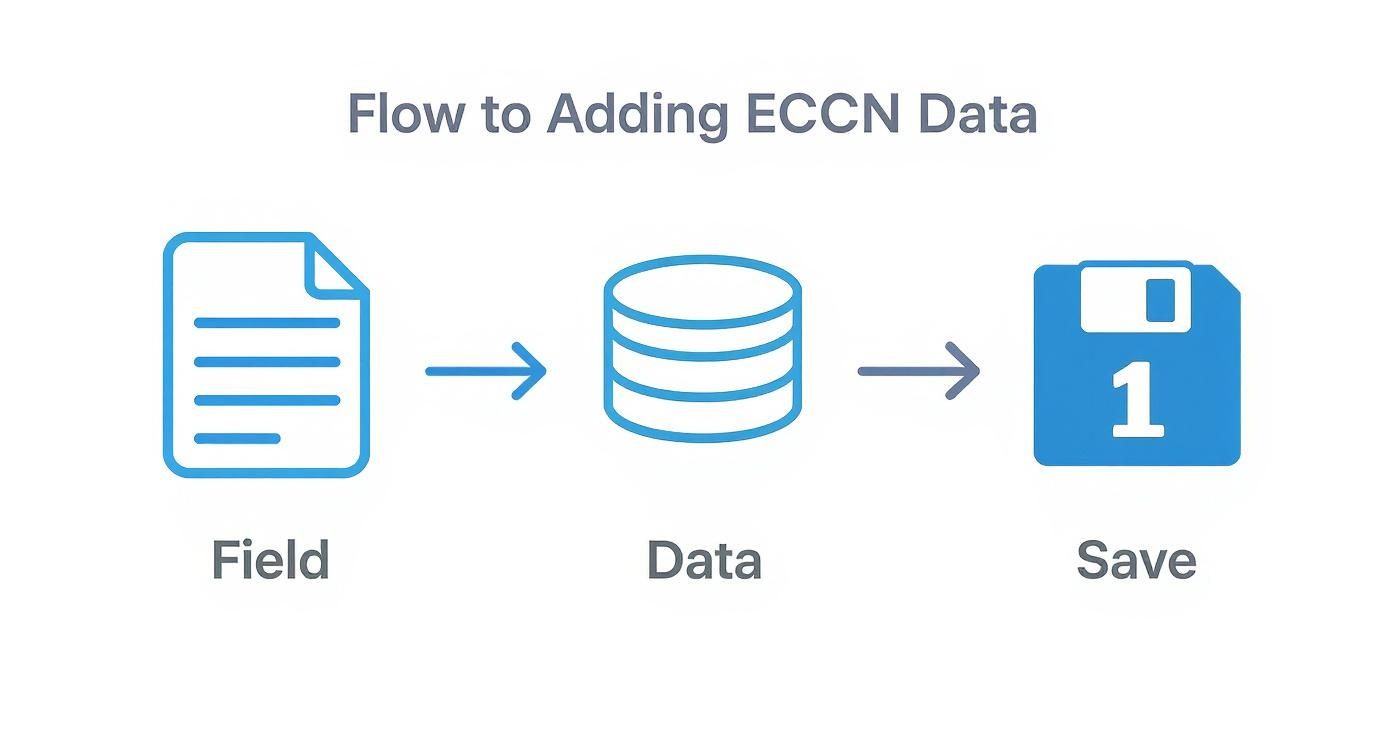
It’s a simple process, but it highlights that any good automation is built on a foundation of accurate data. Garbage in, garbage out.
Building Your First ECCN Restriction Rule
Let's walk through a common scenario. Say you sell a high-performance electronic component classified under ECCN 3A001. Due to export controls, shipping this item to China, Russia, and Venezuela is prohibited. Your job is to build a rule that blocks any order containing this product from shipping to those specific countries.
Inside a plugin like Ship Restrict, you'll define a new rule with a clear set of conditions. Here’s how you’d set it up:
- Rule Name: Give it something descriptive, like "Block ECCN 3A001 to CN, RU, VE."
- Condition: Set the condition to "Product Custom Field." You'll specify the Field Name as
product_eccnand the Value as3A001. - Location: Define the restricted destinations. In this case, select "Countries" and add China, Russia, and Venezuela.
- Action: The action is simple: "Restrict all shipping methods."
Now, when a customer from one of those countries tries to check out with the 3A001 component in their cart, they'll see a message that no shipping options are available. The illegal sale is prevented automatically.
Handling More Complex Scenarios
Export regulations are rarely simple. You’ll run into situations that demand more nuance than just blocking one product from a few countries. A good shipping restriction plugin lets you layer conditions to handle these complexities.
- Category-Wide Restrictions: What if your entire "Advanced Drones" category is controlled? Instead of making a rule for each drone, you can set the condition to "Product Category" and apply the shipping restriction to every item in that category at once.
- Combining Conditions: You might sell a product that's restricted only if the order value is over a certain amount. You can combine a "Product Custom Field" condition (for the ECCN) with an "Order Subtotal" condition to enforce this.
- Exclusion Rules: Sometimes it's easier to define where you can ship. You could create a rule that blocks an ECCN product from shipping to all countries, then create a second, higher-priority rule that allows it for a specific set of allied countries like those in the EU, Canada, and the UK.
To manage these workflows efficiently, powerful tools like general ecommerce automation software can be a huge help, especially when you need to streamline compliance beyond just shipping.
Expert Insight: Always start with your most restrictive rules and get more specific. It's much better to accidentally block a legitimate sale that you can fix later than to accidentally approve an illegal one. This "deny by default" approach is a cornerstone of robust compliance.
Managing Dual-Use and Mass-Market Goods
One of the trickiest areas is handling products with broad classifications like "mass market encryption." For instance, software that uses PostgreSQL might fall under ECCN 5D992. While this is a less restrictive category, you still can't ship it to sanctioned or embargoed nations. You can get a deeper dive into this topic in our guide on setting up shipping restrictions for dual-use goods.
For these items, you'd create a rule that targets the 5D992 value in your product_eccn custom field and applies it to the official list of U.S. embargoed countries. This ensures your widely-sold software doesn't inadvertently end up somewhere it shouldn't.
By translating your Export Control Classification Numbers into automated WooCommerce rules, you build a powerful, scalable, and reliable compliance framework. This system works 24/7 to protect your business, letting you focus on growth instead of manually vetting every single international order.
How to Test Your ECCN Compliance Setup
A compliance system is only as good as its last test. After you’ve carefully set up all your rules, you have to verify they actually work. Launching without rigorous testing is like navigating a minefield blindfolded—you might get lucky, but a single mistake could have severe consequences.
The goal is simple: simulate real-world scenarios to confirm your Export Control Classification Numbers (ECCN) WooCommerce rules fire correctly every single time. This means creating a series of test orders that intentionally try to break your rules. Does your store correctly block a restricted product? Does it allow a permitted one? You need to answer these questions with absolute certainty before a real customer gets involved.
The Importance of a Staging Environment
Let me be blunt: never, ever test compliance rules on your live website. A staging site—an exact clone of your live store that isn't visible to the public—is your best friend here. It’s a safe sandbox where you can place dozens of fake orders, tweak settings, and try to find loopholes without messing up actual sales or freaking out customers with a broken checkout.
Most quality web hosts offer one-click staging environments these days. If yours doesn't, it’s worth the headache to create one manually for this critical task. Testing on a live site can also introduce caching issues that hide your rules' true behavior, giving you a dangerous false sense of security.
Creating a Comprehensive Test Plan
Don't just check one restricted country and call it a day. A structured test plan is the only way to ensure you've covered all your bases. Your plan needs to validate both your "deny" rules and your "allow" scenarios.
Your checklist should look something like this:
- A Single Restricted Item: Add one product with an ECCN to the cart. Try to ship it to a country where that item is explicitly forbidden. The expected result? No shipping options appear.
- A Permitted Item: Now, add a non-regulated product to the cart and ship it to that same restricted country. This time, shipping options should appear normally. This proves your rule is specific enough not to block legitimate sales.
- A Mixed Cart: This is a crucial one. Place both a restricted ECCN product and a non-restricted item in the cart. When shipping to a prohibited country, the entire order should be blocked. Most regulations apply to the whole shipment, not just one item.
- Permitted Destinations: Finally, test shipping a regulated ECCN product to an approved country (like Canada or the UK). The checkout should proceed smoothly, with no issues.
Key Takeaway: Document every single test case and its outcome. A simple spreadsheet listing the product, destination country, expected result, and actual result creates an audit trail. More importantly, it helps you systematically hunt down any flaws in your logic.
Troubleshooting Common Testing Issues
If a test fails, don't panic. The issue is usually a simple misconfiguration. One of the most common culprits is a caching conflict. Your site might be serving a "saved" version of the checkout page, not the live one. Always clear your website and browser cache before each test run.
Another frequent problem is rule priority. If you have multiple shipping rules firing, they can easily conflict. A general "Free Shipping" rule, for example, could override your ECCN restriction rule if it has a higher priority. Dig into your plugin's settings to ensure your compliance rules are set to execute first.
Keeping clean and organized records is essential for compliance. You can learn more by exploring the best practices for export compliance reports in WooCommerce stores.
Maintaining Long-Term ECCN Compliance
<iframe width="100%" style="aspect-ratio: 16 / 9;" src="https://www.youtube.com/embed/NdB5ruzdNhc" frameborder="0" allow="autoplay; encrypted-media" allowfullscreen></iframe>Getting your Export Control Classification Numbers (ECCN) WooCommerce rules configured isn't the finish line—it's just the starting block. Export control is a moving target. Regulations, product classifications, and country sanctions can shift with very little warning, turning long-term compliance into an ongoing commitment, not a one-and-done project.
This demands a proactive mindset. Your automated system is incredibly powerful, but its accuracy is only as good as the data and rules you feed it. As your business introduces new products or expands into new markets, your compliance framework has to evolve right alongside it.
The Ongoing Rhythm of Compliance Reviews
The heart of long-term ECCN management is building a regular review process into your operations. You simply can't afford to "set it and forget it." A rule that's perfectly compliant today could become a major liability tomorrow if a trade regulation changes.
This proactive maintenance involves a few key activities that should become a standard part of your operational calendar.
- Quarterly Product Audits: At least once every quarter, comb through your entire catalog of controlled products. Has a manufacturer updated an ECCN for a component you sell? Have you added new products that need to be classified?
- Bi-Annual Rule Validation: Twice a year, it’s smart to run through the testing plan we outlined earlier, but on your staging site. This is your insurance policy against WooCommerce updates, plugin changes, or other site modifications inadvertently breaking your restriction logic.
- Stay Plugged into Regulatory Changes: Designate someone on your team—even if it's you—to monitor updates from the Bureau of Industry and Security (BIS). Subscribing to their email lists or RSS feeds is a dead-simple way to get notified of changes to the Commerce Control List or country policies.
Falling behind on this can have severe consequences. A misclassification or failure to provide the correct ECCN can lead to staggering penalties. Just look at the case of TE Connectivity in 2023—they were fined $5.8 million for exporting items under the wrong ECCN to restricted entities without the required licenses. This is a stark reminder of how critical it is to keep pace with evolving regulations to avoid supply chain meltdowns and serious reputational damage. You can discover more insights about ECCN classification best practices to stay ahead of the curve.
Your Ongoing Compliance Checklist
To make this manageable, here’s a simple schedule of recurring tasks to keep your WooCommerce store's ECCN compliance up to date. Integrating this into your standard operating procedures can save a world of headache.
| Frequency | Task | Key Actions |
|---|---|---|
| Weekly | Monitor BIS Updates | Check BIS email alerts or news feeds for urgent changes (e.g., new sanctions). |
| Quarterly | Product Catalog Audit | Review ECCNs for all controlled products. Classify any new products added to your store. |
| Bi-Annually | Staging Site Rule Test | Execute your full testing plan on a staging server to catch any software-related conflicts. |
| Annually | Review with Legal Counsel | Meet with your trade compliance attorney to review your overall strategy and any major regulatory shifts. |
This checklist isn't exhaustive, but it creates a solid foundation for diligence and helps ensure nothing critical slips through the cracks.
Adapting to a Changing World
Your compliance strategy needs to be agile enough to react to global events. When a country gets added to a sanctions list, your shipping rules need an update immediately—not at the end of the quarter.
It's wise to create a rapid response plan. This could be a simple checklist outlining the exact steps for updating your Ship Restrict rules, notifying the team, and maybe even placing a temporary hold on shipments to an affected region until the new rules are fully tested and deployed.
Crucial Disclaimer: We Are Not Your Lawyers This guide provides technical steps and best practices for implementing ECCN-based restrictions in WooCommerce. However, it is not legal advice. Export control law is incredibly complex and carries substantial penalties for non-compliance.
It is absolutely essential that you consult with a qualified trade compliance attorney or consultant. A legal professional can help you accurately classify your products, understand your specific obligations under the law, and ensure your business is fully protected. Using this guide is a critical step in technical implementation, but it is not a substitute for professional legal counsel.
Ultimately, maintaining long-term Export Control Classification Numbers (ECCN) WooCommerce compliance is about building a culture of diligence. By integrating regular reviews, staying informed, and leaning on expert legal guidance, you can transform compliance from a source of anxiety into a sustainable business advantage.
Common Questions About ECCNs and WooCommerce
Even with a solid plan, once you start digging into Export Control Classification Numbers (ECCNs) and how they work with WooCommerce, specific questions always pop up. Getting straight answers is the key to building a compliance system that actually works without giving you headaches. Let's tackle the most common questions we hear from store owners.
How Do I Find the Right ECCN for My Products?
This is almost always the first hurdle. The most reliable, hands-down best source for an ECCN is the product's manufacturer or original developer. They have the technical specs and are usually the ones who did the initial classification. Always start by reaching out to them directly.
If the manufacturer can't give you the number, the responsibility lands on your shoulders to self-classify. This means rolling up your sleeves and digging into the Commerce Control List (CCL), a highly technical index managed by the Bureau of Industry and Security (BIS). You'll have to carefully compare your product's technical details against the CCL categories to find a match.
A Word of Caution: Self-classifying complex items—think advanced electronics or software with custom encryption—is risky business. If you have even the slightest doubt, it's far safer to submit an official classification request to BIS for a final ruling or hire a trade compliance consultant. The cost of an expert review is a drop in the bucket compared to the potential fines for getting it wrong.
Can I Manage ECCN Rules Without a Paid Plugin?
Technically, yes, you could try to build a custom solution with PHP snippets and WooCommerce hooks. But for most businesses, this is a path loaded with risk. Going the custom-code route means you need a deep, ongoing understanding of both PHP and the WooCommerce checkout process, which is notoriously complex.
A single coding error or a conflict with another plugin could silently break your restrictions, leaving you wide open to major legal and financial penalties.
A dedicated, premium plugin like Ship Restrict gives you a few massive advantages:
- Reliability: It’s built, tested, and professionally maintained by experts specifically for this job.
- Support: When a WooCommerce update breaks your custom code, you're on your own. With a plugin, you've got a support team to back you up.
- Time Savings: The hours you'd sink into developing and debugging a custom solution are much better spent growing your business.
Think of it as an insurance policy. The subscription cost is a small price to pay for the peace of mind that comes from a robust, supported compliance system.
What Should I Do When an ECCN Regulation Changes?
Export rules aren't set in stone. They change based on global events and new technology, and when they do, you're legally on the hook to update your store's compliance setup immediately. This is a non-negotiable part of selling internationally.
Your best defense is to stay informed. Subscribe to official newsletters and updates from regulatory bodies like the BIS. More importantly, have a clear internal process ready for when changes happen.
That process involves two critical steps:
- Update Your Product Data: If a product gets reclassified, you need to go into WooCommerce and update the ECCN value in its custom field.
- Adjust Your Shipping Rules: Head into your shipping restriction plugin and tweak any rules affected by the change. This might mean adding a country to a blocklist or creating a new rule for a newly controlled item.
Treat this with the same urgency you would a critical security update. When it comes to compliance, procrastination isn't an option.
Does This System Handle Export License Applications?
This is a crucial distinction to make. The system we're talking about here is for enforcement, not application. It’s designed to automatically stop a sale to a restricted destination. It does not handle the legal paperwork of applying for and getting an export license from the government.
If you have a sale that's allowed but requires an export license, you still have to go through the official channels—like the BIS SNAP-R system—to get that license.
What you can do is use your shipping restriction plugin to support this workflow. Instead of flat-out blocking a sale, you could set up a rule that places the order "On Hold" and flags it for manual review. This buys you the time needed to complete the license application before the product ships, keeping you compliant while still capturing the sale.
Ready to stop worrying about compliance and start automating your shipping rules? Ship Restrict gives you the power to enforce ECCN-based restrictions with confidence, saving you time and protecting your business. Get Ship Restrict for WooCommerce today.
Automate Shipping Compliance
Stop worrying about restricted states. Ship Restrict handles it automatically.

Cody Yurk
Founder and Lead Developer of ShipRestrict, helping e-commerce businesses navigate complex shipping regulations for regulated products. Ecommerce store owner turned developer.
Automate Shipping Compliance
- Block restricted states
- No more cancellations
- Set and forget
3-day free trial · Card required