AI Compliance Monitoring for Regulated eCommerce
Learn how AI compliance monitoring works for regulated eCommerce, how it pairs with shipping‑restriction tools, and the KPIs that actually matter.
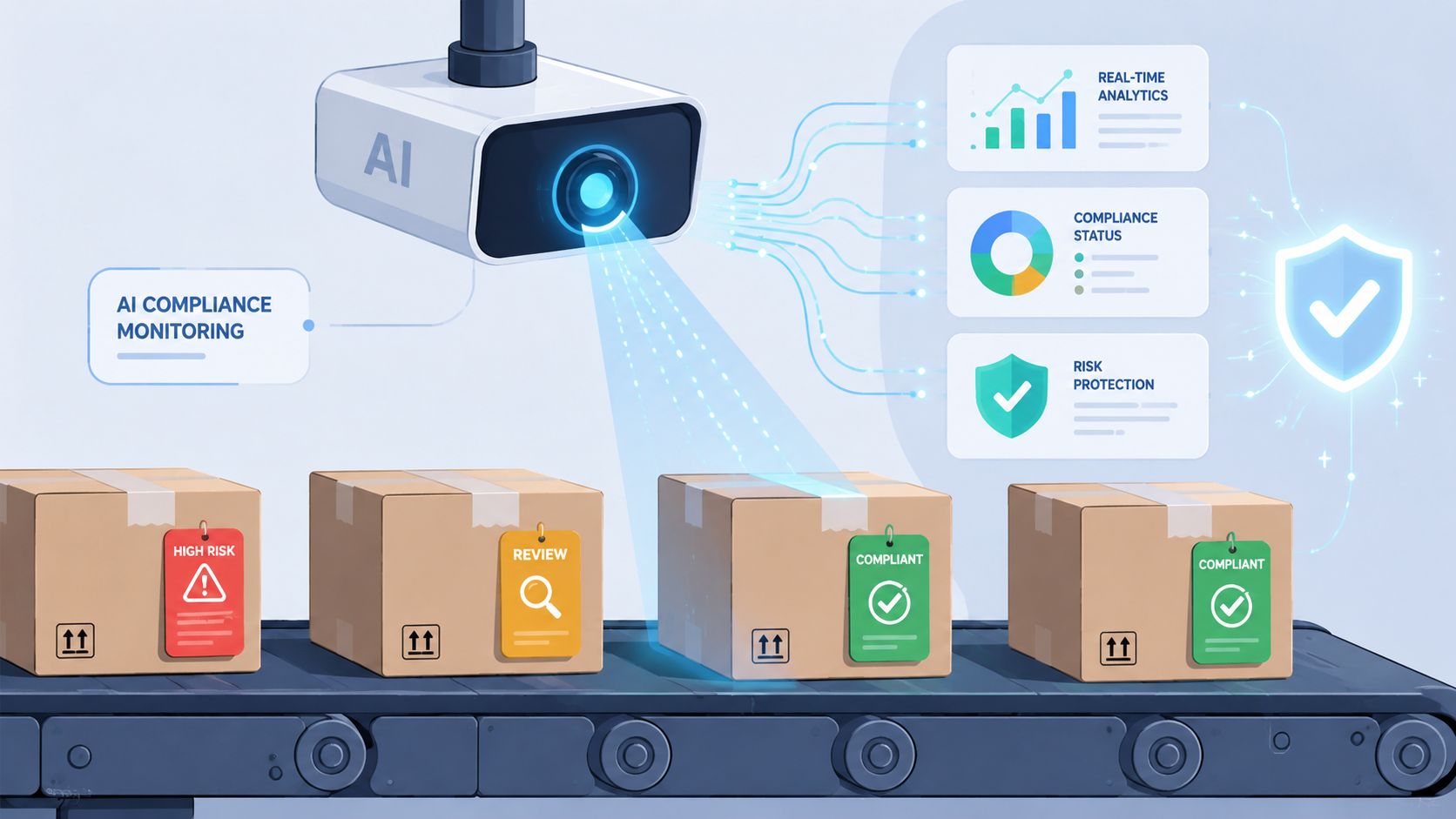
You know the feeling. It's Tuesday morning, the warehouse is already asking what can ship, and your inbox is full of orders you need to check one by one because a customer may have bought something that can't go to their ZIP code, state, or product class. If you're canceling orders by hand in WooCommerce, you're not running a compliance system, you're running a cleanup crew.
That's where AI compliance monitoring changes the operating model. Instead of discovering problems after checkout, payment, and fulfillment handoffs, you watch for them continuously and flag them before a human has to untangle the mess. In regulated eCommerce, that shift matters because the work isn't just repetitive, it's fragile. Every manual cancellation adds delay, creates customer friction, and raises the odds that a restricted item slips through on a busy day.
A good benchmark for why this matters comes from financial services, where AI use in compliance has moved sharply from pilot to production. Industry reporting tied to a 2025 KPMG Regulatory Compliance Survey says 66% of financial institutions had deployed AI in at least one compliance function, up from 37% in 2022, and institutions above $50 billion in assets were even further ahead at 84% use (reference). Those aren't eCommerce numbers, but they show the direction of travel. The operating model is moving from manual review to continuous oversight.
The Tuesday Morning Compliance Pile-Up
The inbox tells the story before the spreadsheet does. Twelve weekend orders are sitting there, and each one has to be checked against a tangle of state restrictions, product rules, and destination details before fulfillment can move. One order is easy, another needs a customer message, and a third is already halfway to a chargeback if the wrong item got packed.
Automate Shipping Compliance
Block orders to restricted states automatically. 3-day free trial.
Start Free TrialThe manual process breaks in predictable ways
A compliance lead in a small firearms or hemp store usually knows the pattern. Orders land after hours, staff review them later, and by the time someone catches a restricted destination, the customer's payment has already cleared and the warehouse queue has already been touched. The result is a long chain of tiny corrections, refunds, and apology emails that nobody wants to own.
That's why the problem isn't just volume. It's timing. Manual screening works only if the person checking orders has the right spreadsheet open, the rules are current, and no one misses a ZIP code nuance while juggling other work.
Practical rule: if the restriction decision happens after checkout, you're not preventing risk, you're documenting it.
The better model is to move the first decision upstream so the checkout itself can block, classify, or route the order before fulfillment gets involved. AI compliance monitoring sits above that workflow and helps catch patterns that don't fit neatly into a static rule sheet, such as repeated attempts from the same customer profile or a rule set that may need revision. For a direct comparison of the hidden labor in manual screening versus automation, see this breakdown of the true cost of manual order screening.
What changes when the system does the first pass
When monitoring is continuous, the inbox shrinks. Staff stop acting like human tripwires and start handling exceptions. That's the point of the better operating model, fewer late cancellations, fewer support tickets, and fewer moments where a restricted order reaches the warehouse before anyone notices.
What AI Compliance Monitoring Actually Means
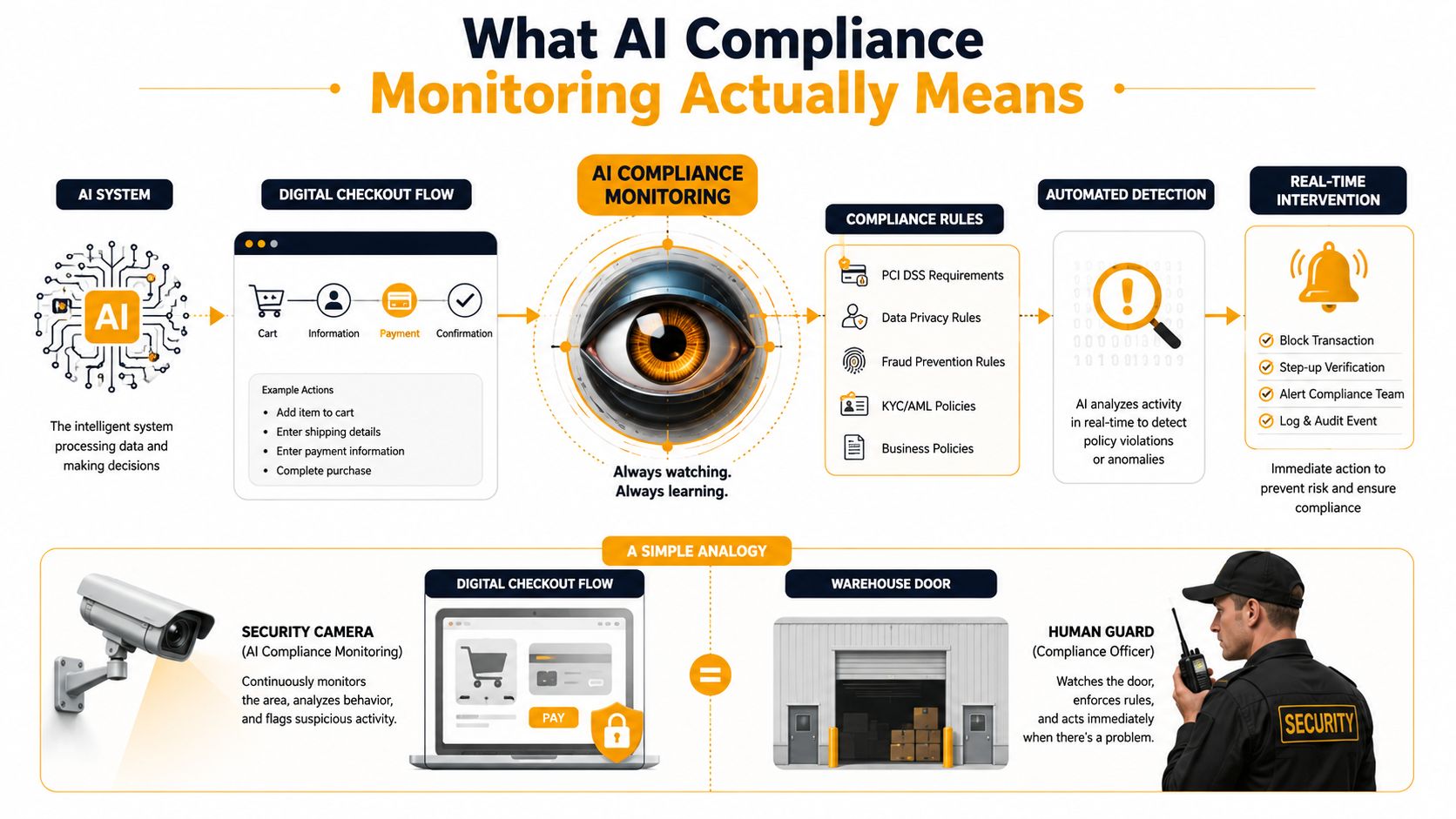
AI compliance monitoring works like a security camera over the checkout lane, while a person still handles the judgment calls after the alert. The camera does not replace the guard. It watches orders, destinations, products, and buyer behavior as they happen, so a merchant can spot a restricted shipment before it reaches fulfillment instead of sorting it out later at the warehouse.
Monitoring is not the same as enforcement
Monitoring means the system observes checkout activity and raises a signal. Enforcement means the system stops, reroutes, or blocks the order based on that signal. The distinction matters in a shipping workflow, because a store can detect a bad order and still let it move forward if no control is attached at the right point in checkout.
Manual audits happen after the fact. Someone checks logs, reviews exceptions, and compares past orders against current policy. AI compliance monitoring runs continuously, which is why regulated merchants use it as part of day-to-day operations instead of treating compliance as a cleanup task. Industry reporting says AI-powered AML transaction monitoring can reduce false positives by 50% to 70% and cut the volume of alerts needing manual review by about 62% on average (source). For a practical look at operational payback, see compliance monitoring ROI metrics.
What the system watches
In a commerce workflow, the system scans for unusual combinations across the order flow and then groups what it finds. A product may be paired with a destination that should not receive it, or a rule may trigger often enough to show that the policy itself needs a review.
Free Shipping Compliance Audit
We'll review your WooCommerce store's shipping compliance for free.
That is the part that is easy to describe and hard to do by hand.
- Pattern detection: find repeatable signals across orders, products, and destinations.
- Classification: separate likely compliant orders from likely blocked ones.
- Anomaly flagging: surface edge cases that do not fit the usual rule logic.
- Documentation: preserve the evidence trail so a human can explain the decision later.
That last piece carries as much weight as the blocking itself. If your team cannot reconstruct why an order was stopped or approved, the system may be fast, but it is not easy to govern.
How AI Monitoring Pairs with Shipping-Restriction Tools
A shipping-restriction tool is the gatekeeper. AI compliance monitoring is the analyst standing behind the gate, watching how the gate is used, where the exceptions cluster, and whether the rulebook still matches reality. In a WooCommerce or Shopify store, those two layers should cooperate instead of competing.
A practical way to think about it is simple. The rule engine handles clear yes-or-no decisions by state, city, ZIP, product, variant, or category. The AI layer watches the broader picture, including repeated edge cases, alert patterns, and out-of-date logic. That division keeps the checkout fast while still giving compliance teams a way to spot drift.
Rule Engine vs AI Compliance Monitoring
| Decision Type | Handled by Rule Engine | Handled by AI Monitoring |
|---|---|---|
| Clear destination restriction | Blocks or allows based on the configured rule | Watches for unusual patterns in blocked attempts |
| Product-level restriction | Applies product, category, or variant rules | Flags inconsistent outcomes or missing rule coverage |
| Temporary legal change | Enforced only after the rule is updated | Detects patterns that suggest the rule set is stale |
| Edge-case order | May not resolve the ambiguity cleanly | Escalates to a human reviewer |
| Audit evidence | Stores the configured rule result | Helps organize the event trail and exception history |
That table reflects the split of labor. The rule engine should be deterministic. The AI layer should be observational, pattern-aware, and useful when the rule set no longer matches what your team is seeing in the wild.
Why the layers work better together
When a store uses static rules alone, every weird case becomes a manual ticket. When it adds AI monitoring above those rules, the system can spot whether the same type of order keeps appearing, whether customer support is overriding too often, or whether a product category now needs tighter geographic treatment.
For regulated sellers, automated shipping compliance for WooCommerce stores is a good way to think about the enforcement layer itself. The AI layer doesn't replace that. It makes the enforcement layer smarter over time by showing where the rules are working and where they're leaking.
The cleanest architecture is usually the simplest one, rule engine at the gate, AI monitoring above it, human review only for exceptions.
That's the model to aim for if you want fewer cancellations, fewer surprises, and less back-office cleanup.
Implementing AI Compliance Monitoring in WooCommerce
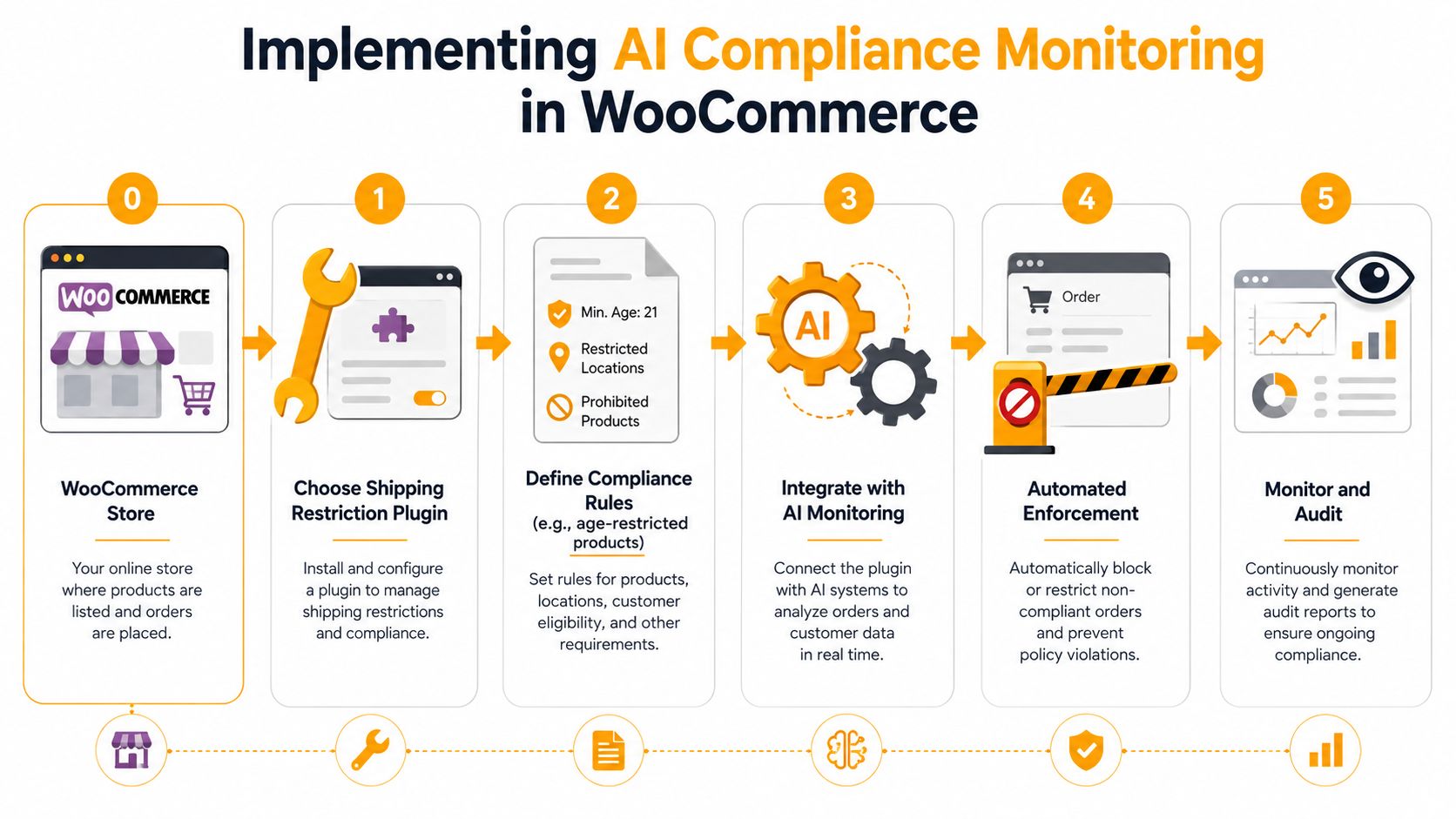
A WooCommerce rollout works best when you treat compliance as a chain, not a plugin. The store needs a restriction engine first, then monitoring around it, then a test plan that proves the rules behave the way you think they do. If you skip the middle, you'll know the rules exist, but not whether staff and customers can use them safely.
Start with the enforcement layer
Choose a shipping-restriction plugin that can block by state, city, ZIP, product, category, or variation. In regulated catalogs, that granularity matters because the wrong rule shape creates false confidence. A broad state rule may be too blunt, while a product-level rule may be too narrow if the law is really destination-specific.
In practical terms, the plugin should support scheduled activation for known law changes, batch rule creation for large catalogs, and import or export so your team isn't rebuilding rules one by one. Those features aren't decoration. They're what keep your configuration from becoming stale.
Put AI monitoring around the rules
AI monitoring can sit in a native platform feature, a third-party compliance analytics tool, or a custom layer built on order and event data. The right choice depends on how much visibility you need and how much control you want over exceptions. The key is to make sure the monitoring layer can see both the blocked and the allowed orders, because the allowed ones often reveal the more interesting gaps.
A solid go-live sequence looks like this:
- Configure the rules in staging first.
- Test restricted ZIPs and products with sample carts.
- Enable customer messaging so buyers understand why an order can't proceed.
- Validate checkout performance under the rule set you plan to run.
- Turn on monitoring and alerting after the enforcement path is behaving correctly.
Test like a customer, not like an admin
Run staging carts from restricted destinations, use restricted product variants, and test edge cases where a customer might combine allowed and restricted items. The point is to see what the shopper sees, not just what the admin panel says.
For a platform-specific implementation reference, this guide to automated shipping compliance for WooCommerce stores is a useful companion. In practice, the combination of rule creation, scheduled activation, JSON import and export, and batch setup gives regulated sellers a way to move faster without losing control.
The clean handoff is simple. Enforcement blocks the order. Monitoring explains the pattern. Human review only steps in when the system can't make a confident decision.
Governance, Auditability, and Risk Considerations
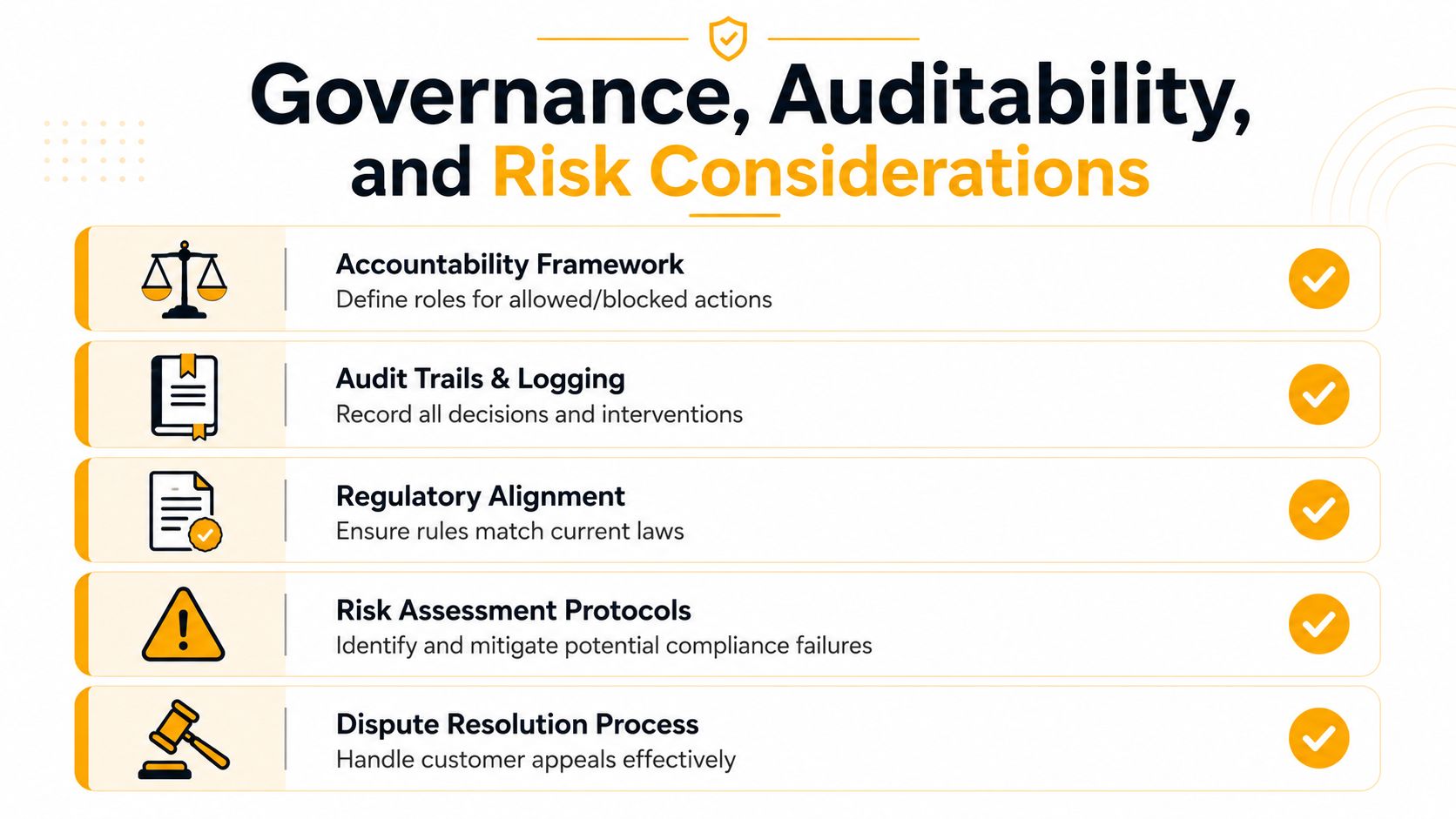
A WooCommerce merchant who has been cancelling restricted orders by hand already knows the pattern. The hard part is not only stopping the sale, it is showing why the order was stopped, who changed the rule, and what happened after an override. Once an automated system begins blocking or allowing orders, the question shifts from “Did it work?” to “Can we defend what it did?” Governance answers that question.
Evidence is the difference between a workflow and a control
Recent compliance guidance emphasizes the need for an AI inventory, ownership records, input and output logs, anomaly-detection records, and a package of evidence for reviewers. It also treats exception handling records, overrides, escalations, and manual corrections as separate artifacts (Scrut guidance on AI compliance). That distinction matters because a blocked order is one thing, but a blocked order that was later overridden and manually corrected needs a fuller paper trail. For the record-keeping side of that workflow, shipping restriction record-keeping requirements give merchants a useful reference for what needs to stay traceable.
A regulator, or even an internal auditor, will want to know who changed the rule, who approved the override, and what evidence supported the decision. If you cannot answer that cleanly, the system may be enforcing something, but it is not auditable.
Ownership and version control have to be explicit
Someone owns the model or monitoring layer. Someone owns the rules. Someone owns the exception workflow. If those roles are fuzzy, edits happen without a trace and nobody can prove when a change entered production.
Practical rule: every override should leave behind a reason, a reviewer, and a timestamp.
Bias and data privacy need the same discipline. A rule set that over-blocks certain regions or product categories can create uneven customer impact, even if the configuration looked fine in testing. The same is true for customer data. If the monitoring layer sees more personal information than it needs, you expand the privacy surface without getting much compliance value in return.
For an enterprise-level framing of those responsibilities, enterprise AI governance roadmap is a helpful reference point. For merchant operators, the takeaway is straightforward. Governance is not paperwork after launch. It is the part that makes the launch defensible later, when a blocked parcel, an override, or a customer dispute needs a clear record.
Post-Launch Human Factors Most Programs Overlook
Most monitoring programs behave well in the demo and get messy in production. Staff members interpret alerts differently than the system designer expected, customers read restriction messages as errors, and support teams start developing shortcuts when the queue gets busy. That's where compliance drift begins.
The NIST AI RMF-style breakdown is useful here because it separates post-deployment oversight into functionality, operational stability, human factors, security, compliance, and large-scale impacts. In practice, the first two are usually covered. The others are where gaps hide, especially the human-factors side, which is often the least served in practitioner guidance.
The questions that reveal real-world risk
The simplest way to test the health of an AI compliance program is to ask what people do after the system fires. If a support agent keeps overriding the same rule, that's a signal. If customers keep disputing the same message, that's a signal too. If fulfillment staff develop a workaround because the restriction flow feels inconvenient, that's not user behavior, it's an operational control failure.
A few questions surface those issues quickly:
- How many overrides happened last month?
- Which rules get bypassed most often?
- Where do complaints cluster, by product or destination?
- Which alerts are staff ignoring because they don't trust them?
- What does the customer see when an order is blocked?
Why this matters more than alert volume
A system can generate plenty of alerts and still fail. If the alerts don't match how people work, staff will route around them. In regulated commerce, that creates a quiet form of noncompliance because the policy exists on paper while the checkout flow behaves differently.
The best teams treat post-launch monitoring like a live operations review. They check what was blocked, what was overridden, who touched it, and whether the customer understood the message. That's not extra work, it's the only way to know whether the compliance design survived contact with the store.
KPIs and Metrics That Actually Matter
A compliance dashboard should tell you whether the store is safer, not whether the chart is prettier. That means watching the few metrics that show whether restricted orders are getting caught early, whether good orders are being over-blocked, and whether your team can defend the decisions later.
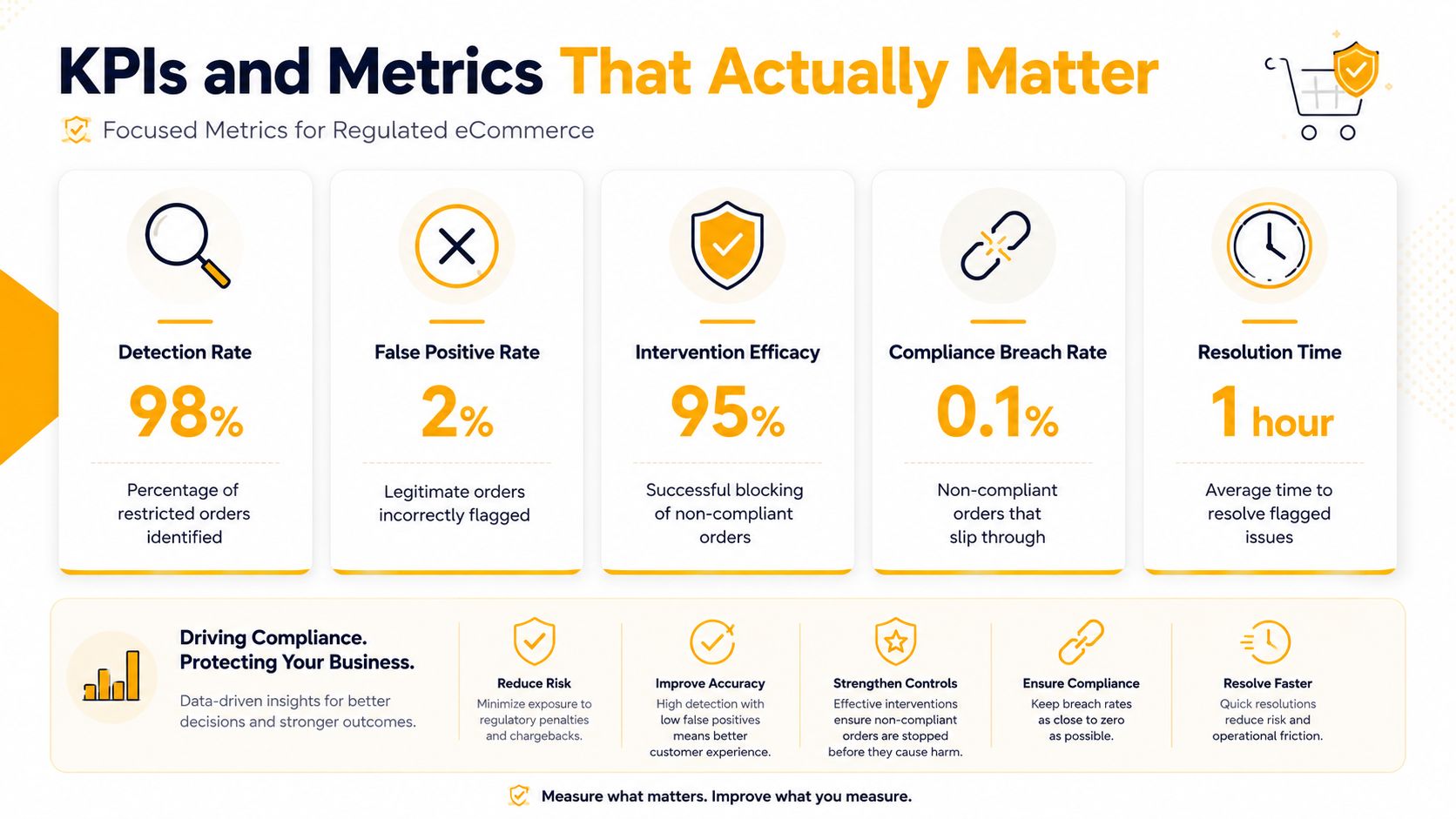
The metrics to keep on one screen
- Detection rate: the share of restricted orders identified before fulfillment.
- Prevention rate: the share of non-compliant orders blocked at checkout rather than after payment.
- False positive rate: the share of legitimate orders incorrectly blocked.
- Exception volume: the number of overrides and escalations your team handles in a given period.
- Audit-readiness score: how quickly you can assemble the evidence package a reviewer asks for.
The goal isn't to chase a single perfect number. It's to see how the numbers relate. A store can have a high detection rate and still be operationally weak if every flagged order needs a manual rescue. That's why exception volume matters as much as blocking performance.
What good looks like in practice
The dashboard should help you answer three questions fast. Are we catching restricted orders early enough? Are we blocking too many legitimate orders? Can we prove why a decision was made if someone asks two months later?
Benchmarks from highly regulated industries can be useful directional references, especially where AI monitoring has already matured. For example, industry reporting says AI-powered monitoring can reduce false positives significantly and lower manual review volume (source). In retail shipping compliance, the absolute numbers will differ, but the logic doesn't. Better monitoring should lower noise, reduce manual intervention, and improve the quality of the evidence trail.
A useful KPI is one that changes what your team does tomorrow, not one that looks impressive in a meeting.
If a metric doesn't help you decide whether to tighten a rule, revise a message, or escalate a case, it's probably a vanity number.
Best Practices Checklist and Common Questions
A regulated seller doesn't need a giant program on day one. It needs a reliable checklist that keeps the rule set current, the evidence trail intact, and the human workflow clear when something unusual happens.
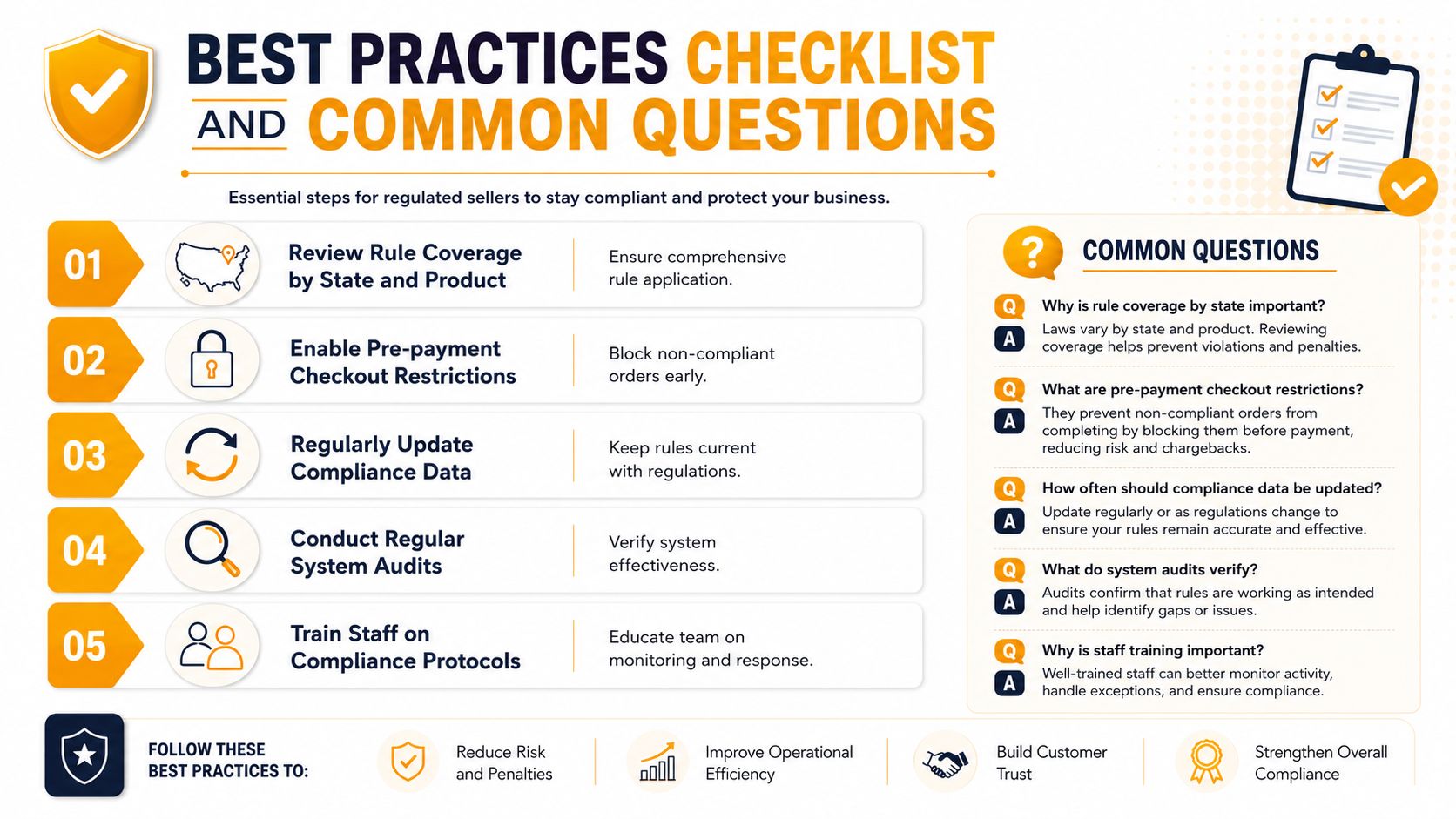
A practical checklist for this quarter
- Review rule coverage by state and product. Make sure your restrictions map to the destinations and catalog items that create risk.
- Enable pre-payment checkout restrictions. Block non-compliant orders before payment clears.
- Regularly update compliance data. Keep your rule set aligned with current requirements.
- Conduct regular system audits. Verify that the system is still behaving the way your policy says it should.
- Train staff on compliance protocols. Support, fulfillment, and operations need to know how to handle blocked orders and exceptions.
A few FAQ-style questions come up almost immediately after go-live.
What if a law changes suddenly? Use scheduled activation or fast rule updates so the store doesn't rely on manual memory. The faster the rule set changes, the less room there is for stale policy.
What if a customer disputes a block? Keep the messaging clear at checkout and preserve the reason code, the rule version, and the reviewer notes. That way, support can explain the decision instead of guessing.
How do we keep evidence ready for audits? Maintain logs, overrides, and escalation records in one place, and make sure ownership is assigned. If the system is spread across admin notes and inbox threads, the evidence package will always be harder than it should be.
How do we phase this in without disrupting fulfillment? Start in staging, validate the restriction flow with test carts, then turn on monitoring after the checkout behavior is stable. That sequence keeps the live store from becoming the test environment.
If your team is still manually canceling restricted orders, Ship Restrict can help move those decisions into checkout for WooCommerce and Shopify while you build the monitoring and audit layer around it. Visit Ship Restrict to see how checkout restrictions, rule scheduling, and compliance-focused shipping controls can fit into a regulated store's workflow.
Automate Shipping Compliance
Stop worrying about restricted states. Ship Restrict handles it automatically.

Cody Yurk
Founder and Lead Developer of ShipRestrict, helping e-commerce businesses navigate complex shipping regulations for regulated products. Ecommerce store owner turned developer.
Automate Shipping Compliance
- Block restricted states
- No more cancellations
- Set and forget
3-day free trial · Card required