WooCommerce Best Plugins for Regulated Stores (2026)
Find the WooCommerce best plugins for regulated stores like firearms. Our guide covers compliance, security, performance, and shipping to protect your business.
You're probably not looking for another list of popup builders, SEO add-ons, and cart upsell widgets.
You're trying to run a WooCommerce store where a single bad shipment can become a legal problem, a chargeback fight, or an expensive customer service mess. That changes the question. For regulated sellers, the woocommerce best plugins aren't the ones that squeeze a little more conversion out of a product page. They're the ones that keep checkout accurate, data secure, and operations stable when rules get complicated.
That's especially true in industries like firearms, accessories, age-restricted goods, and other regulated categories. In those stores, plugin decisions are operational decisions. If a tool introduces weak address controls, poor update hygiene, or slow checkout behavior, it's not just annoying. It creates risk.
Beyond Growth Hacks The Real Best Plugins for Regulated Stores
A firearms retailer doesn't usually get into trouble because product photos weren't optimized or because the store lacked one more email popup. Trouble starts when an order slips through to a restricted destination, staff catches it late, and now someone has to unwind payment, explain the cancellation, document the issue, and make sure the same mistake doesn't happen again.
Automate Shipping Compliance
Block orders to restricted states automatically. 3-day free trial.
Start Free TrialThat's why most generic woocommerce best plugins roundups are incomplete for regulated merchants. Even WooCommerce-focused coverage often centers on discovery and conversion tools, while missing the practical compliance question: what blocks illegal shipments by state, county, city, or ZIP before checkout? That gap is visible in WooCommerce's own ecosystem coverage of popular free extensions, where growth tools dominate the conversation rather than pre-checkout restriction logic in regulated markets (WooCommerce extension roundup and the compliance gap).
What regulated stores actually need
For a standard lifestyle brand, a plugin stack can be conversion-first. For a regulated store, the order of priorities flips:
- Compliance first: Stop restricted orders before payment capture and fulfillment work begin.
- Security second: Protect customer and order data because regulated purchases attract more scrutiny.
- Performance third: Keep validation and checkout fast enough that the store stays usable.
- Analytics fourth: Measure where buyers drop off and whether rule enforcement is creating confusion.
The usual “best plugin” advice treats every WooCommerce store like it's selling T-shirts. That's the wrong model for regulated commerce.
Practical rule: If a plugin increases sales but weakens control at checkout, it's the wrong plugin for a regulated store.
There's nothing wrong with conversion tools. They have a place. If you want a broader view of testing and experimentation tools, this breakdown that helps compare conversion optimization platforms is useful. But those tools belong after the core operational stack is locked down, not before.
Why plugin philosophy matters more than plugin count
I've seen regulated stores overload WooCommerce with growth plugins while leaving shipping rules, security posture, and rollback planning thin. That creates a fragile stack. Every added dependency raises the chance of conflict, slows admin workflows, and makes checkout harder to trust.
The better approach is leaner. Use fewer plugins, but make each one accountable for a critical business function. In regulated eCommerce, best plugins are the ones that reduce manual review, lower legal exposure, and keep the store predictable on busy days.
The Foundational Plugin Stack for Compliant Operations
A regulated WooCommerce store needs a stack built around control, not novelty. Start with the systems that touch money, destination rules, store integrity, recovery, and checkout speed. Then add analytics so you can see what's happening instead of guessing.
Official WooCommerce extensions matter here because they reduce integration overhead and cut down third-party API failure points in payments, shipping, and tax workflows. For compliance-heavy merchants, shipping tools also need to apply rules from destination details before checkout so bad orders never make it into normal fulfillment flow (official operational extensions and pre-checkout rule logic).
Free Shipping Compliance Audit
We'll review your WooCommerce store's shipping compliance for free.
Core plugin categories for regulated eCommerce
| Plugin Category | Primary Function | Example Tools |
|---|---|---|
| Payments | Process transactions with fewer moving parts inside WooCommerce | WooPayments |
| Shipping compliance | Block or allow checkout based on destination rules and product restrictions | Shipping restriction tools, zone rule plugins |
| Security | Reduce exposure to brute force attempts, malware, and admin misuse | Wordfence, security hardening plugins |
| Backups | Restore the store quickly after plugin conflicts, bad updates, or site failures | UpdraftPlus |
| Performance | Improve caching, code optimization, image handling, and database efficiency | NitroPack, WP-Optimize |
| Analytics | Track store behavior, checkout friction, and traffic patterns | MonsterInsights, WP Statistics, Google Site Kit, Metorik, Pixel Manager for WooCommerce |
What each layer is doing for you
Payments should be boring. That's a compliment. The more native and stable your payment path is, the fewer reconciliation headaches you'll create for staff. For regulated merchants handling sensitive purchase data, it also helps to understand how payment security standards shape checkout architecture. This practical summary of Suby's insights on payment data security is worth reviewing when you're choosing gateways and handling customer data.
Shipping compliance is the layer generic lists usually miss. A regulated merchant doesn't just need shipping labels or rate shopping. The store needs logic that can stop the order based on where it's going and what's in the cart. If you're also dealing with age-gated products, these best practices for age verification in online sales fit naturally alongside shipping controls.
Security tools should protect login flows, scan for suspicious changes, and make admin access harder to abuse. Regulated stores draw more attention than average niche shops, so hardening WordPress isn't optional.
Treat every plugin like a staff member with access to your checkout. If you wouldn't trust that person to touch orders, payments, or customer records, don't install the plugin.
Analytics belongs in the foundation
Analytics isn't a direct compliance tool, but it belongs in the foundation because you need visibility into buyer behavior and checkout friction. In 2026 plugin roundups, MonsterInsights is repeatedly identified as the leading WordPress analytics plugin, with over 3 million active installs or website owners using it, while WP Statistics is described as a privacy-friendly Google Analytics alternative with no external accounts and all data stored in the WordPress database (WooCommerce analytics plugin landscape).
That split matters for regulated stores. Some operators want Google-centric reporting. Others want tighter data ownership and fewer external dependencies. Both are valid. What doesn't work is running a regulated store blind and hoping your checkout flow is fine.
How to Evaluate Plugins for Risk and Reliability
A plugin isn't just software. In a regulated WooCommerce store, it's an operational dependency. If it breaks, stalls, or behaves unpredictably, staff has to clean up the mess under pressure.
That's why I evaluate plugins the same way I'd evaluate a contractor working inside a warehouse. Can they show up consistently? Do they follow rules? Do they create extra work for everyone else? If the answer is unclear, they don't belong in the stack.
Start with maintenance and fit
The first screen is basic, but it eliminates a lot of bad choices fast.
- Check update history: If a plugin looks abandoned, move on.
- Verify compatibility: Match it against your current WordPress, WooCommerce, theme, and PHP environment.
- Review documentation: Thin docs usually mean slower troubleshooting later.
- Read support threads carefully: Don't just look for praise. Look for unresolved edge cases.
A plugin can have a long feature list and still be a bad fit. In regulated commerce, narrow and reliable usually beats broad and bloated.
Look at privacy and data control
Generic advice often falls short. The best plugin isn't always the one with the most dashboards or integrations. Often it's the one whose data handling model matches your regulatory and internal control needs.
One comparison of WooCommerce analytics tools frames the market around scale, privacy, and specialization, not just feature count. It notes that MonsterInsights starts at $99.50 per year and is positioned for beginners, while GA Google Analytics is presented as a free basic-tracking option. The same comparison also highlights WP Statistics for GDPR/CCPA compliance, unlimited visitor tracking, and full data ownership, which matters for merchants that prefer local control over store data (analytics tools differentiated by scale, privacy, and specialization).
Four tests I use before approving a plugin
-
Operational relevance
Does it solve a real store problem, or is it just adding interface clutter? -
Failure behavior
If the plugin has an error, does checkout fail safely, or does it create silent problems? -
Support reality
Can your team get help fast enough when something breaks during business hours? -
Data exposure
Does the tool push sensitive store data into more systems than necessary?
A plugin that solves the wrong problem well is still the wrong plugin.
What usually disqualifies a plugin
I'm cautious with tools that try to do too many unrelated things, especially if they inject scripts across the storefront and admin at the same time. I also avoid plugins whose compliance story is hand-wavy. If a vendor can't explain how rules are enforced, where data lives, and how conflicts are handled, that's a problem.
The woocommerce best plugins for regulated stores earn trust through restraint. They do the job they claim to do, stay updated, document edge cases, and don't force the merchant to reverse-engineer their behavior.
Fortifying Your Store with Performance and Security Plugins
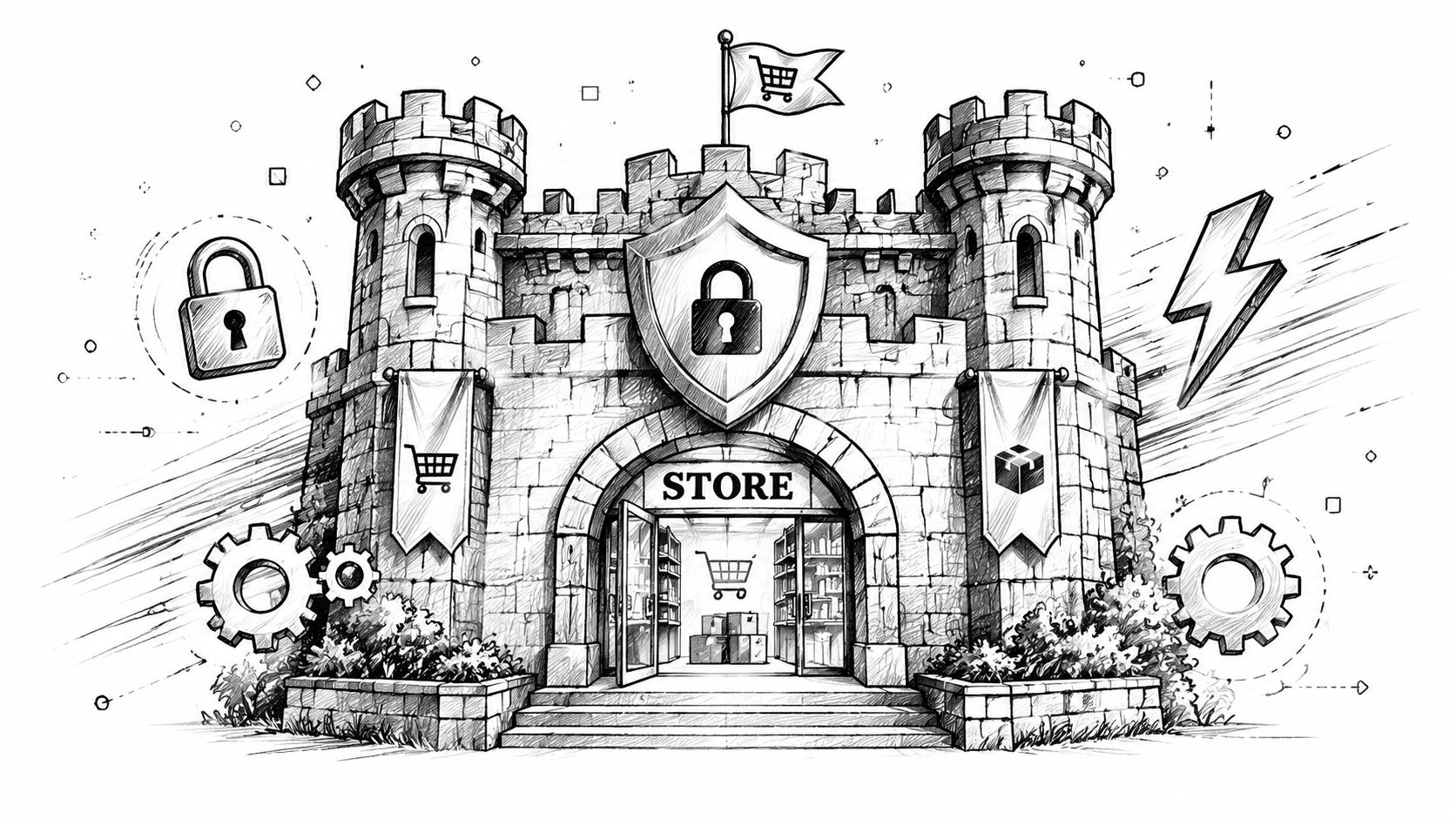
For regulated stores, performance and security aren't side projects for the developer to “get to later.” They're part of checkout reliability and risk control.
A slow WooCommerce checkout doesn't only frustrate buyers. It makes every rule check feel broken, every address validation feel suspicious, and every support complaint harder to diagnose.
Performance problems show up at the worst moment
Performance-focused plugins matter because WooCommerce is sensitive to request latency at checkout. A store that renders cart and shipping pages slowly will see more abandonment, and compliance logic such as address validation can make that worse if it's added without proper tuning (checkout latency and the need for fast validation).
That's why tools like NitroPack and WP-Optimize are worth attention. They're positioned as all-in-one optimization layers because they combine caching, code optimization, image compression, and database cleanup. For larger stores or stores with traffic spikes around promotions and product drops, that kind of stack can remove pressure from the origin server and keep dynamic pages responsive.
What to deploy together
A solid setup usually combines several classes of tools rather than betting everything on one plugin.
- Caching and optimization: WP-Optimize or NitroPack for page and asset efficiency.
- Security monitoring: Wordfence or a comparable security suite for login protection and scanning.
- Backup and restore: UpdraftPlus so you can unwind a bad update or conflict quickly.
- Access hardening: Limit admin access, remove unused plugins, and keep permissions tight.
The goal isn't to install more software. The goal is to reduce the blast radius when something goes wrong.
Field note: The checkout page is not the place to discover that a plugin adds heavy scripts, slow lookups, or conflicting AJAX behavior.
Security is part of trust, not just defense
In regulated commerce, security has a trust function. Customers notice when a checkout feels unstable, but they also notice when stores ask for sensitive information and seem careless about protection. That's one reason developers working on payment and session security should understand modern access patterns. If your team is reviewing login and API design, this 2026 guide on token authentication for developers gives useful background on the mechanics.
Teams also need a baseline for speed testing and plugin impact review. This guide to performance benchmarking for shipping-restricted stores is a practical reference when you're checking how new logic affects the storefront.
A short walkthrough can help frame what to inspect in your own environment:
<iframe width="100%" style="aspect-ratio: 16 / 9;" src="https://www.youtube.com/embed/qGRbl5e4bcc" frameborder="0" allow="autoplay; encrypted-media" allowfullscreen></iframe>What doesn't work
What doesn't work is stacking heavy plugins and assuming better hosting will save you. It often won't. Another common mistake is adding compliance logic late, after the storefront is already burdened by builders, popups, trackers, and scripts from multiple vendors.
The stores that stay stable are usually the ones that treat performance and security as design constraints from the start. They choose lighter tools, test changes in staging, and remove anything that doesn't pull its weight.
Automating Shipping Compliance with Ship Restrict
An order clears checkout at 2:14 p.m. By 2:19, someone on the team realizes the cart included a restricted item going to a destination you do not ship to. Now the store has a payment to reverse, a customer to contact, and a preventable compliance mistake sitting in the order log. That is the operational cost of handling shipping restrictions by memory, spreadsheets, or manual review.
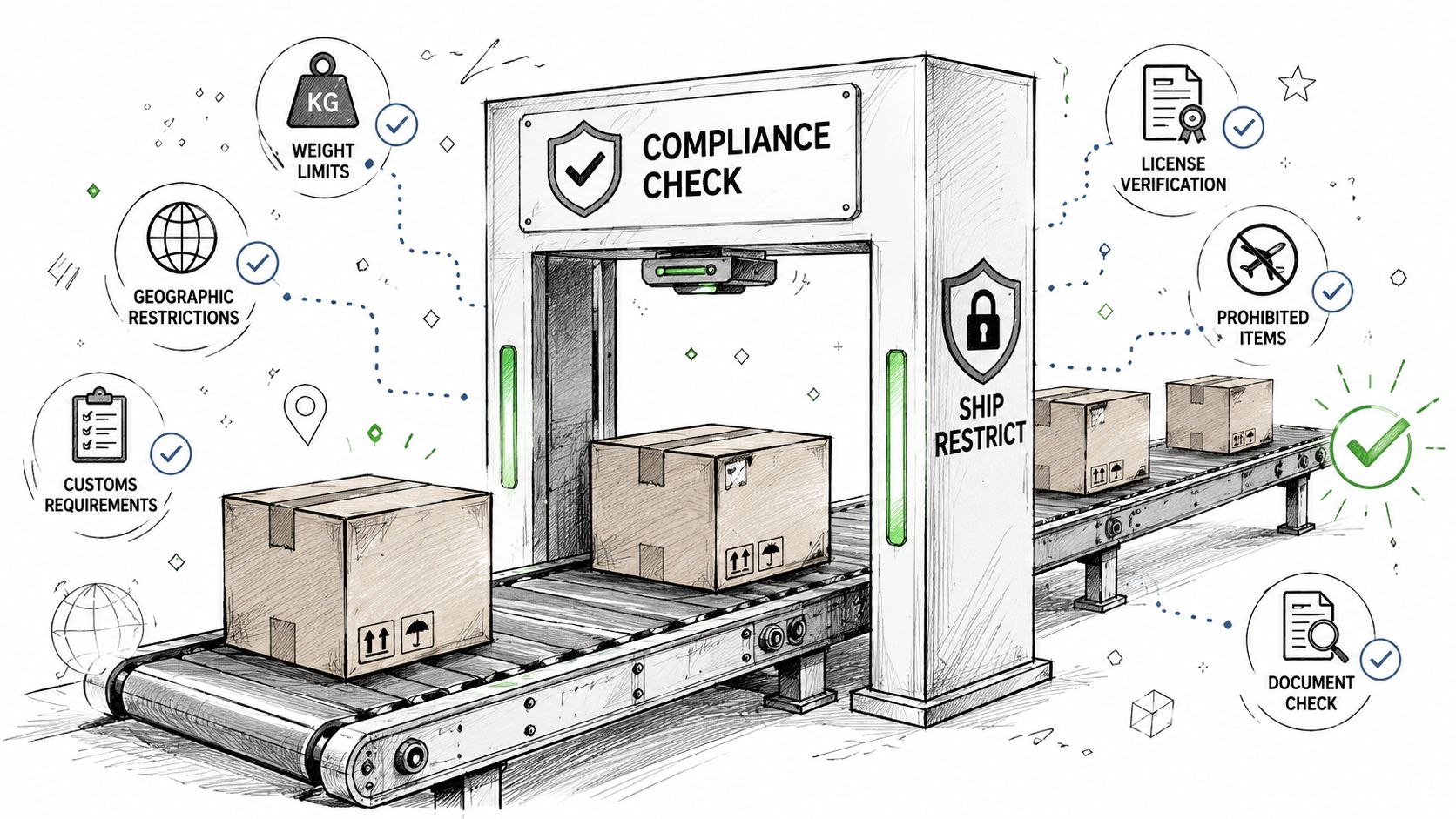
A regulated WooCommerce store needs restriction logic to run before the order becomes a fulfillment problem. The goal is simple. Stop disallowed shipments at checkout, explain the issue clearly, and keep bad orders out of downstream workflows.
What automated enforcement looks like in practice
For regulated shipping, generic WooCommerce settings rarely go far enough. Stores often need rules tied to the product in the cart and the exact destination, not just broad shipping zones. That means checking state, city, county, or ZIP-level restrictions before payment is accepted.
Ship Restrict is built for that job. It lets merchants set restriction rules by product, category, tag, and destination detail so the store can block prohibited combinations during checkout instead of passing them to staff for cleanup later.
That shift matters. Every order stopped early is one less refund, one less support ticket, and one less chance for staff to miss an exception under pressure.
Why this matters more than generic shipping zones
Shipping zones answer a narrow question: where can this method be offered? Regulated sellers usually need a stricter question answered first: should this order be allowed at all?
That difference changes the plugin you choose.
A compliance-focused restriction layer can support workflows such as these:
- Granular destination control: Block restricted products by state, county, city, or ZIP when local rules require that level of precision.
- Rule management at scale: Apply restrictions across groups of products without editing each listing one by one.
- Clear customer messaging: Show why shipping is unavailable before the customer pays and before support has to explain it later.
- Less manual intervention: Keep staff out of repetitive order screening so they can focus on exceptions that need judgment.
The safest restricted order is the one that never reaches processing.
The real trade-off
There is a cost to stricter enforcement. Every checkout rule adds logic, and poorly configured logic can slow the buying flow or create confusing edge cases in mixed carts. I see this happen when stores pile on overlapping plugins, split restriction rules across multiple tools, or write policies that staff cannot explain consistently.
The better approach is tighter and simpler. Put restriction decisions in one place, test real checkout scenarios, and make sure the customer-facing message matches the policy your team will enforce after the sale.
For regulated businesses, that is the difference between a plugin that reduces risk and one that just moves the mess to a different step.
Implementing Your Plugin Stack and Avoiding Common Pitfalls
A good plugin stack can still fail if you install it recklessly. Most WooCommerce problems in regulated stores don't come from one catastrophic decision. They come from a series of rushed changes made directly on the live site.
The safer path is procedural. Add one layer at a time, test what changed, confirm how it affects checkout, and keep a rollback option ready before you move on.
A practical rollout process
-
Audit the current stack
List every active plugin and identify what each one does. If two plugins overlap, remove the weaker one before adding anything new. -
Use a staging site
Test payments, shipping methods, restriction behavior, account creation, and admin workflows outside production. -
Add plugins in priority order
Start with payments, shipping compliance, security, backups, and performance. Add analytics after the core stack is stable. -
Run scenario tests
Try allowed and blocked destinations, mixed carts, guest checkout, logged-in checkout, and failed payment retries. -
Monitor after launch
Watch support tickets, checkout complaints, and admin errors closely after each release.
Common mistakes I see
Some mistakes show up repeatedly in regulated WooCommerce builds.
- Using generic shipping logic for regulated products: Zone rules alone usually don't give enough granularity.
- Ignoring speed after adding compliance checks: A valid rule engine still has to be fast enough for live checkout.
- Skipping backup discipline: If you can't restore quickly, every update becomes a gamble.
- Leaving unused plugins installed: Inactive plugins still create clutter and sometimes create risk.
- Chasing feature lists: More features often means more overhead, more scripts, and more support complexity.
What works better
The stores that run cleanly usually have a simple pattern. They choose specialized tools, keep the stack lean, document rule ownership internally, and review plugin health regularly. They don't treat WooCommerce as a toy box. They treat it like production infrastructure.
If you're deciding on woocommerce best plugins for a regulated store, use a stricter standard than the average roundup does. Ask whether the plugin helps your team prevent mistakes, maintain speed, and recover quickly when something breaks. If it doesn't do one of those things, it probably doesn't belong.
If your store sells regulated products and you need destination-based shipping rules enforced before checkout, Ship Restrict is worth a close look. It gives WooCommerce merchants a practical way to automate restriction logic, reduce manual order review, and build a plugin stack around compliance instead of cleanup.
Automate Shipping Compliance
Stop worrying about restricted states. Ship Restrict handles it automatically.

Cody Yurk
Founder and Lead Developer of ShipRestrict, helping e-commerce businesses navigate complex shipping regulations for regulated products. Ecommerce store owner turned developer.
Automate Shipping Compliance
- Block restricted states
- No more cancellations
- Set and forget
3-day free trial · Card required