What Is Performance Benchmarking? A WooCommerce Guide
Learn what is performance benchmarking and why it matters for your WooCommerce store. A guide to metrics, tools, and optimizing compliance plugins.
A customer adds a regulated product to the cart, enters a shipping address, and clicks through checkout. Then the page hangs for a moment longer than it should. Maybe the restriction check runs late. Maybe the messaging is vague. Maybe the cart updates twice before the store tells the buyer the order can't ship there. The customer leaves, support gets the follow-up email, and the team blames “WooCommerce being slow.”
That's usually not precise enough.
On stores that sell regulated products, checkout speed and compliance logic are tied together. A sluggish cart or checkout can mean your restriction rules are doing too much work, querying the wrong data at the wrong time, or forcing the customer through avoidable friction. In this scenario, performance benchmarking becomes useful. It gives you a way to stop guessing and start measuring what the compliance layer is costing you.
If you care about conversion, this is already a business issue. If you care about shipping law, it's also a risk issue. A store that performs badly during address validation, cart updates, or checkout review is often exposing a deeper process problem. Teams looking at how site speed impacts revenue growth usually focus on frontend performance first. In regulated commerce, that's only half the story. The backend compliance path matters just as much.
Automate Shipping Compliance
Block orders to restricted states automatically. 3-day free trial.
Start Free TrialFor WooCommerce merchants, especially firearms retailers, the better question isn't “is my site fast?” It's “which compliance checks slow the buying flow, and which ones reduce risk?” If your store still relies on staff to manually verify edge cases, automated shipping compliance for WooCommerce stores becomes part of the performance conversation, not separate from it.
Introduction Why Your Checkout Speed Is a Compliance Issue
Slow checkout hurts every store. In a regulated store, it does something worse. It hides whether your compliance process is efficient, or whether your team has layered manual workarounds on top of WooCommerce until the buying flow became fragile.
I've seen this pattern in regulated builds more than once. The merchant thinks the problem is “server performance,” but the issue is that the store checks address restrictions too late, uses rules that aren't organized well, and returns confusing messages after the customer already invested time in checkout. That combination creates abandonment, support tickets, and unnecessary manual review.
A slow compliance check is rarely just a speed problem. It's often a signal that the rule system, update process, or customer messaging needs work.
A lot of store owners feel this before they can name it. Orders get blocked, but the customer can't tell why. The admin team spends time investigating whether the restriction was valid. Developers optimize theme assets, yet the bottleneck remains in rule evaluation and database access.
That's why what is performance benchmarking matters here in practical terms. It's the process of measuring where your store slows down, comparing those results to a standard, and deciding which trade-offs are acceptable. For a firearms retailer on WooCommerce, that standard can't be generic. It has to reflect compliance-sensitive actions like address checks, blocked-cart handling, and rule updates.
What Performance Benchmarking Actually Is and Is Not
A simple way to think about it is a car test. You wouldn't judge a vehicle on top speed alone. You'd also look at acceleration, fuel efficiency, and braking. The same logic applies to an eCommerce stack. A checkout can feel “fast enough” on a homepage test and still perform badly when it has to validate restrictions, refresh the cart, and respond to edge-case addresses.

The core definition
Performance benchmarking is a quantitative comparison process. APQC defines it as the first step organizations take to identify performance gaps by gathering and comparing numerical measures or key performance indicators against standard targets, which is why benchmarking starts with measurable KPIs rather than general impressions (APQC on the four types of benchmarking).
That last part matters. If your team says checkout “feels slow,” that's not a benchmark. If you compare cart update time, checkout response, query load, or restriction-check latency against a prior release, a staging environment, or a peer standard, that's benchmarking.
Free Shipping Compliance Audit
We'll review your WooCommerce store's shipping compliance for free.
What counts as a valid benchmark
In WooCommerce work, I treat benchmarks as useful only when they compare like with like. That usually means one of these standards:
- Internal baseline. Compare the current store against its own previous state. This is often the most useful benchmark for plugin-heavy WooCommerce sites.
- Best-in-class process. Compare your checkout and compliance flow against how the cleanest implementations handle the same tasks.
- Architectural alternative. Compare one technical approach against another, such as evaluating restrictions dynamically on every request versus relying on preprocessed rule data.
If your store is struggling at a deeper level, a broader architecture decision may be the fundamental fix. That's why teams considering replatforming for better store performance often start by benchmarking before they migrate. You need to know whether the bottleneck is hosting, theme bloat, plugin interaction, or the compliance layer itself.
What it is not
Benchmarking isn't a brag sheet. It isn't a homepage speed test disconnected from real user behavior. It also isn't copying another store's setup and assuming their numbers apply to your traffic, catalog, or legal obligations.
Benchmarking fails when the team measures what's easy instead of what drives decisions.
For regulated eCommerce, that mistake is common. Merchants track generic traffic KPIs while ignoring the metrics that determine whether the compliance workflow helps or hurts the sale.
Key Benchmarking Metrics for eCommerce Plugins
A WooCommerce benchmark should start with normal store performance data, but it can't stop there. If a plugin affects the cart, checkout, shipping logic, or address validation, you need plugin-specific metrics that connect technical behavior to customer friction and compliance risk.
Start with store-level performance
Talkwalker notes that effective benchmarking goes beyond financial outcomes and includes operational metrics like cost per unit, time to produce, product or service quality, time to market, customer satisfaction, loyalty, and brand recognition. It gives a concrete example from manufacturing where a plant compares changeover time, with top performers doing it in under 30 minutes versus their own 90, creating a clear numerical target for improvement (Talkwalker on benchmarking).
For WooCommerce, the equivalent isn't “time to produce.” It's the time and system cost required to complete a cart update or checkout validation under realistic conditions. Useful baseline metrics include:
- Time to first byte. Helps separate hosting or application delays from frontend rendering issues.
- Page generation time. Tells you how expensive the request is before the browser finishes the job.
- Database query count. Useful for spotting plugin logic that multiplies query load.
- Slowest query or hook execution. Often reveals whether rule checks are doing repeated work.
Those metrics matter because they show where plugin behavior lands in the full request lifecycle.
Track the compliance path directly
Generic metrics won't tell you whether your restricted-product workflow is healthy. For that, you need measurements tied to the compliance action itself.
| Metric | What It Measures | Why It Matters for Compliance |
|---|---|---|
| Rule evaluation latency | How long the store takes to check the cart and destination against restriction rules | Directly affects cart and checkout responsiveness |
| Blocked-order rate | How often orders are stopped by the rule engine | Shows how often compliance logic engages |
| False-positive restriction rate | How often valid orders get blocked | Indicates whether rules are too broad or poorly structured |
| Rule-update latency | How quickly rule changes become active in the store | Matters when restrictions change and enforcement must stay current |
| Blocked cart resolution time | How quickly a customer understands and corrects a restricted order | Reduces abandonment and support burden |
| Support tickets from compliance messaging | The volume of customer confusion caused by restriction notices | Helps evaluate message clarity, not just backend speed |
| Admin time on manual address review | Staff effort spent checking cases the system doesn't resolve cleanly | Exposes whether automation is actually reducing workload |
Prioritize the metrics that change decisions
For a regulated WooCommerce build, I'd rank rule evaluation latency, false-positive restriction rate, and rule-update latency above softer engagement metrics. Time on page won't tell you much here. A delayed address check or an overblocking rule set will.
That's the practical answer to what is performance benchmarking for a plugin. It's not measuring everything. It's measuring the few points where plugin performance changes conversion, support load, and legal exposure.
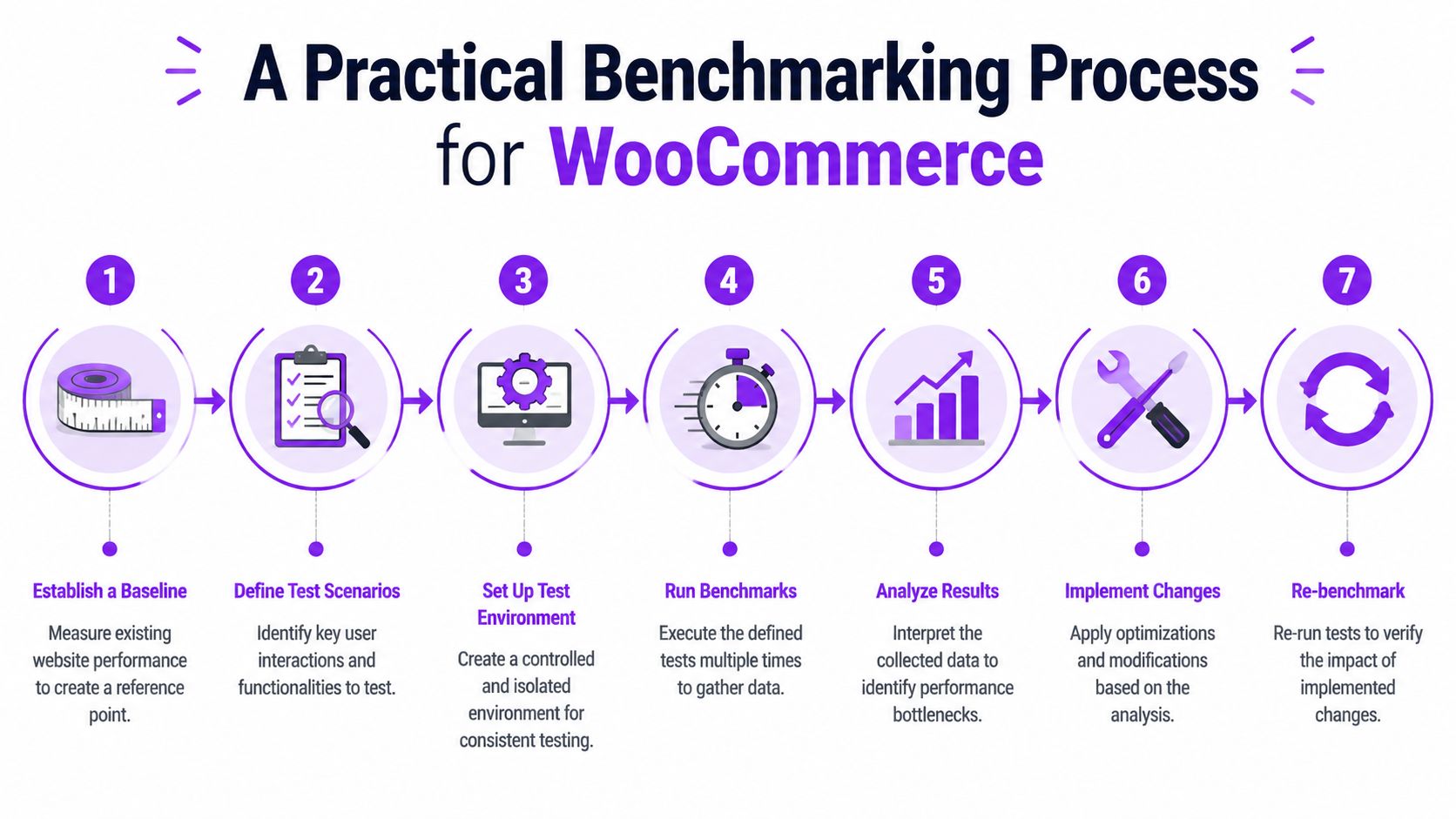
A Practical Benchmarking Process for WooCommerce
A benchmark needs to be repeatable, realistic, and narrow enough that you can act on the result. If you change hosting, theme code, caching, and compliance rules all at once, the numbers won't tell you what helped.
Build the baseline first
Start with a clean baseline on staging. Measure the relevant WooCommerce flow with the compliance plugin disabled, or with the rule set reduced to a minimal state that won't materially affect the path you're testing. The point is to capture what the store costs before the restriction logic is added.
Then define a fixed test scenario. Use the same product type, the same address pattern, the same cart contents, and the same store configuration each time. If you change the scenario every run, you're not benchmarking. You're just observing noise.
A good local-service performance guide often emphasizes predictable environments before optimization starts, and the same discipline applies here when improving site speed for local businesses. Consistency makes the numbers trustworthy.
Use scenarios that reflect regulated buying behavior
Don't benchmark only the happy path. The most important tests usually involve friction.
Use scenarios like these:
- Restricted destination path. Add a regulated product, enter an address that should trigger a restriction, and measure the response cost and customer messaging path.
- Allowed destination path. Repeat the same action with an address that should pass cleanly. This gives you the “normal compliance overhead” benchmark.
- Rule update path. Measure what happens when rule data changes and the store needs to reflect those updates.
- Mixed cart path. Test carts containing both regulated and non-regulated products if your catalog works that way.
Practical rule: benchmark the path that creates support work, not just the path that demos well.
If you need a structured way to validate scenarios, the Ship Restrict testing guide is the kind of operational checklist worth using during staging. The value isn't the tool itself. It's the discipline of testing the same rule patterns the store will face in production.
Pick tools that expose real bottlenecks
For most WooCommerce teams, you don't need an elaborate lab to begin. Use a few practical tools well.
- Query Monitor helps surface slow queries, hooks, and HTTP calls inside WordPress.
- New Relic is useful when you need deeper transaction tracing across PHP, database activity, and external calls.
- Browser dev tools help confirm whether the delay is server-side or tied to frontend requests and rendering.
- Server logs and WooCommerce logs help correlate plugin actions with the request timeline.
After the tools are set, run the test several times under the same conditions and compare the delta between baseline and compliance-enabled results.
A common mistake in benchmarking is making apples-to-oranges comparisons. APQC distinguishes between quantitative performance benchmarking and qualitative practice benchmarking, and for a retailer that means focusing on decision-useful metrics like checkout friction and false-positive rates rather than generic traffic numbers (G2 glossary entry on performance benchmarking).
Before looking at examples, this walkthrough is a useful visual reference for the measurement cycle:
<iframe width="100%" style="aspect-ratio: 16 / 9;" src="https://www.youtube.com/embed/q5iJtM-TLUI" frameborder="0" allow="autoplay; encrypted-media" allowfullscreen></iframe>Read the delta, not the raw number alone
What matters most is the change introduced by the compliance layer.
If a cart update is already slow without restriction logic, the plugin may not be the main issue. If checkout remains quick until the address check fires, you've isolated the cost more cleanly. That's the point of the process. It turns “the store feels clunky” into “this part of the compliance path needs work.”
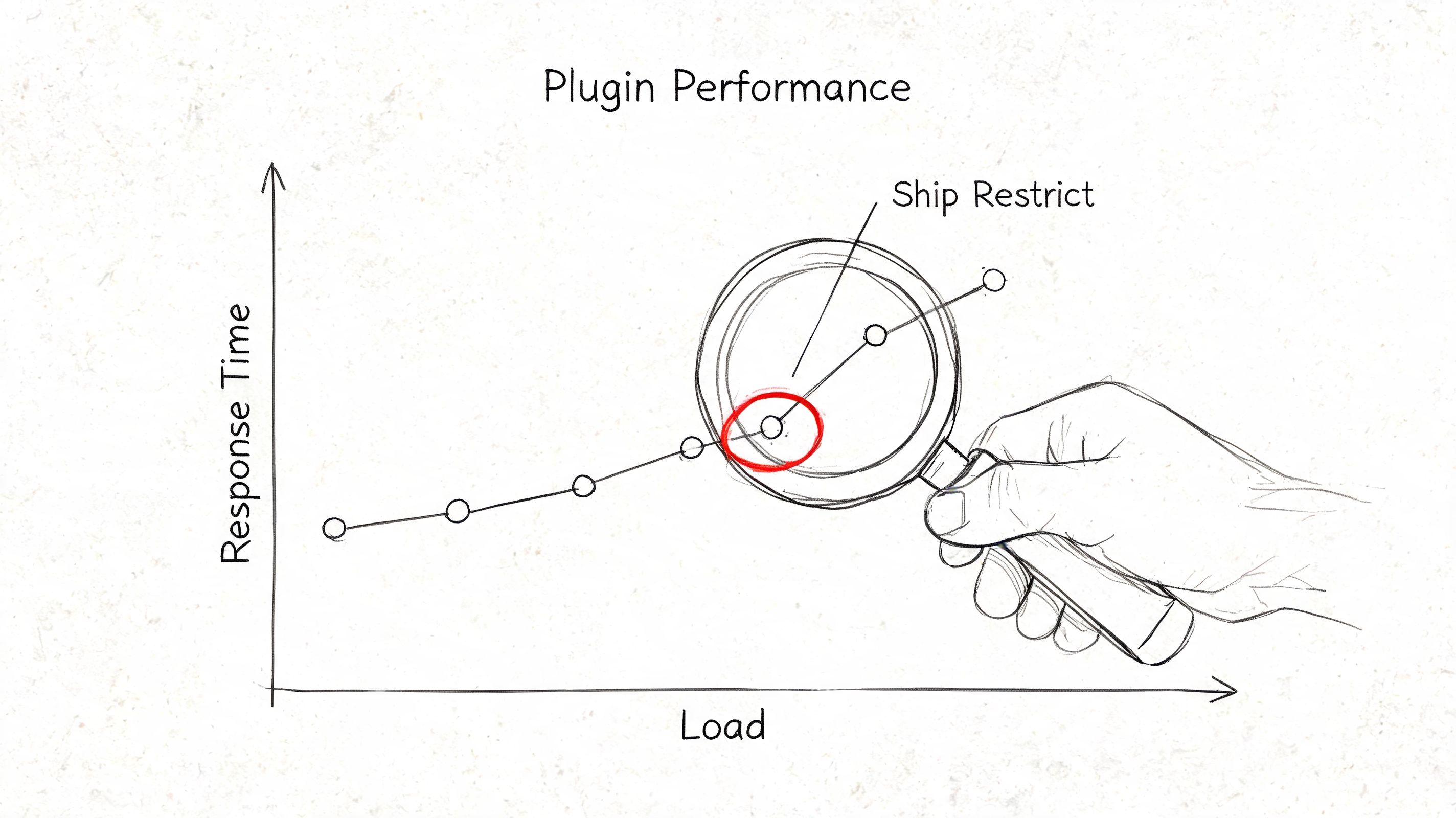
Interpreting Results for a Plugin Like Ship Restrict
A customer reaches checkout with a regulated item in the cart, enters a shipping address, and then waits. If that pause ends with a clear, accurate restriction message, the store has done its job. If it ends with confusion, a false block, or a support ticket, the benchmark result points to a business problem, not just a slow request.
Judge performance in the context of compliance risk
For a plugin that controls shipping eligibility, raw speed is only part of the result. The fundamental question is whether the time spent checking rules reduces enough legal and operational risk to justify the delay.
In firearms and other regulated categories, accuracy carries direct consequences. A fast checkout that allows a prohibited shipment is worse than a slightly slower checkout that blocks it correctly and explains why. But that does not excuse waste. If the added time comes from repeated database lookups, broad rule sets that could be narrowed, or recalculations triggered on every minor cart change, the store is paying a compliance cost without getting extra protection.
I look for a balanced outcome:
- Checkout impact. Does the added latency create hesitation, abandonment, or repeated retries?
- Compliance outcome. Does the rule evaluation stop restricted shipments reliably and reduce manual review?
- Customer clarity. Does the buyer see a specific reason for the block early enough to correct the order?
- Admin confidence. Can staff trust that rule changes take effect predictably?
Read the result like a systems problem
Benchmark interpretation should point to architecture, not just symptoms. If rule evaluation is expensive, the likely fixes sit in data structure, caching, query patterns, and when the plugin runs inside the WooCommerce request cycle.
That matters for WooCommerce shipping restriction logic with Ship Restrict. The plugin is not adding decorative functionality. It is making an allow-or-block decision during purchase flow. A good result means the restriction check runs at the right moment, uses current rule data, and returns an answer fast enough that checkout still feels controlled.
The trade-off is usually straightforward. Buying more server capacity can hide some latency. It does not fix inefficient rule processing or poor checkout messaging.
Know which slowdowns are acceptable
A small delay can be acceptable when it prevents a restricted order, saves staff from manual cleanup, and creates a clear audit trail of why the order could not proceed.
Certain patterns are harder to defend:
- The customer waits with no explanation. Response time rises, but the message is vague or arrives too late in checkout.
- Valid orders get blocked. False positives shift work from automation to support and erode trust fast.
- Rule updates lag behind policy changes. Staff cannot tell whether the storefront reflects current restrictions.
- The same logic runs too often. Minor cart edits trigger full restriction checks again and again.
Those cases usually show up together. Slow performance, unclear messaging, and false blocks often come from the same implementation choices.
The strongest benchmark result is not just a lower response time. It is a checkout flow that stays fast enough to convert, strict enough to prevent bad shipments, and clear enough that both customers and compliance staff know what happened.
Conclusion From Data to Decisive Action
Teams commonly start this process because checkout feels slow. The useful ones keep going until they can identify exactly where the friction starts, what the compliance layer contributes, and whether that cost is justified.
That's the practical meaning of what is performance benchmarking in WooCommerce. It's a disciplined way to compare measurable performance against a clear standard so you can make technical decisions with business consequences in mind. For regulated stores, those consequences include conversion, support workload, and shipping risk.
The biggest mistake is treating benchmarking like a one-time audit. WooCommerce stores change constantly. Plugins update. Rule sets grow. Hosting shifts. Catalogs expand. A compliance flow that performs well today can become clumsy after a few operational changes if nobody measures it again.
The right habit is simple. Benchmark before major changes. Benchmark after rule or plugin changes. Benchmark when support starts hearing the same complaint twice. Keep the process grounded in real store behavior, especially the moments where restriction logic intersects with checkout.
Performance is a feature. In regulated commerce, it's also part of control.
If your WooCommerce store needs to enforce shipping restrictions without turning checkout into a support queue, Ship Restrict is worth evaluating. It's built to automate restriction rules for regulated products so you can measure compliance performance as part of the buying flow, not bolt it on after problems appear.
Automate Shipping Compliance
Stop worrying about restricted states. Ship Restrict handles it automatically.

Cody Yurk
Founder and Lead Developer of ShipRestrict, helping e-commerce businesses navigate complex shipping regulations for regulated products. Ecommerce store owner turned developer.
Automate Shipping Compliance
- Block restricted states
- No more cancellations
- Set and forget
3-day free trial · Card required