WooCommerce Third Party Fulfillment Shipping Restrictions Explained
A practical guide to WooCommerce third party fulfillment shipping restrictions. Learn to sync 3PLs, manage regulated goods, and automate compliance.
Connecting your WooCommerce store to a third-party fulfillment (3PL) partner is a huge step for scaling up. But if you sell regulated products, it also opens up a massive compliance headache.
Here’s the absolute key: you must enforce shipping restrictions on your website before an order ever hits your warehouse. This is the only way to prevent illegal sales, dodge costly fines, and make sure every single order your 3PL receives is 100% shippable from the get-go.
The High-Stakes Link Between WooCommerce and 3PL Compliance
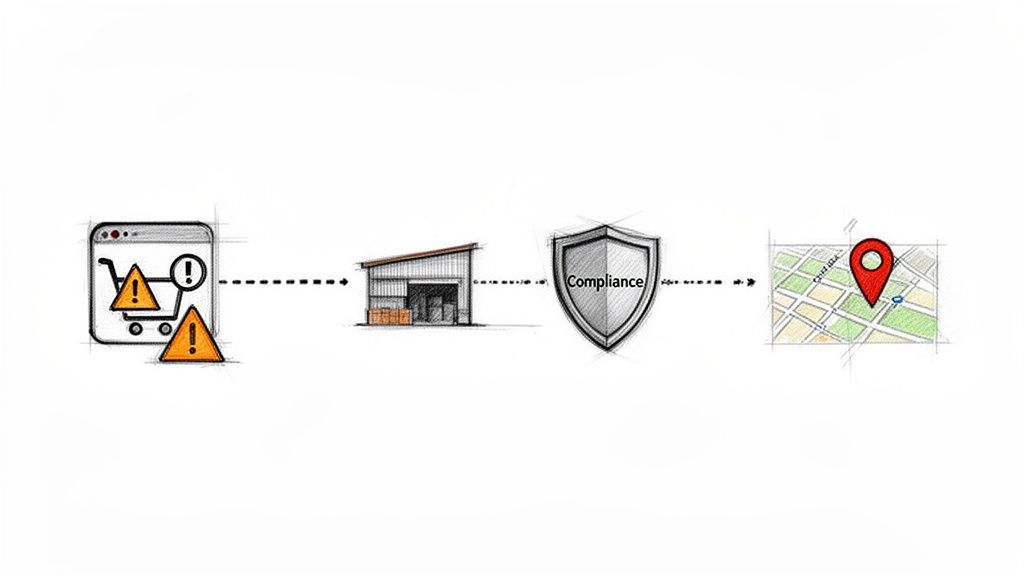
When you're dealing with goods like firearms, ammo, or certain supplements, the speed and efficiency of a 3PL partner come with a serious catch. Your fulfillment center is a machine built for logistics and speed—not for navigating the tangled web of local, county, and state shipping laws.
Shipping a restricted item to a prohibited city, county, or even a specific ZIP code can blow up in your face. We're talking hefty fines, losing your licenses, and dealing with the nightmare of expensive return logistics. And guess who's on the hook for all of it? You, the merchant.
Automate Shipping Compliance
Block orders to restricted states automatically. 3-day free trial.
Start Free TrialCrucial Takeaway: You can't delegate compliance to your warehouse. The only way to guarantee you're in the clear is to stop a prohibited order at the source—your WooCommerce checkout.
Bridging the Compliance Gap
The real challenge is bridging the gap between your website’s checkout logic and your 3PL’s workflow. Just firing off all orders to your fulfillment partner and hoping they catch the bad ones is a recipe for disaster. That manual review process is slow, riddled with human error, and completely defeats the purpose of automation.
True automated shipping compliance for WooCommerce stores needs a system that validates every single order against your rules in real-time, right as the customer is trying to pay.
Think about the scale of this issue. Globally, 3PL providers generated an estimated $1.10 trillion in 2023, and a huge chunk of that is tied to retail categories facing strict regulations. With nearly 60% of online retailers outsourcing at least some of their fulfillment, the reliance on outside warehouses to get compliance right is only growing. This whole shift just highlights the urgent need for robust, automated controls living directly inside WooCommerce.
To get the full picture, it helps to understand the broader context of comprehensive supply chain management outsourcing, which is the world 3PLs live in. This guide will walk you through how to implement a bulletproof system, ensuring every order you send to your 3PL is already 100% compliant and ready to ship.
Why Default WooCommerce Shipping Zones Fail Regulated Sellers
Right out of the box, WooCommerce Shipping Zones are a decent starting point for a typical online store. If you’re selling t-shirts or coffee mugs, setting different shipping rates by state or country is usually all you need.
But when you’re dealing with regulated products, that basic functionality just doesn’t cut it. In fact, it’s a compliance nightmare waiting to happen.
Imagine you sell tactical gear. A specific type of body armor might be perfectly legal to ship to most of Texas, but it’s flat-out banned within Austin city limits. Standard WooCommerce shipping tools can't see that distinction. They see "Texas" as a single, monolithic zone, leaving you completely exposed to shipping an illegal item.
Relying on this default setup forces you into a slow, error-prone process of manually reviewing every single order. This completely defeats the purpose of ecommerce automation and creates a major bottleneck, especially when your 3PL partner expects clean, shippable orders—not a list of addresses they have to double-check for you.
Free Shipping Compliance Audit
We'll review your WooCommerce store's shipping compliance for free.
The Problem with Zone-Based Logic
The core issue is that default shipping zones operate on a macro level—states and countries—not the granular, micro level that compliance demands. Real compliance requires rules that can target specific ZIP codes, cities, or even counties on a per-product or per-category basis.
Here’s what the standard WooCommerce shipping zone setup looks like. It’s clean and simple for setting state-wide rates, but that’s where its usefulness ends for a regulated seller.
There is absolutely no way in this interface to block a specific SKU from being sold to a single city within that state. You can’t get the precision you need.
As WooCommerce's market share has exploded—powering an estimated 33.4% of all tracked ecommerce sites in 2025—so has the number of merchants selling regulated goods. With tens of thousands of stores facing a maze of local shipping prohibitions, the limitations of the platform's native tools have become a serious liability. The system was designed for setting rates, not for the dynamic, compliance-driven blocking modern regulated sellers need. For a deeper look at this, you can explore more about why generic shipping plugins fail regulated industries.
To put it plainly, the gap between what WooCommerce offers and what regulated sellers need is huge. Here’s a quick breakdown:
Standard WooCommerce vs. Dedicated Restriction Plugin Capabilities
| Feature | Standard WooCommerce | Dedicated Plugin (e.g., Ship Restrict) |
|---|---|---|
| Restriction Granularity | State, Country | ZIP Code, City, County |
| Product-Specific Rules | No. Rules apply to entire zones. | Yes. Rules can be set per product or category. |
| Rule Conditions | Based only on location. | Based on location, cart quantity, weight, user role, etc. |
| Automated Validation | No. Manual review is required. | Yes. Automatically blocks illegal orders at checkout. |
| Custom Messaging | Limited and generic. | Fully customizable messages explain why an item can't ship. |
| 3PL Integration | Prone to errors; sends non-compliant orders. | Seamless. Only sends clean, validated orders to fulfillment. |
As you can see, relying on the default tools leaves you with significant blind spots.
Key Takeaway: Using WooCommerce's default shipping zones for regulated products is like using a map of the United States to find a specific street address. You’re in the right general area, but you lack the critical, granular detail needed to avoid costly mistakes.
A dedicated restriction tool isn't a "nice-to-have"—it's non-negotiable. It moves beyond simple zones and lets you build precise, conditional logic that automatically validates a customer’s cart against their exact address.
This proactive approach stops illegal orders before they're ever placed, ensuring every order transmitted to your 3PL is fully compliant from the start. This isn’t just about convenience; it’s about protecting your business from fines, license revocation, and logistical nightmares.
How to Build a Bulletproof Shipping Restriction System
This is where the rubber meets the road—turning complex legal requirements into automated rules that actually work. A solid system for WooCommerce third party fulfillment shipping restrictions isn't just one giant, clunky rule. It's built in layers, moving from broad strokes down to the fine details.
The idea is to start with the big picture, like state-level bans, and then zero in on specific cities or even individual ZIP codes. This layered approach is the only way to catch everything without creating a tangled mess that's impossible to manage.
Start with Broad State-Level Rules
The first layer should always be the simplest: statewide prohibitions. These are your foundational rules, the non-negotiables that apply to every single customer in a state, no matter their city or county.
Let's say you sell a product that's completely banned for sale in California. You'd start with one straightforward rule:
- Rule Logic: If the
Product CategoryisBanned-Item-XAND theShipping StateisCalifornia, then block the sale.
Just like that, you've made your entire store compliant at the state level for that product group. It's a clean, efficient baseline to build on before you get into the weeds of local laws.
Add Granular City and ZIP Code Restrictions
With your state-level rules in place, it's time to get more specific. This is how you handle situations where a product might be legal across a whole state but banned in a major city—think Illinois, where Chicago often has its own set of rules.
Here, you create a more targeted rule that looks at a list of ZIP codes or a specific city name. Imagine you sell high-capacity magazines, which are restricted in several California cities even though they might be legal in other parts of the state.
- Rule Logic: If the
Product CategoryisHigh-Capacity MagazinesAND theShipping ZIP Codeis in the list[90001, 90002, 90210, ...]OR theShipping CityisLos Angeles, then block the sale.
This rule doesn't fight with your broader state rules; it just adds another checkpoint. A customer in a non-restricted California town can buy other things from you, but someone with a Los Angeles shipping address will be stopped from purchasing those specific magazines.
This kind of multi-layered check is critical. An order might sail through a state-level check only to be caught by a more precise city or ZIP code rule, flagging it for review or outright rejection.
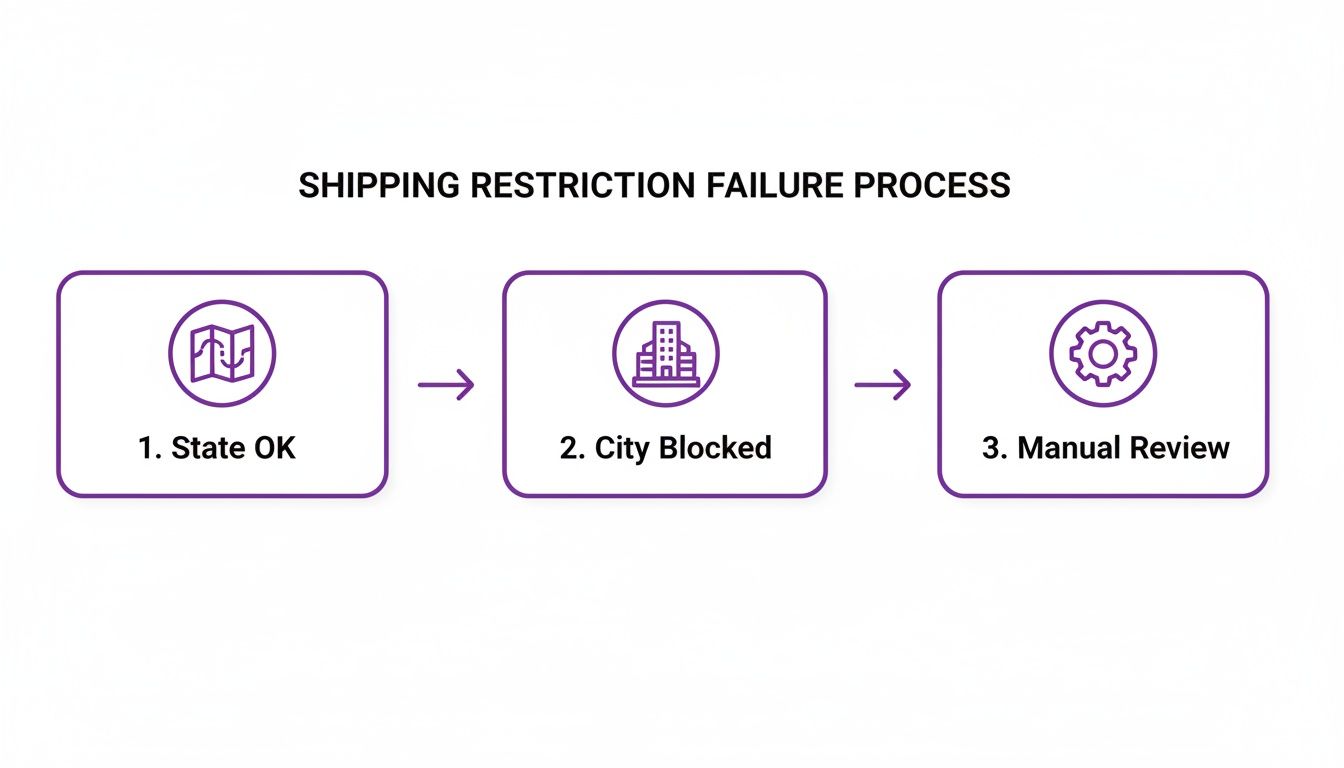
As you can see, compliance isn't a single "yes" or "no." It's a series of green lights an order has to pass before it's confirmed and sent off for fulfillment.
Handling Exceptions and Complex Scenarios
But what about the exceptions? Real-world compliance means knowing when the rules don't apply. For example, what if you can ship a restricted item to law enforcement officers but not to the general public? This requires a much smarter rule that combines location with customer data.
A truly bulletproof system accounts for the exceptions, not just the prohibitions. User roles are key to managing sales to credentialed professionals in otherwise restricted areas.
You can handle this by building rules around WooCommerce user roles.
- First, you'd create a "Law Enforcement" user role and only assign it to verified LEO accounts.
- Then, you build an exception rule. The logic would look something like this: If
Product CategoryisRestricted GearANDShipping StateisNew YorkANDUser Roleis NOTLaw Enforcement, then block shipping.
This setup ensures that while an ordinary shopper in New York gets blocked, a logged-in and verified officer can complete their purchase without a hitch. This kind of granular control is simply not possible with out-of-the-box WooCommerce. To get this level of sophistication, you'll need to look into specialized tools; you can dive deeper into the best shipping software for small businesses to see what's possible.
By layering broad rules, specific local restrictions, and user-based exceptions, you create a system that validates every order before it ever hits your 3PL. This kind of proactive enforcement is the only reliable way to guarantee every single package leaving your fulfillment center is 100% compliant.
Syncing Your Store Rules with Your 3PL Partner
<iframe width="100%" style="aspect-ratio: 16 / 9;" src="https://www.youtube.com/embed/Xc1Xq8cjw64" frameborder="0" allow="autoplay; encrypted-media" allowfullscreen></iframe>Building an automated restriction system in WooCommerce is a huge win, but it's only half the battle. Your carefully crafted rules are completely useless if your third-party fulfillment (3PL) partner doesn't know about them or, worse, accidentally ignores them. The entire strategy hinges on this critical handoff.
The ultimate goal is to filter out non-compliant orders before they ever hit your 3PL's warehouse management system (WMS). By enforcing all your WooCommerce third party fulfillment shipping restrictions at the moment of checkout, you create a clean, pre-vetted order queue. Only valid, shippable orders should ever reach your fulfillment partner.
This proactive approach stops a busy warehouse employee from overlooking a shipping note and sending a restricted item to a prohibited state. It prevents fulfillment errors, sidesteps costly returns, and keeps your whole operation running smoothly and—most importantly—legally.
Establishing a Single Source of Truth
Your WooCommerce store must be the undisputed source of truth for compliance. While your 3PL manages logistics, you manage the legal checks. That division of labor is essential. You need to have a clear, direct conversation with your 3PL account manager to establish this protocol.
Make it clear that your system is designed to stop illegal orders at the source. Their team shouldn't have to perform secondary compliance checks on addresses or products; they should be confident that any order they receive from you via API, CSV, or XML is ready for picking, packing, and shipping.
Expert Tip: When onboarding a new 3PL, give them a concise "Compliance & Fulfillment Protocol" document. It should clearly state that all location-based restrictions are handled at checkout and they will only receive fully compliant orders. This sets clear expectations from day one and prevents any confusion down the line.
Recent advancements in WooCommerce have made this kind of application-level enforcement more critical than ever. The maturation of 3PL connectivity and performance architecture, especially around 2024–2025, has highlighted a significant gap. Many warehouses still rely on static carrier rules that don't account for the granular, city-level prohibitions necessary for regulated goods. For more on these platform improvements, you can follow the latest on WooCommerce performance initiatives. This makes your on-site plugins the most reliable defense against shipping mistakes.
Communicating Rules and Handling Data
Even with automated blocks, clear data communication is key. Your order data feed to the 3PL should be configured to flag any special handling instructions, though ideally, your checkout rules will prevent most complexities.
For instance, if you have rules allowing sales to Law Enforcement Officers in restricted zones, the order data must clearly reflect this exemption.
- Custom Order Notes: Automatically add a note like "LEO VERIFIED - SHIPMENT AUTHORIZED" to the order when an exception rule is met.
- Order Meta Fields: Use a custom field to pass a boolean flag (e.g.,
is_compliance_override: true) via API that your 3PL’s system can recognize.
Proper data hygiene ensures that even when an exception occurs, your fulfillment partner has the necessary information right in front of them, leaving no room for interpretation. And when it comes to managing large, complex rule sets, being able to update your system quickly is vital. Check out our guide on how to bulk import shipping restrictions from a CSV file to keep your rules current with minimal effort.
How to Test and Validate Your Restriction Setup
Building your restriction rules is a huge milestone, but the job isn't done until you've proven they work under real-world pressure. Rigorous testing is non-negotiable. It’s the only way to be certain your WooCommerce third party fulfillment shipping restrictions are actually protecting your business. Skipping this is like building a firewall and never checking if it blocks anything.
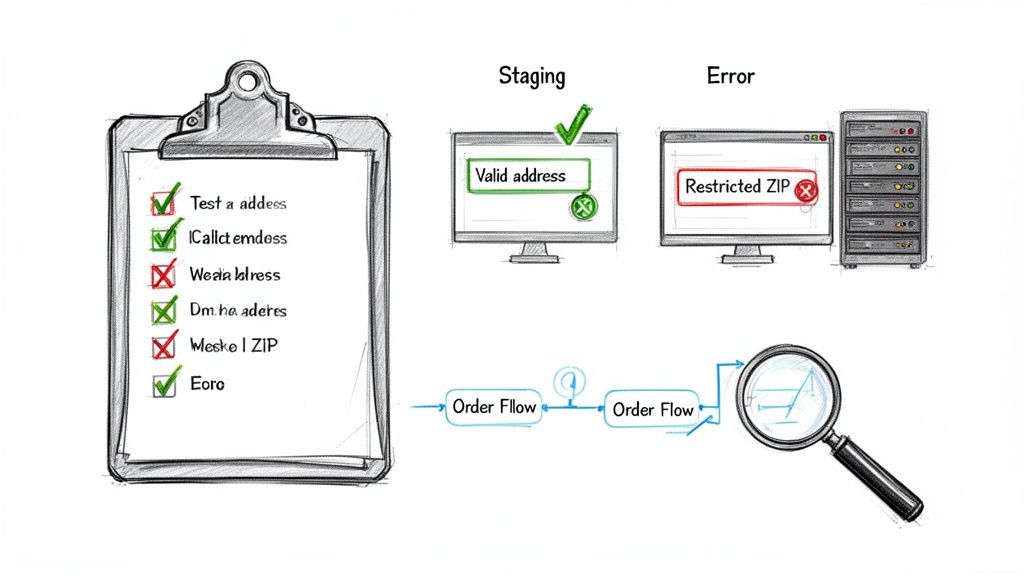
This process isn't just a one-and-done check. It needs to become a routine part of your workflow, especially when you add new products or when shipping regulations change. Documenting your tests creates a valuable record and a clear process for your team to follow down the road.
Creating a Staging Environment
Before you ever dream of pushing new rules live, you need a safe place to break things. A staging site—an exact clone of your live store that customers can't see—is the perfect sandbox for this. It lets you experiment freely without any risk of disrupting real customers or sending accidental test orders to your 3PL.
Most quality web hosts offer one-click staging environments. Use this feature to test every new rule, plugin update, or code change before it ever touches your production site. It’s your safety net.
Your Core Testing Checklist
Once your staging site is spun up, it’s time to run through a series of structured tests. Your goal here is to simulate the most common—and the most tricky—customer scenarios to confirm your rules are firing exactly as expected. Don't just check for failures; you also need to ensure that legitimate orders sail through without a hitch.
A solid test plan should cover these key checks:
- Valid Address Test: Add a restricted item to your cart and enter a shipping address where it is 100% legal to ship. The checkout should proceed smoothly, no errors. This confirms your rules aren't overreaching and killing legitimate sales.
- Restricted ZIP Code Test: Now for the opposite. Try to check out with the same restricted item but use a ZIP code that is explicitly on your ban list. The system should immediately block the checkout and show the custom error message you configured.
- Mixed Cart Test: This is a crucial one that trips people up. Add two items to the cart—one that's restricted in a specific location and one that isn't. When you enter a restricted address, the checkout must be blocked. This validates that the presence of even one illegal item correctly stops the entire order.
- Rule Exception Test: If you've set up exceptions (maybe for law enforcement or other dealers), log in with a test account assigned the right user role. Attempt to buy a restricted item and ship it to a prohibited area. The purchase should go through, confirming your exception logic is working.
Pro Tip: Keep a simple spreadsheet to track your test cases. Note the product SKU, the address you used, the expected outcome, and the actual outcome. This simple documentation is invaluable for troubleshooting and for onboarding new team members who need to understand your compliance setup.
By methodically running through each scenario, you can be confident that your system is ready for real customers, protecting your business from costly compliance mistakes before they ever happen.
Got Questions About 3PL Shipping Restrictions?
Setting up shipping restrictions for third-party fulfillment can feel like a maze. Even with a solid plan, you'll inevitably run into edge cases and tricky situations. Here are some of the most common questions we get from merchants and our straight-to-the-point answers.
What Happens If a Customer Tries to Buy a Restricted Item?
A properly configured system stops a bad order before it ever becomes one.
When a customer enters their shipping address at checkout, your store should be validating it against your rules in real time. If an item in their cart is banned in that city, county, or ZIP code, a message pops up explaining why it can't be shipped there. The checkout process halts, and they can’t complete the purchase.
This proactive block is a lifesaver. It saves you from the administrative nightmare of manually canceling orders, issuing refunds, and explaining compliance issues to disappointed customers after their money has already been taken.
How Can I Possibly Keep My Shipping Rules Updated with Changing Laws?
Trying to manually track legal changes across hundreds or thousands of jurisdictions isn't just a headache—it's a recipe for disaster.
Your best bet is to use a tool built for this exact problem. Look for a solution with bulk import and export features. This lets you modify your entire rule set from a single spreadsheet, making it possible to push store-wide updates whenever a new law goes into effect. It turns a multi-day research project into a ten-minute task.
Some of the more advanced restriction tools are starting to offer integrated compliance data feeds. These services can automatically update your rules to reflect the latest legal changes, taking the burden of staying current completely off your plate.
This kind of automation is the only sustainable way to maintain long-term compliance without dedicating a full-time employee to legal research.
My 3PL Has Its Own Set of Rules. How Do I Avoid Conflicts?
This is a frequent point of confusion, but the answer is simple: your WooCommerce store must be the single source of truth for all legal and compliance-based restrictions.
Every product- and location-based shipping rule should be enforced on your website during checkout—long before any order data gets sent to your 3PL. This ensures your fulfillment partner only receives orders that have already been vetted and confirmed as 100% shippable.
Be upfront about this process with your 3PL. Their rules are usually focused on carrier limitations (like no P.O. boxes or hazmat handling), while yours are based on legal prohibitions. By stopping non-compliant orders at the source, you eliminate any downstream conflicts and create a smooth workflow where your 3PL can just focus on what they do best: getting packages out the door.
Stop losing money on shipping mistakes and compliance errors. Ship Restrict automates your shipping rules, blocks restricted orders at checkout, and ensures every order you send to your 3PL is 100% compliant. Get started today at https://shiprestrict.com.
Automate Shipping Compliance
Stop worrying about restricted states. Ship Restrict handles it automatically.

Cody Yurk
Founder and Lead Developer of ShipRestrict, helping e-commerce businesses navigate complex shipping regulations for regulated products. Ecommerce store owner turned developer.
Automate Shipping Compliance
- Block restricted states
- No more cancellations
- Set and forget
3-day free trial · Card required