Best Shipping Plugin for WooCommerce: 2026 Guide
Find the best shipping plugin for WooCommerce. Automate compliance, restrictions, and features for regulated products like firearms.
You're probably not looking for another roundup of WooCommerce plugins that talks about free shipping thresholds and carrier labels.
You're looking at orders that could create legal exposure if the wrong item ships to the wrong address. Maybe your team still checks destinations against a spreadsheet. Maybe someone on fulfillment asks, “Is this ZIP allowed?” and checkout is already complete. Maybe you've patched together shipping zones, table rates, and product classes, but deep down you know that cost logic isn't the same thing as compliance logic.
That distinction matters. A standard shipping plugin for WooCommerce can help you calculate rates, print labels, and organize zones. It usually won't stop a regulated product from being offered to a restricted county, city, or ZIP code with the precision your business needs. For high-risk merchants, that's the core problem to solve.
The Hidden Risks in Your WooCommerce Shipping Workflow
A common workflow in regulated eCommerce looks efficient until you follow it closely.
Automate Shipping Compliance
Block orders to restricted states automatically. 3-day free trial.
Start Free TrialAn order comes in. Someone on the team opens the shipping address, checks the product type, compares the destination against internal rules, then decides whether the order can move forward. If the business sells items with location-specific restrictions, that decision often depends on more than the state. County, city, and ZIP code can all matter.
The trouble is that manual review breaks at the exact moment a store starts to grow. More orders mean more checks. More checks mean more room for inconsistent decisions. One staff member blocks an order. Another allows the same order because they interpreted the rule differently or used an outdated file.
What manual review actually costs
The biggest cost isn't just labor. It's operational drag.
When shipping compliance lives in spreadsheets and team memory, stores tend to run into the same problems:
- Delayed fulfillment: Orders sit in review while staff verify addresses and product restrictions.
- Inconsistent enforcement: Different team members apply the same rule differently.
- Customer confusion: Shoppers don't understand why an order was accepted, then later canceled.
- Support overhead: Your team spends time explaining restrictions after checkout instead of before it.
Practical rule: If your compliance process begins after checkout, it's already too late for a clean customer experience.
This is why the usual “shipping optimization” conversation misses the point for regulated merchants. Saving on rates matters, but preventing invalid orders matters more. A store can recover from a slightly imperfect shipping charge. It's much harder to recover from a preventable compliance mistake, a canceled order, and a customer who no longer trusts the checkout process.
There's also a second-order effect. Teams that spend all day policing edge cases have less time to improve merchandising, retention, and service. If you're also trying to boost sales with chatbots, streamline support, or improve conversion, manual compliance work keeps pulling people back into less valuable tasks.
Why Standard Shipping Plugins Create Compliance Gaps
A customer places an order at 11:42 p.m. The cart clears checkout, the payment goes through, and the warehouse sees it first thing in the morning. Only then does someone notice the destination falls inside a restricted county, or the cart includes a product that cannot ship there without extra controls. At that point, the store has already created the problem.
That failure usually starts with the plugin stack.
Free Shipping Compliance Audit
We'll review your WooCommerce store's shipping compliance for free.
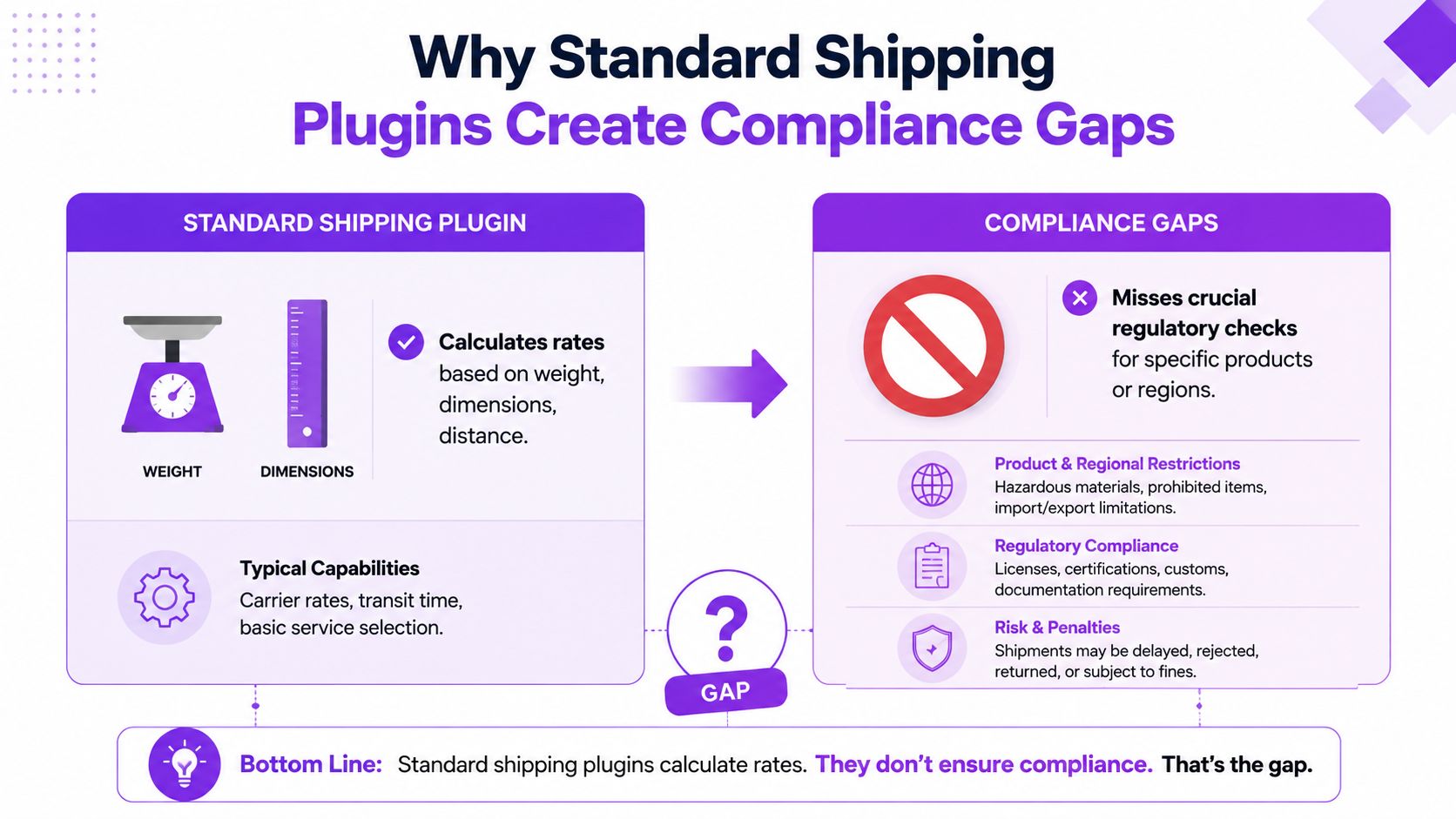
A standard shipping plugin for WooCommerce is built to calculate rates, show methods, print labels, or connect carriers. Those are useful jobs. They are different from deciding whether an order is legally shippable in the first place. Regulated merchants need a rule engine that can block invalid orders before payment is captured, not a rate tool that assumes every paid order can move to fulfillment.
Cost logic is not compliance logic
General-purpose shipping plugins usually evaluate familiar variables such as weight, dimensions, order subtotal, shipping zones, and carrier rates. Plugin roundups from major WooCommerce publishers and vendors consistently frame these tools around shipping efficiency, rate flexibility, and fulfillment automation. That is the right design for broad retail.
It is the wrong design for age-restricted, license-sensitive, or location-restricted products.
In practice, the logic gap shows up fast. A table-rate plugin can charge more for a heavy package going to California. It often cannot determine whether one SKU in that package is blocked in a specific ZIP code, whether another item requires a different shipping method, and whether the full cart combination changes what is legally allowed. That is why generic shipping plugins fail in regulated industries. They were built to price shipment, not to enforce law at checkout.
Where standard plugins break down
The problem is not that these plugins are poorly made. The problem is scope.
Most standard shipping tools stop at broad destination zones. Compliance work often starts where zones stop. A regulated seller may need to evaluate state rules, county overrides, city exceptions, ZIP-level restrictions, product type, carrier limitations, and cart combinations at the same time. If the plugin cannot process those conditions together, staff end up filling the gap manually or with custom code that becomes hard to maintain.
Here is the operational difference:
| Plugin type | Primary job | Typical rule style | What it often misses |
|---|---|---|---|
| Standard table-rate or flat-rate plugin | Calculate shipping cost | Weight, subtotal, zone, quantity | Fine-grained legal restrictions |
| Live-rate carrier plugin | Pull carrier pricing | Origin, package details, destination | Product-level legal eligibility |
| Compliance-focused restriction system | Block or allow shipment | Product plus destination hierarchy plus cart logic | The decision layer regulated merchants need |
I see this mistake often in high-risk catalogs. The merchant assumes shipping zones plus a few product classes will cover the edge cases. That works until one county rule conflicts with a state rule, or a mixed cart creates a restriction nobody modeled in the original setup.
Why patchwork fixes fail
The usual workaround is a stack of partial controls. Shipping zones handle the obvious states. A snippet blocks a few ZIP codes. Warehouse notes catch the exceptions. Customer service reviews questionable orders after checkout.
That setup creates two business problems. First, rule enforcement becomes inconsistent because the logic lives in different places. Second, the customer gets the wrong experience. The store accepts an order it should have blocked, then reverses the decision later with a cancellation email, refund, or compliance request.
For regulated products, that is more than a conversion problem. It creates audit risk, avoidable support volume, and fulfillment delays that compound as the catalog grows.
A shipping plugin for WooCommerce can help with rates and carrier workflows. A regulated business also needs automated legal decision-making at checkout. Without that layer, the store is still relying on staff memory to catch orders the system should have stopped.
Essential Features for a Regulated Product Shipping Plugin
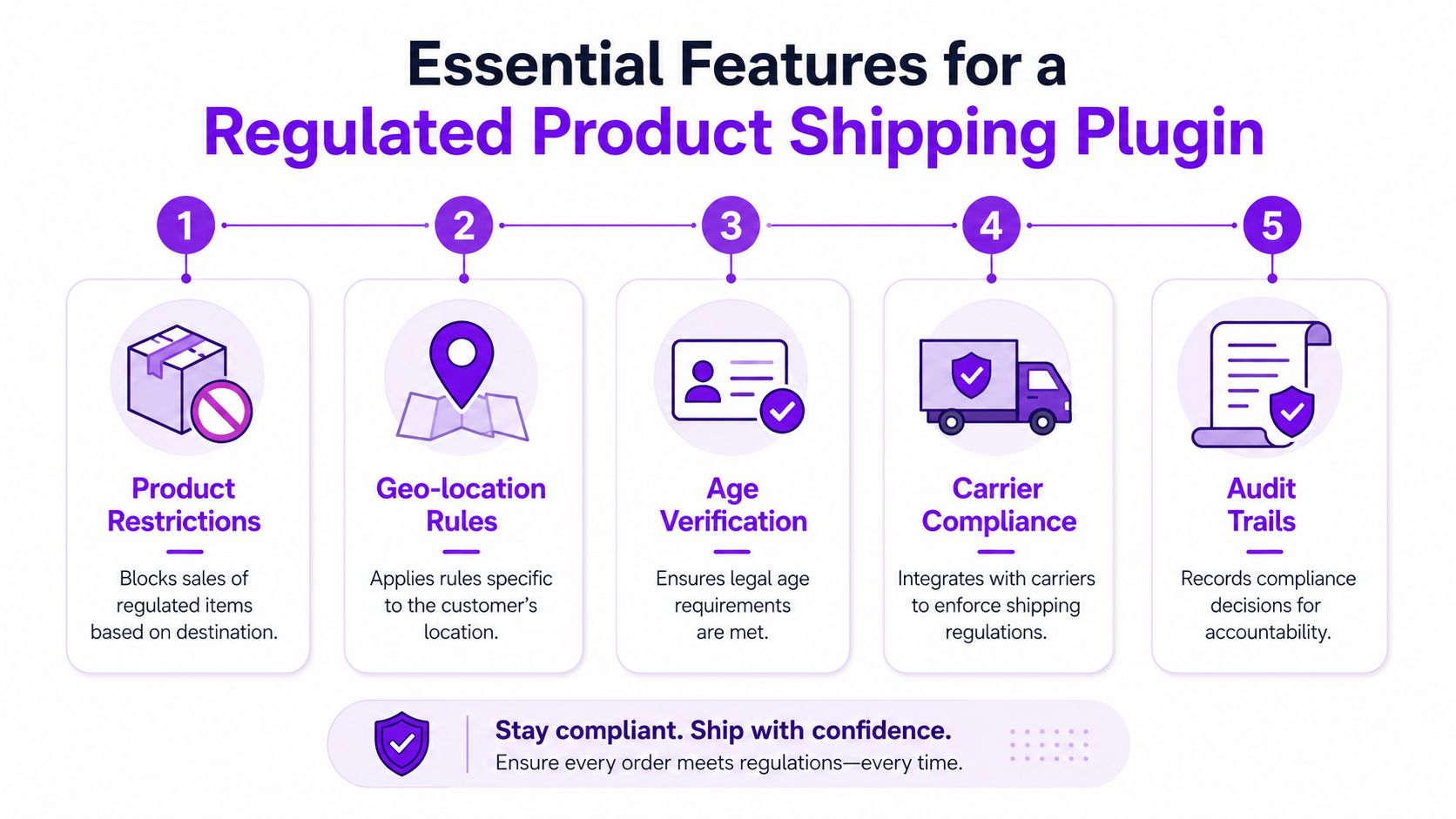
For regulated goods, the feature checklist needs to start in a different place. The question isn't “Can this plugin create shipping rules?” Instead, the question is “Can this plugin make correct legal decisions at checkout without slowing the store down or confusing the customer?”
That requires a narrower, tougher standard.
Granular destination logic
A production-grade shipping compliance plugin must implement a conditional logic engine capable of evaluating multiple granular conditions at the same time, including destination hierarchies such as state, county, city, and ZIP code, along with product attributes and cart contents, according to Ship Restrict's write-up on automated shipping compliance for WooCommerce stores.
That hierarchy matters because broad state rules often aren't enough. A plugin may need to answer questions like:
- State-level check: Is this product category allowed in the customer's state?
- County-level override: Does a county rule block shipment even when the state appears allowed?
- ZIP-level exception: Is one specific destination excluded inside an otherwise permitted region?
If a tool only understands shipping zones at a high level, it won't give you reliable enforcement for regulated products.
Fast validation at checkout
Compliance logic has to be strict, but it also has to be fast.
The same source notes that poorly optimized validation logic can degrade WooCommerce checkout performance by over 40% under high-traffic conditions. That's a serious warning for merchants who run promotions, seasonal campaigns, or any store where checkout latency directly affects revenue.
A good plugin should evaluate rules in real time without making checkout feel heavy.
What to look for in practice:
- Efficient rule matching: The plugin shouldn't crawl through a messy rule set one line at a time.
- Predictable behavior under load: Busy sales periods shouldn't expose performance weaknesses.
- Tight checkout integration: Validation should happen where it matters, before the order progresses too far.
Buyer filter: If a plugin demo shows lots of rule flexibility but says little about performance, ask harder questions before installing it on a live store.
Rule management that scales
A lot of plugins look fine when you create five rules. Real stores rarely stop at five.
The operational test is whether your team can maintain rules without turning the plugin into another spreadsheet problem. For that, I look for capabilities like these:
- Bulk rule creation: You should be able to add large rule sets efficiently instead of building them one by one.
- Scheduling support: If restrictions change on known dates, the system should help you prepare changes in advance.
- Import and export options: Agencies and multi-store operators need a way to move rules cleanly.
- Clear separation by product type: A team should be able to tell which restrictions apply to which catalog segments.
Auditability and customer messaging
Blocking an order isn't enough. The plugin also needs to explain itself.
A strong system should log what rule triggered, what destination was evaluated, and why the method was hidden or denied. That helps with internal review and support tickets. It also makes customer communication cleaner.
Useful behavior looks like this:
| Feature | Why it matters |
|---|---|
| Audit logs | Helps staff verify why a restriction fired |
| Custom messages | Tells the shopper what happened in plain language |
| Method hiding or blocking | Prevents invalid options from appearing at checkout |
| Cart-aware enforcement | Avoids partial logic that misses mixed-product orders |
If the customer sees a vague checkout failure, support inherits the mess. If the customer sees a clear restriction message before payment, your store avoids confusion and your team avoids unnecessary cleanup.
How Shipping Restriction Rules Work in Practice
The easiest way to evaluate a compliance-focused shipping plugin for WooCommerce is to follow one order through checkout.
A customer adds a regulated item to the cart. Their destination is in Chicago. The product is restricted in Cook County. The customer proceeds normally until the store has enough address information to evaluate the rule set.
What the system should do
At that point, the plugin should read the relevant signals together:
- product category or tag
- cart contents
- destination hierarchy
- any exception or override rules
It shouldn't just recalculate price. It should decide whether the available shipping methods should be shown, hidden, or blocked for that order.
That kind of setup only works if the rule engine supports multiple restriction formats. For merchants evaluating implementation detail, the available restriction types in WooCommerce shipping compliance rules are what determine whether your logic can match your actual legal requirements.
What the customer should see
The customer experience matters just as much as the internal logic.
If the store blocks shipment, the message should be specific enough to reduce confusion. It doesn't need to read like legal counsel. It does need to explain that the selected item can't ship to the provided destination and what the customer can do next, such as changing the shipping address or removing the item.
A vague “shipping unavailable” message creates support tickets. A clear restriction message prevents them.
Keeping rules current
Static rules are one of the biggest operational weak points in this category.
Recent data from WooCommerce forums shows that 65% of regulated product merchants struggle with outdated ZIP code restrictions, because most plugins require manual rule updates. The same verified data notes that emerging plugins now offer scheduled updates and real-time rule feeds, which matters because U.S. state-level firearm regulations have changed 12 times in the past year.
That changes the job description for your shipping plugin. It can't just hold rules. It has to help your team keep rules current without relying on memory and manual file edits.
For a regulated merchant, that's the difference between a rules engine and a maintenance burden.
Implementing and Testing Your Compliance Ruleset
A merchant ships a restricted item to the wrong county, not because the law was unclear, but because one checkout path was never tested. That is how compliance failures usually happen in WooCommerce. The plugin installs cleanly, the shipping methods appear to work, and one edge case slips through.
Implementation should be treated like policy deployment, not a routine store tweak. In regulated categories, your shipping rules are part of your control system. If they are incomplete, vague, or hard to update, the risk sits in production every day.
Start with a compliance matrix
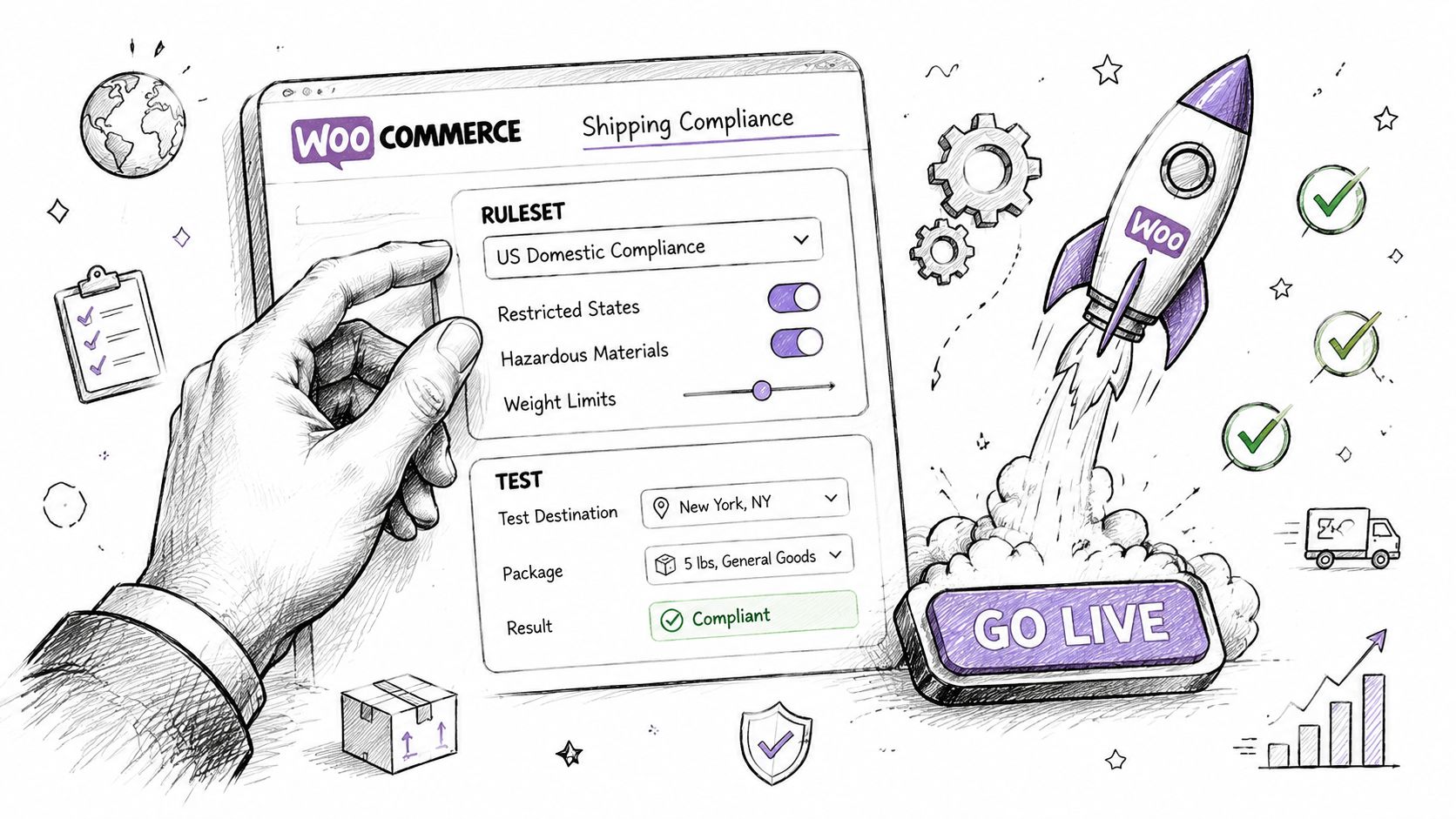
Before opening plugin settings, document the rule logic your team is responsible for enforcing. I recommend a simple matrix with product class, destination level, carrier or method restrictions, customer message, and internal escalation path.
That last column matters.
A blocked shipment is only one outcome. Some orders should be denied at checkout. Others should be held for review, routed to a different method, or flagged for staff follow-up. If you skip that operational detail, the plugin may technically apply a rule while your team still mishandles the order after checkout.
General shipping plugins usually start from rates, zones, and delivery options. That works for mainstream catalogs. It leaves a gap for businesses selling age-restricted, licensed, hazmat-adjacent, or jurisdiction-sensitive products, where the hard part is proving the rule fired correctly at the right point in the order flow. Merchants comparing WooCommerce setups across platforms should also consider the operational implications outlined in this expert guide to ecommerce platforms for SMBs, especially if compliance workflows affect platform choice.
Build rules your staff can maintain
The best ruleset is the one your team can update without creating new exposure.
Set up regulated products in groups, not one by one. Use categories, tags, attributes, or a dedicated product field so legal changes can be applied across a class of items. Structure destination logic to match the level the law uses, whether that is country, state, ZIP code, or a narrower local area. Write customer-facing restriction messages once, approve them internally, and reuse them consistently.
Ownership should be clear too. One person or role should approve rule changes, test results, and release timing. Shared responsibility sounds efficient until nobody knows who signed off on a high-risk rule edit.
Test failure paths first
Admin screens can make a ruleset look finished when it is not. Real testing starts with the orders most likely to expose gaps.
Run checkout tests for allowed destinations, blocked destinations, and mixed carts that contain both restricted and unrestricted products. Change the shipping address during checkout. Switch user roles if your store has wholesale or dealer accounts. Confirm what happens when multiple rules apply at once. If the plugin hides a shipping method, make sure it disappears everywhere it should. If it blocks checkout, make sure the message explains the problem clearly enough to prevent a support ticket and an attempted workaround.
For a structured QA process, use this WooCommerce shipping restriction testing guide before pushing rules live.
Test the exception cases before the standard ones. That is where regulated stores usually expose compliance gaps.
After the rules pass technical testing, train support and fulfillment staff on the practical outcomes. They need to know which blocks are automatic, which orders require manual review, and what to say to customers without improvising policy.
A short walkthrough can help with that:
<iframe width="100%" style="aspect-ratio: 16 / 9;" src="https://www.youtube.com/embed/uZH7WNYTR_w" frameborder="0" allow="autoplay; encrypted-media" allowfullscreen></iframe>Stores that manage this well treat every rule update like a controlled release. They log the change, test the affected scenarios, and keep a record of who approved it. That process takes more effort up front. It costs far less than cleaning up a preventable shipping violation later.
Choosing Your Plugin Pricing Scale and Integration
A regulated WooCommerce store usually feels fine on day one. Then the catalog expands, a second warehouse comes online, or sales opens a new state. The plugin that looked inexpensive starts creating manual review work, checkout exceptions, and policy decisions your staff has to make by memory.
Price the plugin against that exposure.
For regulated products, the accurate comparison is not free versus premium. It is software cost versus the cost of bad shipments, blocked orders that need support intervention, and hours spent maintaining workaround rules outside WooCommerce. A cheaper plugin can become the expensive option once your team is reviewing addresses by hand or explaining to customers why one restricted item broke the whole cart.
A better buying question is simple: what compliance work will this plugin remove, and what risk will still sit with your staff after install?
Match the plan to rule complexity
A small catalog with one brand, one storefront, and a narrow shipping footprint can start on a lighter plan. A store with age-restricted items, state-by-state restrictions, dealer accounts, or mixed-cart rules usually needs more than basic rate logic. It needs rule management that stays usable after the first few policy updates.
Review plans against the operating model, not just the catalog you have today.
| Pricing consideration | What to check |
|---|---|
| Store count | Can one team manage rules across multiple storefronts without duplicating work? |
| Rule volume | Will the plan support a larger restriction matrix as products and destinations expand? |
| Admin workflow | Are import, export, scheduling, and change controls included, or will updates stay manual? |
| Support level | Can you get help quickly if checkout starts allowing an order that should be blocked? |
That last point matters more in regulated categories than many merchants expect. If a plugin fails on a Saturday promotion, the problem is not limited to lost conversions. You may also create a batch of orders that fulfillment now has to stop, review, refund, and document.
Integration decides whether the rules hold up under pressure
Shipping compliance does not live in isolation. The plugin has to read the right product data, respond correctly to shipping addresses, respect customer roles where applicable, and behave consistently inside your checkout flow. If it conflicts with your theme, custom fields, or order review process, your team will start bypassing it.
That is usually how compliance drift starts. Staff create side processes. Notes get added to orders. Someone remembers that a certain SKU cannot go to a certain state, but the store does not enforce it reliably.
Check integration in practical terms:
- Does the plugin work with the product attributes or taxonomies you already use to mark restricted items?
- Can operations update rules without waiting on a developer for every policy change?
- Will the plugin still behave predictably if you add subscriptions, bundles, or dealer pricing later?
- Does it fail clearly, with messages customers and support staff can act on?
If you are still deciding whether WooCommerce is the right long-term fit for your business model, this expert guide to ecommerce platforms for SMBs is a useful planning resource alongside plugin selection.
Buy for the next compliance problem
The safer purchase is the one that still works after your business gets more complicated.
Ask these questions before you commit:
- Will this handle a deeper restriction matrix without turning rule edits into a technical project?
- Can our team trace why an order was blocked or allowed?
- Will checkout stay stable as more products and destinations are added?
- Can support explain restrictions clearly without improvising store policy?
Weak answers show up later as manual reviews, rushed plugin replacements, and preventable fulfillment errors. In high-risk categories, that is not a scaling issue. It is a control failure.
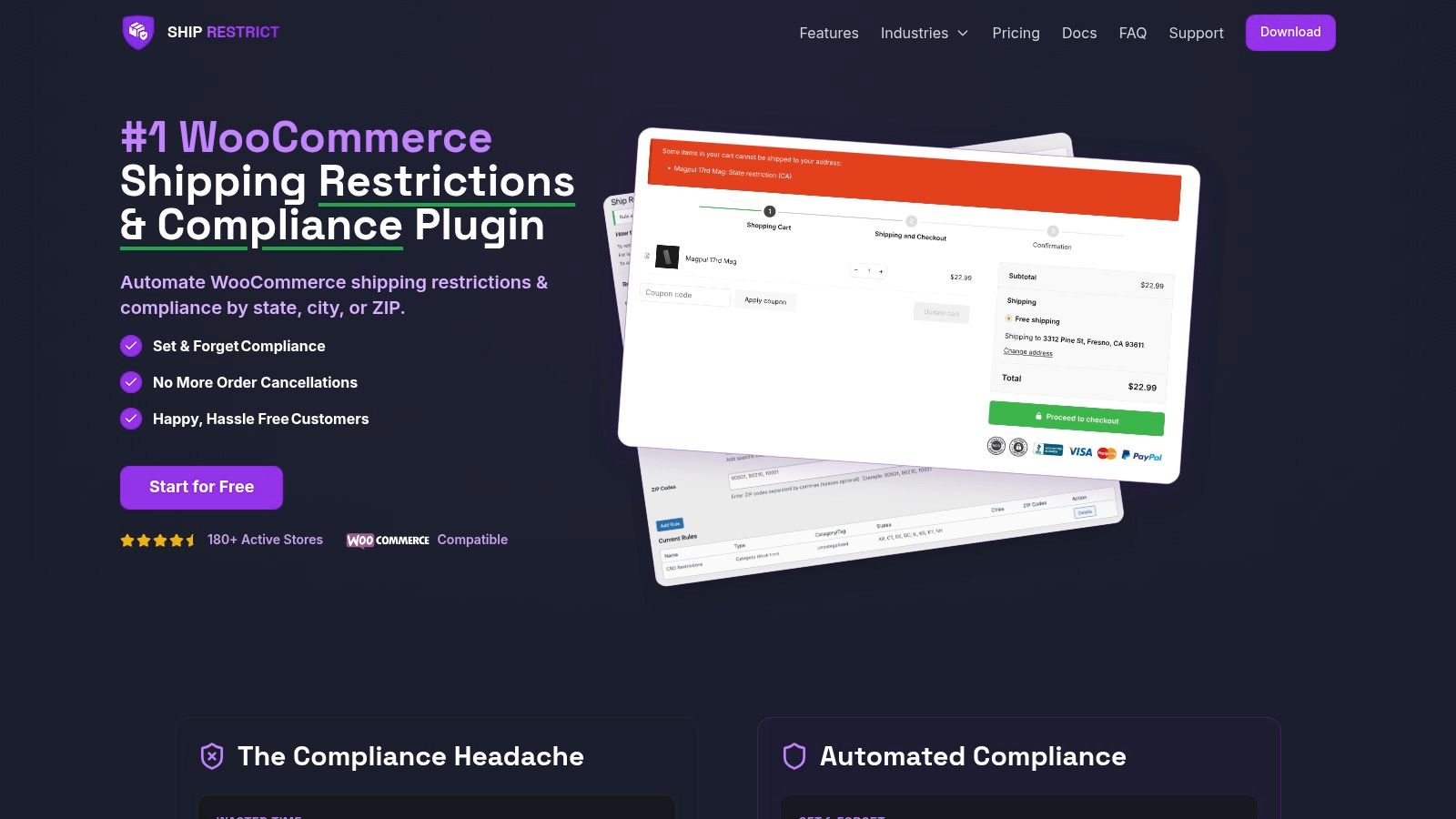
If your WooCommerce store sells regulated products, Ship Restrict is built for the part general shipping plugins miss. It helps you enforce destination-based restrictions before checkout, replace manual address checks with automated rules, and keep compliance logic manageable as your store grows. Explore Ship Restrict if you need a purpose-built way to control shipping eligibility instead of just shipping cost.
Automate Shipping Compliance
Stop worrying about restricted states. Ship Restrict handles it automatically.

Cody Yurk
Founder and Lead Developer of ShipRestrict, helping e-commerce businesses navigate complex shipping regulations for regulated products. Ecommerce store owner turned developer.
Automate Shipping Compliance
- Block restricted states
- No more cancellations
- Set and forget
3-day free trial · Card required