Medical Device FDA Regulated Shipping WooCommerce Guide
A practical guide to medical device FDA regulated shipping WooCommerce. Learn to automate compliance, manage carriers, and avoid costly FDA penalties.
Shipping FDA-regulated medical devices on your WooCommerce store isn't like slinging t-shirts or coffee mugs. One little mistake in the fulfillment process can get your products seized, land you with massive fines, and poison your brand's reputation for good. This isn't something you can manage with manual checks and sticky notes; you need a rock-solid, automated system to keep every single order compliant.
The High Stakes of Medical Device Shipping on WooCommerce
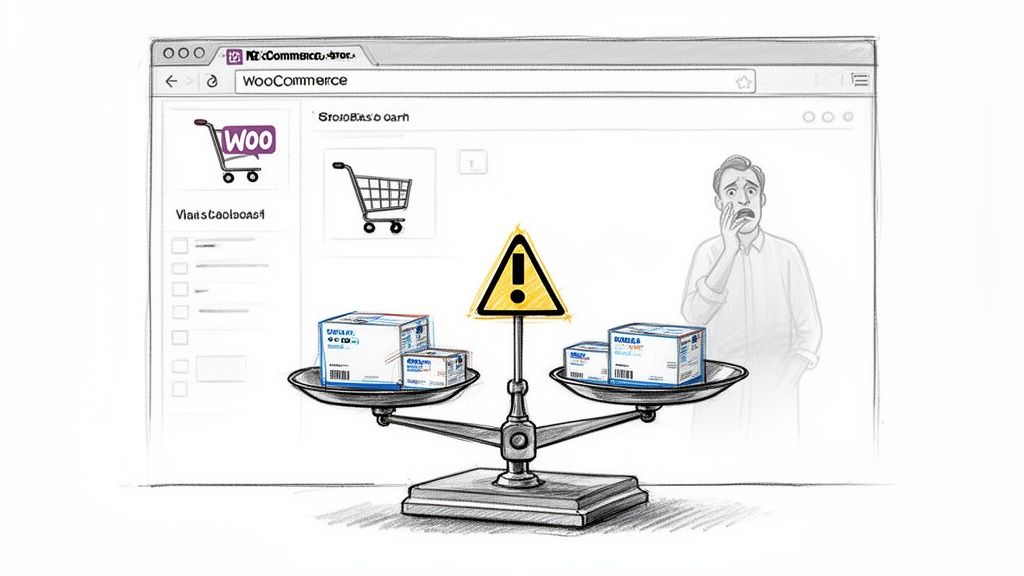
The moment you start selling medical devices online, your business is operating under a federal and state microscope. With regular ecommerce, a wrong address is just an annoying return. In the medical world, that same mistake is a serious compliance violation. The FDA has incredibly strict rules that cover the entire journey of a device, from your warehouse shelf all the way to the end-user.
This regulatory minefield presents a few core challenges for anyone running their store on a platform like WooCommerce:
- A Tangled Legal Web: You're forced to navigate a dizzying maze of regulations that dictate who can receive certain products and where they can be shipped. These laws don't just vary by state—they can change from one city to the next.
- Ironclad Documentation: Every single shipment has to be buttoned up with precise labeling and documentation. This is all about ensuring traceability and authenticity from the moment it leaves your hands.
- Protecting Product Integrity: You are responsible for the device's condition during transit. This could mean anything from maintaining sterile packaging to using temperature-controlled shipping for sensitive equipment.
Why You Can't "Just Wing It" With Manual Checks
Relying on a fulfillment team to manually check every order against an ever-changing list of state regulations is a recipe for disaster. It’s slow, it’s wide open to human error, and it’s completely unscalable. One slip-up is all it takes for a non-compliant shipment to walk out your door, putting your entire operation on the line. Trust me, the true cost of shipping compliance violations is a bill you do not want to pay.
Automate Shipping Compliance
Block orders to restricted states automatically. 3-day free trial.
Start Free TrialHere's a quick look at the major areas you need to get right.
Key FDA Shipping Compliance Areas for WooCommerce
This table breaks down the primary domains you must manage when shipping medical devices, highlighting the risks of getting it wrong.
| Compliance Area | WooCommerce Implication | Risk of Non-Compliance |
|---|---|---|
| Recipient Validation | Verifying customer credentials (e.g., medical license) before purchase. | Selling prescription-only devices to unauthorized individuals. |
| Geographic Restrictions | Blocking shipments to states/localities where a device is not approved for sale. | Fines, product seizure, and state-level legal action. |
| Labeling & UDI | Ensuring all packages have FDA-compliant labels, including Unique Device Identification (UDI). | Traceability failures, recalls become impossible, severe FDA penalties. |
| Documentation & Records | Attaching necessary forms (e.g., prescription, customs docs) and maintaining shipping logs for 7 years. | Inability to produce records during an audit, leading to violations. |
| Packaging Integrity | Using validated packaging that protects sterility and prevents damage or contamination during transit. | Compromised device safety, patient harm, product liability lawsuits. |
| Carrier Compliance | Using carriers that meet specific requirements for handling medical goods (e.g., temperature control). | Damaged product, loss of inventory, regulatory non-compliance. |
Managing all this manually is a high-wire act without a net.
The market itself tells the story. The medical device packaging sector, which is central to medical device FDA regulated shipping WooCommerce operations, is already a massive USD 31.90 billion industry in 2025. Projections show it more than doubling to USD 65.27 billion by 2035, a surge driven by strict U.S. rules for sterility and traceability. You can dig into more insights on this growth at towardspackaging.com.
An automated system built directly into your WooCommerce store isn't just a nice-to-have—it's your business's lifeline.
When you implement automated shipping restrictions, you turn compliance from a constant source of anxiety into a genuine competitive advantage. You build deep, lasting trust with both your customers and the regulators watching you. It’s about ensuring that only valid, compliant orders ever get processed, shielding your business from crippling fines and legal headaches. A proper setup isn't just a feature; it's your first and best line of defense.
Navigating FDA Labeling, Documentation, and Packaging Rules
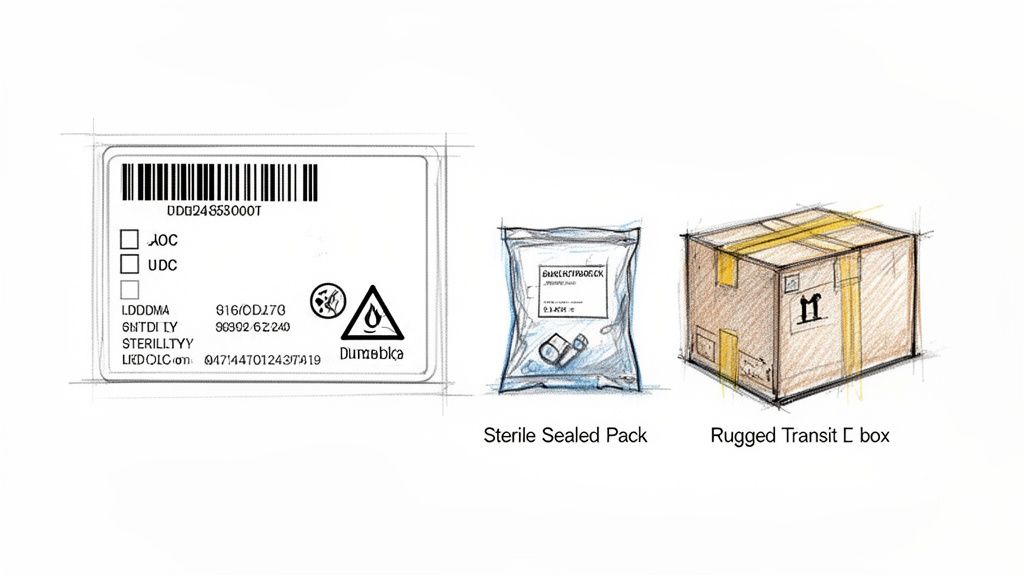
Successfully shipping regulated medical devices is a lot more complex than just putting something in a box and slapping a label on it. The FDA has a strict rulebook for labeling, documentation, and packaging—all designed to guarantee product safety, integrity, and traceability from your warehouse right to the end-user's hands.
Frankly, getting these details right is non-negotiable. It's the absolute foundation of your entire compliance strategy.
Think of it as two distinct but equally vital layers of protection. The first is the packaging meant to maintain the device's sterility and efficacy, like the sealed pouch or container that the product lives in. The second layer is the transit packaging—the outer box that has to shield the device from all the bumps, drops, and temperature swings it will inevitably face during its journey.
Free Shipping Compliance Audit
We'll review your WooCommerce store's shipping compliance for free.
The FDA is looking closely at both. A sterile device showing up in a beat-up outer box could mean its primary packaging is compromised, making it unsafe. This is why sourcing the right, compliant materials for both layers is one of the very first things you need to nail down.
Understanding UDI and Labeling Essentials
At the very core of FDA traceability is the Unique Device Identification (UDI) system. This is a simple numeric or alphanumeric code that works like a fingerprint for every single medical device. It has to be on the device label, the packaging, and sometimes even on the device itself.
Your shipping labels need to have specific, clear information to pass inspection. Vague descriptions are a huge red flag for both customs agents and regulators. Every label has to spell it out clearly:
- Accurate Product Description: Think "Sterile Suture Kit, Model 45B," not just "Medical Supplies." Be specific.
- Unique Device Identifier (UDI): It must be easy to scan and read.
- Manufacturer Information: Your business name and address need to be on there.
- Lot Number or Serial Number: This is crucial for tracking specific batches if a recall ever happens.
- Expiration Date: If your device has one, it must be clearly visible.
This gets even more important for international shipments. For WooCommerce sellers shipping into the U.S., the FDA's National Entry Review (NER) Program, launched August 4, 2025, completely changes the import game. It creates a unified, data-driven system designed to speed up customs clearance for compliant shipments where accurate data and Affirmations of Compliance (AOCs) are provided upfront.
Key Takeaway: Your shipping label isn't just for the carrier; it's a compliance document. It has to provide a clear, unambiguous record of the product inside, satisfying both logistical and regulatory needs at a single glance.
Distinctions Between Device Classes
The FDA sorts medical devices into three classes based on risk, and as you might guess, the packaging and labeling rules get tougher with each level.
| Device Class | Risk Level | Example | Packaging & Labeling Focus |
|---|---|---|---|
| Class I | Low | Elastic bandages, tongue depressors | General controls, clear labeling, prevention of contamination. |
| Class II | Moderate | Infusion pumps, powered wheelchairs | Special controls, strict UDI requirements, detailed instructions for use, potential sterility needs. |
| Class III | High | Implantable pacemakers, heart valves | Pre-market approval, most stringent sterility packaging, meticulous lot traceability, and explicit warnings. |
For example, shipping a Class I tongue depressor just requires basic, clean packaging. But a Class III pacemaker? That demands a multi-layered, tamper-evident, and sterile packaging system where every single component is documented and traceable all the way back to its origin.
To really get a handle on the FDA's labeling and packaging requirements, you need to understand the complete FDA approval process for medical devices. Knowing the why behind the rules gives you critical context for why they're enforced so strictly.
At the end of the day, your WooCommerce fulfillment process needs to be smart enough to generate the right documentation automatically based on the product in the cart. Manually creating compliant labels for different device classes is a recipe for disaster—it's slow, inefficient, and full of opportunities for expensive mistakes. An integrated system ensures that every order for a Class III device automatically gets the high-scrutiny documentation it requires, while a Class I product gets the appropriate, less complex paperwork. This is a core component of a successful medical device FDA regulated shipping WooCommerce strategy.
Okay, you’ve got a handle on the strict FDA rules for shipping medical devices. Now, let's get practical and build the framework to enforce them. This is where we stop talking theory and start building an automated compliance engine right inside your WooCommerce store. Trust me, trying to manually check addresses against a tangled mess of state, county, and ZIP code restrictions is a fast track to expensive mistakes and regulatory heat.
The whole point is to stop a non-compliant order before it even gets placed. With a powerful plugin, you can create a dynamic set of shipping rules that act like a digital gatekeeper, making sure only valid orders make it to your fulfillment team.
From Manual Chaos to Automated Precision
Let's say you sell a Class II diagnostic kit. It's approved for sale in 40 states, but California and New York have specific rules blocking shipment to any residential address. To make it more complicated, in Texas, you can only sell it to customers with a verified "Medical Clinic" user role on your website.
Trying to manage that with a spreadsheet is a nightmare. A customer in a restricted New York ZIP code could easily slip an order through, and a busy warehouse employee might miss a special note, leading to a costly violation. This is exactly what an automated engine is built to prevent.
An automated compliance engine flips your process from reactive damage control to proactive prevention. It’s not about catching mistakes; it's about making them impossible to commit in the first place.
Instead of your team manually reviewing every single order, you build these complex conditions directly into the WooCommerce checkout. What you get is a smart, responsive system that validates every cart in real time.
Implementing Granular Shipping Restrictions
The secret to a solid medical device FDA regulated shipping WooCommerce strategy is granularity. You absolutely need the ability to set rules based on a combination of factors, not just one condition. This is where a specialized shipping restriction plugin becomes non-negotiable.
Let's walk through that diagnostic kit example again:
- Isolate the Product: First, you’ll target the specific diagnostic kit. You can do this by its product ID or by putting it into a "Restricted Diagnostics" category.
- Block Entire States: Next, you create a rule that blocks that entire category from being shipped to any address in the 10 prohibited states. Simple.
- Layer on Specific Conditions: For California and New York, you add a smarter rule. If the kit is in the cart and the destination is one of those two states, the system checks if the address is commercial. For Texas, it checks for the "Medical Clinic" user role on the customer’s account.
- Explain the "Why" to Customers: If any of these checks fail, the customer sees a clear, helpful message at checkout explaining why they can't buy. Instead of a generic "shipping not available," it might say, "This diagnostic kit cannot be shipped to residential addresses in your state," or "This product is available only to licensed clinics in your region."
Here’s a look at what a rule-building interface looks like. It lets you stack multiple conditions to get that precise control you need.
This visual approach lets you layer rules for products, categories, locations, and user roles, creating a comprehensive compliance net. To see more in-depth examples, check out our guide on automated shipping compliance for Woo Commerce stores, which dives deeper into building these rule sets.
Choosing the Right Foundation for Your Engine
Your automated rules are only as good as the platform they run on. Constant uptime and fast server response aren't just nice-to-haves; they're critical. A slow or offline server means your compliance checks fail, which could let illegal orders slip through or, just as bad, block legitimate ones. The performance of your compliance engine is directly tied to your hosting environment. When you're picking a provider, look at guides on the best managed hosting for WordPress to make sure your store has the power and stability it needs to run without a hitch.
In the end, building this engine fundamentally changes your store’s workflow. It frees your team from the tedious, error-prone job of manual verification, letting them focus on what they do best: fulfilling compliant orders quickly and accurately. This isn't just about reducing risk; it’s about building a scalable foundation for growth. It means you can add more regulated products and expand into new markets with confidence, knowing your compliance is handled automatically.
Configuring Carriers and Returns for Regulated Products
Once your automated shipping rules are in place, the focus shifts to the physical journey of your products. Picking the right shipping carrier for a medical device FDA regulated shipping WooCommerce store is far more than a cost comparison—it's a critical compliance decision. Your standard carriers just might not be equipped to handle the specific demands of regulated medical goods.
This is where specialized healthcare logistics services from carriers like FedEx and UPS become indispensable. These aren't your typical shipping options; they are solutions purpose-built for the medical industry, designed to tackle the unique challenges of moving sensitive and high-value devices.
Choosing and Configuring Compliant Carriers
Many regulated medical devices have strict handling protocols. If they aren't followed perfectly during transit, the product's integrity and effectiveness can be compromised. When you're vetting a carrier, you have to verify they can deliver on a few key services.
- Temperature-Controlled Shipping: Also known as "cold chain logistics," this is non-negotiable for biologics, certain diagnostic kits, and other temperature-sensitive devices. A single failure here can render an expensive product completely useless and unsafe.
- Signature Confirmation: Requiring a signature upon delivery gives you a clear chain of custody. It’s proof that the device reached the intended, authorized recipient, which is often a hard requirement for high-value or prescription-only devices.
- Enhanced Tracking and Security: Medical shipments demand more than just a standard tracking number. Look for carriers that offer detailed, real-time visibility and secure handling procedures to minimize the risk of loss or tampering.
In WooCommerce, you can connect these specialized carrier services to specific products or categories using advanced shipping plugins. For instance, you could set up a rule that automatically assigns "FedEx Temp-Assure" as the only shipping option for any product in your "Refrigerated Diagnostics" category. This simple step prevents an employee from accidentally choosing a standard, non-compliant shipping method during fulfillment.
Pro Tip: Don't just enable these specialized services; build their costs directly into your pricing or shipping fee structure from day one. Specialized medical shipping is more expensive, and failing to account for it will quickly eat away at your profit margins. Be upfront with customers about why a specific shipping method is required for their order.
Intelligent Packaging and Dimensioning
Think of your packaging strategy as your first line of defense in protecting product integrity. For medical devices, this boils down to two key things: making sure the packaging meets FDA standards for sterility and durability, and accurately configuring product dimensions in WooCommerce to make logistics efficient.
When you set up precise product weights and dimensions, smart packing solutions can calculate the most efficient box size for every single order. This doesn't just save you money on shipping costs—it also ensures devices are packed securely, dramatically reducing the risk of damage in transit. And for products with cold chain requirements, remember to factor in the extra weight and dimensions of those insulated shippers and cold packs.
The need for a rock-solid supply chain can't be overstated. Recent supply chain problems for FDA-regulated medical devices have led to major shortages in critical categories. The FDA’s own Medical Device Shortages List flags numerous items essential for patient care, which really highlights why perfect shipping compliance is so crucial to avoid making these delays even worse. You can see the full list of current device shortages on the FDA's website to get a sense of the current landscape.
This flowchart shows the kind of complex decision-making flow that an automated system can handle in just a few seconds.
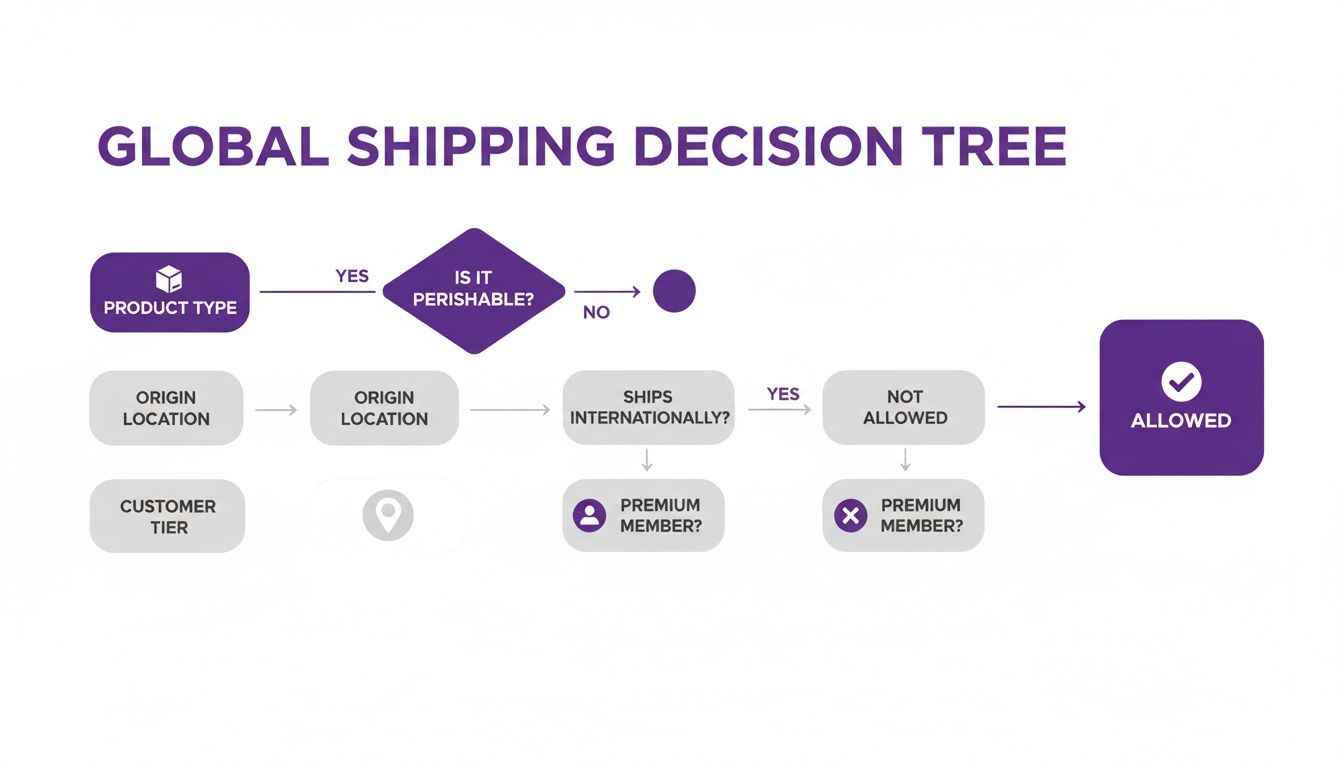
This process maps out how automated rules check the product, its destination, and even the customer's credentials before a shipment is ever approved.
Developing an FDA-Compliant Returns Policy
A piece of the logistics puzzle that gets overlooked all too often is the returns process. You can't just accept returns for medical devices the way you would for a t-shirt. A returned device could have been tampered with, stored improperly, or exposed to contaminants, making it totally unsafe for resale.
Your returns policy must be crystal clear, meticulously documented, and fully compliant with FDA regulations.
- Define Eligibility: State exactly which products can be returned and under what specific conditions (e.g., unopened, in original sterile packaging, within 24 hours of receipt). There should be no gray areas here.
- Establish a Quarantine Protocol: You need a standard operating procedure (SOP) for handling returned medical products. Every single return should be immediately moved to a designated, secure quarantine area for inspection by a qualified person.
- Document Everything: Every step of the return—from initial receipt to inspection and final disposition (like returning to inventory or disposal as medical waste)—must be documented with painstaking detail for your audit trail.
Inside WooCommerce, you can build a dedicated returns page that lays out these strict policies. Doing this manages customer expectations from the start and reinforces your unwavering commitment to safety and compliance.
How to Audit Your System and Stay Ahead of Regulations
<iframe width="100%" style="aspect-ratio: 16 / 9;" src="https://www.youtube.com/embed/LHW6yNNELis" frameborder="0" allow="autoplay; encrypted-media" allowfullscreen></iframe>Getting your automated compliance engine launched is a huge milestone, but it's really just the start. You're not at the finish line. The world of medical device regulations is anything but static—FDA guidance evolves, states cook up new legislation, and even carrier policies can shift under your feet.
To keep your business protected, you have to treat your compliance system as a living thing that needs regular care and feeding. A "set it and forget it" mindset is probably the most dangerous approach you can take here. An outdated rule is just as risky as having no rule at all, which is why proactive, scheduled audits need to become a core part of your operational rhythm.
Building Your Internal Audit Playbook
The whole point of an audit is simple: find and fix potential compliance gaps before they turn into a violation. This means you need to systematically stress-test your WooCommerce shipping rules to make sure they behave exactly as expected out in the wild. You can't just assume a rule is working; you have to prove it.
Your best bet is to create a series of test orders specifically designed to challenge your restrictions from every possible angle. You basically have to think like someone who’s actively trying to find a loophole in your setup.
- Test Restricted Locations: Try to ship a regulated product to a prohibited state, county, and then a specific ZIP code. The checkout absolutely must block the order and show the correct message to the customer.
- Verify User Role Restrictions: Log in with a basic customer account and attempt to buy a device that should only be sold to someone with a "Licensed Clinic" user role. The purchase must fail.
- Check Carrier Assignments: Add a temperature-sensitive product to your cart. The only shipping option that appears should be your designated cold chain carrier service. Standard shipping options must be hidden.
A successful audit is one where your system works flawlessly, blocking every single non-compliant test order you throw at it. Each blocked order is proof that your compliance engine is doing its job and protecting your business.
Documenting every single step of this process is non-negotiable. If you ever face an FDA inquiry, this audit log becomes powerful evidence that you’re performing due diligence and actively managing your compliance. A detailed record proves you aren't just reacting to problems—you're proactively preventing them.
Pre-Launch Compliance Audit Checklist
Before your automated shipping rules go live, a thorough shakedown is in order. This checklist covers the mission-critical tests you need to run. It also serves as a fantastic model for your ongoing quarterly reviews.
| Audit Point | Test Procedure | Expected Outcome |
|---|---|---|
| State-Level Blocking | Place an order for a restricted device to a state where it is banned. | Checkout is blocked with a state-specific restriction message. |
| ZIP Code Granularity | Attempt to ship a product to a valid state but a specifically prohibited ZIP code within it. | Shipping options are unavailable, and a location-specific error is shown. |
| User Role Gating | As a non-verified user, try to purchase a product limited to licensed professionals. | The product cannot be added to the cart, or the checkout fails validation. |
| Carrier Rule Enforcement | Order a product requiring specialized freight and confirm shipping options. | Only the designated, compliant carrier service is offered at checkout. |
| Returns Policy Visibility | Navigate the site to find and review the returns policy for regulated goods. | The policy is easy to find, clear, and outlines the quarantine/inspection process. |
This isn't just about making sure things work today; it's about building a repeatable process that ensures they keep working tomorrow.
Staying Informed and Adapting to Change
Okay, so auditing confirms your current setup is solid. But how do you stay ahead of what’s coming next? Regulatory compliance isn't a static target you hit once. You need reliable channels to monitor for shifts in FDA guidance, new state laws, or updates to carrier protocols for medical shipments.
Here are a few strategies we’ve seen work well:
- Subscribe to FDA Updates: This one's a no-brainer. The FDA regularly publishes updates, guidance documents, and rule changes. Subscribing to their official newsletters for device manufacturers is absolutely essential.
- Monitor Trade Publications: Industry-specific news outlets and journals are often the first to report on and analyze upcoming regulatory shifts that impact medical device FDA regulated shipping WooCommerce merchants.
- Engage with a Compliance Partner: Working with legal or consulting experts who live and breathe medical device logistics can give you invaluable foresight into changes bubbling up on the horizon.
When a new regulation is announced, your goal is to translate it into a new or modified rule within your WooCommerce system as quickly and efficiently as possible. For instance, if a state suddenly requires a specific license to receive a device you sell, you need the ability to immediately implement a rule that validates this credential before an order can be completed.
For more ideas on how to build this process, our quarterly compliance review guide for regulated e-commerce offers a solid framework for keeping your strategy sharp. This continuous cycle of auditing, monitoring, and adapting is what ensures your compliance engine remains resilient, protecting your business today and getting it ready for whatever the regulatory landscape throws at you tomorrow.
Common Questions About Shipping FDA-Regulated Devices
Even with a solid system in place, the world of medical device shipping is full of tricky situations and nuanced questions. Here are some of the most common ones we hear from merchants, along with clear, practical answers.
Can I Just Use Standard Shipping Carriers for All My Medical Devices?
This is a really common misconception, but the answer is a hard no. While a carrier like USPS might be perfectly fine for shipping low-risk, Class I devices like tongue depressors, they just don’t have the specialized services needed for more sensitive products. You wouldn't dream of shipping a temperature-sensitive biologic through standard ground mail, for example.
This is exactly why carriers like FedEx and UPS have dedicated healthcare logistics services. They offer critical options that standard services lack, including:
- Cold chain shipping to keep products within a specific temperature range.
- Enhanced tracking and security for high-value equipment that can't go missing.
- Signature confirmation to ensure a documented and unbroken chain of custody.
The core principle here is simple: match the carrier’s capabilities to the device's specific needs, which are laid out by the manufacturer and the FDA. A well-configured WooCommerce store lets you assign these specialized carriers to specific products, making sure the right—and compliant—shipping method is used every single time.
What's the Real Difference Between State and Federal Shipping Rules?
Understanding this distinction is absolutely crucial, and it’s a point that trips up a lot of sellers. Federal regulations, mainly from the FDA, set the national baseline for everything from manufacturing quality to labeling standards like the Unique Device Identifier (UDI). These rules apply to your business no matter where you are in the U.S.
But that's just the start. Individual states can—and very often do—add their own, stricter regulations on top of the federal ones. A state might require a specific license for a clinic to receive certain diagnostic equipment, or it might completely ban the shipment of a particular device to a residential address.
Your shipping logic has to account for both layers of rules. A device might be federally cleared for sale nationwide, but a specific state law could make shipping it to a customer in that state illegal. This is precisely why having granular, location-based shipping rules that can drill down to the ZIP code level isn't just a nice-to-have feature; it's a necessity.
A huge mistake we see is assuming federal clearance equals universal shipping permission. State and local laws create a complex patchwork of rules that only an automated, location-aware system can effectively manage.
How Can a Shipping Plugin Actually Help with FDA Documentation?
While a shipping restriction plugin’s main job is to enforce rules at checkout, it plays a vital—though indirect—role in keeping your documentation compliant. Its biggest strength is prevention.
Think about it: by blocking a non-compliant order before it's even placed, the plugin ensures your fulfillment team only ever sees valid, shippable orders. This simple function stops your team from wasting time and resources generating shipping labels, packing slips, and Affirmations of Compliance for an order that would have been a violation anyway. That’s a massive efficiency gain.
Better yet, when you integrate it with other WooCommerce tools, you can build some powerful automated workflows. Imagine a successful order for a restricted Class III device automatically triggering the generation of a required compliance form. Or picture it adding a specific, bolded "HANDLE WITH CARE: STERILE" note to the packing slip. This is how you transform your documentation process from a manual checklist into a seamless, automated part of your fulfillment engine.
What Really Happens If I Accidentally Ship to a Restricted Location?
The fallout from a shipping mistake can range from a minor logistical headache to a business-threatening catastrophe.
On the lighter end, the carrier might catch the issue and refuse delivery. This triggers a costly return shipment and creates a terrible customer experience. Now you have an angry customer and you're paying for shipping both ways.
More seriously, you could face direct regulatory action from state health departments or the FDA. This can escalate quickly from a formal warning letter to significant fines, seizure of your products, and in cases of repeated or willful negligence, even legal prosecution. The reputational damage from an event like that can be permanent, destroying the trust you've built with customers, suppliers, and regulators. This is the exact risk that automated shipping restriction tools are designed to eliminate completely.
Ready to stop worrying about shipping compliance and start focusing on growth? Ship Restrict is the powerful WooCommerce plugin that automates your shipping rules, ensuring every order is compliant before it ever reaches your fulfillment team. Get Ship Restrict and build your automated compliance engine today
Automate Shipping Compliance
Stop worrying about restricted states. Ship Restrict handles it automatically.

Cody Yurk
Founder and Lead Developer of ShipRestrict, helping e-commerce businesses navigate complex shipping regulations for regulated products. Ecommerce store owner turned developer.
Automate Shipping Compliance
- Block restricted states
- No more cancellations
- Set and forget
3-day free trial · Card required