How to Improve Operational Efficiency for FFLs
Discover how to improve operational efficiency in your firearms store. A WooCommerce FFL playbook to automate compliance, cut costs, and reduce errors.
If you're running a WooCommerce store that sells firearms, ammo, magazines, or parts, you already know where “efficiency” usually breaks down. It's not the pick-and-pack step. It's the order that looks fine until someone on your team checks the destination, opens a spreadsheet, cross-references a city restriction, and realizes the shipment can't go out after all.
At that point, the damage is already done. The customer has checked out. Your staff has touched the order. Support has to explain the cancellation. If the item was already staged for fulfillment, you've added rework on top of compliance risk.
That's why how to improve operational efficiency for an FFL can't be treated like a generic warehouse problem. In regulated eCommerce, the fastest operation is the one that prevents bad orders from entering the workflow in the first place.
Beyond Generic Advice Your FFL Actually Needs
Most efficiency advice tells merchants to tighten workflows, reduce waste, and automate repetitive work. That's useful, but incomplete for a firearms retailer. Generic operations content rarely addresses the true problem regulated sellers face: how to improve efficiency without increasing legal risk.
Automate Shipping Compliance
Block orders to restricted states automatically. 3-day free trial.
Start Free TrialA broad operations guide can help you think about scaling operations without increasing headcount. But an FFL has one extra layer every generalist article tends to miss. Compliance work isn't a side task. It's built into whether the order should exist at all.
Where generic advice breaks down
For a non-regulated store, an invalid shipment is often a customer service issue. For an FFL, it can be a compliance issue, a refund issue, a support issue, and an operations issue at the same time.
The common failure pattern looks like this:
- Order enters the system cleanly: Nothing stops checkout even though the destination has restrictions.
- Staff catches it late: Someone reviews the order after payment, not before.
- Rework starts immediately: Refunds, customer emails, inventory adjustments, and internal notes all pile up.
- Risk stays manual: The business relies on staff memory, spreadsheets, and individual judgment.
Practical rule: If your team is checking restricted destinations after the order is placed, your compliance process is creating operational drag.
Industry guidance aimed at regulated eCommerce points to pre-checkout enforcement and automated rule handling, not post-order review, as the efficient answer for firearms merchants because shipping mistakes are costly and preventable when rules are enforced earlier (ClearFuze).
The right definition of efficiency for an FFL
For firearms dealers, operational efficiency isn't mainly about cutting labor minutes from packing. It's about removing compliance-related rework from the order path.
That changes the target. Instead of asking, “How do we ship faster?” ask:
- Which orders should never reach fulfillment
- Which compliance decisions are still being made manually
- Which exception paths are consuming staff time every week
Once you frame the problem that way, the answer gets clearer. The most efficient FFL operation is the one that uses automation to block non-compliant orders before payment, routes only true exceptions to staff, and keeps the fulfillment team moving on valid orders.
Map Your Current Order Fulfillment Process
Most stores have a rough idea of where time goes. Very few have a usable map of the full order path. That's a problem, because you can't fix hidden work.
Free Shipping Compliance Audit
We'll review your WooCommerce store's shipping compliance for free.
A practical way to improve operational efficiency is to run a structured process audit first: map current workflows, time each step, identify bottlenecks, then prioritize the highest-ROI fixes. That approach focuses attention on the slow and error-prone parts of the process instead of applying generic optimization (Coursera guidance on operational efficiency).
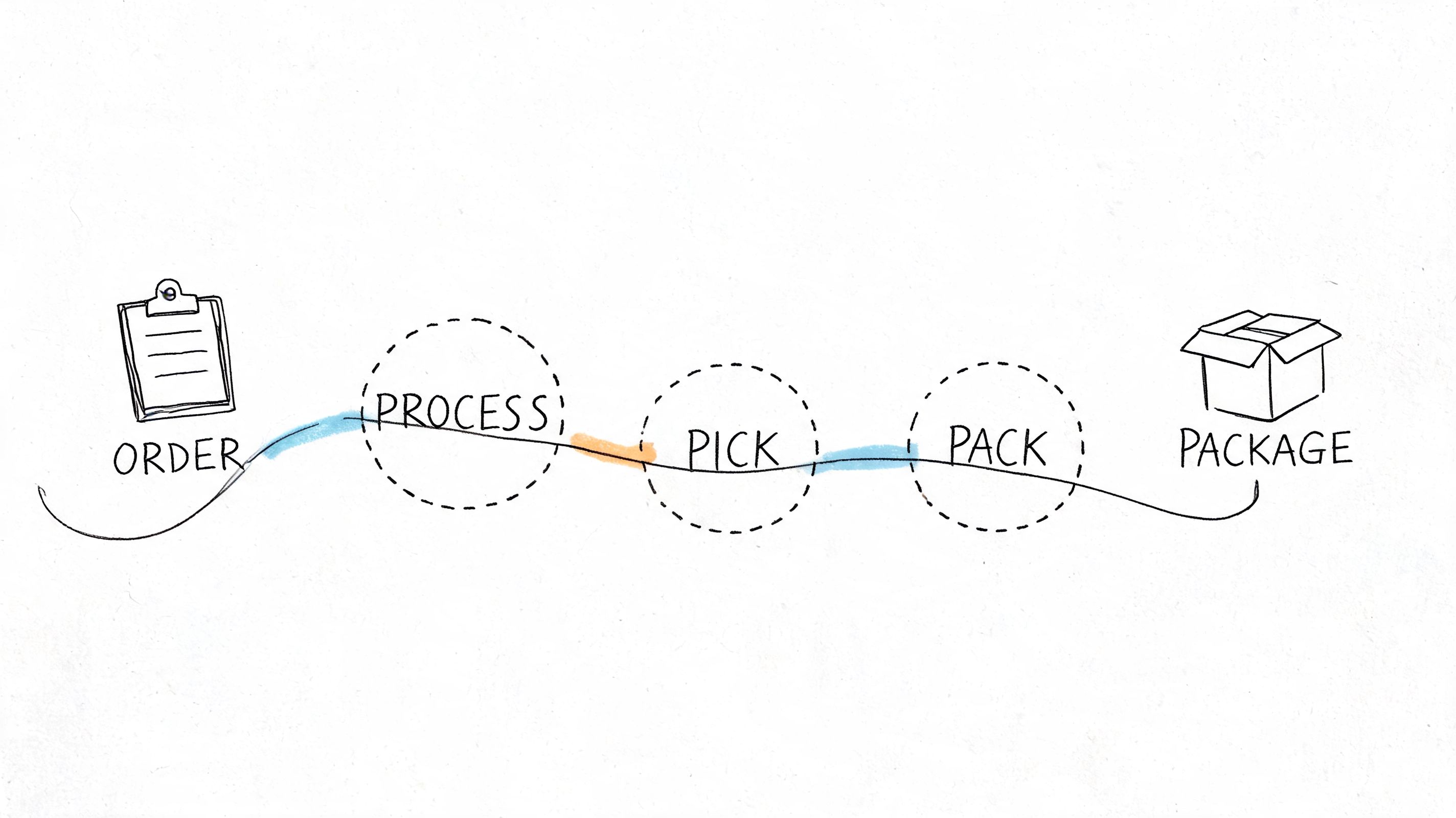
Start with the real order path
Don't map the process you think you have. Map the one your staff follows on a normal day.
For an FFL selling through WooCommerce, that usually includes more touches than expected:
- Order received
- Payment reviewed
- Item type checked
- Destination reviewed
- State or local restriction checked
- FFL or transfer details verified when applicable
- Manual hold, approval, or cancellation decision
- Customer contacted if needed
- Pick and pack
- Shipment released
Write each step in plain language. If two employees handle the same order differently, document both paths. Variation is usually where inefficiency hides.
Time the compliance touches separately
A lot of merchants time picking and packing but ignore the minutes spent on legal checks, address review, and exception handling. For regulated goods, that's usually where the bottleneck sits.
Track these items for a representative sample of orders:
- Address validation time: How long staff spend checking whether a destination is restricted.
- Rule lookup time: Minutes spent consulting spreadsheets, saved browser tabs, internal notes, or state law summaries.
- Rework time: Effort tied to cancellations, refunds, edits, and customer communication after a failed compliance check.
- Escalation time: Delay when a junior employee has to ask a manager or compliance lead for a decision.
If you want a strong companion framework, a good business process automation guide can help you think through which steps are repetitive enough to automate and which ones should stay human.
The slowest part of many regulated order workflows isn't fulfillment. It's the repeated decision-making that happens before fulfillment can even start.
Mark the failure points, not just the steps
A process map becomes useful when it shows where orders stall, bounce back, or require judgment calls.
Create a simple list beside your workflow:
| Failure point | What usually causes it | What happens next |
|---|---|---|
| Destination ambiguity | Staff can't tell whether city or ZIP restrictions apply | Order sits in review |
| Product-rule mismatch | Team has to interpret whether a part falls under a restriction | Manager gets pulled in |
| Late discovery | Restriction found after payment | Refund and support ticket |
| Inconsistent handling | Different staff make different calls | Errors and customer confusion |
This exercise usually exposes one hard truth. The issue isn't that the team works slowly. The issue is that the business asks people to make the same compliance decisions over and over.
Once that's visible, the next move is obvious. Remove repetitive compliance judgment from the manual workflow.
Automate Shipping Compliance Before Checkout
The biggest operational gain for a firearms retailer doesn't happen in the warehouse. It happens at checkout.
If your team waits until after an order is placed to determine whether it can ship, you've already accepted the cost of review, exception handling, and customer fallout. Manual review can catch problems, but it catches them late. Rule-based enforcement catches them at the point where they're cheapest to handle.
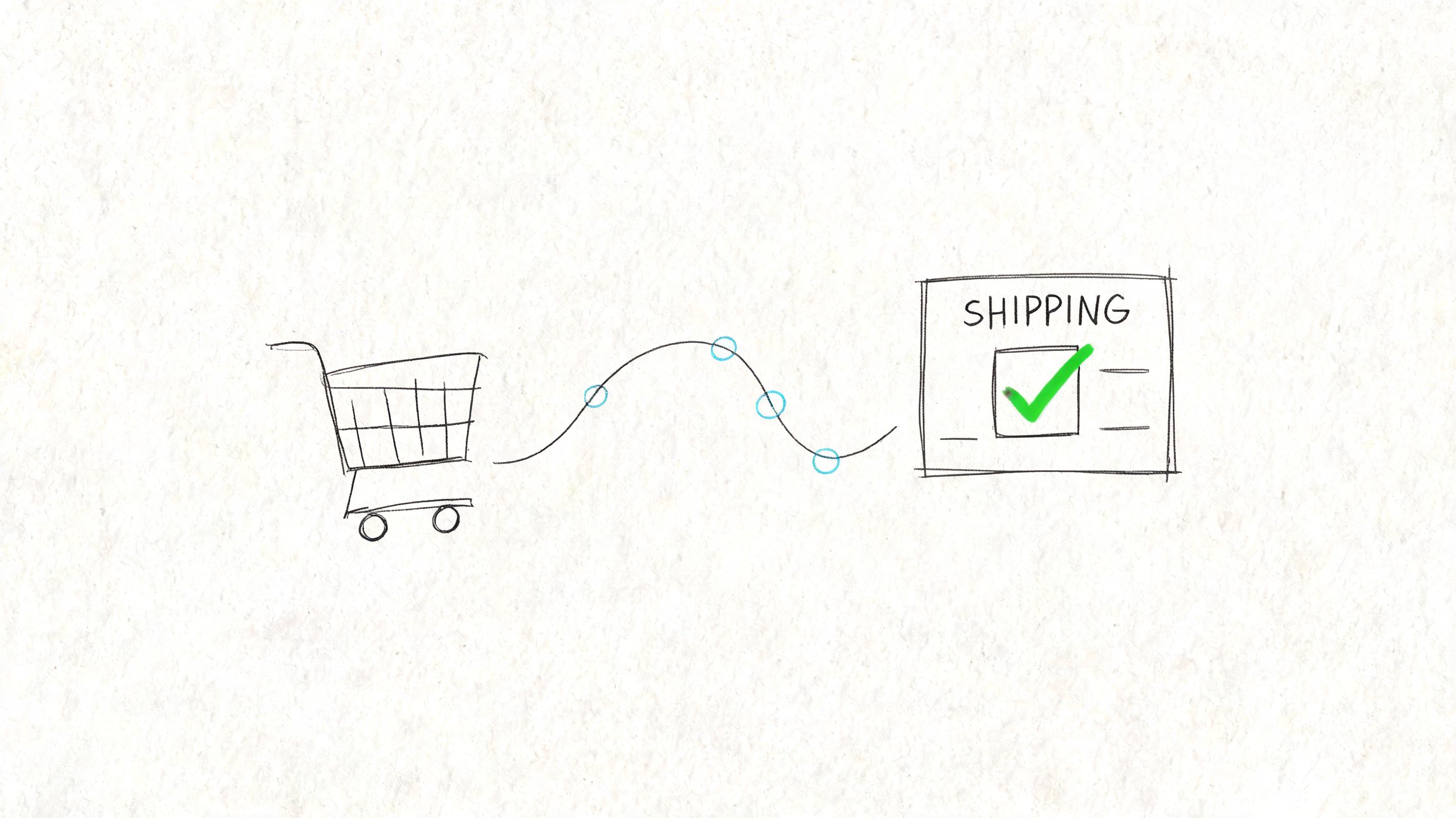
Operational guidance consistently favors automation and process standardization over fragmented manual workflows. In regulated shipping, that means building structured rules by state, county, or ZIP code and enforcing them automatically at checkout rather than asking staff to inspect orders after they're placed. That approach leads to lower cancellation rates and fewer compliance failures (UDEXT).
What pre-checkout enforcement changes
Pre-checkout automation changes the sequence of work.
Under a manual model, the store accepts the order first and validates the destination second. Under an automated model, the store evaluates the cart and shipping address before the customer completes checkout.
That matters because it removes entire categories of wasted work:
- No paid order to unwind
- No late-stage compliance hold
- No customer surprise after the fact
- No staff time spent reviewing obvious rule matches
For WooCommerce merchants, the practical model is straightforward. You create restriction rules tied to product types and locations, then let the system apply those rules when the customer enters a shipping address.
One example is automated shipping compliance for WooCommerce stores, where restrictions are handled through rule-based validation before checkout is completed.
How granular rules work in practice
Regulated sellers require more than a blunt state-level block.
A firearms merchant may need to control fulfillment using combinations like:
- State-level restrictions: Certain products can't ship into a state at all.
- County-level restrictions: A product may be acceptable in most of a state but restricted in specific counties.
- City-level restrictions: Local ordinances create narrow exclusion zones that broad state rules miss.
- ZIP-based restrictions: ZIP logic helps when enforcement needs to match the shipping address more precisely.
That's the operational advantage of structured rules. They replace “someone needs to remember this” with “the store already knows what to do.”
A WooCommerce tool such as Ship Restrict applies this model by letting merchants define location-based restrictions for regulated products and validate the order during checkout. In operational terms, that converts compliance from a manual review queue into a controlled rule set.
What still needs a human
Automation doesn't eliminate human judgment. It narrows the places where judgment is useful.
Use staff for:
- Exception review: Edge cases, incomplete data, or unusual transfer scenarios.
- Rule maintenance: Updating restrictions when laws or internal policies change.
- Customer communication: Explaining valid alternatives when a product can't ship.
Don't use staff for repeated yes-or-no checks that can be expressed as rules.
Here's a short demo format that helps merchants think through this shift in a concrete way:
<iframe width="100%" style="aspect-ratio: 16 / 9;" src="https://www.youtube.com/embed/ALmqdOXA3Hc" frameborder="0" allow="autoplay; encrypted-media" allowfullscreen></iframe>If the same destination rule is being checked by humans every week, it belongs in the system, not in someone's inbox.
The stores that improve operational efficiency fastest aren't the ones that hire more reviewers. They're the ones that stop avoidable exceptions from entering the workflow.
Define and Track Your Efficiency KPIs
Once compliance checks are automated, you need proof that the operation is cleaner, faster, and easier to manage. That proof comes from a small KPI set, not a bloated dashboard.
A finance-oriented operational guide notes that common efficiency formulas include Operating Expenses / Total Revenue and Capacity Utilization, and it emphasizes that teams improve performance when they automate decisions and monitor a focused set of KPIs continuously instead of relying on manual checks (CurrentWare).
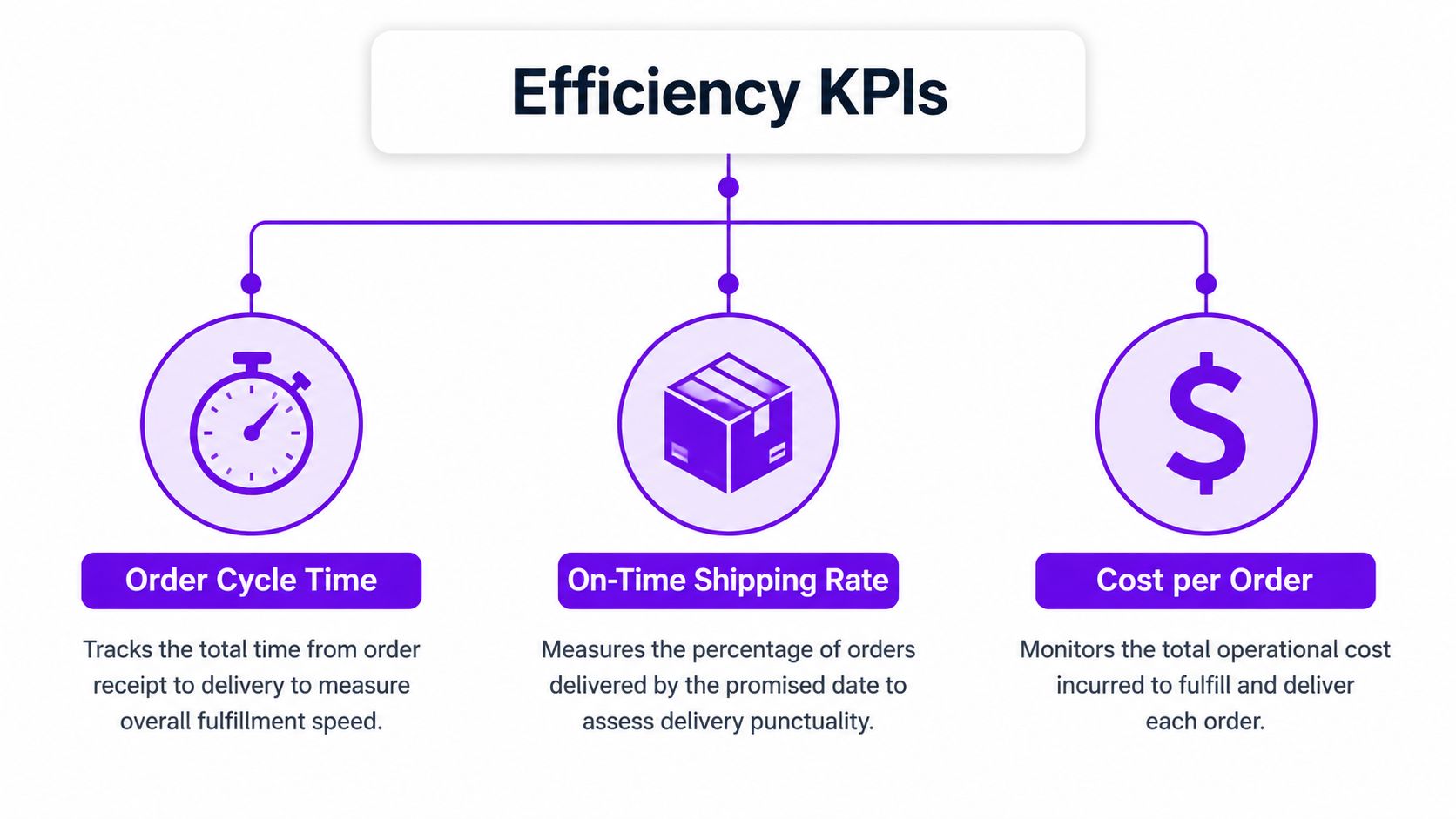
Track the operating KPIs first
Every FFL should know the basic fulfillment metrics that show whether the operation is healthy.
| KPI | What it tells you | Why it matters |
|---|---|---|
| Order cycle time | Total time from order placement to shipment | Shows whether the workflow is getting faster or bogged down |
| On-time shipping rate | Whether orders leave when promised | Exposes fulfillment reliability |
| Cost per order | Average operating cost tied to each order | Helps you see whether rework is inflating labor |
These are your baseline operations metrics. If they worsen while order volume is steady, something in the process is adding friction.
Add compliance-specific KPIs
Regulated eCommerce differs from a general retail store in this regard. Once restriction logic is automated, you can monitor whether the system is preventing waste or creating new friction.
Focus on a short list:
- Blocked-order rate: How often checkout prevents restricted orders.
- Manual-review minutes per order: How much labor is still spent on exceptions.
- Checkout abandonment from restriction messaging: Whether customers are dropping when they hit a shipping restriction notice.
- False-positive restriction rate: Whether the system is blocking orders that should be allowed.
These metrics tell a more useful story than broad “team productivity” numbers because they tie directly to compliance workload.
Don't let bad KPIs mislead you
A store can look efficient on paper while the team is drowning in exception handling.
For example:
- A fast warehouse team can hide a messy pre-fulfillment review queue.
- A low labor line item can hide owner time spent resolving edge cases.
- A low cancellation count can look good even if staff spend hours manually rescuing borderline orders.
Watch for this: If a metric improves only because your team is doing more work off the books, you didn't improve efficiency. You moved the burden.
A practical dashboard for an FFL usually fits on one screen. You want quick visibility, not vanity metrics. If the numbers tell you where orders get blocked, where humans still intervene, and how fast valid orders move through the system, you have what you need.
Redeploy Staff From Manual Checks to Growth
When stores automate compliance screening, the best result isn't fewer people. It's better use of the people you already have.
Take a common role inside a growing firearms eCommerce operation. One employee starts the day reviewing destinations, checking local restrictions, confirming whether a product can ship, and sending cancellation emails when an order fails review. The work is necessary, but it doesn't build the business. It keeps the business from making preventable mistakes.
What the role looks like after automation
Once restricted orders are blocked before checkout, that same employee can move into work with a direct upside:
- Customer support that closes sales: Answering product, transfer, and shipping-policy questions before buyers abandon.
- Catalog cleanup: Improving product categorization so restrictions and messaging stay accurate.
- Content support: Helping publish buying guides, compliance FAQs, and range-focused education.
- Retention work: Following up with customers, monitoring repeat issues, and spotting patterns in demand.
Many stores finally feel the benefit at this stage. The team isn't spending the day doing address triage. They're working on customer experience and revenue-supporting tasks.
Keep humans focused on judgment, not repetition
Some merchants try to solve growth constraints by adding low-cost admin labor before they fix the underlying process. That can help in the short term, especially if you need operational support for inbox management, product entry, or routine customer service. If you go that route, services that help you Hire LatAm VAs can be useful for non-sensitive administrative workload.
But don't outsource a broken compliance workflow and call it efficiency. That just spreads the manual work across more people.
A better model is:
- Automate repetitive restriction checks.
- Document exception handling.
- Train staff on the few cases that still require judgment.
If your team needs that final piece tightened up, a clear internal playbook like staff training for shipping compliance SOPs helps standardize how exceptions are reviewed and escalated.
The highest-value employee in a regulated store isn't the one who memorizes every destination rule. It's the one who can spend time improving the customer experience because the routine checks are already handled.
That is the actual labor gain. You stop paying people, in time and attention, to repeat machine-friendly decisions.
Measure the ROI of Your New Operations
Efficiency projects stall when the payoff stays vague. For an FFL, the ROI case gets stronger when you measure automation against the actual costs of manual compliance work.
One operational benchmark notes that combining the right methodologies and tools can boost productivity by up to 35% while reducing operational costs by 25% (Luxoft). For firearms retailers, the useful takeaway isn't the abstract benchmark. It's the mechanism behind it: standardize restriction rules, automate validation, and track the labor still tied to exceptions.
Use a simple ROI formula
You don't need a finance team to model this. Start with:
ROI = Labor saved + error-related costs avoided + support burden reduced - tool and implementation cost
Keep each input grounded in your own operation.
Labor saved
Measure how many staff hours currently go into:
- manual address checks
- destination research
- order holds
- cancellation handling
- customer contact after failed review
Then compare that to the reduced manual-review load after automation.
Error-related costs avoided
Include avoidable costs tied to bad orders entering the system:
- refunded orders
- wasted fulfillment handling
- return or restocking work
- inventory disruption
- manager intervention
Support burden reduced
Count how often support has to explain why an order was accepted and later blocked. Pre-checkout restriction messaging doesn't eliminate every question, but it usually removes the worst type of ticket: the customer who paid for something the store cannot legally ship.
For a deeper breakdown, this article on the true cost of manual order screening vs automated restrictions is useful when you need to pressure-test your assumptions.
Compare the process, not just the software bill
A lot of merchants make a bad comparison. They compare “doing it manually” to “paying for a tool,” then stop there. That misses the labor and error costs buried in the current workflow.
Here's a practical comparison table you can adapt with your own numbers.
| Cost Factor | Manual Process (Est. Monthly Cost) | Automated Process (Est. Monthly Cost) |
|---|---|---|
| Staff time spent reviewing destinations | High and variable | Lower and concentrated on exceptions |
| Order cancellations after payment | Recurring operational drag | Reduced through pre-checkout blocking |
| Customer support for failed orders | Frequent during exception handling | Lower when restrictions are shown earlier |
| Manager escalations | Common in unclear cases | Limited to rule maintenance and edge cases |
| Compliance tool cost | None on paper, but labor absorbs the burden | Direct software cost with lower manual overhead |
Watch the trade-offs honestly
Automation isn't free. Rules need to be configured, tested, and maintained. Messaging has to be clear so legitimate customers understand why a shipment can't proceed. And if your catalog is messy, you'll need to clean product categorization so restriction logic works reliably.
Those are real implementation costs.
But manual compliance has costs too, and merchants often undercount them because the labor is spread across different roles. One person checks the order, another cancels it, someone else answers the ticket, and the owner steps in when the customer gets frustrated. The operation pays for all of it even if it never appears on one line item.
The stores that improve operational efficiency treat compliance automation as both a cost-control move and a risk-control move. That's why the ROI is usually stronger than a basic labor calculation suggests.
Efficiency Is Proactive Compliance
For an FFL, efficiency starts earlier than most guides admit. It starts before the order hits fulfillment, before support gets involved, and before someone on your team has to decide whether a destination is legal.
Map the operational workflow. Find the manual compliance checks that slow orders down. Move repeatable restriction decisions into pre-checkout automation. Track a short list of KPIs that show whether valid orders move faster and exceptions are shrinking. Then put your staff on work that grows the business.
That's the shift many firearms retailers need. They stop treating compliance as a last-minute review step and start treating it as part of operational design.
Generic advice says to reduce waste. For a regulated WooCommerce store, the biggest waste is allowing an order into the system when it should have been blocked at checkout.
If you want a cleaner operation, fewer preventable exceptions, and a team that spends more time on customers than on address research, the answer isn't more manual review. It's better control at the front of the process.
Operational efficiency and compliance aren't separate goals for an FFL. They're the same discipline, applied early.
If your WooCommerce store sells regulated products, Ship Restrict helps you enforce shipping rules by state, county, city, or ZIP code before checkout is completed. That gives your team fewer manual reviews, fewer avoidable cancellations, and a cleaner fulfillment workflow built around valid orders only.
Automate Shipping Compliance
Stop worrying about restricted states. Ship Restrict handles it automatically.

Cody Yurk
Founder and Lead Developer of ShipRestrict, helping e-commerce businesses navigate complex shipping regulations for regulated products. Ecommerce store owner turned developer.
Automate Shipping Compliance
- Block restricted states
- No more cancellations
- Set and forget
3-day free trial · Card required