WooCommerce Shipping Restrictions API Integration Made Simple
A practical guide to WooCommerce shipping restrictions API integration. Automate compliance, reduce errors, and streamline your regulated product sales.
Before we dive into the code, let’s talk about the real-world problem we’re solving. Relying on spreadsheets, tribal knowledge, and manual checks to handle shipping compliance isn’t just slow—it's a massive financial drain and a source of constant risk, especially if you're selling regulated products.
Why Manual Compliance Is a Drain on Your Business
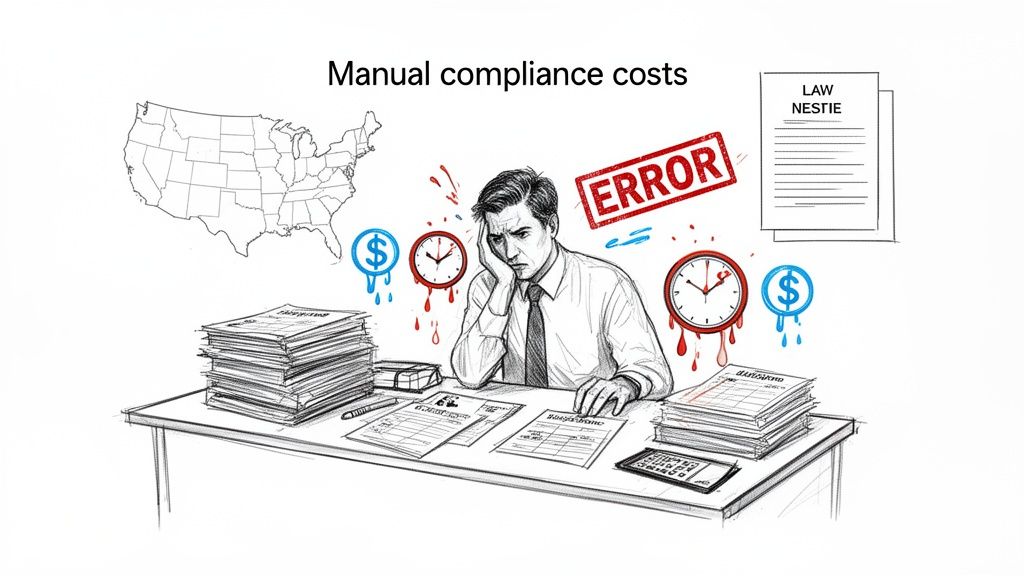
The costs of doing things by hand go way beyond just employee hours. Every single order that needs a staff member to cross-reference state, county, and city laws is a direct hit to your budget and another chance for something to go wrong.
This process is painstakingly slow and, frankly, incredibly prone to human error. One simple mistake—like sending a restricted item to a prohibited ZIP code—can set off a chain reaction of expensive problems. Think costly returns, angry customers, and even penalties from shipping carriers.
The True Cost of Labor and Errors
The time spent on manual checks adds up faster than you’d think. Our operational data from WooCommerce retailers shows that manually verifying addresses and compliance for regulated products eats up 5–10 minutes per order in complex areas.
Automate Shipping Compliance
Block orders to restricted states automatically. 3-day free trial.
Start Free TrialFor a store processing just 40 orders a day, that's nearly seven hours of labor every week spent on just one task: deciding if an order can even ship. For a deeper breakdown, check out our guide on the true cost of manual order screening vs. automated restrictions.
Even with the most dedicated team, mistakes are going to happen. Audits of merchants selling regulated goods revealed that before they automated, 1–3% of all outbound orders had a shipping error. While most just lead to a return, a small but significant fraction—around 0.3% to 0.5%—can escalate into a much bigger headache involving legal or compliance teams.
The real danger isn't the one big, catastrophic compliance failure. It's the thousands of "micro-drains"—the five minutes here, the ten minutes there, the small return shipping fee—that silently eat away at your profit margin, day after day.
Beyond Financials: The Impact on Growth
Manual compliance doesn't just cost money; it actively holds back your growth. When your team is stuck in the weeds with tedious, repetitive tasks, they have zero time for the high-value work that actually grows the business—like marketing, improving customer service, or developing new products.
This operational bottleneck creates a hard ceiling on how many orders you can process. As you scale, the problem gets worse, forcing you into a tough spot: either hire more people just for compliance checks or accept a higher rate of costly errors. Neither of those is a sustainable path forward.
This is exactly why a WooCommerce shipping restrictions API integration is so important. It's not just a tech solution; it's a strategic move that tackles these core business challenges head-on.
- Eliminates Human Error: Automation applies your rules perfectly, every single time. No exceptions.
- Reclaims Valuable Time: It frees up your team from mind-numbing manual checks so they can focus on revenue-generating activities.
- Enables Scalability: An API can handle thousands of checks a minute, letting your business grow without ever hitting a compliance wall.
By automating this process, you turn a major liability into a real competitive advantage, making sure your operations are not just compliant, but ruthlessly efficient.
Adopting an API-First Strategy for Shipping Rules
If you’re still wrestling with manual compliance, it’s time to move to a modern, API-first strategy. Instead of loading up your WooCommerce site with fragile, complex logic that you have to constantly update, you offload all that heavy lifting to a specialized service. This isn't just a cleaner way to work—it's fundamentally more scalable and reliable for managing thousands of shipping rules that seem to change by the minute.
An API-first setup essentially decouples your store from the compliance logic. Your WooCommerce site’s only job is to be the client. It gathers the customer's address and the products in their cart, then fires off a quick request to a dedicated API endpoint. The service handles the hard part, checking that data against its massive database of rules, and sends back a simple answer: allowed or denied.
Free Shipping Compliance Audit
We'll review your WooCommerce store's shipping compliance for free.
This model keeps your website lean and fast. You avoid bloating your WordPress database with enormous tables of ZIP codes and county-specific ordinances. The compliance brain lives somewhere else, managed by experts. All your store needs to do is ask the right question and understand the answer.
The Core Components of API-Driven Compliance
To really nail a WooCommerce shipping restrictions API integration, you have to see how the pieces fit together. This is more than just installing a plugin; it's about connecting distinct systems that each have a specific job.
- Your WooCommerce Store: This is the trigger. It’s where you capture the customer’s address and what they’re trying to buy during checkout.
- The API Endpoint: Think of this as the "brain" of the operation. It’s a URL that your store sends data to. A service like Ship Restrict provides endpoints designed specifically to validate addresses against shipping regulations.
- Webhooks: These are the messengers that keep your system current. When a shipping law changes, the API service can push an automated notification (a webhook) to your store, ensuring your rules are always up-to-date without anyone lifting a finger.
This real-time validation is a massive leap forward from outdated methods like manually uploading CSV files of restricted ZIP codes. It’s faster, far less prone to human error, and creates a much better customer experience by providing instant feedback right at checkout.
Why This Approach Scales With Your Business
The move toward API-based integrations isn’t just a niche trend; it's where the entire eCommerce industry is heading. High-volume WooCommerce stores are increasingly using APIs to connect with their 3PLs and compliance tools. In fact, analyses of modern fulfillment stacks show that over 70% of these stores now push orders to external systems via API instead of relying on old-school manual file exports.
This API-first model enables real-time validation for everything—from address normalization to carrier eligibility—long before a shipping label is ever printed.
Let's break down the real-world differences between sticking with manual checks and making the switch to an API.
Manual Checks vs API Integration A Comparison
This table highlights the key differences between traditional manual compliance processes and a modern, automated API-driven approach.
| Feature | Manual Process (Legacy) | API Integration (Modern) |
|---|---|---|
| Speed | Slow, requires staff intervention | Instant (milliseconds) |
| Accuracy | Prone to human error, outdated data | High, uses real-time rule updates |
| Scalability | Breaks down with high order volume | Scales effortlessly with growth |
| Maintenance | Constant updates, manual data entry | Managed by the API provider |
| Customer UX | Delays, unexpected order cancellations | Immediate feedback at checkout |
| Labor Cost | High, requires dedicated staff time | Low, fully automated process |
Ultimately, the choice comes down to whether you want your team managing spreadsheets or focusing on growing the business. The API handles the tedious work so you don't have to.
Adopting an API architecture means you stop managing data and start consuming a service. Your team is no longer responsible for tracking legislative changes in every city and state—the API provider handles that, and you simply get the benefit of their expertise.
The WooCommerce platform itself is evolving to support this. Recent improvements like High-Performance Order Storage (HPOS) and REST API v3 updates were specifically designed to handle these intensive, rule-based validation patterns at scale. These enhancements allow plugins to run complex checks in milliseconds, even on stores with massive product catalogs. Digging into guides on automated shipping compliance for Woo Commerce stores can show you exactly how these features are being put to use.
By building on this modern foundation, you’re creating a compliance system that won't just keep up—it will grow right alongside your business.
A Practical Guide to Integrating the Ship Restrict API
Alright, let's get our hands dirty. We're moving from theory to a real-world, functional WooCommerce shipping restrictions API integration. I’ll walk you through the whole process, from grabbing your credentials to making that first validation call. Think of this as your blueprint.
The goal is to evolve your shipping compliance from a manual, error-prone checklist to a slick, automated process. That's where an API and smart logistics come in.
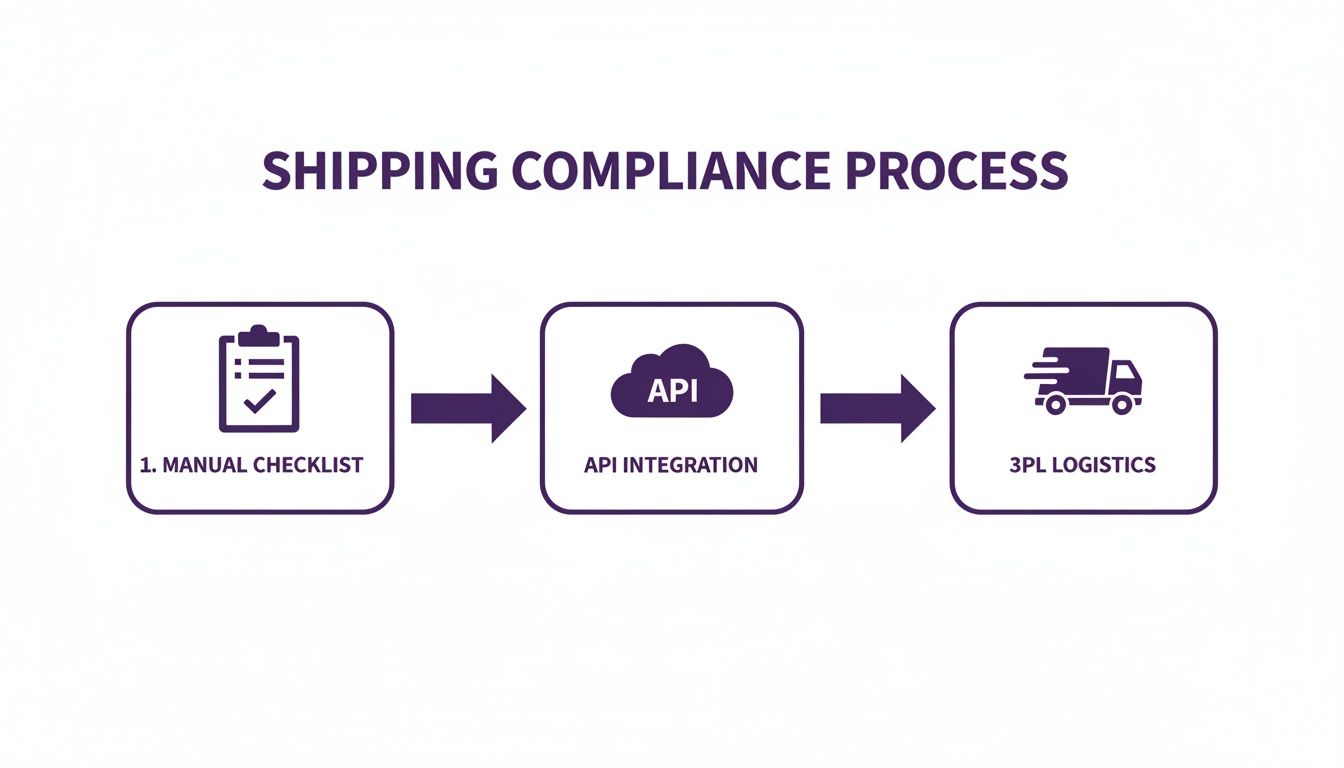
This diagram nails it: the API becomes the intelligent hub of your operation. It's the critical link that automates compliance decisions before an order even hits your warehouse, making the entire fulfillment workflow faster and more scalable.
Getting Your API Credentials
First things first: you can't talk to the API without authenticating your requests. This is done with a unique set of API keys—a Consumer Key and a Consumer Secret. They work just like a username and password for your application. Generating these keys in WooCommerce is your first real step.
Head over to WooCommerce > Settings > Advanced > REST API in your WordPress dashboard. Create a new key, give it a clear description like "Ship Restrict Integration," and tie it to an administrator-level user.
Here's the crucial part: you must grant it Read/Write access. This isn't just for reading cart contents. You need write permissions so the integration can potentially update order notes or display customer notices based on what the API sends back. Once you generate the keys, copy and paste them somewhere safe immediately—the Consumer Secret won't be displayed again.
Making Your First API Call
With credentials in hand, it's time to build and send a request to the Ship Restrict API to validate an address. The process is pretty straightforward: you'll send a structured payload with the customer’s shipping address and the product SKUs in their cart. The API endpoint is waiting for it.
The API expects this data in a clean JSON format. Your request will need key-value pairs for address info like state, city, and zip, plus an array of items the customer wants to buy.
Let's look at a quick cURL example to see if a product can ship to a Beverly Hills ZIP code.
curl -X POST https://api.shiprestrict.com/v1/validate
-H "Authorization: Bearer YOUR_API_SECRET"
-H "Content-Type: application/json"
-d '{
"address": {
"country": "US",
"state": "CA",
"city": "Los Angeles",
"zip": "90210"
},
"items": [
{ "sku": "HG-123", "quantity": 1 }
]
}'
This request hits the /validate endpoint with the address and one item. That Authorization header is where your secret API key goes to prove it's you.
Integrating with WooCommerce Hooks
Now, to make this dynamic, you have to tap into the WooCommerce checkout flow. The idea is to trigger our API call at the perfect moment—right after the customer provides their address but before they click "Place Order." This keeps the experience smooth and avoids annoying, premature validation errors.
A solid hook for this job is woocommerce_after_calculate_totals. It fires every time the cart or checkout gets updated, which is exactly what happens when a shipping address is entered or changed.
Here’s a simplified PHP snippet to show how you might structure this logic. You can drop this into your theme's functions.php file or, even better, a custom plugin.
add_action( 'woocommerce_after_calculate_totals', 'check_shipping_restrictions_api' );
function check_shipping_restrictions_api( $cart ) { if ( is_admin() && ! defined( 'DOING_AJAX' ) ) { return; }
$customer = WC()->customer;
$shipping_zip = $customer->get_shipping_postcode();

// Only run if we actually have a ZIP code to check
if ( ! empty( $shipping_zip ) ) {
    // 1. Grab cart item SKUs and the full address.
    // 2. Build the JSON payload for the API.
    // 3. Use wp_remote_post() to call the Ship Restrict API.
    // 4. Parse the JSON response and decide what to do.
}
}
This code sets up the basic framework. The real magic happens inside that if block, where you'll collect the data, make the HTTP request, and then act on the result.
Handling API Responses
The API's response is just as critical as the request you send. A good call will give you a clear JSON object saying whether the shipment is allowed. A bad call might return an error because of a typo in your API key or a malformed request.
You need to build logic to handle all of these scenarios gracefully.
- Success Response (
allowed: false): If the API says a product is restricted, it will returnallowedasfalse, often with areasonlike "State-level restriction." Your code needs to use this to stop the checkout. - Success Response (
allowed: true): If everything checks out, the API will confirm it. In this case, your code does nothing, and the customer proceeds with their purchase. - Error Response (e.g., 401 Unauthorized): If your API key is bad, you'll get an HTTP error code. Your integration should log this for debugging but show the customer a friendly, non-technical message.
The secret to a great user experience is translating the API's technical response into a plain-English message for your customer. Ditch the generic "Checkout error." Instead, display something helpful: "Sorry, we cannot ship item HG-123 to your location due to local regulations."
To pull this off, you can use the wc_add_notice() function inside your hook. This displays a custom error message at the top of the checkout page and stops the "Place Order" button from working until the customer removes the problem item.
For a deeper look into more complex integrations and edge cases, check out the guide on advanced setup in our documentation. It’ll help you build a truly bulletproof compliance solution.
Keeping Your Rules Current with Webhooks
<iframe width="100%" style="aspect-ratio: 16 / 9;" src="https://www.youtube.com/embed/lK3veuZAg0c" frameborder="0" allow="autoplay; encrypted-media" allowfullscreen></iframe>A static integration is an outdated one. Shipping regulations are constantly in flux, and a rule that was valid yesterday could easily be obsolete tomorrow. To stay compliant, your system can't just be a snapshot in time—it needs to react to changes as they happen.
This is where webhooks become an essential part of your WooCommerce shipping restrictions API integration.
Instead of your server constantly pinging the API and asking, "Anything new?", a webhook flips the script. The API service proactively tells your server when something important happens, like a new restriction being added or an existing one modified. This "push" method is far more efficient and reliable than constantly polling for updates.
Setting Up a Webhook Endpoint in WooCommerce
To catch these real-time notifications, you first need a dedicated URL on your WooCommerce site that listens for incoming data. This is your webhook endpoint.
In the WordPress world, the cleanest way to do this is by creating a custom REST API endpoint. This approach keeps the communication structured, secure, and fits perfectly within the platform's architecture.
You can register a new route using register_rest_route(). This function lets you define the URL, the HTTP method it accepts (almost always POST for webhooks), and the callback function that will run when a notification lands.
add_action( 'rest_api_init', function () { register_rest_route( 'shiprestrict/v1', '/rule-update', array( 'methods' => 'POST', 'callback' => 'handle_rule_update_webhook', 'permission_callback' => 'verify_webhook_signature' ) ); } );
function handle_rule_update_webhook( $request ) {
// Your logic to process the webhook payload goes here.
$payload = $request->get_json_params();
// ...update your local cache or database...
return new WP_REST_Response( 'Webhook received', 200 );
}
This simple setup creates a listener at your-site.com/wp-json/shiprestrict/v1/rule-update. When the Ship Restrict service sends a notification to this URL, your handle_rule_update_webhook function gets to work.
Security is non-negotiable. An unprotected endpoint is a massive vulnerability. You must implement a verification step, like checking a shared secret or a cryptographic signature, to confirm every request is genuinely from the API provider and not a bad actor.
Securing Your Endpoint
The permission_callback in the code snippet above is your gatekeeper. A common and highly effective security method is using a webhook secret.
When you configure the webhook in your Ship Restrict dashboard, you'll get a secret token. The service then includes a special signature in the header of every webhook request it sends.
Your verify_webhook_signature function has a critical job:
- Extract the signature from the request headers.
- Recompute the signature on your end using the payload you received and the secret token you have stored.
- Compare your computed signature to the one from the header. If they match, the request is authentic. If not, you reject it with a
401 Unauthorizederror.
This process ensures that you only act on legitimate, verified notifications, protecting your store's data and integrity.
Parsing Webhook Payloads and Updating Rules
Once a webhook is received and verified, it's time to parse its payload. The data arrives in a structured JSON format, detailing exactly what changed. It will tell you the event_type, which rule was affected (rule_id), and provide the new rule data.
A typical payload might look something like this:
{
"event_type": "rule.updated",
"rule_id": "rule_abc123",
"data": {
"jurisdiction_type": "state",
"jurisdiction_value": "NY",
"product_skus": ["SKU-A", "SKU-B"],
"is_active": true
}
}
Your handle_rule_update_webhook function needs to read this JSON. Based on the event_type—whether it's rule.created, rule.updated, or rule.deleted—your code will add, modify, or remove the corresponding rule in your local cache or database.
This ensures that the next time a customer from New York tries to check out with SKU-A, your system is already armed with the most current restriction data. This automated, event-driven approach keeps your compliance engine perfectly synchronized. It’s the key to building a "set it and forget it" integration that stays accurate without constant manual intervention.
Enhancing Performance and the Customer Experience
A successful WooCommerce shipping restrictions API integration isn't just about blocking orders—it's about doing it quickly and without frustrating your customers. Every external API call introduces a little bit of lag, and we all know a slow checkout is a notorious conversion killer. The key is to make the validation feel totally invisible until a restriction is actually found.
This means your integration needs to be both fast and smart. Performance optimization isn't an afterthought here; it’s a core part of a professional setup that respects the user's time and builds trust in your store.
Minimizing Latency with Local Caching
Calling the API every single time the checkout page refreshes is a massive waste of resources and will absolutely slow down your site. A much smarter approach is to implement a local caching strategy. The idea is simple: store the results of recent validation checks on your server for a short period.
For this, the WordPress Transients API is your best friend. When you get a validation response for a specific address and cart combination, just save it as a transient with a short lifespan—maybe 5 to 15 minutes.
Here’s a breakdown of the flow:
- A customer updates their shipping address.
- Your code first checks for a matching transient (a cached result for that exact address and cart).
- If a valid, unexpired transient exists, you use that cached result. No API call needed.
- If nothing is found, you make the API call, process the response, and then store the result in a new transient for the next time.
This one change can dramatically slash the number of API requests you make, speeding up the checkout and making your site far more resilient.
By caching validation results, you transform a potentially slow, repetitive process into a nearly instantaneous one for most user interactions during a single checkout session. It’s a simple change that delivers a massive performance boost.
Creating a Seamless Checkout with AJAX
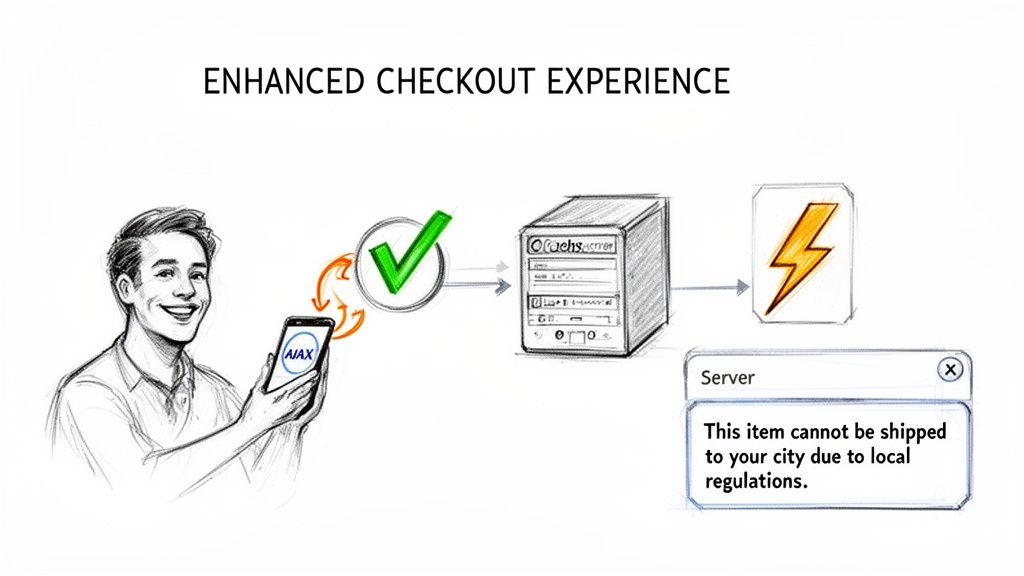
Even with caching, waiting for a full page reload just to see a validation error feels clunky and outdated. To create a modern, fluid user experience, you should validate the customer's address asynchronously using AJAX.
This lets you check for shipping restrictions in the background the moment a user finishes typing their ZIP code or city, all without interrupting them. If the API returns a restriction, you can display a clear, helpful error message instantly. That real-time feedback is crucial.
This approach gives immediate validation and prevents the classic "fill out everything only to be blocked at the final step" scenario—a deeply frustrating experience that sends customers running. To really make sure your integration is bulletproof under pressure, check out this ultimate guide to API load testing.
Communicating Restrictions with Clarity
The final piece of the puzzle is the user experience itself. A generic error like "Shipping not available" is just plain unhelpful and leaves customers confused. A well-designed API response should include the reason for the restriction, and your job is to present that information clearly.
Transform the API’s technical output into a human-friendly notification. Instead of a vague warning, use the response data to be specific:
- "We cannot ship Product X to your state due to local regulations."
- "This item is restricted in your ZIP code. Please remove it to continue."
This level of transparency turns a negative experience into an informative one. It shows customers you're a responsible, compliant seller, which reinforces their trust in your business—even if they can't complete that specific purchase. Given the growth of WooCommerce, from 3.8 million to 4.5 million stores between 2020 and 2025, having sophisticated and user-friendly tools is no longer a luxury; it's a necessity.
Common Questions About API-Driven Shipping Rules
So, you've got the basics down for hooking into a WooCommerce shipping restrictions API. You know how to set up your keys, listen for webhooks, and keep things running smoothly. But as any developer knows, the real world always throws a few curveballs.
Let's walk through some of the most common questions that pop up once you start moving from theory to implementation. Think of this as the field guide for those "what if" moments.
How Does the API Handle Overlapping Local Laws?
This is a big one, especially if you sell anything in a regulated industry. What happens when a product is perfectly legal to ship to a state, but one specific city or county inside that state has banned it?
A well-designed restrictions API solves this with a clear hierarchy. It doesn't just check the state; it digs deeper, checking for rules in a specific order:
- ZIP Code: The most granular level. A rule here trumps everything else.
- City: If there's no ZIP-specific rule, it checks for a city-wide restriction.
- County: Next up, it looks for any county-level bans.
- State: Finally, if none of the above apply, it falls back to the statewide regulations.
This layered logic makes sure the strictest law always wins. For instance, a product might be fine to ship to California (CA), but it’s explicitly forbidden in San Francisco. The API will catch the city-level rule and correctly block the order, saving you from a massive compliance headache.
What Is the Best Practice for API Failures?
No API has 100% uptime. It's just a fact of life. Network hiccups, a moment of server maintenance, or an issue on your own site can cause an API call to time out or fail. How you react in that moment is critical. The absolute worst thing you can do is just let the order go through as if the check passed.
Your code needs a bulletproof fallback plan.
When an API call to validate shipping restrictions fails for any reason, the only safe option is to fail closed. That means you block the checkout by default and show the customer a helpful message.
Something like, "We're unable to verify shipping regulations for your address right now. Please try again in a few moments or contact support" works well. This approach prevents a restricted item from slipping through the cracks during a brief outage, all while keeping the customer in the loop. Make sure you're logging these errors on your end so you can investigate, but never, ever risk a compliance breach.
How Can I Test My Integration Without Affecting Live Customers?
Testing in production is a developer's nightmare. You absolutely must vet your integration in a safe, isolated environment before a single line of code goes live. The gold standard here is a staging site.
A staging site is just a complete clone of your live store running on a separate server or subdomain. It’s the perfect sandbox to test the entire checkout flow—from a customer entering an address in a blocked state to seeing the exact restriction message you configured. All of this happens with zero risk to your real customers or sales data.
Be sure to use the API's test mode or sandbox environment if it has one. This lets you fire off real API calls using test credentials and data without racking up charges or triggering live actions. Go through all the scenarios: test addresses in restricted zones, check products with tricky rules, and even simulate an API failure to make sure your "fail closed" logic kicks in correctly.
Automating compliance is a game-changer, but you need the right tool for the job. Ship Restrict gives you the robust API and seamless WooCommerce integration required to enforce shipping rules with confidence. Stop wasting time with manual checks and get back to growing your business. Get Ship Restrict today and put your compliance worries on autopilot.
Automate Shipping Compliance
Stop worrying about restricted states. Ship Restrict handles it automatically.

Cody Yurk
Founder and Lead Developer of ShipRestrict, helping e-commerce businesses navigate complex shipping regulations for regulated products. Ecommerce store owner turned developer.
Automate Shipping Compliance
- Block restricted states
- No more cancellations
- Set and forget
3-day free trial · Card required