Massachusetts Firearms Ammunition Shipping A Complete Guide
Navigate Massachusetts firearms ammunition shipping with this guide. Learn MA laws, FFL requirements, and how to automate compliance for your WooCommerce store.
Let's get one thing straight about shipping ammunition to Massachusetts: you can't send it directly to your customer's house. Period.
This is the absolute, non-negotiable starting point for any WooCommerce store selling to the Bay State. State regulations and carrier policies require all ammunition to be shipped to a federally licensed dealer (FFL)—never a residential address. Understanding this rule isn't just a good idea; it's the foundation of your entire compliance strategy.
The Unmistakable Reality of Shipping Ammo to Massachusetts
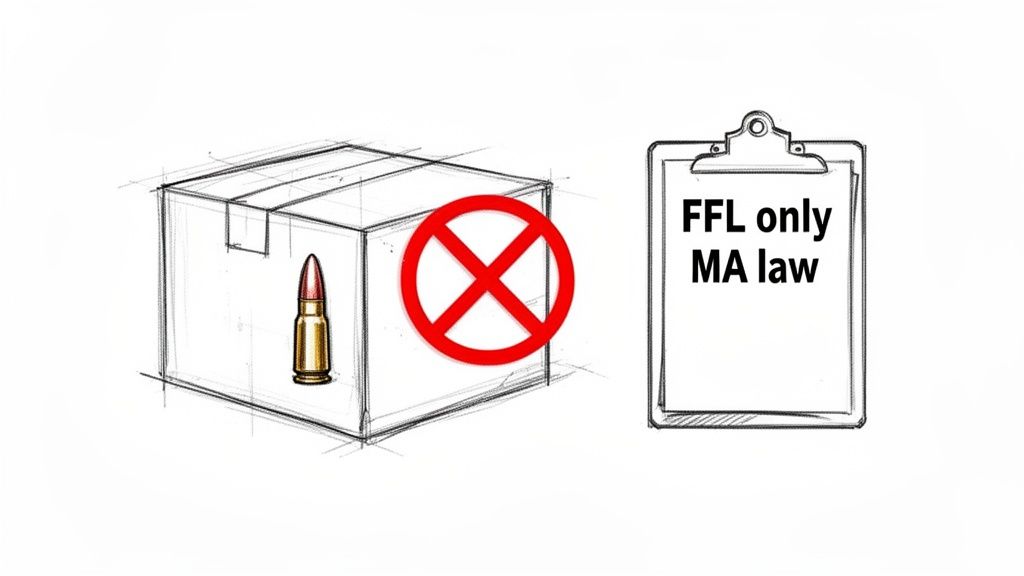
For online firearms merchants, Massachusetts is a unique beast. The rules here are ironclad, with zero wiggle room for direct-to-consumer ammo sales. If you're configuring your e-commerce setup, this isn't a minor shipping detail—it's the core principle that has to guide every decision you make for this market.
Of course, getting a handle on the rules for one state is easier after understanding the broader landscape of e-commerce and shipping. That context really helps frame just how specific—and strict—the requirements are here.
Automate FFL Shipping Compliance
Block orders to restricted states automatically. 3-day free trial.
Start Free TrialWhy Direct Shipping Is a Non-Starter
This isn't just about a single law. It’s a one-two punch from state regulations and the internal policies of major shipping carriers. Both UPS and FedEx flat-out prohibit sending ammunition to a residential address in Massachusetts. Their rules mandate that these packages can only go to an individual or business holding a valid Federal Firearms License (FFL).
Their policies are a direct response to the state's tough gun laws. Trying to find a workaround is a fast track to serious problems, including:
- Account Suspension: Carriers will flag your account in a heartbeat and can suspend or even terminate it.
- Package Seizure: Any shipment caught violating the rules will likely be confiscated. That’s lost product and lost revenue.
- Legal Penalties: Knowingly breaking these rules exposes your business to some pretty scary legal and financial risks.
This isn't new, either. This has been the reality for well over a decade. Since at least the early 2010s, carriers have refused direct-to-consumer ammo shipments to MA, aligning their policies with state-level mandates that require a licensed dealer to handle the final transfer.
Key Takeaway: The "FFL-only" rule for Massachusetts ammunition shipping isn't a suggestion. It's an operational mandate enforced by law and by every major carrier. Build your entire compliance plan around this fact.
The Customer’s Role in Compliance
Your job doesn't end with shipping to an FFL. Your Massachusetts customer also has a critical part to play. To legally buy and own ammunition in the state, they must have a valid, state-issued firearms license. The most common one you'll see is the License to Carry (LTC).
Even though the package is going to an FFL, it's still your responsibility as the seller to verify the customer's license before you process the order. This adds an essential verification step to your workflow that you absolutely cannot skip for any MA-bound sale.
This two-part requirement—an FFL destination and a valid customer LTC—is the bedrock of your compliance. Miss one, and the entire sale is invalid.
For a quick reference, here’s a checklist to keep you on track.
Massachusetts Ammunition Shipping Compliance Checklist
This table breaks down the core requirements into simple, actionable steps for your WooCommerce store.
| Requirement or Restriction | What This Means for Your Store | Your Immediate Action Item |
|---|---|---|
| No Direct-to-Consumer Shipments | All ammunition must be sent to a Federally Licensed Dealer (FFL) address. Residential shipments are strictly forbidden. | Configure your shipping rules to block any checkout attempts for ammo products going to a non-FFL address in MA. |
| FFL Address Verification | You must confirm the shipping address belongs to a valid, active FFL holder before you ship the order. | Integrate an FFL verification tool or process into your order fulfillment workflow. Don't rely on the customer's input alone. |
| Customer License to Carry (LTC) Required | Your customer must possess a valid Massachusetts-issued LTC to legally purchase ammunition. | Implement a system to collect and verify a copy of the customer's LTC during the ordering process. This is a must-do. |
| Carrier Policy Adherence | Both UPS and FedEx have internal rules that mirror state law. You must follow their specific guidelines for shipping ammunition. | Review your carrier agreements and ensure your shipping department is trained on the proper procedures for FFL-only shipments. |
Getting this right from the start protects your business, prevents costly compliance mistakes, and creates a lawful, transparent process for your customers. In this industry, that's not just good business—it's the only way to operate.
Free Firearms Compliance Audit
Selling firearms or ammunition? We'll review your WooCommerce store's shipping compliance for free.
Getting WooCommerce Set Up for Massachusetts Compliance
Knowing the rules is one thing, but making your WooCommerce store actually enforce them is where the rubber meets the road. Your website needs to be a digital gatekeeper, automatically applying Massachusetts’ specific shipping laws without you having to manually check every single order. This isn't just about staying out of legal trouble; it’s about giving your legitimate customers in MA a clear, frustration-free path to checkout.
The goal is straightforward: you have to block any attempt to ship ammunition directly to a consumer in Massachusetts. The system has to be smart enough to see ammo in a cart going to MA and then steer that customer to the only legal option—pickup at a local Federally Licensed Dealer (FFL).
Laying the Groundwork With Shipping Rules
Your first move is to pull Massachusetts out of your standard shipping flow. Inside WooCommerce, this means setting up a dedicated "Shipping Zone" just for the state. This lets you create unique shipping methods that only apply to customers with a Massachusetts address, without messing up your settings for the rest of the country.
With your MA zone created, you’ll add a new shipping method. But instead of the usual "Flat Rate" or "Free Shipping," you'll name it something crystal clear like "FFL Dealer Pickup" or "Ship to Local FFL." For a Massachusetts customer buying ammo, this should be the only choice they see.
Here’s a look at how to set up that specific shipping zone in WooCommerce.
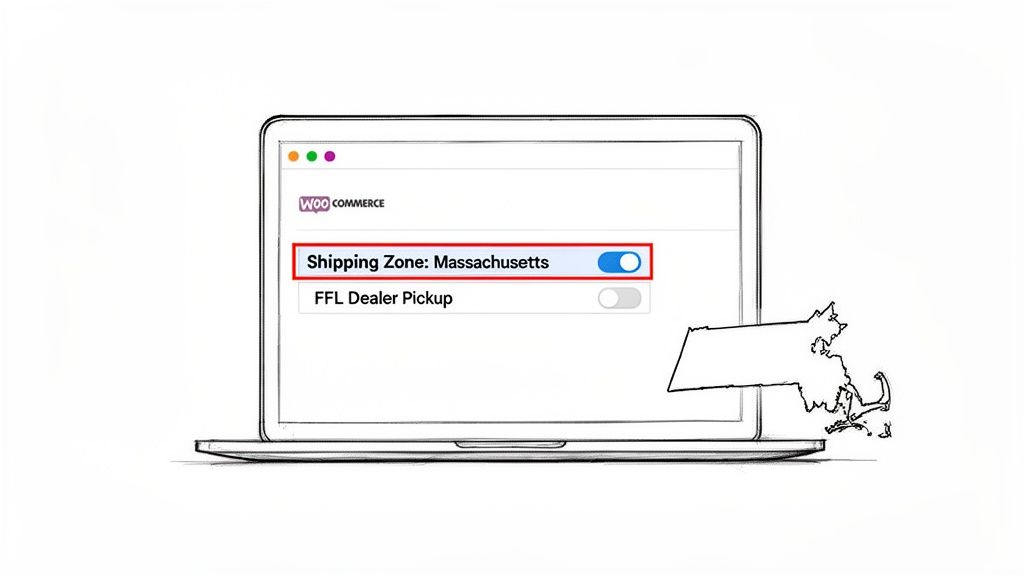
This setup creates the right structure, but it doesn't actually enforce anything yet. That’s where a tool like Ship Restrict becomes absolutely critical.
Using Ship Restrict to Lock Down FFL-Only Shipping
Now that your shipping zone and method are ready, you can build the logic that makes it all click. The main job is to create a rule in Ship Restrict that hides all your normal shipping options when an ammo order is headed to Massachusetts.
Here’s what that core rule looks like:
- Condition: The rule fires when the customer's shipping address is in Massachusetts.
- Product: It only applies when the cart contains a product from your "Ammunition" category.
- Action: The rule then hides every other shipping method, leaving only your "FFL Dealer Pickup" option visible.
This one rule becomes the backbone of your MA compliance strategy. It makes it impossible for a customer to accidentally pick—or even see—an illegal option like standard ground shipping. This proactive step prevents checkout errors, cuts down on cart abandonment from confused shoppers, and slams the door on the risk of an illegal shipment sneaking through. A survey in August 2024 found that 73% of retailers struggle to keep up with sudden regulatory changes, which shows just how vital a good automated system is.
Expert Tip: Don't just block the methods. Use Ship Restrict’s messaging feature to show a custom note at checkout. Something simple like, "Per state law, all ammunition shipped to Massachusetts must be sent to a licensed FFL dealer for pickup," gives customers instant clarity and builds trust.
Why You Can't Afford to Skip Automation
Trying to manually review every single order for Massachusetts compliance is a recipe for disaster. It's not scalable, and it's definitely not reliable. An employee could miss an item in a large order, misread an address, or just be unaware of a specific local rule. Every single mistake carries a heavy price, from getting your carrier account suspended to facing serious legal penalties.
Automating these rules is the only way to guarantee 100% compliance, 100% of the time. It turns your WooCommerce store from a simple sales tool into a smart compliance engine that protects your business 24/7. Not only does this save countless hours of mind-numbing manual work, but it also gives you a defensible record showing you're committed to operating lawfully.
For a deeper dive into best practices, our comprehensive guide on firearms and ammunition shipping compliance for WooCommerce stores is a great resource. By putting in the time to configure this upfront, you build a tough, error-proof system for handling every future order to Massachusetts.
Automating Complex Shipping Rules with Precision
<iframe width="100%" style="aspect-ratio: 16 / 9;" src="https://www.youtube.com/embed/oso8nbkJLoE" frameborder="0" allow="autoplay; encrypted-media" allowfullscreen></iframe>Setting up a simple rule to block standard ammo shipments to Massachusetts is a solid start, but it's really just scratching the surface. The true power of an automated system like Ship Restrict is in its ability to manage the intricate, messy details with absolute precision. This is where you graduate from basic compliance to running an intelligent, error-proof shipping operation.
The legal landscape for Massachusetts firearms ammunition shipping is constantly shifting. Recent regulations like MA H.4885 have ramped up record-keeping requirements, adding another layer of complexity on top of the state's already comprehensive firearms laws. The new rules demand more detailed reporting for both ammo and gun sales, which makes having an adaptable, automated compliance tool more critical than ever.
From Statewide Rules to ZIP Code Precision
While Massachusetts law is fairly uniform statewide, that's not the case everywhere. Many states have a confusing patchwork of local ordinances where certain cities or counties are far stricter than the state-level law. Trying to manually police a long list of prohibited ZIP codes for every order is an operational nightmare just waiting to happen.
This is exactly where bulk rule creation becomes your best friend.
Instead of tediously building dozens of individual rules, you can just compile a list of restricted ZIP codes into a simple CSV file. With a few clicks, you upload that list into Ship Restrict and instantly block shipments to every single one of those locations.
Think about it: a new city ordinance passes. You just add the new ZIP code to your master CSV, re-upload it, and your entire rule set is updated in seconds. It's not only faster—it's infinitely more accurate than trying to punch in numbers by hand.
Pro Tip: Keep separate CSV files for different restriction types (e.g., "Magazine Capacity ZIPs," "Ammunition Type ZIPs"). This keeps your rules organized and makes it a breeze to update specific regulations without touching anything else.
Creating Rules Based on Product Attributes
Often, your compliance needs go deeper than just a customer's address. You might need to restrict specific products based on their characteristics, like magazine capacity or ammunition caliber. Ship Restrict lets you tie rules directly to your WooCommerce product attributes.
This kind of granular control is absolutely essential for navigating the web of state-specific restrictions you'll face outside of Massachusetts.
- High-Capacity Magazines: Set up a rule that blocks any product with a "capacity" attribute greater than 10 from being shipped to states with magazine bans.
- Specific Ammunition Types: If a state bans certain ammo, create a rule targeting products with a specific "caliber" or "type" attribute.
This attribute-based strategy also future-proofs your store. As you add new products to your inventory, just assign the right attributes, and they’ll automatically be covered by your existing shipping rules. No more manually updating rules every time you get a new shipment in.
Improving the User Experience with Conditional Messaging
A great compliance system doesn't just block illegal orders; it clearly explains why to the customer. A silent failure at checkout just leads to frustrated buyers and abandoned carts. A clear, helpful message, on the other hand, builds trust and educates your customers.
Use your shipping rules to show dynamic, context-aware messages. When a customer from Massachusetts adds ammo to their cart, they shouldn't just see "FFL Dealer Pickup" as their only choice. They need to see a message explaining what's going on.
Example Message: "Due to Massachusetts state law, all ammunition must be shipped to a licensed FFL dealer. Please select our 'FFL Dealer Pickup' option and provide your chosen dealer's information in the order notes."
This simple message turns a potential point of frustration into a moment of clarity. It shows you're a knowledgeable, compliant seller, which is a massive trust signal in this industry.
For those looking to push automation even further, exploring broader no-code automation platforms can open up new ways to manage other parts of your business, from inventory to customer service. By automating with precision, you build a system that's not only compliant but also customer-focused.
Manual vs Automated Compliance: A Realistic Comparison
See the stark difference in time, cost, and risk between manually policing MA orders and letting Ship Restrict handle the heavy lifting.
| Compliance Task | The Manual Grind (Time & Risk) | The Automated Advantage (Benefit) |
|---|---|---|
| Address Verification | 5-10 mins per order. Prone to typos, ZIP code mix-ups, and human error. High risk of shipping to a prohibited area. | Instantaneous. Rules run automatically at checkout. Zero chance of human error. |
| Product Restriction Checks | Variable time depending on order complexity. Requires cross-referencing spreadsheets or memory. Very high risk of mistakes. | Instantaneous. Attribute-based rules automatically flag non-compliant products for specific locations. |
| Updating Rules | Hours to research new laws and manually update dozens of rules or spreadsheet entries. Easy to miss a local ordinance. | Minutes. Upload a single CSV file with new ZIP codes or adjust a single rule to cover a new state law. |
| Customer Communication | Requires manual emails or phone calls to explain restrictions, leading to delays and potential order cancellations. | Automated. Clear, custom messages appear at checkout, explaining the restriction and guiding the customer. |
| Record Keeping & Audits | A manual paper trail that's difficult to search and prove compliance if questioned by regulators. | Built-in history. Every blocked or modified order is logged, creating an easy-to-access audit trail. |
Ultimately, the choice comes down to risk. Manual compliance is a constant gamble, relying on perfect human execution every single time. An automated system like Ship Restrict doesn't just save time—it buys you peace of mind.
Packing and Labeling for a Smooth Handover
Automating your checkout is a massive win for compliance, but the job isn't done until the physical package is correctly prepared. A simple mistake here, a wrong label there, can lead to a carrier rejection. That means delayed shipments and a frustrated FFL dealer on the other end.
Getting the physical side of Massachusetts firearms ammunition shipping right is what ensures a seamless handover from your warehouse to the carrier's truck.
The logistics of ammunition have always been high-stakes. During the Siege of Boston in 1775, George Washington’s forces faced a catastrophic ammunition crisis, finding only 36 barrels of gunpowder when they expected 308—less than 12% of what was needed. A single logistical failure nearly altered history. You can learn more about this from the American Revolution Institute.
Modern tools like Ship Restrict help today's retailers avoid their own logistical disasters by making sure carrier and state rules are met from the start.
Mastering Carrier Requirements for Ammunition
When you ship ammunition, you’re playing by the carrier's rules—specifically their hazardous materials (hazmat) regulations. Both UPS and FedEx classify small arms ammunition as a Limited Quantity shipment, which has its own strict guidelines for packaging and labeling. You can’t just toss it in any old box.
- Contract Required: First, you absolutely must have a specific contract with your carrier that explicitly permits you to ship ammunition. No contract, no shipping.
- Ground Service Only: Ammunition is a ground-only affair. It is strictly prohibited from being transported on any aircraft.
- Weight Limits: Packages containing ammunition must not exceed 66 pounds (30 kg).
These are non-negotiable. Trying to ship ammo without the right contract or sneaking it onto an air service will get the package rejected and could put your entire shipping account at risk. For a deep dive into how the carriers stack up, check out our guide on which carriers allow ammunition shipping.
The Anatomy of a Perfectly Labeled Package
Labeling is where a lot of sellers trip up. For a Limited Quantity shipment, you need specific markings to tell every handler down the line exactly what they're dealing with.
The most critical piece is the Limited Quantity diamond mark. This black-and-white, square-on-point marking has to be displayed prominently on the box. It’s the universal signal to carrier staff that the package contains hazmat but in small enough quantities to qualify for less stringent rules.
Key Insight: The Limited Quantity mark needs to be at least 100 mm by 100 mm (about 4x4 inches) unless the package itself is too small. Don't shrink it down to fit a small space; just use a properly sized box.
You also have to include the proper shipping name and UN identification number. For almost all small arms cartridges, this is UN0012, Cartridges, small arms. This info needs to be clearly visible right near the diamond mark.
Practical Packing Tips from Experience
Beyond the official regulations, a few practical packing techniques I've learned over the years can prevent damage and ensure a smooth delivery.
- Use New, Sturdy Boxes: Don't reuse old boxes, especially if they have markings from other products. Start fresh with a new, corrugated cardboard box that’s actually rated for the weight you're shipping.
- Pack It Tight: Ammunition is heavy and dense. Use plenty of dunnage—like foam inserts or bubble wrap—to make sure nothing can shift around. A rattling box is an immediate red flag for inspectors.
- Keep It Discreet: The outside of your package should give zero clues about what's inside. Avoid any branding, logos, or text that even hints at firearms or ammo. The only markings should be the shipping label and the required Limited Quantity diamond.
Your Post-Order Verification Playbook
An order confirmation email is just the start, not the finish line. When it comes to Massachusetts firearms ammunition shipping, your post-purchase verification workflow is where you build your fortress of compliance. This isn’t a simple checklist; it's a standardized, repeatable process that protects your business from the massive risks of a compliance failure.
Think of it as the final pre-flight check before a package ever leaves your facility. One misstep here can torpedo the entire sale and land you in serious hot water.
The Core Verification Steps
Your first move after an order drops is to gather the necessary documents from the customer and their chosen receiving FFL. You need to kick this off immediately, as it can sometimes take a day or two to get everything you need lined up.
The customer is responsible for providing two key pieces of information:
- A clear, legible copy of their valid Massachusetts License to Carry (LTC).
- The name and address of their chosen Federally Licensed Dealer (FFL) who will accept the transfer.
Once you have the FFL's information, your work has just begun. Never take the customer's input at face value. It's on you to independently verify that the license is legitimate and active.
Crucial Insight: The single best tool for this is the ATF's FFL EZ Check system. It's a free, instant online database that lets you confirm an FFL's validity using the first three and last five digits of the license number. Make this a non-negotiable step for every single order.
After confirming the license is valid via FFL EZ Check, the next step is to make direct contact with the dealer. A quick phone call or email can save you a world of trouble. Confirm they're aware of the incoming shipment and are willing to accept the transfer for your customer. Some dealers have specific policies, might be backed up, or may not be accepting transfers at that time.
Creating an Auditable Trail in WooCommerce
Documenting every step you take is just as important as taking the steps themselves. This creates a clean, auditable record that proves you performed your due diligence, and WooCommerce has simple but effective tools for this.
Use the "Order notes" feature to create a running log of your verification process right inside each order. Your notes should look something like this:
- Received and verified customer's MA LTC on [Date].
- Verified receiving FFL license ([FFL Name], #[License Number]) via ATF EZ Check on [Date]. Status: Valid.
- Spoke with [Contact Person] at FFL on [Date]; they confirmed they will accept the transfer.
This simple log turns a standard order page into a powerful compliance document. If an auditor ever comes knocking, you can immediately show a clear, time-stamped record of your entire verification playbook. These records are also critical for understanding the full lifecycle of a firearm transaction, much like how retailers must understand the ATF Form 4473 and its role in e-commerce for in-person transfers.
This infographic simplifies the final physical steps of the fulfillment process.
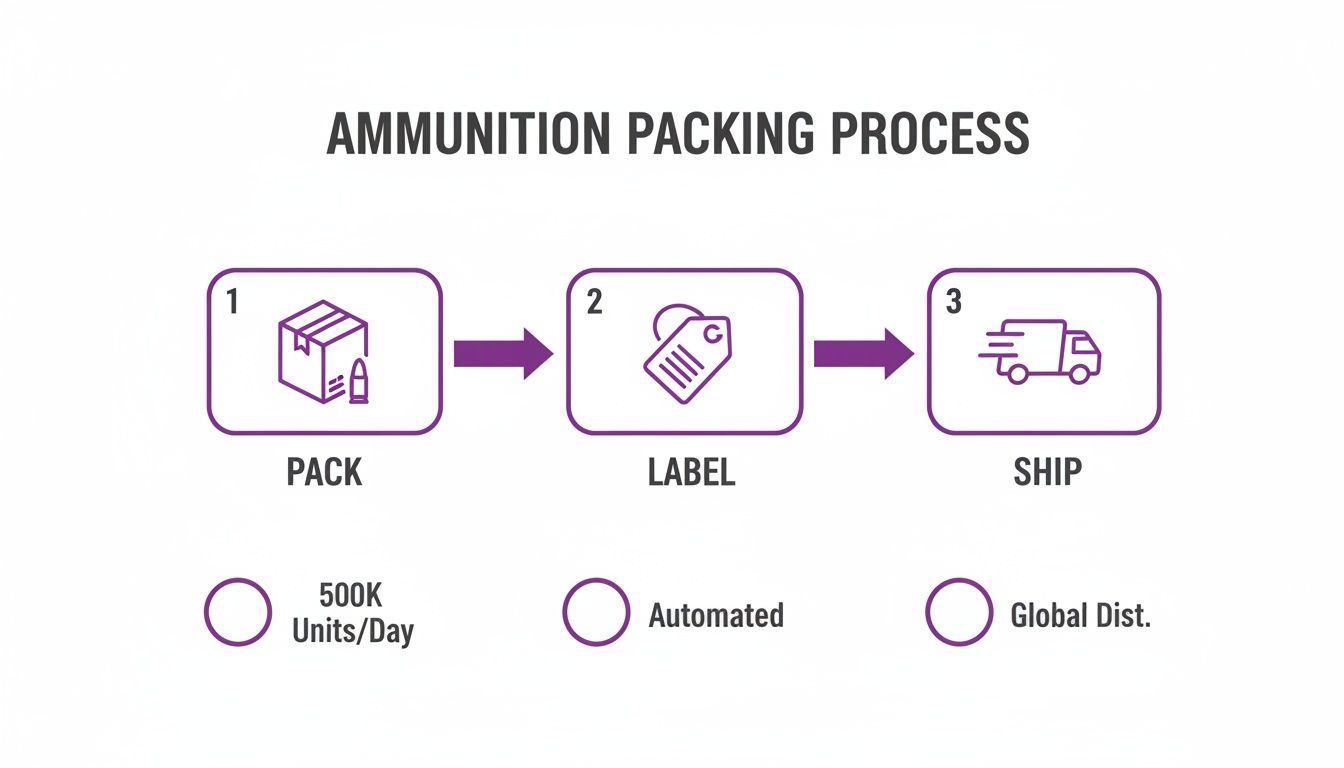
As the visual shows, after your verification is complete, the workflow moves to the physical packing, labeling, and shipping stages—which come with their own strict set of compliance rules.
Your Top MA Ammo Shipping Questions Answered
Even with a solid plan, the day-to-day reality of shipping ammo into Massachusetts can throw you some curveballs. Real-world orders often have nuances that don't fit neatly into a general rulebook. This section is all about tackling those common—and critical—questions we hear from WooCommerce store owners just like you.
Think of this as your quick-reference guide for the "what if" moments. Getting these details right isn't just about compliance; it's about protecting your business, your shipping accounts, and the trust you've built with your customers.
The Customer Has an LTC. Can I Ship Directly to Their Home?
This is the number one question we get, and the answer is an unambiguous no. A customer’s Massachusetts License to Carry (LTC) is absolutely required for them to legally buy and possess ammo. But it does not create an exception to the shipping laws.
Carriers like UPS and FedEx are crystal clear in their policies: they will not deliver ammunition to any residential address in Massachusetts, period. It doesn’t matter what license the recipient holds. State law and carrier policy are perfectly aligned on this—all ammunition must be sent to a Federally Licensed Dealer (FFL) for the customer to pick up.
What Happens If an Order Accidentally Ships to a MA Home Address?
An accidental shipment isn’t a small mistake; it's a serious compliance breach with a cascade of ugly consequences. For starters, the carrier will almost certainly intercept and confiscate the package. That means you've lost the product, eaten the shipping cost, and have an unhappy customer.
Worse, a single incident can trigger a full audit of your shipping practices. This could lead to your account being suspended or even permanently shut down. On the legal side, you’re now at risk of violating Massachusetts state law, opening your business up to hefty fines. It’s a painful and expensive mistake that puts your business's reputation and financial stability on the line.
The Bottom Line: The risk of an accidental shipment is the single best reason to automate your shipping rules. A tool like Ship Restrict acts as your digital backstop, making it impossible for an order to even process to a prohibited address. You eliminate this entire category of risk from the get-go.
How Do I Handle Ammunition Returns from Massachusetts?
Returns from Massachusetts are a logistical nightmare, which is precisely why a firm "all sales are final" policy is the industry standard for ammunition. A customer can't just drop a box of ammo in the mail and send it back to you from their house.
For a return to be even remotely possible, it would have to be coordinated through the same FFL dealer who handled the original transfer. This adds layers of complexity, cost, and paperwork for everyone involved—you, the customer, and the FFL. Given this hassle, the best strategy is prevention. A meticulous pre-shipment check to ensure every detail is perfect before the package leaves your warehouse is the only real way to avoid the return headache altogether.
Does Ship Restrict Automatically Update When Laws Change?
Ship Restrict is the engine you use to enforce the rules, but you're still the one behind the wheel. It's your responsibility as the merchant to stay on top of legal changes and update your rules accordingly. The plugin itself gets regular software updates for new features and security patches, but it doesn't automatically track the hundreds of evolving state and local firearms laws.
The good news is, we designed the plugin to make these updates incredibly fast. Let's say a new law restricts a fresh batch of ZIP codes. Instead of editing dozens of individual rules, you can simply add the new ZIPs to your master CSV file, upload it, and the changes are applied across your entire store instantly. This flexibility means you can adapt to new regulations in minutes, not hours.
Automate FFL Shipping Compliance
Stop worrying about restricted states. Ship Restrict handles it automatically.

Cody Yurk
Founder and Lead Developer of ShipRestrict, helping e-commerce businesses navigate complex shipping regulations for regulated products. Ecommerce store owner turned developer.
Automate FFL Compliance
- Block restricted states
- No more cancellations
- Set and forget
3-day free trial · Card required